

There are no buttons on the left on the troop deployment screen.bondjamesbond wrote: Tue Oct 27, 2026 11:32 amTo do this, just click the quick save button, which is located on the left side of the interface! I’d really like to have a button to start the scenario over if something doesn’t go as planned (something like that is available in Panzer Corps)!Kas Narayda wrote: Tue Oct 27, 2026 7:44 am I would also like to be able to save the game before deploying troops at the beginning of the scenario.
PzC Toolkit v2.0.5.1 - Classic General v0.12.14 (09/11/26)
Moderators: Slitherine Core, Panzer Corps Moderators, Panzer Corps Design
-
Kas Narayda
- Lance Corporal - SdKfz 222
- Posts: 23
- Joined: Mon Dec 06, 2021 2:42 pm
Re: PzC Toolkit v2.0.5.1 - Classic General v0.12.4 (24/10/26)
-
bondjamesbond
- Lieutenant-General - Nashorn
- Posts: 3293
- Joined: Mon Jun 27, 2022 10:10 pm
Re: PzC Toolkit v2.0.5.1 - Classic General v0.12.4 (24/10/26)
Kas Narayda wrote: Wed Oct 28, 2026 3:55 amThere are no buttons on the left on the troop deployment screen.bondjamesbond wrote: Tue Oct 27, 2026 11:32 amTo do this, just click the quick save button, which is located on the left side of the interface! I’d really like to have a button to start the scenario over if something doesn’t go as planned (something like that is available in Panzer Corps)!Kas Narayda wrote: Tue Oct 27, 2026 7:44 am I would also like to be able to save the game before deploying troops at the beginning of the scenario.
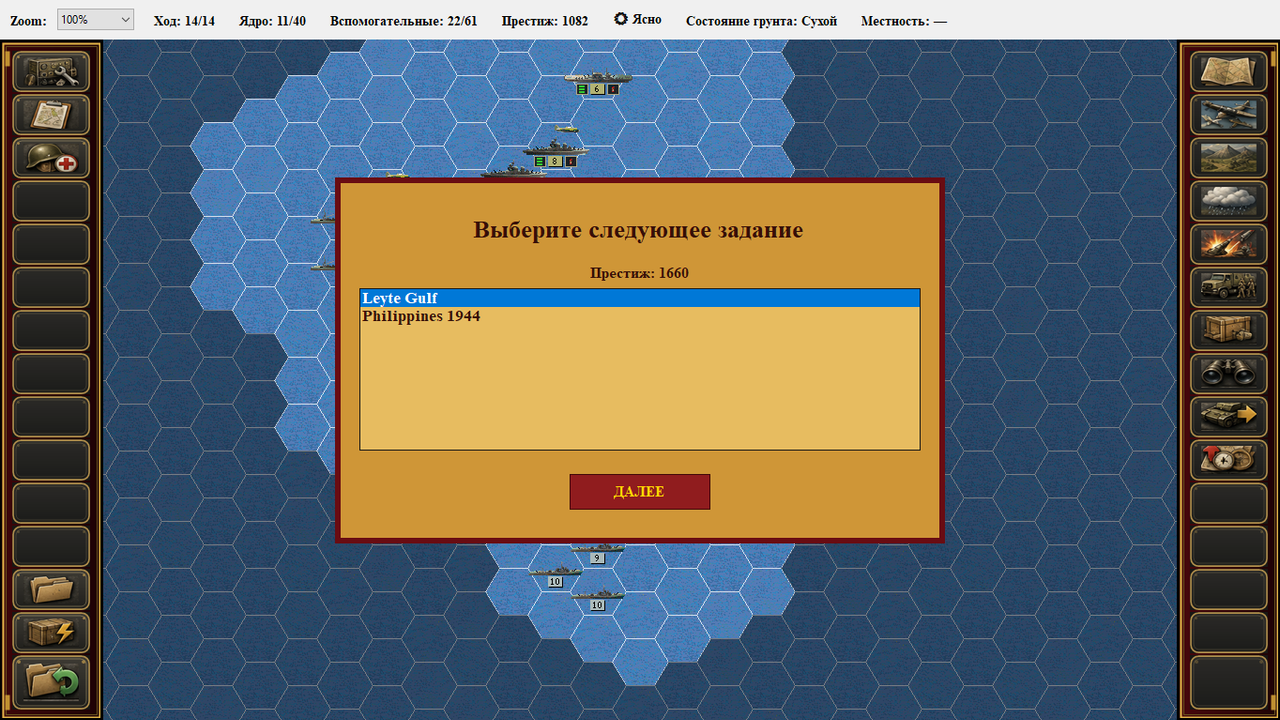
I see three problems here: either we don’t quite understand each other, or you have a very old version of the mod, or you’ve installed something incorrectly or haven’t enabled certain options!
https://mynickname.com/id73473


Re: PzC Toolkit v2.0.5.1 - Classic General v0.12.4 (24/10/26)
The next update will include the options to restart a scenario and to save during the deployment phase.
.
.
.
.
- aaa.png (5.43 KiB) Viewed 1155 times
.
- bbb.png (45.56 KiB) Viewed 1155 times
-
bondjamesbond
- Lieutenant-General - Nashorn
- Posts: 3293
- Joined: Mon Jun 27, 2022 10:10 pm
Re: PzC Toolkit v2.0.5.1 - Classic General v0.12.4 (24/10/26)
nikivdd wrote: Wed Oct 28, 2026 10:49 am The next update will include the options to restart a scenario and to save during the deployment phase.
.
aaa.png
.
.
bbb.png
That’s great – when’s it coming out!?
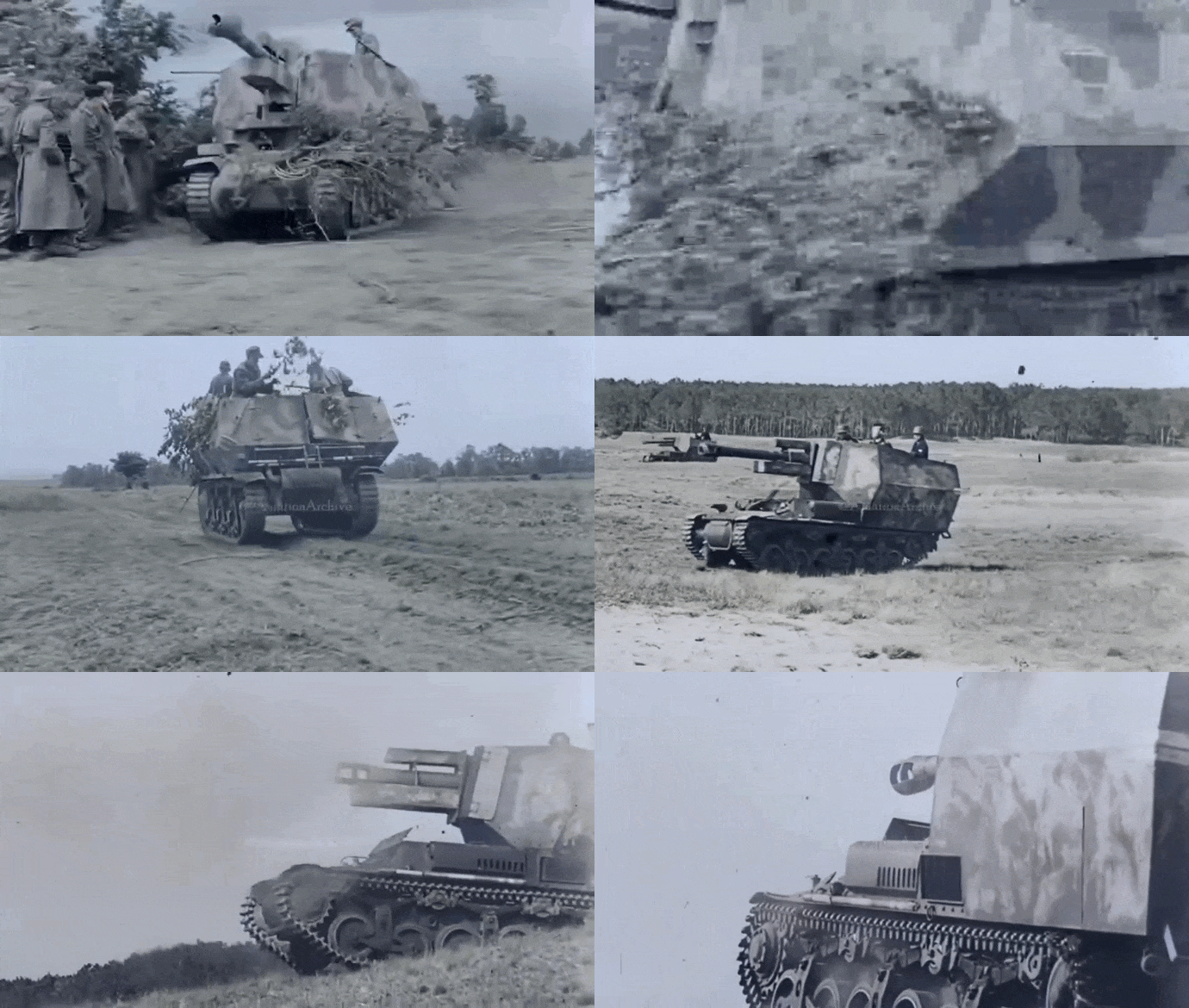
In 1942, the Germans converted 24 captured French Lorraine 37L tractors into a self-propelled artillery vehicle—the 7.7-ton *Lorraine Schlepper(f)*, armed with a 105mm *leFH 18/40* howitzer—which saw combat in Normandy as part of the 21st Panzer Division.
https://mihalchuk-1974.livejournal.com/808685.html
https://mynickname.com/id73473
Re: PzC Toolkit v2.0.5.1 - Classic General v0.12.4 (24/10/26)
This week.That’s great – when’s it coming out!?
Re: PzC Toolkit v2.0.5.1 - Classic General v0.12.4 (24/10/26)
Development update:
.
.
.
.
.
.
Each unit portrait has three lamps: green (can buy), orange (can buy but then less than 100 prestige will remain), red (cannot buy)
.
- ccc.png (19.89 KiB) Viewed 992 times
- aaa.png (11.36 KiB) Viewed 992 times
- bbb.png (9.99 KiB) Viewed 992 times
.
.
Each unit portrait has three lamps: green (can buy), orange (can buy but then less than 100 prestige will remain), red (cannot buy)
Re: PzC Toolkit v2.0.5.1 - Classic General v0.12.6 (30/10/26)
Classic General has been updated.
.
v0.12.6: https://www.mediafire.com/file/t68r942n ... p.rar/file
.
- Pacific module purchase screen: carriers show amount of aircraft slots
- Pacific module purchase screen: planes have a marker if they can land on an aircraft carrier (AC green=yes, AC red=no)
- Panzer/Allied module: more panzer corps icons imported and rescaled
- All modules: purchase screen ground units have a marker the ying-yang symbol (pulsating = switchable unit , normal = non-switchable)
- Game can be saved at the deployment phase - the in-game save folder now contains "Restart scenario"; both options are not compatible with older saves
- Each unit portrait has three lamps: green (can buy), orange (can buy but then less than 100 prestige will remain), red (cannot buy)
.
v0.12.6: https://www.mediafire.com/file/t68r942n ... p.rar/file
.
- Pacific module purchase screen: carriers show amount of aircraft slots
- Pacific module purchase screen: planes have a marker if they can land on an aircraft carrier (AC green=yes, AC red=no)
- Panzer/Allied module: more panzer corps icons imported and rescaled
- All modules: purchase screen ground units have a marker the ying-yang symbol (pulsating = switchable unit , normal = non-switchable)
- Game can be saved at the deployment phase - the in-game save folder now contains "Restart scenario"; both options are not compatible with older saves
- Each unit portrait has three lamps: green (can buy), orange (can buy but then less than 100 prestige will remain), red (cannot buy)
-
Kas Narayda
- Lance Corporal - SdKfz 222
- Posts: 23
- Joined: Mon Dec 06, 2021 2:42 pm
Re: PzC Toolkit v2.0.5.1 - Classic General v0.12.4 (24/10/26)
nikivdd wrote: Wed Oct 28, 2026 10:49 am The next update will include the options to restart a scenario and to save during the deployment phase.
- Attachments
-
- 2026-10-31_10-00-52.png (4.2 KiB) Viewed 916 times
Re: PzC Toolkit v2.0.5.1 - Classic General v0.12.4 (24/10/26)
Kas Narayda wrote: Sat Oct 31, 2026 7:02 amnikivdd wrote: Wed Oct 28, 2026 10:49 am The next update will include the options to restart a scenario and to save during the deployment phase.
- aaa.png (5.57 KiB) Viewed 901 times
Keep in mind that older saves might not work.
Start a new campaign, open the command console (Ctrl+A), and enter END 0 to advance to the next scenario. Then check whether the problem still occurs. You can also post your feedback in Russian, just like Bond does, but please include an English translation underneath.
.
Имейте в виду, что старые сохранения могут не работать.
Начните новую кампанию, откройте командную консоль (Ctrl+A) и введите команду `END 0`, чтобы перейти к следующему сценарию. Затем проверьте, возникает ли проблема снова.
Вы также можете оставлять отзывы на русском языке, как это делает Bond, но, пожалуйста, добавляйте ниже перевод на английский.
-
bondjamesbond
- Lieutenant-General - Nashorn
- Posts: 3293
- Joined: Mon Jun 27, 2022 10:10 pm
Re: PzC Toolkit v2.0.5.1 - Classic General v0.12.6 (30/10/26)
nikivdd wrote: Fri Oct 30, 2026 8:47 pm Classic General has been updated.
.
v0.12.6: https://www.mediafire.com/file/t68r942n ... p.rar/file
.
- Pacific module purchase screen: carriers show amount of aircraft slots
- Pacific module purchase screen: planes have a marker if they can land on an aircraft carrier (AC green=yes, AC red=no)
- Panzer/Allied module: more panzer corps icons imported and rescaled
- All modules: purchase screen ground units have a marker the ying-yang symbol (pulsating = switchable unit , normal = non-switchable)
- Game can be saved at the deployment phase - the in-game save folder now contains "Restart scenario"; both options are not compatible with older saves
- Each unit portrait has three lamps: green (can buy), orange (can buy but then less than 100 prestige will remain), red (cannot buy)
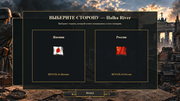
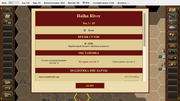
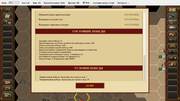
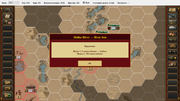
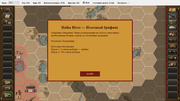
Thank you, Nico, for the update! I also think it’s better to write “USSR” or at least “Soviet Russia” instead of “Russia” — this will help avoid confusion with various ROAs and so on, which, even though they were Russian, fought for the Wehrmacht and the SS!
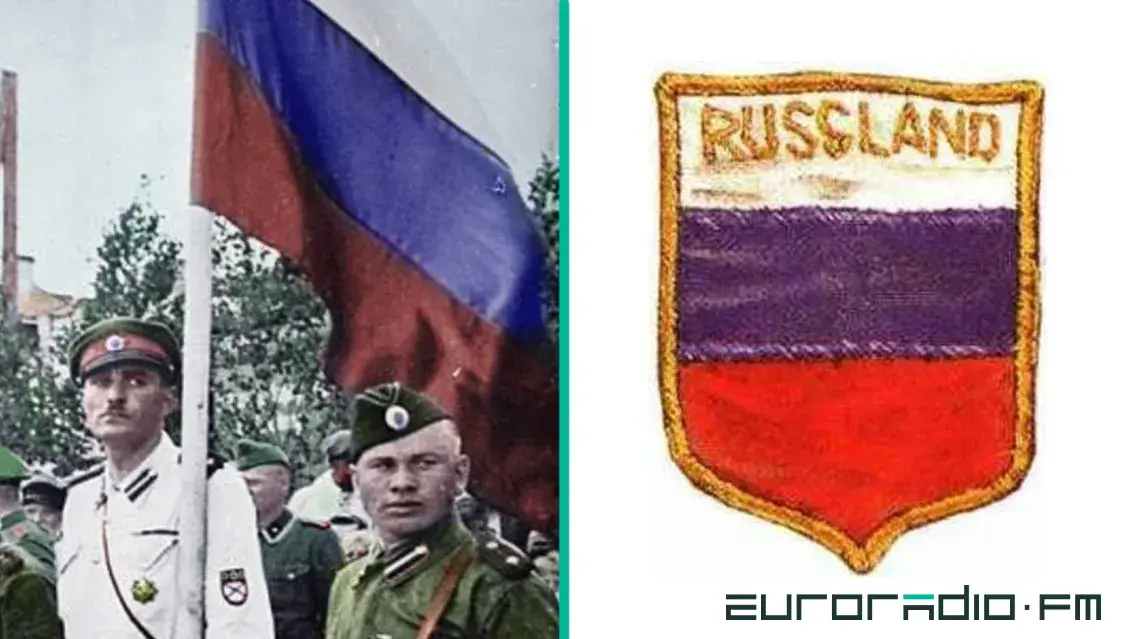

https://cont.ws/@oprichnik17/820440
https://kanaev55.livejournal.com/409183.html
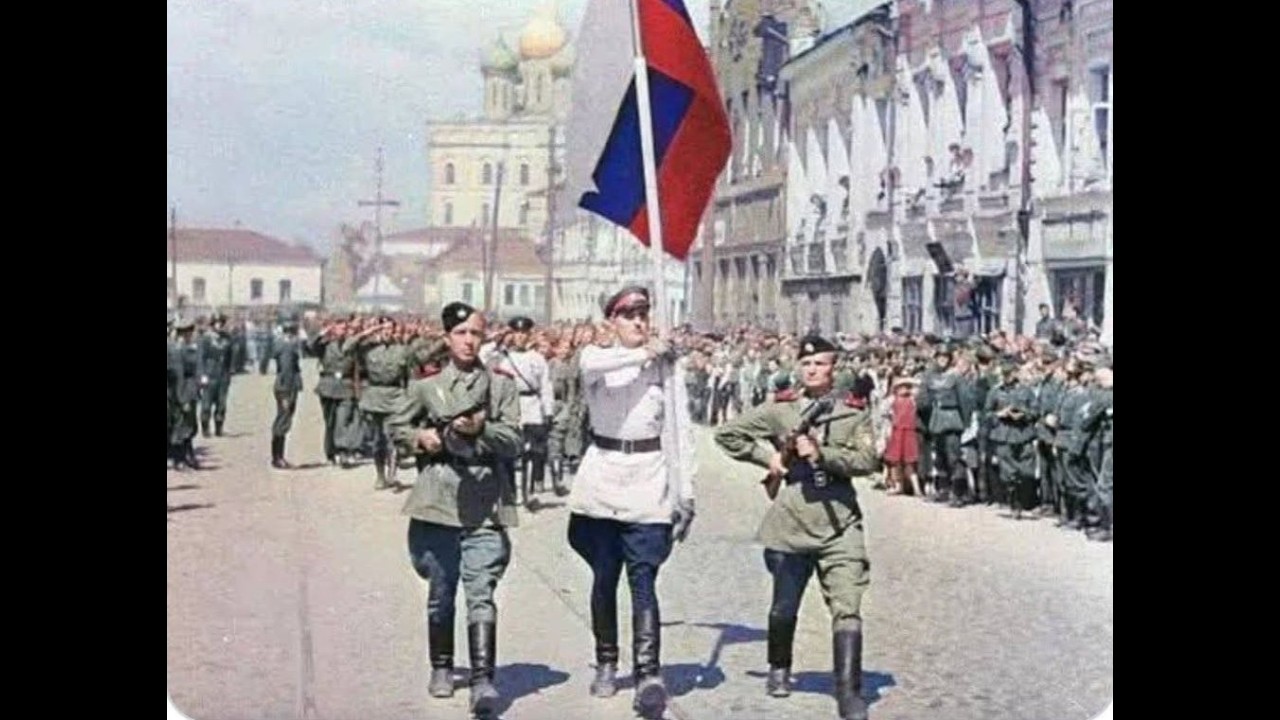
https://zvezdaweekly.ru/news/20197151216-EaSic.html
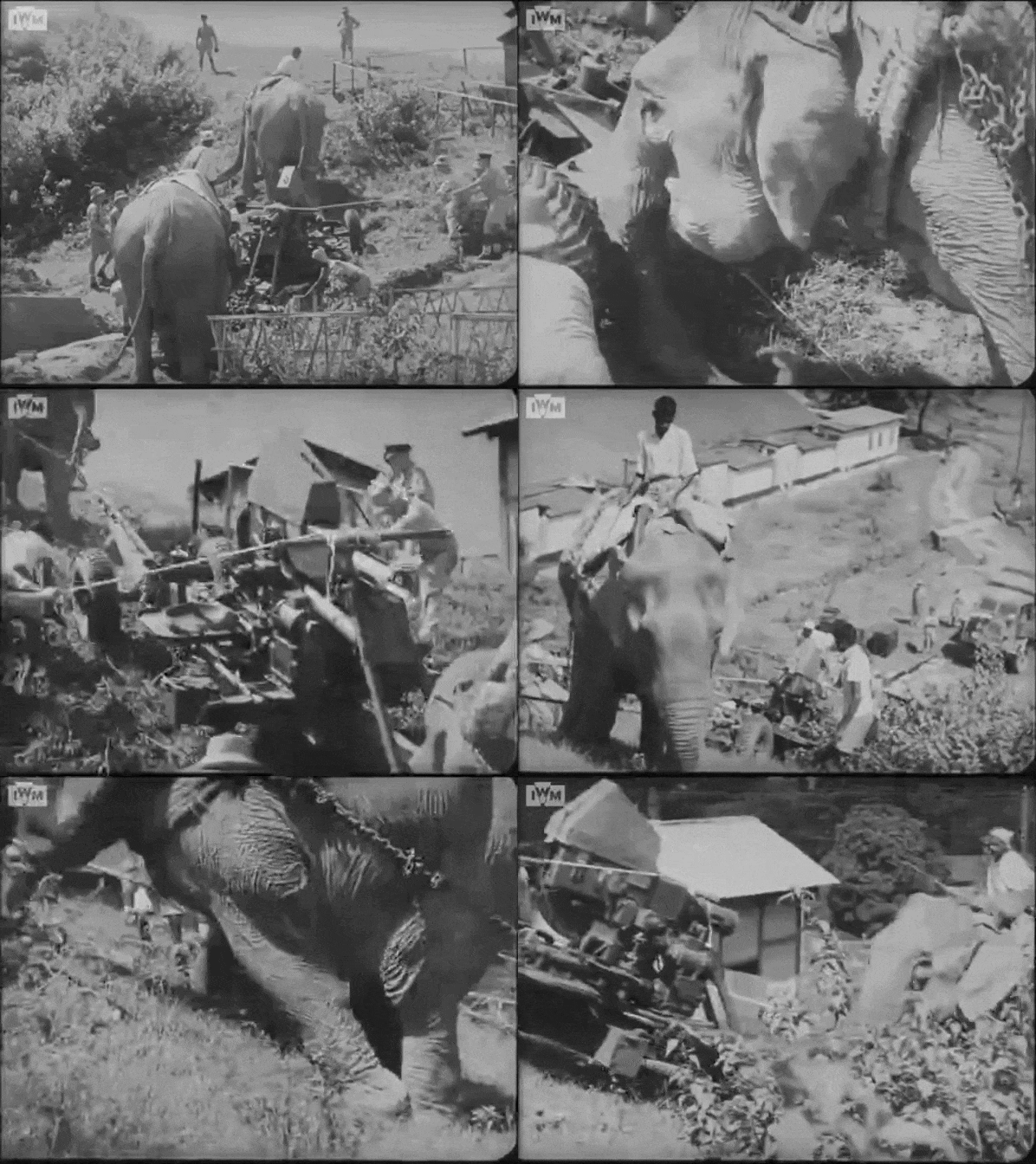
https://mynickname.com/id73473
Re: PzC Toolkit v2.0.5.1 - Classic General v0.12.6 (30/10/26)
- 001.png (4.91 KiB) Viewed 383 times
- 002.png (103.36 KiB) Viewed 383 times
- 003.png (4.14 KiB) Viewed 383 times
- 004.png (92.47 KiB) Viewed 383 times
- 007.png (3.47 KiB) Viewed 383 times
- 008.png (119.57 KiB) Viewed 383 times
- 009.png (4.68 KiB) Viewed 383 times
- 009b.png (123.93 KiB) Viewed 383 times
- 010.png (3.07 KiB) Viewed 383 times
- 011.png (90.56 KiB) Viewed 383 times
.
For the next update i found and corrected some AI exploits.
Fighters and tactical bombers have higher chance to damage ground units on a river hex.
More panzer corps units are added. That consumed most of my time this week.
-
bondjamesbond
- Lieutenant-General - Nashorn
- Posts: 3293
- Joined: Mon Jun 27, 2022 10:10 pm
Re: PzC Toolkit v2.0.5.1 - Classic General v0.12.6 (30/10/26)
nikivdd wrote: Fri Nov 06, 2026 7:54 pm 001.png
.
002.png
.
003.png
.
004.png
.
007.png
.
008.png
.
009.png
.
009b.png
.
010.png
.
011.png
.
.
For the next update i found and corrected some AI exploits.
Fighters and tactical bombers have higher chance to damage ground units on a river hex.
More panzer corps units are added. That consumed most of my time this week.
Танк A30 Challenger из состава 11-й бронетанковой дивизии. Голландия, 1944 г.
It’s very interesting to see what lies ahead and how soon it will happen )

Lauster Wargel LW-5
https://union.4bb.ru/viewtopic.php?id=971&p=34#p128896
https://mynickname.com/id73473
Re: PzC Toolkit v2.0.5.1 - Classic General v0.12.6 (30/10/26)
Hi niki,nikivdd wrote: Fri Nov 06, 2026 7:54 pm 001.png
.
002.png
.
003.png
.
004.png
.
007.png
.
008.png
.
009.png
.
009b.png
.
010.png
.
011.png
.
.
For the next update i found and corrected some AI exploits.
Fighters and tactical bombers have higher chance to damage ground units on a river hex.
More panzer corps units are added. That consumed most of my time this week.
I see that you are working relentlessly on this project.
It is looking each time better and better.
Thank you also for responding to some of my wishes and resolving the bugs I have found.
Do the images in your post mean anything? ( history line 14-18?
 ). That would be a great surprise, even tough I prefer to have fantasy and Star general first.
I don't want to bother you too much but regarding the classic general window mode, I hope that the work you've done is only the start, because the windows are only working on the menus, and if you switch to other modules the window changes to full screen.
Also, if possible, in the equipment list window can you make it possible to order the table by any column? Or, if not possible, add another filter - Nation? Thanks.
Finally, Is this something for us to use? wink* wink*
- classic general.jpg (102.12 KiB) Viewed 250 times
-
rubyjuno
- Master Sergeant - Bf 109E
- Posts: 477
- Joined: Mon Sep 21, 2015 1:18 pm
- Location: Northumberland
Re: PzC Toolkit v2.0.5.1 - Classic General v0.12.6 (30/10/26)
History-Line 14-18 was my introduction to Blue Byte all those years ago, what a great game it was. I still play Battle Isle 2020 now!Viriul wrote: Sat Nov 07, 2026 5:28 pm
Do the images in your post mean anything? ( history line 14-18?
Keep up the good work
Re: PzC Toolkit v2.0.5.1 - Classic General v0.12.14 (08/11/26)
Classic General has been updated!
v0.12.14: https://www.mediafire.com/file/h1fo2nga ... p.rar/file
.
Changes:
- What i wrote previously (AI reinforcement off-board action exploit, Panzer Corps icons, aerial attack on ground units on a river hex)
.
Posting is rewarding, although i remain realistic that not all requests can be implemented.
.
The following texts in english can also be read in the game's supported languages; download at the bottom of this post!
.
v0.12.14: https://www.mediafire.com/file/h1fo2nga ... p.rar/file
.
Changes:
- What i wrote previously (AI reinforcement off-board action exploit, Panzer Corps icons, aerial attack on ground units on a river hex)
.
Posting is rewarding, although i remain realistic that not all requests can be implemented.
.
The following texts in english can also be read in the game's supported languages; download at the bottom of this post!
.
.# Classic General – Windowed Mode Update (v0.12.14)
One of the major improvements in the latest development version of Classic General is the introduction of **fully resizable windowed mode**.
Until recently, Classic General was primarily designed around a fullscreen presentation. The new window-management system makes it possible to play in a regular desktop window while retaining the familiar appearance and functionality of the original game.
### What's New?
**Resizable Game Window**
Classic General can now be played in a window that can be freely resized. The interface automatically adapts to the available space, making it possible to play at different resolutions and window sizes.
**Dynamic Battlefield and HUD Scaling**
The tactical battlefield and its surrounding interface now adjust dynamically to the window dimensions.
The HUD, including the various information panels and controls, scales with the available screen space instead of remaining fixed at its original dimensions.
**Fullscreen Switching**
Players can switch between windowed and fullscreen modes using:
- **F11** – Toggle fullscreen/windowed mode.
- **Alt+Enter** – Alternative fullscreen toggle.
The selected display mode is remembered between sessions.
**Adapted Game Screens**
The windowed-mode implementation extends beyond the tactical battlefield. Several game screens and dialogs have been adapted to work at different window sizes, including:
- Campaign and scenario selection
- Campaign Options
- Unit purchasing and upgrading
- Deployment and reserves
- Go To Unit selection
- Various in-game dialogs and information panels
Where necessary, scrollable areas have been introduced to keep information and controls accessible when the available window space is limited.
### Preserving the Classic General Experience
The objective is not to redesign Classic General into a completely different game, but to make its existing interface more flexible and comfortable on modern Windows systems.
The original gameplay, equipment databases, campaigns and familiar presentation remain intact.
### Current Development Status
Windowed mode is part of **Classic General v0.12.14**, and testing and refinement are continuing.
Some interface screens and fullscreen transitions still require additional validation, so feedback and bug reports are welcome.
The goal is to make windowed mode a natural alternative to fullscreen, without compromising the traditional Classic General experience.
This is a first pass; if i overlooked a screen or pop-up that appears bigger than the windowed size, let me know.
.# Classic General – Unit Viewer Improvements (v0.12.14)
The Unit Viewer has received a substantial update in the latest Classic General development version.
With the growing number of units available across the different game modules, the original Unit Viewer was becoming increasingly difficult to navigate. The latest changes focus on better organization, easier searching, improved performance and compatibility with the expanded equipment databases (= panzer corps icons switched on).
### Paginated Unit Display
Instead of attempting to display every available unit simultaneously, the Unit Viewer now displays a maximum of **60 units per page**.
Previous and Next controls allow players to navigate through the complete equipment catalogue.
This also significantly reduces the number of Windows controls that must be created at once, addressing a potential cause of freezes and crashes when opening large equipment databases.
### Nation Filtering
A new **Nation** dropdown allows players to display units belonging to a particular country.
Instead of showing numerical nation IDs, the dropdown displays actual nation names.
The filtering system takes the active game module into account:
- Panzer General and Allied General use their shared nationality mapping.
- Panzer II+ uses the same nationality numbering system.
- Pacific General uses its own nationality system.
- Panzer Forever modules may contain additional or customized nationality definitions.
The dropdown is populated according to the equipment available in the active module.
### Unit Parameter Sorting
A new **Parameter** dropdown allows players to sort units according to their combat characteristics.
Available parameters include:
- Cost
- Movement
- Ammunition
- Fuel
- Range
- Soft Attack
- Hard Attack
- Air Attack
- Ground Defense
- Air Defense
Units are sorted from the highest to the lowest value of the selected parameter, making it easier to compare equipment.
For example, players can quickly identify the tanks with the highest Hard Attack values or the aircraft with the strongest Air Attack ratings.
### Combined Filtering
The Nation and Parameter dropdowns work together with the existing unit-class selection and text search.
This allows players to narrow down the equipment list before comparing individual units.
For example, selecting Germany, the Tank class and Hard Attack produces a list of German tanks sorted by their Hard Attack values.
### Panzer Corps and Legacy Icons
The Unit Viewer supports the optional Panzer Corps graphics conversion.
When Panzer Corps icons are enabled, units with converted artwork use their Panzer Corps icons.
Units without converted artwork remain visible and use their original legacy icons instead.
This ensures that the Unit Viewer can display the complete equipment catalogue without excluding units that have not yet received converted artwork.
### Cleaner Interface
Several unnecessary interface elements have been removed, including the manual graphics-cache controls and technical cache-status messages.
Graphics caching continues to operate automatically in the background.
The result is a cleaner filtering toolbar with more space for the features players actually use.
### Multilingual Support
The new Nation and Parameter dropdowns have been translated into all eight supported non-English languages:
German, French, Spanish, Polish, Russian, Turkish, Ukrainian and Uzbek.
English remains the default language.
### Current Development Status
These changes are included in the **Classic General v0.12.14 development source**.
The redesigned Unit Viewer is intended to make browsing the increasingly extensive equipment collections faster, more stable and more convenient.
Windows runtime testing of the latest changes is still ongoing, and additional feedback is welcome.
 ClassicGeneral_v0.12.14_Forum_Posts.zip
- forum post - 9 languages
- (20.43 KiB) Downloaded 6 times
Re: PzC Toolkit v2.0.5.1 - Classic General v0.12.14 (08/11/26)
Hi Niki,
I hope you buy a loterie ticket, and after wining share some of the money... You must be psychic because all the changes in this new version are exactly what I was asking.
I haven't had time to test any, but I will try to find it.
I did find yesterday a new bug. I was playing a custom campaign in Panzer General module, (I believe it was winter war, or something like it).
I occupied all the airfields and I waited for the enemy planes to drop out of the sky, because my planes were all dead. They did not disappeared, even when they reached 0 fuel (I checked). They did not move but were visible in the battlefield
I hope you buy a loterie ticket, and after wining share some of the money... You must be psychic because all the changes in this new version are exactly what I was asking.
I haven't had time to test any, but I will try to find it.
I did find yesterday a new bug. I was playing a custom campaign in Panzer General module, (I believe it was winter war, or something like it).
I occupied all the airfields and I waited for the enemy planes to drop out of the sky, because my planes were all dead. They did not disappeared, even when they reached 0 fuel (I checked). They did not move but were visible in the battlefield
-
bondjamesbond
- Lieutenant-General - Nashorn
- Posts: 3293
- Joined: Mon Jun 27, 2022 10:10 pm
Re: PzC Toolkit v2.0.5.1 - Classic General v0.12.6 (30/10/26)
https://www.squakenet.com/game/star-general/Viriul wrote: Sat Nov 07, 2026 5:28 pmnikivdd wrote: Fri Nov 06, 2026 7:54 pm 001.png
.
002.png
.
003.png
.
004.png
.
007.png
.
008.png
.
009.png
.
009b.png
.
010.png
.
011.png
.
.
For the next update i found and corrected some AI exploits.
Fighters and tactical bombers have higher chance to damage ground units on a river hex.
More panzer corps units are added. That consumed most of my time this week.
Do the images in your post mean anything? ( history line 14-18?
Well, we’ve already got mods about ancient Rome, Greece and even Genghis Khan’s wars ))) But I’m also starting to feel drawn to the stars and space ) I’ve never played *Star General*, but judging by the screenshots, there’s not only a space fortress but also tanks, infantry and even laser weapons – which is surprising for an old game from our favourite series! I hope that one day, Niko will satisfy this interest of mine, just as he did with *Pacific General*, which I’ve played through on both sides ) For which I’m very grateful to him!
https://www.youtube.com/watch?v=QV8KIvh1gtc
Thanks, I’ve already downloaded and reinstalled it – we’ll check it out with some tests )nikivdd wrote: Sun Nov 08, 2026 1:06 pm Classic General has been updated!
v0.12.14: https://www.mediafire.com/file/h1fo2nga ... p.rar/file
.
Changes:
- What i wrote previously (AI reinforcement off-board action exploit, Panzer Corps icons, aerial attack on ground units on a river hex)
.
Posting is rewarding, although i remain realistic that not all requests can be implemented.
.
The following texts in english can also be read in the game's supported languages; download at the bottom of this post!
..# Classic General – Windowed Mode Update (v0.12.14)
One of the major improvements in the latest development version of Classic General is the introduction of **fully resizable windowed mode**.
Until recently, Classic General was primarily designed around a fullscreen presentation. The new window-management system makes it possible to play in a regular desktop window while retaining the familiar appearance and functionality of the original game.
### What's New?
**Resizable Game Window**
Classic General can now be played in a window that can be freely resized. The interface automatically adapts to the available space, making it possible to play at different resolutions and window sizes.
**Dynamic Battlefield and HUD Scaling**
The tactical battlefield and its surrounding interface now adjust dynamically to the window dimensions.
The HUD, including the various information panels and controls, scales with the available screen space instead of remaining fixed at its original dimensions.
**Fullscreen Switching**
Players can switch between windowed and fullscreen modes using:
- **F11** – Toggle fullscreen/windowed mode.
- **Alt+Enter** – Alternative fullscreen toggle.
The selected display mode is remembered between sessions.
**Adapted Game Screens**
The windowed-mode implementation extends beyond the tactical battlefield. Several game screens and dialogs have been adapted to work at different window sizes, including:
- Campaign and scenario selection
- Campaign Options
- Unit purchasing and upgrading
- Deployment and reserves
- Go To Unit selection
- Various in-game dialogs and information panels
Where necessary, scrollable areas have been introduced to keep information and controls accessible when the available window space is limited.
### Preserving the Classic General Experience
The objective is not to redesign Classic General into a completely different game, but to make its existing interface more flexible and comfortable on modern Windows systems.
The original gameplay, equipment databases, campaigns and familiar presentation remain intact.
### Current Development Status
Windowed mode is part of **Classic General v0.12.14**, and testing and refinement are continuing.
Some interface screens and fullscreen transitions still require additional validation, so feedback and bug reports are welcome.
The goal is to make windowed mode a natural alternative to fullscreen, without compromising the traditional Classic General experience.
This is a first pass; if i overlooked a screen or pop-up that appears bigger than the windowed size, let me know..# Classic General – Unit Viewer Improvements (v0.12.14)
The Unit Viewer has received a substantial update in the latest Classic General development version.
With the growing number of units available across the different game modules, the original Unit Viewer was becoming increasingly difficult to navigate. The latest changes focus on better organization, easier searching, improved performance and compatibility with the expanded equipment databases (= panzer corps icons switched on).
### Paginated Unit Display
Instead of attempting to display every available unit simultaneously, the Unit Viewer now displays a maximum of **60 units per page**.
Previous and Next controls allow players to navigate through the complete equipment catalogue.
This also significantly reduces the number of Windows controls that must be created at once, addressing a potential cause of freezes and crashes when opening large equipment databases.
### Nation Filtering
A new **Nation** dropdown allows players to display units belonging to a particular country.
Instead of showing numerical nation IDs, the dropdown displays actual nation names.
The filtering system takes the active game module into account:
- Panzer General and Allied General use their shared nationality mapping.
- Panzer II+ uses the same nationality numbering system.
- Pacific General uses its own nationality system.
- Panzer Forever modules may contain additional or customized nationality definitions.
The dropdown is populated according to the equipment available in the active module.
### Unit Parameter Sorting
A new **Parameter** dropdown allows players to sort units according to their combat characteristics.
Available parameters include:
- Cost
- Movement
- Ammunition
- Fuel
- Range
- Soft Attack
- Hard Attack
- Air Attack
- Ground Defense
- Air Defense
Units are sorted from the highest to the lowest value of the selected parameter, making it easier to compare equipment.
For example, players can quickly identify the tanks with the highest Hard Attack values or the aircraft with the strongest Air Attack ratings.
### Combined Filtering
The Nation and Parameter dropdowns work together with the existing unit-class selection and text search.
This allows players to narrow down the equipment list before comparing individual units.
For example, selecting Germany, the Tank class and Hard Attack produces a list of German tanks sorted by their Hard Attack values.
### Panzer Corps and Legacy Icons
The Unit Viewer supports the optional Panzer Corps graphics conversion.
When Panzer Corps icons are enabled, units with converted artwork use their Panzer Corps icons.
Units without converted artwork remain visible and use their original legacy icons instead.
This ensures that the Unit Viewer can display the complete equipment catalogue without excluding units that have not yet received converted artwork.
### Cleaner Interface
Several unnecessary interface elements have been removed, including the manual graphics-cache controls and technical cache-status messages.
Graphics caching continues to operate automatically in the background.
The result is a cleaner filtering toolbar with more space for the features players actually use.
### Multilingual Support
The new Nation and Parameter dropdowns have been translated into all eight supported non-English languages:
German, French, Spanish, Polish, Russian, Turkish, Ukrainian and Uzbek.
English remains the default language.
### Current Development Status
These changes are included in the **Classic General v0.12.14 development source**.
The redesigned Unit Viewer is intended to make browsing the increasingly extensive equipment collections faster, more stable and more convenient.
Windows runtime testing of the latest changes is still ongoing, and additional feedback is welcome.
ClassicGeneral_v0.12.14_Forum_Posts.zip
- Attachments
-
- IMG_20261109_171411.jpg (133.56 KiB) Viewed 27 times
https://mynickname.com/id73473
Re: PzC Toolkit v2.0.5.1 - Classic General v0.12.14 (09/11/26)
Another update for Classic General (same version number).
.
v0.12.14: https://www.mediafire.com/file/qg6hxrrc ... p.rar/file
.
Classic General — Development Update
Development continues on Classic General, with several improvements to campaign performance, procedural campaign generation, unit artwork and the in-game interface.
Performance and Stability
Campaign options: Fixed the excessive refreshing and lag when changing campaign settings.
Purchase window: Improved caching and eliminated the previously reported purchase-window lag.
Stock and custom campaigns: Both now run smoothly when changing campaign options and purchasing units.
Attack crosshairs: Restored missing attack crosshairs in both stock and custom campaigns.
Compiler cleanup: Fixed a build-blocking error and addressed 19 compiler warnings.
The performance improvements and restored crosshairs have been confirmed through in-game testing.
Procedural Campaign Generator
Auxiliary Bridge Engineers
Generated battles now include a provision for temporary Bridge Engineer units when rivers are present but no usable bridge crossing exists.
Two free deployment hexes available: two Bridge Engineers.
One free deployment hex: one Bridge Engineer.
No free deployment hexes: no Bridge Engineers.
The player's nation receives priority; otherwise, suitable equipment from a historically allied WWII nation is selected.
These units are free auxiliaries and do not become part of the permanent core army.
Preserve Core Secondary Objective
Reworked the Preserve Core objective to track individual core formations rather than simply comparing army sizes before and after a battle.
Uses permanent formation identities.
New purchases and captured units cannot compensate for destroyed core formations.
Destroyed formations count as losses even when Reform Units allows them to be recovered afterward.
Surviving undeployed reserves are preserved.
Tracking information is retained across tactical saves and reloads.
In-Game Interface
New Dark/Gold Action Indicators
Four unit-menu buttons now have visual states indicating whether their corresponding actions are available:
Switch Role
Ground Transport — Mount/Dismount
Air Transport — Embark/Disembark
Naval Transport — Embark/Disembark
Dark indicates that the action is unavailable. Gold indicates that the selected unit can currently perform it.
The original button artwork is retained. For example, tanks will not display an active ground-transport button, and infantry must have eligible assigned transport before mounting becomes available.
These are visual improvements only; existing gameplay rules remain unchanged.
.
v0.12.14: https://www.mediafire.com/file/qg6hxrrc ... p.rar/file
.
Classic General — Development Update
Development continues on Classic General, with several improvements to campaign performance, procedural campaign generation, unit artwork and the in-game interface.
Performance and Stability
Campaign options: Fixed the excessive refreshing and lag when changing campaign settings.
Purchase window: Improved caching and eliminated the previously reported purchase-window lag.
Stock and custom campaigns: Both now run smoothly when changing campaign options and purchasing units.
Attack crosshairs: Restored missing attack crosshairs in both stock and custom campaigns.
Compiler cleanup: Fixed a build-blocking error and addressed 19 compiler warnings.
The performance improvements and restored crosshairs have been confirmed through in-game testing.
Procedural Campaign Generator
Auxiliary Bridge Engineers
Generated battles now include a provision for temporary Bridge Engineer units when rivers are present but no usable bridge crossing exists.
Two free deployment hexes available: two Bridge Engineers.
One free deployment hex: one Bridge Engineer.
No free deployment hexes: no Bridge Engineers.
The player's nation receives priority; otherwise, suitable equipment from a historically allied WWII nation is selected.
These units are free auxiliaries and do not become part of the permanent core army.
Preserve Core Secondary Objective
Reworked the Preserve Core objective to track individual core formations rather than simply comparing army sizes before and after a battle.
Uses permanent formation identities.
New purchases and captured units cannot compensate for destroyed core formations.
Destroyed formations count as losses even when Reform Units allows them to be recovered afterward.
Surviving undeployed reserves are preserved.
Tracking information is retained across tactical saves and reloads.
In-Game Interface
New Dark/Gold Action Indicators
Four unit-menu buttons now have visual states indicating whether their corresponding actions are available:
Switch Role
Ground Transport — Mount/Dismount
Air Transport — Embark/Disembark
Naval Transport — Embark/Disembark
Dark indicates that the action is unavailable. Gold indicates that the selected unit can currently perform it.
The original button artwork is retained. For example, tanks will not display an active ground-transport button, and infantry must have eligible assigned transport before mounting becomes available.
These are visual improvements only; existing gameplay rules remain unchanged.