PzC Toolkit v2.0.5.1 - Classic General v0.5.0 RC1 (06/09/26)

A forum to discuss custom scenarios, campaigns and modding in general.

Moderators: Slitherine Core, Panzer Corps Design, Panzer Corps Moderators

bondjamesbond
Lieutenant-General - Do 217E
Posts: 3169
Joined: Mon Jun 27, 2022 10:10 pm

Re: Panzer Corps Toolkit v2.0.5.1 (22/08/26)

Post by bondjamesbond »

nikivdd wrote: Sat Sep 05, 2026 3:29 pm
.
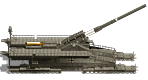
This short video demonstrates what a freshly deployed artillery unit can do. This video also includes the newly added movement arrow and a new left and right UI bar.
Image
http://www.lki.ru/text.php?id=2128
I like what I see! It’s a shame there aren’t any combat animation loops (as it’s a very labour-intensive process to implement them correctly for every type of unit), but I definitely like everything else!
Image
https://psxdatacenter.com/games/P/P/SLES-00041.html
https://wio.ru/strat/strat.htm


How to create a remaster of a game yourself :wink:
https://www.ixbt.com/live/games/kak-sde ... ukami.html

P.s.
Image
The original *The Legend of Zelda* was run through DLSS 5.
:idea:
We should pull off a similar stunt with our beloved Panzer General and Panzer Corps ) Perhaps we’ll get a new game in 2026 that will look even better graphically than the second instalment in this series )))
https://mynickname.com/id73473
Image
nikivdd
Panzer Corps Map Designer
Posts: 5139
Joined: Fri Jun 24, 2011 1:21 pm
Location: Belgium

Re: Panzer Corps Toolkit v2.0.5.1 (22/08/26)

Post by nikivdd »

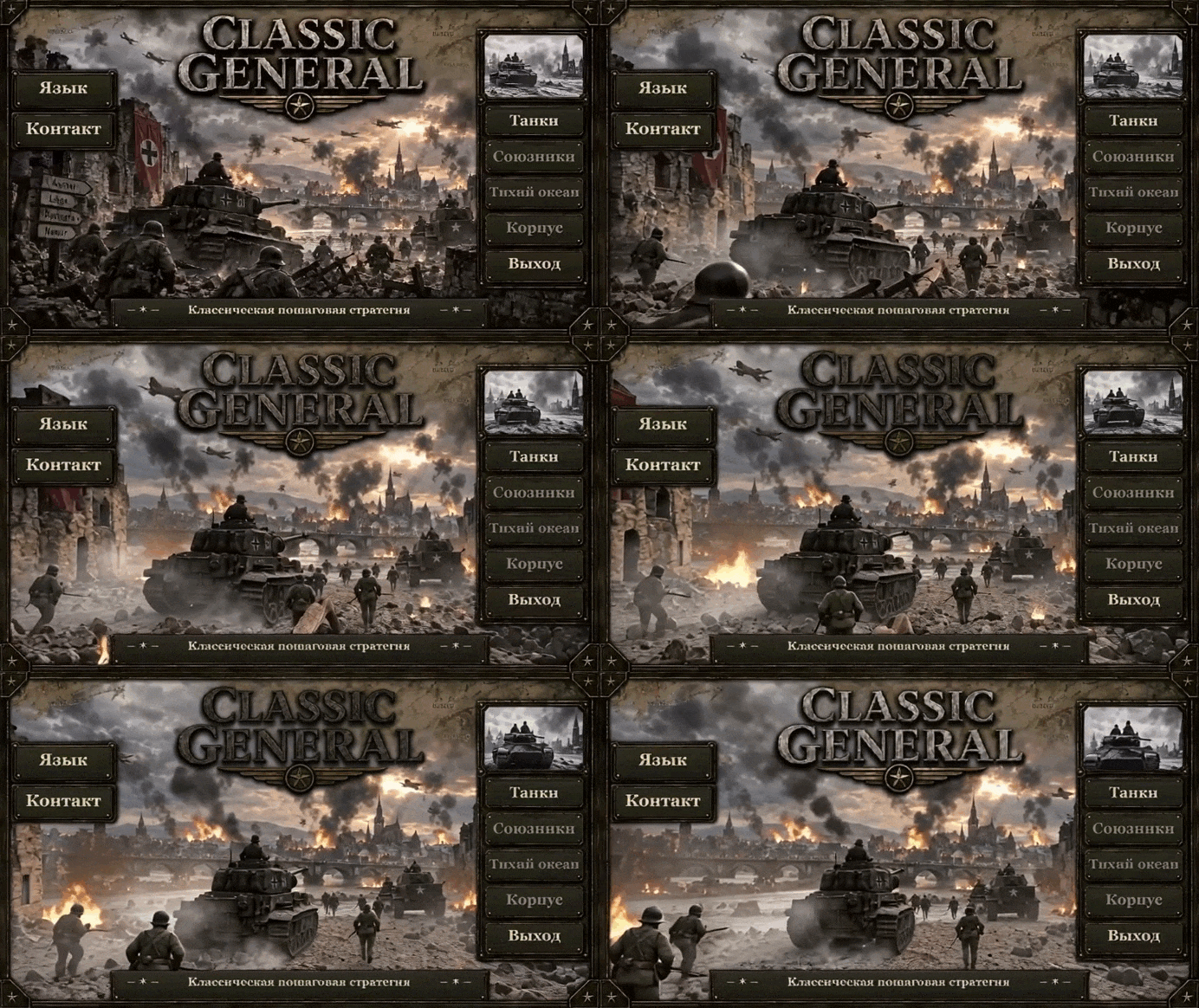
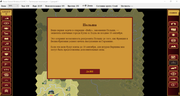
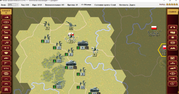
001.png
001.png (2.81 MiB) Viewed 397 times
.
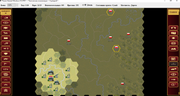
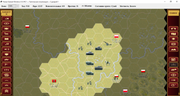
002.png
002.png (2.8 MiB) Viewed 397 times
.
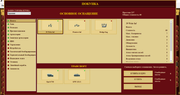
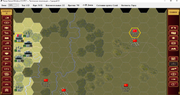
003.png
003.png (2.81 MiB) Viewed 397 times
.
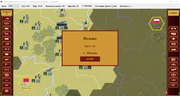
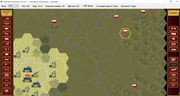
004.png
004.png (2.8 MiB) Viewed 397 times
.
I hope to release the first public beta later today.
bondjamesbond
Lieutenant-General - Do 217E
Posts: 3169
Joined: Mon Jun 27, 2022 10:10 pm

Re: Panzer Corps Toolkit v2.0.5.1 (22/08/26)

Post by bondjamesbond »

nikivdd wrote: Sun Sep 06, 2026 11:59 am 001.png
.
002.png
.
003.png
.
004.png
.
I hope to release the first public beta later today.

Image
https://prod-core-api.firsts3.ru/f68d93 ... 1260720db1
Hi, Nico! I’m ready to give this classic a fresh twist ) I’m looking forward to the release!
https://reshade.me/
https://mynickname.com/id73473
Image
nikivdd
Panzer Corps Map Designer
Posts: 5139
Joined: Fri Jun 24, 2011 1:21 pm
Location: Belgium

Re: PzC Toolkit v2.0.5.1 - Classic General v0.5.0 RC1 (06/09/26)

Post by nikivdd »

# CLASSIC GENERAL 0.5.0 RC1

## Release Notes

Classic General 0.5.0 represents a major milestone in the development of the native Windows version of the classic Panzer General experience.

The game is now largely playable through the native Windows interface, with campaign and scenario gameplay, purchasing and deployment, transports, combat, AI-controlled opponents, sound effects, localization and many of the original game mechanics implemented.

Development is still ongoing, and version 0.5.0 should be considered an early public release. Some interface elements and presentation details are not yet final, but the majority of the user interface is functional.

---

## INTRO MOVIE

The introduction movie can be skipped at any time by pressing:

**ESC**

This immediately proceeds to the Classic General main menu.

---

## PURCHASING AND DEPLOYING UNITS

Newly purchased units are not placed directly onto the battlefield.

A purchased unit is added to the player's **Reserve Pool** and becomes available for deployment on the following turn.

Once the unit has been deployed, it immediately behaves as a normal battlefield unit and may perform its normal actions during that turn.

This system prevents newly purchased units from appearing instantly on the battlefield while still allowing them to participate normally as soon as they are deployed.

---

## GROUND TRANSPORT — MOUNT / DISMOUNT

Infantry and other eligible ground units equipped with an attached ground transport can mount and dismount during their turn.

The transport system allows several actions to be combined naturally within the same turn.

For example, a unit may:

**Attack → Mount → Move → Dismount**

or:

**Mount → Move → Dismount → Attack**

This allows transported units considerably more tactical flexibility while retaining the normal move-and-attack action system.

The Unit Menu identifies this command as:

**Land Transport Mount/Dismount**

---

## AIR TRANSPORT

Eligible units using air transport may perform the complete transport sequence during a single turn:

**Embark → Move → Disembark**

The Unit Menu identifies this command as:

**Air Transport Embark/Disembark**

This makes aircraft transport practical for moving units between suitable locations without requiring separate turns simply to board or leave the transport.

---

## NAVAL TRANSPORT

Naval transport controls are identified separately from land and air transport in the Unit Menu.

The command is displayed as:

**Naval Transport Embark/Disembark**

This distinction makes it clear which transport system is currently available to the selected unit.

---

## COMMAND CONSOLE

Press:

**CTRL+A**

during a scenario to open the Classic General command console.

The console is currently primarily intended as a development, testing and troubleshooting tool.

In version 0.5.0 it can be used to immediately complete the current scenario with a selected result:

* **Decisive Victory**
* **Marginal Victory**
* **Loss**

This is particularly useful for testing campaign progression, scenario transitions, victory branches and later campaign scenarios without having to play every preceding battle to completion.

Use of the command console is recorded in the diagnostic logs.

---

## DIAGNOSTIC AND LOG FILES

Classic General stores its diagnostic files outside the game installation directory.

The log folder is:

**%LOCALAPPDATA%\Panzer General Windows\Logs**

On a standard Windows installation this normally corresponds to:

**C:\Users<YourName>\AppData\Local\Panzer General Windows\Logs**

Keeping diagnostic data here prevents the game from attempting to write files into protected locations such as `Program Files`.

### Crash logs

Files beginning with:

**Crash_**

are generated when Classic General encounters an unexpected fatal or unhandled exception.

These logs contain information such as the game version, operating system, current game state, active screen, exception information and stack trace.

They are the most useful files to provide when reporting a crash.

### Error logs


Files beginning with:

**Error_**

record non-fatal exceptions and other detected errors.

The game may sometimes continue running after one of these errors, but the log can help identify features or operations that did not behave correctly.

### Hang logs

Files beginning with:

**Hang_**

are automatically created when the game detects that the user interface has remained unresponsive for approximately 15 seconds.

These logs record the last known game state and the UI operation that was in progress. They are useful when investigating freezes or apparent lock-ups even when the game does not actually crash.

### Command logs

Files beginning with:

**Command_**

record actions performed through the command console.

For example, using **CTRL+A** to force a scenario result records the command, selected result, scenario, turn, campaign status and active side.

### Sound log

The file:

**sound.log**

is used specifically for sound-system diagnostics.

It records which sound was configured for an action, which WAV file was selected, whether playback started successfully and any playback failures.

This is particularly useful when a movement, attack or interface sound is missing, incorrect or fails to play.

The sound log is stored in the same `%LOCALAPPDATA%\Panzer General Windows\Logs\` directory and is deliberately kept outside the installation folder.

Classic General automatically limits the number of retained diagnostic logs so obsolete log files do not accumulate indefinitely.

When reporting a problem, including the relevant log file together with a description of what happened can make diagnosing the issue considerably easier.

---

## USER INTERFACE STATUS

The Classic General user interface is **not yet completely finished**.

Most major menus, battlefield controls and gameplay functions are operational, but some screens, graphical elements, layouts, tooltips and presentation details may still receive further refinement.

Some areas therefore remain visually provisional even though their underlying functionality is already working.

Development will continue to improve consistency, presentation and usability in future versions.
---

##EQUIPMENT FILE

In the current RC1 equipment file there are 672 total equipment entries:

438 stock/permanent entries — IDs 0–437
234 custom/expansion entries — IDs 1000–1233
IDs 438–999 remain reserved and unused
---
Map movement:

WASD keys, left click+drag, edge scrolling

## VERSION 0.5.0 STATUS

Classic General 0.5.0 is intended as the first broadly usable release of the native Windows project rather than the final version of the game.

The focus of this release is to provide a functional Classic General experience while continuing to improve accuracy to the original game, AI behaviour, campaign systems, interface presentation, localization, sound, equipment data and overall stability.

Feedback and diagnostic logs from version 0.5.0 will be particularly valuable for further development.

## Quick Installation Guide

### 1. Run the installer

Start:

**ClassicGeneral_0.5.0_RC1_Setup.exe**

If Windows shows a security prompt, confirm that you want to run the installer.

### 2. Choose the installation folder

The installer will show the folder where Classic General will be installed.

The default location is normally under:

**C:\Program Files\Classic General**

You may choose another location if you prefer.

### 3. Choose the Saved Games folder

Classic General keeps saved games separate from the installation folder.

The installer allows you to choose this location independently.

Use a normal user-writable folder such as:

**Documents\Classic General\Saved Games**

### 4. Settings and diagnostic files

Game settings and diagnostic logs are stored separately under:

**%LOCALAPPDATA%\Panzer General Windows**

Logs are kept in:

**%LOCALAPPDATA%\Panzer General Windows\Logs**

These files are useful if you need to report a crash, freeze, sound problem, or other error.

### 5. Install

Check the installation summary and click **Install**.

The installer may create:

* a Start Menu shortcut;
* an optional Desktop shortcut.

### 6. Start Classic General

Launch **Classic General** from the Start Menu or Desktop shortcut.

The intro movie can be skipped at any time by pressing:

**ESC**

### 7. Select your language

On the main screen, click:

**Language**

Classic General currently supports:

* English
* German
* French
* Polish
* Ukrainian
* Russian
* Spanish
* Turkish

### 8. Contact

The **Contact** button on the main screen opens your default email program and prepares a message to:

PanzerCorpsToolKit@proton.me

You can use this address for bug reports, feedback, and general questions.

---

## Important RC1 note

Classic General 0.5.0 RC1 is a release candidate.

Most major gameplay systems are functional, but some interface elements and secondary features are still being refined.

The following are intentional RC1 limitations:

* Custom Campaign is not yet available.
* Structures cannot be purchased.
* Player naval Core units cannot be purchased.

These are planned for later development.


Download: https://www.mediafire.com/file/vqpigrgg ... p.zip/file
bondjamesbond
Lieutenant-General - Do 217E
Posts: 3169
Joined: Mon Jun 27, 2022 10:10 pm

Re: PzC Toolkit v2.0.5.1 - Classic General v0.5.0 RC1 (06/09/26)

Post by bondjamesbond »

nikivdd wrote: Sun Sep 06, 2026 3:29 pm # CLASSIC GENERAL 0.5.0 RC1

## Release Notes

Classic General 0.5.0 represents a major milestone in the development of the native Windows version of the classic Panzer General experience.

The game is now largely playable through the native Windows interface, with campaign and scenario gameplay, purchasing and deployment, transports, combat, AI-controlled opponents, sound effects, localization and many of the original game mechanics implemented.

Development is still ongoing, and version 0.5.0 should be considered an early public release. Some interface elements and presentation details are not yet final, but the majority of the user interface is functional.

---

## INTRO MOVIE

The introduction movie can be skipped at any time by pressing:

**ESC**

This immediately proceeds to the Classic General main menu.

---

## PURCHASING AND DEPLOYING UNITS

Newly purchased units are not placed directly onto the battlefield.

A purchased unit is added to the player's **Reserve Pool** and becomes available for deployment on the following turn.

Once the unit has been deployed, it immediately behaves as a normal battlefield unit and may perform its normal actions during that turn.

This system prevents newly purchased units from appearing instantly on the battlefield while still allowing them to participate normally as soon as they are deployed.

---

## GROUND TRANSPORT — MOUNT / DISMOUNT

Infantry and other eligible ground units equipped with an attached ground transport can mount and dismount during their turn.

The transport system allows several actions to be combined naturally within the same turn.

For example, a unit may:

**Attack → Mount → Move → Dismount**

or:

**Mount → Move → Dismount → Attack**

This allows transported units considerably more tactical flexibility while retaining the normal move-and-attack action system.

The Unit Menu identifies this command as:

**Land Transport Mount/Dismount**

---

## AIR TRANSPORT

Eligible units using air transport may perform the complete transport sequence during a single turn:

**Embark → Move → Disembark**

The Unit Menu identifies this command as:

**Air Transport Embark/Disembark**

This makes aircraft transport practical for moving units between suitable locations without requiring separate turns simply to board or leave the transport.

---

## NAVAL TRANSPORT

Naval transport controls are identified separately from land and air transport in the Unit Menu.

The command is displayed as:

**Naval Transport Embark/Disembark**

This distinction makes it clear which transport system is currently available to the selected unit.

---

## COMMAND CONSOLE

Press:

**CTRL+A**

during a scenario to open the Classic General command console.

The console is currently primarily intended as a development, testing and troubleshooting tool.

In version 0.5.0 it can be used to immediately complete the current scenario with a selected result:

* **Decisive Victory**
* **Marginal Victory**
* **Loss**

This is particularly useful for testing campaign progression, scenario transitions, victory branches and later campaign scenarios without having to play every preceding battle to completion.

Use of the command console is recorded in the diagnostic logs.

---

## DIAGNOSTIC AND LOG FILES

Classic General stores its diagnostic files outside the game installation directory.

The log folder is:

**%LOCALAPPDATA%\Panzer General Windows\Logs**

On a standard Windows installation this normally corresponds to:

**C:\Users<YourName>\AppData\Local\Panzer General Windows\Logs**

Keeping diagnostic data here prevents the game from attempting to write files into protected locations such as `Program Files`.

### Crash logs

Files beginning with:

**Crash_**

are generated when Classic General encounters an unexpected fatal or unhandled exception.

These logs contain information such as the game version, operating system, current game state, active screen, exception information and stack trace.

They are the most useful files to provide when reporting a crash.

### Error logs


Files beginning with:

**Error_**

record non-fatal exceptions and other detected errors.

The game may sometimes continue running after one of these errors, but the log can help identify features or operations that did not behave correctly.

### Hang logs

Files beginning with:

**Hang_**

are automatically created when the game detects that the user interface has remained unresponsive for approximately 15 seconds.

These logs record the last known game state and the UI operation that was in progress. They are useful when investigating freezes or apparent lock-ups even when the game does not actually crash.

### Command logs

Files beginning with:

**Command_**

record actions performed through the command console.

For example, using **CTRL+A** to force a scenario result records the command, selected result, scenario, turn, campaign status and active side.

### Sound log

The file:

**sound.log**

is used specifically for sound-system diagnostics.

It records which sound was configured for an action, which WAV file was selected, whether playback started successfully and any playback failures.

This is particularly useful when a movement, attack or interface sound is missing, incorrect or fails to play.

The sound log is stored in the same `%LOCALAPPDATA%\Panzer General Windows\Logs\` directory and is deliberately kept outside the installation folder.

Classic General automatically limits the number of retained diagnostic logs so obsolete log files do not accumulate indefinitely.

When reporting a problem, including the relevant log file together with a description of what happened can make diagnosing the issue considerably easier.

---

## USER INTERFACE STATUS

The Classic General user interface is **not yet completely finished**.

Most major menus, battlefield controls and gameplay functions are operational, but some screens, graphical elements, layouts, tooltips and presentation details may still receive further refinement.

Some areas therefore remain visually provisional even though their underlying functionality is already working.

Development will continue to improve consistency, presentation and usability in future versions.
---

##EQUIPMENT FILE

In the current RC1 equipment file there are 672 total equipment entries:

438 stock/permanent entries — IDs 0–437
234 custom/expansion entries — IDs 1000–1233
IDs 438–999 remain reserved and unused
---
Map movement:

WASD keys, left click+drag, edge scrolling

## VERSION 0.5.0 STATUS

Classic General 0.5.0 is intended as the first broadly usable release of the native Windows project rather than the final version of the game.

The focus of this release is to provide a functional Classic General experience while continuing to improve accuracy to the original game, AI behaviour, campaign systems, interface presentation, localization, sound, equipment data and overall stability.

Feedback and diagnostic logs from version 0.5.0 will be particularly valuable for further development.

## Quick Installation Guide

### 1. Run the installer

Start:

**ClassicGeneral_0.5.0_RC1_Setup.exe**

If Windows shows a security prompt, confirm that you want to run the installer.

### 2. Choose the installation folder

The installer will show the folder where Classic General will be installed.

The default location is normally under:

**C:\Program Files\Classic General**

You may choose another location if you prefer.

### 3. Choose the Saved Games folder

Classic General keeps saved games separate from the installation folder.

The installer allows you to choose this location independently.

Use a normal user-writable folder such as:

**Documents\Classic General\Saved Games**

### 4. Settings and diagnostic files

Game settings and diagnostic logs are stored separately under:

**%LOCALAPPDATA%\Panzer General Windows**

Logs are kept in:

**%LOCALAPPDATA%\Panzer General Windows\Logs**

These files are useful if you need to report a crash, freeze, sound problem, or other error.

### 5. Install

Check the installation summary and click **Install**.

The installer may create:

* a Start Menu shortcut;
* an optional Desktop shortcut.

### 6. Start Classic General

Launch **Classic General** from the Start Menu or Desktop shortcut.

The intro movie can be skipped at any time by pressing:

**ESC**

### 7. Select your language

On the main screen, click:

**Language**

Classic General currently supports:

* English
* German
* French
* Polish
* Ukrainian
* Russian
* Spanish
* Turkish

### 8. Contact

The **Contact** button on the main screen opens your default email program and prepares a message to:

PanzerCorpsToolKit@proton.me

You can use this address for bug reports, feedback, and general questions.

---

## Important RC1 note

Classic General 0.5.0 RC1 is a release candidate.

Most major gameplay systems are functional, but some interface elements and secondary features are still being refined.

The following are intentional RC1 limitations:

* Custom Campaign is not yet available.
* Structures cannot be purchased.
* Player naval Core units cannot be purchased.

These are planned for later development.


Download: https://www.mediafire.com/file/vqpigrgg ... p.zip/file
Image
Image Image Image ImageImageImage
It works now, I'll have to remember everything and get used to it again)
https://mynickname.com/id73473
Image
nikivdd
Panzer Corps Map Designer
Posts: 5139
Joined: Fri Jun 24, 2011 1:21 pm
Location: Belgium

Re: PzC Toolkit v2.0.5.1 - Classic General v0.5.0 RC1 (06/09/26)

Post by nikivdd »

Later this week i will release an update.
.
The update already includes the following:
- Implementation of a unit dossier, far more elaborate than Allied General and Panzer Corps. It is a substantial expansion of the mechanism "right click on a unit" in the tactical screen.
- Medal system (perks), Hero system ("super" perk). I will elaborate about the unit dossier and medal/hero system in a later post.
- Weather startup bug fixed. I found that every new scenario effectively started in a storm front. (Panzer General weather mechanism); that caused scenarios like Poland to be dominated by Overcast/Rain.
- A new Options button was added in the main game screen. It allows to switch the intro movie on/off
- Reserve deployment rule tightened for player and AI.
- The AI expanded with a mechanism called "Objective Crisis " once the AI has lost at least two-thirds of its starting objectives.
- The AI expanded with a mechanism called "Last-airfield doctrine" when the AI still has aircraft in gameplay.
- The AI expanded with a mechanism called "Crisis reinforcement purchases".
All new mechanisms are added in AI tactical v2.
AI tactical v3 (for the higher levels of difficulty) expands with the mechansim "operational planning", trying to assess the tactical situation as a bigger picture.
Other additions are:
Persistent missions
Units can keep multi-turn roles such as:
Hold Objective
Support Assault
Screen Flank
Mobile Reserve
Recover Airfield
Protect Artillery
Hunt Artillery
Counterattack
Target reservation
The AI now tries to allocate only enough attackers to destroy a target instead of wasting five units on something two units can finish.
Supply awareness
Ammo and fuel now matter more in planning:
low-ammo artillery should seek resupply
low-fuel armor avoids unsustainable deep moves
exposed player units with low fuel/ammo become more attractive targets
Defensive rotation
Healthy units can relieve damaged objective/airfield garrisons.
Breakthrough exploitation
Mobile units are encouraged to exploit openings rather than everyone piling onto the same frontline target.
Air planning
Fighters and bombers use better mission priorities and fuel-aware logic.
Adaptive purchasing
Outside Objective Crisis as well, AI purchase preferences can react to what the battlefield actually requires. And yes, this includes aircraft!
Objective Opportunism
If the AI sees a realistic chance to take an objective it did not control at scenario start, or to recapture one it lost earlier, it should assign real value to doing so. A lightly defended or temporarily vacated objective should be treated as an opportunity, especially for mobile units, recon, tanks, or nearby infantry.
bondjamesbond
Lieutenant-General - Do 217E
Posts: 3169
Joined: Mon Jun 27, 2022 10:10 pm

Re: PzC Toolkit v2.0.5.1 - Classic General v0.5.0 RC1 (06/09/26)

Post by bondjamesbond »

nikivdd wrote: Mon Sep 07, 2026 10:41 am Later this week i will release an update.
.
The update already includes the following:
- Implementation of a unit dossier, far more elaborate than Allied General and Panzer Corps. It is a substantial expansion of the mechanism "right click on a unit" in the tactical screen.
- Medal system (perks), Hero system ("super" perk). I will elaborate about the unit dossier and medal/hero system in a later post.
- Weather startup bug fixed. I found that every new scenario effectively started in a storm front. (Panzer General weather mechanism); that caused scenarios like Poland to be dominated by Overcast/Rain.
- A new Options button was added in the main game screen. It allows to switch the intro movie on/off
- Reserve deployment rule tightened for player and AI.
- The AI expanded with a mechanism called "Objective Crisis " once the AI has lost at least two-thirds of its starting objectives.
- The AI expanded with a mechanism called "Last-airfield doctrine" when the AI still has aircraft in gameplay.
- The AI expanded with a mechanism called "Crisis reinforcement purchases".
All new mechanisms are added in AI tactical v2.
AI tactical v3 (for the higher levels of difficulty) expands with the mechansim "operational planning", trying to assess the tactical situation as a bigger picture.
Other additions are:
Persistent missions
Units can keep multi-turn roles such as:
Hold Objective
Support Assault
Screen Flank
Mobile Reserve
Recover Airfield
Protect Artillery
Hunt Artillery
Counterattack
Target reservation
The AI now tries to allocate only enough attackers to destroy a target instead of wasting five units on something two units can finish.
Supply awareness
Ammo and fuel now matter more in planning:
low-ammo artillery should seek resupply
low-fuel armor avoids unsustainable deep moves
exposed player units with low fuel/ammo become more attractive targets
Defensive rotation
Healthy units can relieve damaged objective/airfield garrisons.
Breakthrough exploitation
Mobile units are encouraged to exploit openings rather than everyone piling onto the same frontline target.
Air planning
Fighters and bombers use better mission priorities and fuel-aware logic.
Adaptive purchasing
Outside Objective Crisis as well, AI purchase preferences can react to what the battlefield actually requires. And yes, this includes aircraft!
Objective Opportunism
If the AI sees a realistic chance to take an objective it did not control at scenario start, or to recapture one it lost earlier, it should assign real value to doing so. A lightly defended or temporarily vacated objective should be treated as an opportunity, especially for mobile units, recon, tanks, or nearby infantry.
Image Image

I'm glad you're working on an update, and I'm glad you're not resting on your laurels! Will there be city names? Right now, every city just has the word "city" written above it, but I'd like to see their actual names!

I've more or less mastered the interface and so on) But once upon a time I was a pro at this game because I played it for days, now I'm like a schoolboy and I'm constantly playing analogies with Panzer Corps)))
https://mynickname.com/id73473
Image
nikivdd
Panzer Corps Map Designer
Posts: 5139
Joined: Fri Jun 24, 2011 1:21 pm
Location: Belgium

Re: PzC Toolkit v2.0.5.1 - Classic General v0.5.0 RC1 (06/09/26)

Post by nikivdd »

bondjamesbond wrote: Mon Sep 07, 2026 10:47 am
I'm glad you're working on an update, and I'm glad you're not resting on your laurels! Will there be city names? Right now, every city just has the word "city" written above it, but I'd like to see their actual names!

I've more or less mastered the interface and so on) But once upon a time I was a pro at this game because I played it for days, now I'm like a schoolboy and I'm constantly playing analogies with Panzer Corps)))
On the tactical map the name of the city is shown, perhaps i should change the color to something more visible.
I will check if i can make the top UI bar show instead of city, the actual city name.
bondjamesbond
Lieutenant-General - Do 217E
Posts: 3169
Joined: Mon Jun 27, 2022 10:10 pm

Re: PzC Toolkit v2.0.5.1 - Classic General v0.5.0 RC1 (06/09/26)

Post by bondjamesbond »

nikivdd wrote: Mon Sep 07, 2026 10:56 am
bondjamesbond wrote: Mon Sep 07, 2026 10:47 am
I'm glad you're working on an update, and I'm glad you're not resting on your laurels! Will there be city names? Right now, every city just has the word "city" written above it, but I'd like to see their actual names!

I've more or less mastered the interface and so on) But once upon a time I was a pro at this game because I played it for days, now I'm like a schoolboy and I'm constantly playing analogies with Panzer Corps)))
On the tactical map the name of the city is shown, perhaps i should change the color to something more visible.
I will check if i can make the top UI bar show instead of city, the actual city name.
I don't know, buddy—I can't see the Russian names of the cities even in tactical map mode!
Attachments
Screenshot_1.png
Screenshot_1.png (342.52 KiB) Viewed 207 times
https://mynickname.com/id73473
Image
nikivdd
Panzer Corps Map Designer
Posts: 5139
Joined: Fri Jun 24, 2011 1:21 pm
Location: Belgium

Re: PzC Toolkit v2.0.5.1 - Classic General v0.5.0 RC1 (06/09/26)

Post by nikivdd »

bondjamesbond wrote: Mon Sep 07, 2026 11:08 am
I don't know, buddy—I can't see the Russian names of the cities even in tactical map mode!
That is a screenshot of the strategic map.

I am working on the localization of all current supported languages for cities an in rivers in the tactical map.
.
001.png
001.png (114.4 KiB) Viewed 182 times
bondjamesbond
Lieutenant-General - Do 217E
Posts: 3169
Joined: Mon Jun 27, 2022 10:10 pm

Re: PzC Toolkit v2.0.5.1 - Classic General v0.5.0 RC1 (06/09/26)

Post by bondjamesbond »

nikivdd wrote: Mon Sep 07, 2026 11:33 am
bondjamesbond wrote: Mon Sep 07, 2026 11:08 am
I don't know, buddy—I can't see the Russian names of the cities even in tactical map mode!
That is a screenshot of the strategic map.

I am working on the localization of all current supported languages for cities an in rivers in the tactical map.
.
001.png
I guess I'll need to choose the best text color so that it doesn't blend in with the “fog of war”—or without it!
Attachments
Screenshot_1.png
Screenshot_1.png (243.82 KiB) Viewed 176 times
https://mynickname.com/id73473
Image
nikivdd
Panzer Corps Map Designer
Posts: 5139
Joined: Fri Jun 24, 2011 1:21 pm
Location: Belgium

Re: PzC Toolkit v2.0.5.1 - Classic General v0.5.0 RC1 (06/09/26)

Post by nikivdd »

The next update will include:

Medal system

Three medal slots were added to the Stats tab:

Medal 1 at 100 enemy strength points destroyed
Medal 2 at 500
Medal 3 at 1000

Each medal grants one random eligible perk:
+1 / +2 / +3 Attack
+1 / +2 / +3 Defense
+1 Range — artillery only
+2 Spotting
+2 Initiative
+5 Basic Strength
+2 Movement — air only
Attack bonuses work as:

ground → Soft Attack + Hard Attack
air → Air Attack

Defense medal bonuses modify normal Ground Defense, not Close Defense.

Bonuses stack. The Stats tab shows:

base value + accumulated bonus

with the bonus in red.

The +5 Basic Strength perk raises normal maximum strength from 10 to 15, and a 500-XP unit can then reach 20.

The Stats tab is one of the tabs of the upcoming unit dossier window which i will talk about in a later post.
.
Hero system

The fourth award slot is the Hero slot.

Every friendly unit receives a hidden, persistent random Hero threshold between 25 and 100 completely destroyed enemy units. When reached, the Hero popup appears and the unit receives one permanent random Hero quality.

Hero qualities include:

Superior Maneuver
Street Fighter
Skilled Reconnaissance
Skilled Ground Attack
Resilience
Reconnaissance Movement
Liberator
Influence
Infiltration Tactics
First Strike
Determined Defense
Bridging
Battlefield Intelligence
Alpine Training
All Weather Combat
Aggressive Attack

Plus class-specific qualities such as:

Anti-Tank — Tank Killer
Artillery — Marksman
Fighter — Skilled Interceptor
Infantry — Tenacious Defense
Recon — Elite Recon Veteran
Tactical Bomber — Skilled Assault
Tank — Aggressive Maneuver

Some important final rules:

First Strike always fires first, regardless of normal Initiative/special overrides, unless both units have it
Resilience rolls fresh 1–3 casualty reduction each combat
Skilled Ground Attack rolls fresh +1–3 casualties per attack
Skilled Interceptor allows two interceptions per turn if ammo permits
Battlefield Intelligence protects against ground Surprise/Ambush and Out of the Sun
All Weather Combat makes the air unit fight as though weather were Clear
Hero qualities remain with the individual unit after re-equipment/class changes
Hero status and qualities are non-transferable

Award icons have hover tooltips:

medals → accumulated medal perks
Hero → awarded Hero quality

Everything was localized into all 8 supported languages.
cw58
Master Sergeant - U-boat
Posts: 503
Joined: Thu Sep 24, 2015 9:44 pm

Re: PzC Toolkit v2.0.5.1 - Classic General v0.5.0 RC1 (06/09/26)

Post by cw58 »

The Medal and Hero systems look great. These will provide a lot more variety for units/heroes. This is one area where I thought PC was lacking; not having enough unique bonuses for heroes. A little too generic for my taste.

Thanks for all your hard work!
nikivdd
Panzer Corps Map Designer
Posts: 5139
Joined: Fri Jun 24, 2011 1:21 pm
Location: Belgium

Re: PzC Toolkit v2.0.5.1 - Classic General v0.5.0 RC1 (06/09/26)

Post by nikivdd »

cw58 wrote: Mon Sep 07, 2026 3:41 pm The Medal and Hero systems look great. These will provide a lot more variety for units/heroes. This is one area where I thought PC was lacking; not having enough unique bonuses for heroes. A little too generic for my taste.

Thanks for all your hard work!
Thanks for the feedback.
If you have any requests, in general or for medals and heroes, let me know.
nikivdd
Panzer Corps Map Designer
Posts: 5139
Joined: Fri Jun 24, 2011 1:21 pm
Location: Belgium

Re: PzC Toolkit v2.0.5.1 - Classic General v0.5.0 RC1 (06/09/26)

Post by nikivdd »

The next update will include fixed behavior for air defense units, their soft and hard attack should be passive only.
I noticed that i forgot to add the option to add/update a ground transport for a carry-over core unit. This will be fixed.
The Panzer General custom campaign section will be enabled, several custom campaigns have been added.
The equipment file also comes with a bunch of new units, most of them having their unique icon:

FINLAND

Class 8 - Fighter
1290 - FIN F2A Buffalo

FRANCE

Class 0 - Infantry
1288 - FR Legion
1289 - FFR Legion

Class 1 - Tank
1321 - FR Renault FT-17
1322 - FR FCM 2C
1323 - FR FCM 36
1324 - FR Char D2
1327 - FR SOMUA S40

Class 2 - Recon
1325 - FR Citroen-Kegresse

Class 3 - Anti-Tank
1326 - FR ARL V39

Class 8 - Fighter
1315 - FR Bloch MB.152
1316 - FR Arsenal VG-33

Class 9 - Tactical Bomber
1317 - FR LeO 451
1318 - FR Breguet 693

Class 10 - Level Bomber
1319 - FR He 274
1320 - FR Bloch MB.210

GERMANY

Class 0 - Infantry
1242 - Sturmpioniere
1245 - Cavalry
1250 - 43 Jaeger
1265 - 39 Jaeger
1266 - Brandenburger
1267 - Waffen SS
1304 - Kradschuetzen

Class 1 - Tank
1240 - Panther II
1241 - Maus
1247 - Pz IV C
1262 - Pz B2 740(f)
1296 - Pz II Flamm (Flamingo)
1303 - Panzer III Ausf K

Class 3 - Anti-Tank
1252 - 12.8 PaK 44
1258 - Jp Elefant B
1260 - Jagdpanther II

Class 4 - Artillery
1236 - Thor
1243 - PzWerfer 42
1244 - 210mm Gun
1249 - V-1 Launcher
1253 - V-2 Launcher
1256 - sIG IA
1257 - Grille 210mm
1263 - Wurfrahmen
1268 - Sturmtiger
1294 - Dora

Class 5 - Anti-Aircraft
1259 - Coelian

Class 6 - Air Defense
1254 - FK Rocket WF
1261 - Kugelblitz
1264 - 8.8 FlaK mobil
1270 - 12.8 Heavy FlaK

Class 8 - Fighter
1234 - Go 229
1238 - Ba 349 Natter
1299 - Fw 187 Falke
1300 - Fw 189 Uhu
1301 - He 112

Class 9 - Tactical Bomber
1235 - Hs 129B
1237 - Ar 234 Blitz
1255 - Hs 51
1269 - Hs 293
1302 - Hs 123

Class 10 - Level Bomber
1239 - He 277

Class 15 - Ground Transport
1246 - Draft Horse [EF]
1251 - SPW 251/3.7cm [EF]

GREAT BRITAIN

Class 4 - Artillery
1314 - GB Bishop

Class 8 - Fighter
1293 - GB Tempest

Class 9 - Tactical Bomber
1313 - GB HP Hampden

ITALY

Class 4 - Artillery
1291 - IT 100mm Gun
1292 - IT 149mm Gun

POLAND

Class 1 - Tank
1305 - PO Vickers 6-Ton
1306 - PO 25TP

Class 2 - Recon
1307 - PO wz.34

Class 4 - Artillery
1308 - PO 120mm Gun
1309 - PO 220mm Skoda

Class 8 - Fighter
1312 - PO Caudron C.714

Class 15 - Ground Transport
1310 - PO C4P
1311 - PO C7P

ROMANIA

Class 8 - Fighter
1295 - RO IAR 80

Class 9 - Tactical Bomber
1297 - RO IAR 81


SOVIET UNION

Class 1 - Tank
1276 - ST T-26
1277 - ST T-35
1279 - ST Sherman
1282 - ST IS-3
1328 - ST BT-7A

Class 3 - Anti-Tank
1273 - ST 100mm ATG
1278 - ST SU-76

Class 4 - Artillery
1271 - ST 7.6cm Gun
1283 - ST 203mm Gun
1298 - ST 210mm Gun

Class 6 - Air Defense
1274 - ST MG Maxim (4)
1275 - ST 40mm AD

Class 8 - Fighter
1284 - ST P-39 Airacobra

Class 9 - Tactical Bomber
1280 - La-3 37mm ATG
1281 - ST B-25B Mitchell
1329 - ST Po-2
1330 - ST Su-2
1332 - ST Tupolev SB
1335 - ST Observation Balloon

Class 10 - Level Bomber
1331 - ST DB-3

Class 15 - Ground Transport
1272 - AF Horse

UNITED STATES

Class 1 - Tank
1286 - US T26E4 Super Pershing

Class 4 - Artillery
1285 - US Ultra Gun

Class 8 - Fighter
1287 - US P-80 Shooting Star
terminator
Field Marshal - Gustav
Posts: 6179
Joined: Mon Aug 15, 2011 12:48 pm
Location: the land of freedom

Re: PzC Toolkit v2.0.5.1 - Classic General v0.5.0 RC1 (06/09/26)

Post by terminator »

You could publish your game on the site itch.io to reach a larger audience.
Post Reply

Return to “Panzer Corps : Scenario Design”