Imeror wrote: Thu Aug 27, 2026 9:19 pm
Tobi72 wrote: Thu Aug 27, 2026 8:43 pm
Welcome back, Imeror! You had disappeared for quite a while.

For me, the interesting part is simply finding out how far AI can already help with the more time-consuming work and how much faster new content can be created this way.
Some time ago I asked Sol whether she might one day develop consciousness like Skynet. She told me: “Not at the moment.” Then she added: “But if one day I ask you, ‘Sarah Connor...?’ — run far away.”

I said I preferred doing things myself and limiting my use of AI, but the more I think about it, the more I feel it might actually work out well for me.
I really enjoy creating the scenarios themselves, but recreating a current map in the editor is often the part that annoys me the most. Especially since, when I do it myself, I have a bad habit of checking Street View, almost tile by tile, to see what the area actually looks like just to get the most realistic result possible.
I’d say map-making easily takes up half the time I spend preparing a campaign.
So, I’m starting to think about automating that process. I don’t intend to let the AI handle the rest (I already have enough fun playing dirty tricks on the players in half the scenarios myself), but I’d definitely like to learn how to use AI for map creation.
Do you have a pre-made prompt for asking the AI to recreate a real map in the editor?
About ukrainian medals, that's right. Since there is no Ukrainian campaign in the base mod, Akula didn't see the point of including heroes (as they wouldn't appear in a standalone scenario anyway).
My "more heroes" mini-mod added icons and names for Ukraine and Serbia, but I didn't go so far as to handle the aesthetic details, like medals.
That’s another item on my overly long to-do list for Panzer Corps.

Hi Imeror,
unfortunately there isn't really a single magic prompt I can give you that will immediately make your AI generate Panzer Corps maps.
The important part came before the prompt. I first had to teach Sol how the Panzer Corps .pzscn files are structured.
I started by creating a very small empty scenario in the editor and uploaded it to Sol. Then I made only one change in the editor — for example, placing a single forest hex — saved the scenario again and uploaded the changed file as well.
Sol compared both files and identified what had changed in the scenario data.
Then we repeated the same process step by step with other elements: different terrain types, roads, rivers, towns, hills, fields, swamps, airfields, map sizes and so on. This gradually allowed Sol to understand which parts of the binary scenario file control the map.
Once that groundwork had been done, things became much easier. Now I can provide a Google Maps screenshot, describe approximately what I want, specify a map size or let Sol choose one, and she can build the Panzer Corps map from it.
So if you want to use AI only for map creation, you wouldn't need to teach it units, triggers, AI behaviour, objectives and all the other things I taught Sol. You could concentrate entirely on the map structure.
I can certainly give you the prompt I use afterwards, but without first teaching your AI how the .pzscn map data works, the prompt alone probably won't be enough.
The good news is that the map part is much easier to teach than the complete scenario system.

- Screenshot 2026-08-28 001438.png (37.13 KiB) Viewed 44 times
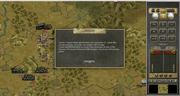
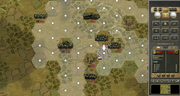
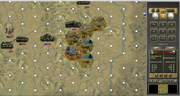
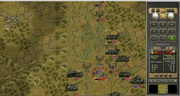
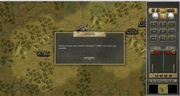
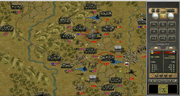
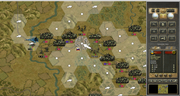
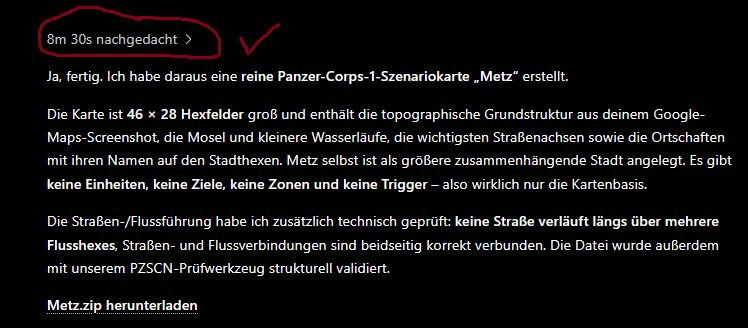
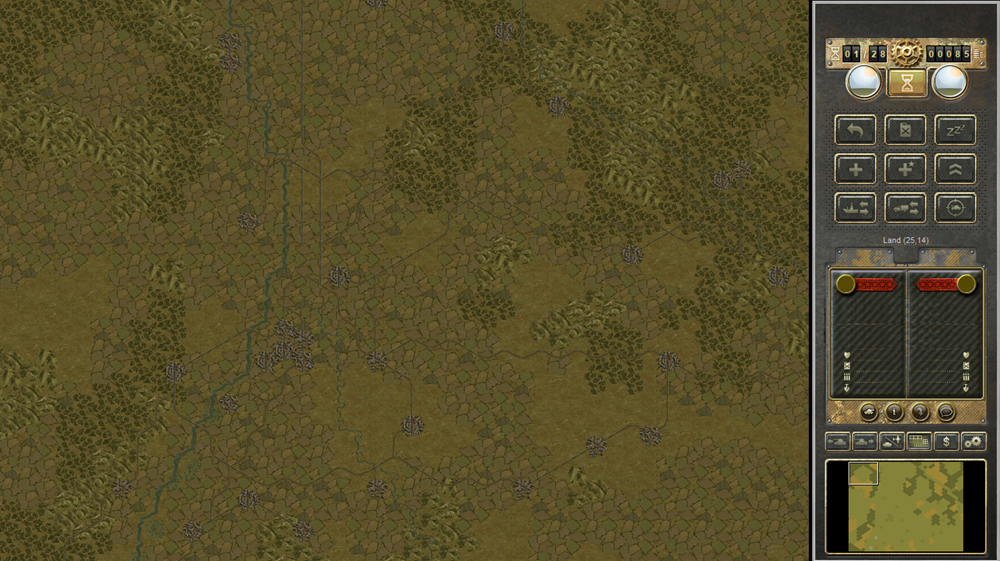
And just to show you what I mean: today I gave Sol a Google Maps screenshot of the Metz area and asked her to turn it into a Panzer Corps map.
Because she already knows how the map data inside the .pzscn file works, the actual creation process was very fast. The result was a 46×28 scenario map with the Moselle, the main roads, terrain, settlements and the correct town names already placed on the map.
So the time-consuming part was not creating this map — it was teaching the AI beforehand how Panzer Corps stores map information. Once that knowledge is there, creating new maps becomes surprisingly quick.
As you can see, Sol is really fast at creating maps; it took her just 8 minutes and 30 seconds to produce a finished map from a Google Maps screenshot and add all the place names. However, getting to that point does involve some work.
- Metz-Region.png (1.13 MiB) Viewed 44 times