Fired & Moved state visualisation

Open beta forum.

Moderators: Slitherine Core, The Lordz, Panzer Corps Moderators, Panzer Corps Design

boredatwork
Staff Sergeant - Kavallerie
Posts: 314
Joined: Sat Jan 15, 2011 5:39 pm

Post by boredatwork »

Rudankort wrote:As for animation effects, swirling animation may look nice, but it is way too strong to use on many units at once. I would vote for pulsing, or maybe something like a quick running speck of light across the strength label (like used on diamonds in various casual games).
Swirling is no different then pulsing - both can look too busy if they flash/move too fast or if there is too much contrast.

There is no reason why you can't slow the swirl down and make it more transparent so that it just accomplishes it's purpose:


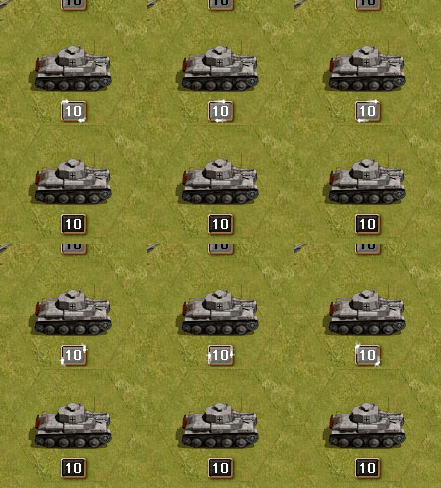
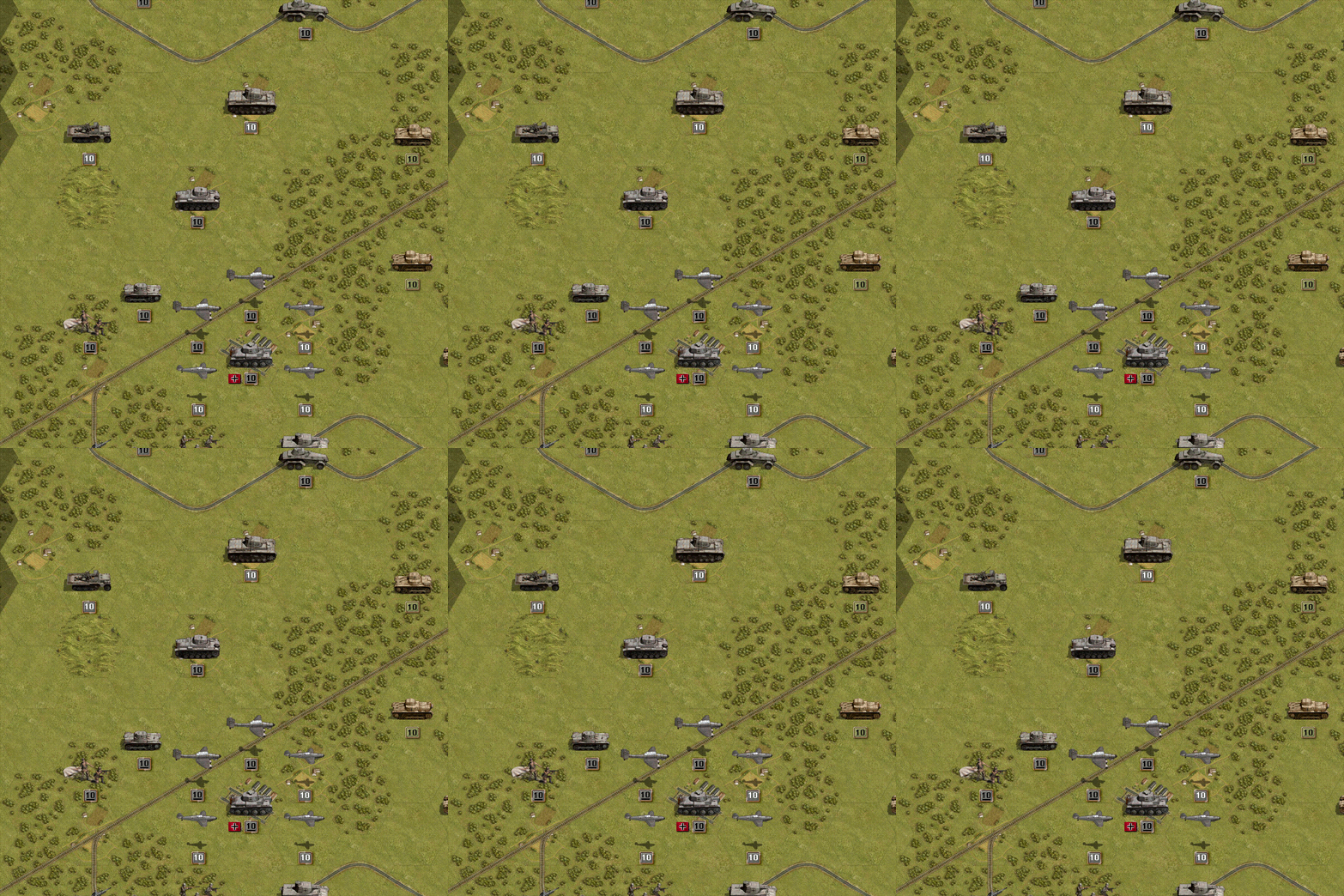
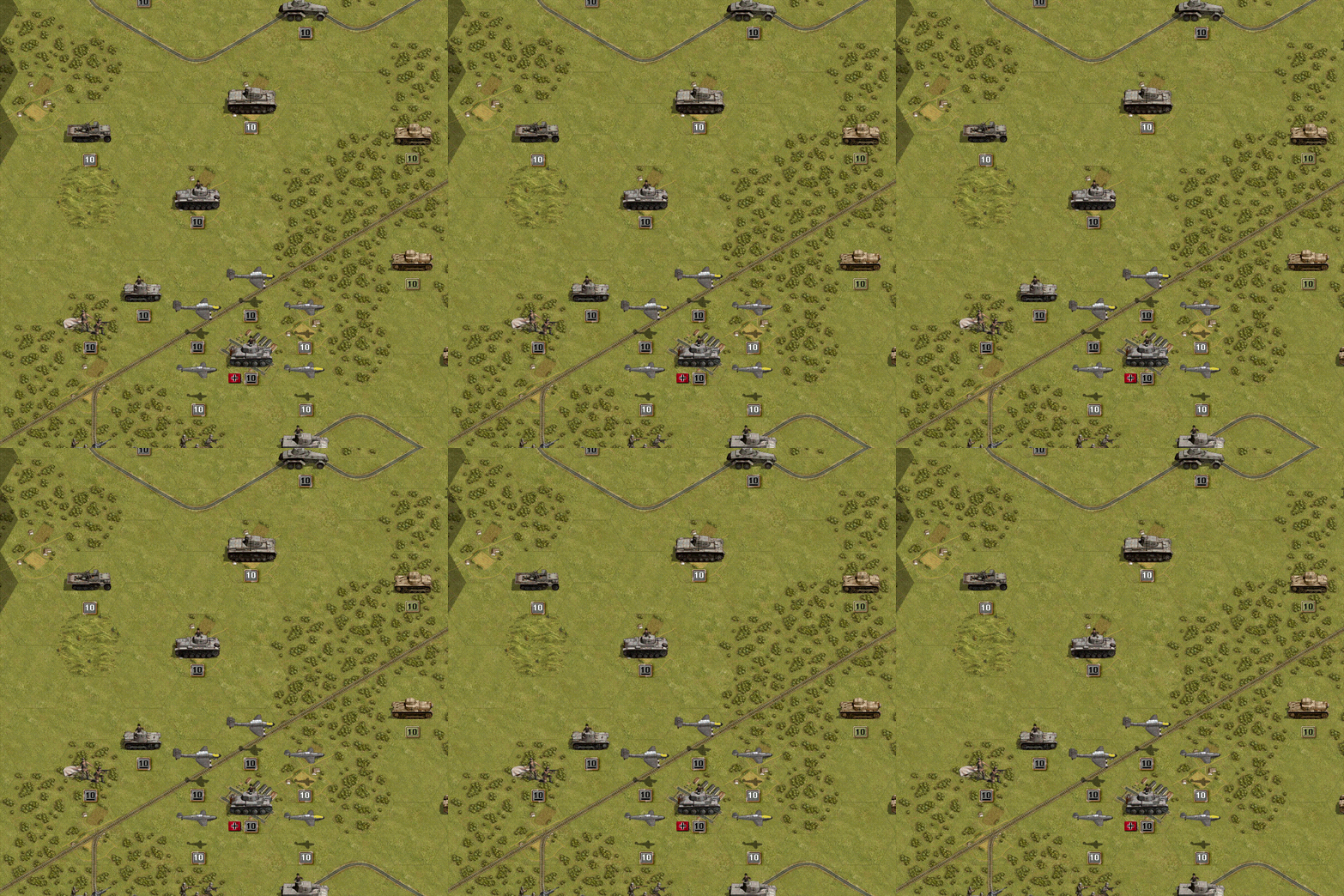
Original swirl:

Image

Slowed/faded swirl (if the swirls could be randomized so they all weren't on the exact same phase that would also help)


Image
Last edited by boredatwork on Sat Feb 26, 2011 3:02 am, edited 1 time in total.
Kerensky
Content Designer
Content Designer
Posts: 8624
Joined: Wed Jan 12, 2011 2:12 am

Post by Kerensky »

After I championed swirls at first, I'm a little conflicted about them. For example, how is the swirling showing the 4 different states of a unit? You either have to add another indicator to the unit, or you have to separate elements of the swirl (changing the number color which may not be an option, as that might be used for strength indication as adherbal showcased), or underlining the number, which in my opinion is painfully weak in contrast to even the slower/weaker swirl. For another possible example, see #1 sample in my previous post.

However I strongly disagree that the swirls could be randomized. That really would be too chaotic.

EDIT:
Sorry, I hate being at the bottom of pages in forums.
Wow this thread exploded. Damn my being ~10 time zones away from the majority of you.
I have a few brief points to weigh in on, then I'll make some more samples out of the new additions I see here.

When I was catching up in this thread, I was quickly glancing over images people made, and I realized I was treating the forum like I was treating the game. I was stealing quick glances at images and trying to determine what the status of units was and how much my attention was being drawn by the various effects illustrated here.

Disclaimer: these are just my personal opinions, I mean no offense to anyone.
Agreed. If unit glowing is ugly, than surely making them dark and low contrast isn't an option either?
Also agreed. As before, I can't bring myself to appreciate darkened unit states (actual tank image not the number) and I feel similarly about auras, whether they are constant or pulsing. No offense to anyone intended, but I found that images I glanced at quickly that contained darkened units just struck me as little more than "dark grey blobs", as bored put it. Excellent for representing unit action completion, but not aesthetically pleasing.
Auras suffered from a similar problem, except they completely lose that excellent unit state representation to gain very small aesthetic appeal.

I'm convinced by glancing at these pictures just like I would be glancing at the game itself, that the answer lies in blinking animation. In other words, this:
* If a unit has done nothing it pulses in some way to draw your eye to it. Effect TBD.
However, I disagree with:
* If a unit cannot do anything it goes dark. This includes units that have moved but not fired if there are no enemy units in range.
I feel that
Image
is satisfactory. Active has an active indicator, not necessarily that specific indicator, but an indicator never-the-less. Inactive have an inactive indicator. Very intuitive.

Making a unit 'go dark', in addition to my personal opinion of being ugly, adds the problem of 'I gain a visual attribute when I expend my actions' which I believe is counter intuitive. You spend action, you lose something you have: you spend a 'currency'. You gain actions, you receive currency to spend. Units are not gaining their inactive state, they are spending their active ones. Does that make sense?

And with:
* Units that have more or fired but not both are drawn normally.
I'm conflicted. As long as you mean they(a unit who has moved but can fire versus a unit who cannot move but can fire) do not look identical, I agree.
But for the last case we must find a suitable visual indication of what action exactly is there, and by default this indication must be on. Having an option to switch it off is fine, but it should be good enough so that we are not ashamed to have it on by default, so that most players benefit from it out of the box.
Complete agreement. It's obvious that there is no single perfect method to represent unit states, or every single person would agree to it and every single game of the genre would use it. The only thing that can be done is to find the 'best fit' but leaving the option for the (hopefully) minority who don't happen to like it is the best answer.
As for animation effects, swirling animation may look nice, but it is way too strong to use on many units at once. I would vote for pulsing, or maybe something like a quick running speck of light across the strength label (like used on diamonds in various casual games).
With the above quote in mind, I was considering some of the following options:


#1
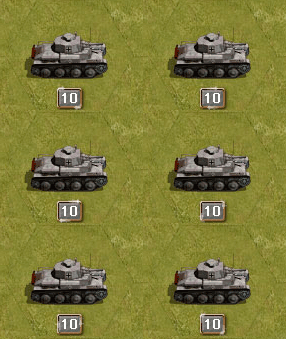
Take this image, what do we have?
Image
Two objects orbiting the border. Hmm... two objects? What if one object was associated with 'fire' and the other is associated with 'movement'?
Pretend the color tinted object is associated with firing and the solid white is associated with movement.
A unit that can move and fire looks like:
Image
After that unit fires, it looks like:
Image
After it moves and fires, there are no orbiting animations, for example the black background tank directly below.


#2
Take this image, what do we have?
Image
One solid bar, well we can make that two easily. Now we have:
ImageI can Move I can Shoot.
ImageI can Move I can't Shoot.
ImageI can't Move I can Shoot.
ImageI can't Move I can't Shoot, I'm done.

Why is top bar 'fire' and bottom bar 'move'? Well... Where's the apparatus on a tank that shoots? It's on the turret on top. Where's the apparatus on a tank that makes it moves? The treads on the bottom. Where do men hold their guns? Up in their arms. What do they use to walk with? Legs under them. Intuitive!

Further notes about #2:
Blinking between 2 colors is too extreme. In the sample I made, I doubled it and used 4 colors, but that is still too extreme. The color change, when made smoother and more gradual, but still animated, should allow for the beginning of the player's turn, when EVERY unit has both bars glowing, to be tolerable and not overbearing or chaotic.
Additionally, you can take the abstract bars and replace them with an icon. The top bar can be replaced with a bullet.
http://www.bulletforge.com/images/silve ... bullet.jpg
The bottom bar... I'm not so sure. Perhaps an image like this, reorientated to fit how units sit on the board.
http://3dii.ca/gallery/images/3Wire/Wire_002.jpg


#3
Take this image:
Image I can Move, I can Shoot.
And apply the mentality from #2. Separate the top 'shine' from the bottom 'shine'. After a unit shoots, it loses it's top 'shine'. After it moves, it loses it's bottom 'shine'
ImageI can Move, I can't Shoot.
ImageI can't Move, I can Shoot.
ImageI can't Move, I can't Shoot, I'm done.


I can't decide if I like #2 or #3 better personally, but with the right amount of tweaking to make the animation and graphic strong enough to be noticed, but weak enough to not be overbearing and chaotic when viewed on an entire field of units at the start of a player's turn, I'm certain either will get the job done.

In terms of sleeping units, I would go with a classic approach:
You have a unit that is active, bars flashing.
You choose to put it to sleep.
The bars immediately change to solid status.
In addition, however, add an icon, most likely Z or sleeping Z's to the unit to signify 'I won't bother you with my animations and activity anymore UNTIL you wake me up and reactivate me'.

Also, underlining the number to differentiate between core and auxiliary isn't strong enough considering the importantance between core and auxiliary. Plus it's too deviant from PG standards and would confuse veterans.
Oh, and Photoshop 5.5 Image Ready 2.0.
boredatwork
Staff Sergeant - Kavallerie
Posts: 314
Joined: Sat Jan 15, 2011 5:39 pm

Post by boredatwork »

Kerensky wrote:After I championed swirls at first, I'm a little conflicted about them. For example, how is the swirling showing the 4 different states of a unit? ... or you have to separate elements of the swirl (changing the number color which may not be an option, as that might be used for strength indication as adherbal showcased)
Kerensky wrote: Plus it's too deviant from PG standards and would confuse veterans.
IMO changing the number colour is still the way to go. If you absolutely have to retain the white=aux, dark=core convention of previous PG then find several shades of grey, possibly in conjunction with a shift in the BG colour as well. But IMO I don't think sticking to that convention is necessarily desirable.

Including PGF & PG Win I've played 9 PG games - ALL of them did some things different from PGDos and yet ALL of them (with the exception of PG3D) were easy enough to figure out after only a few minutes of play.

I certainly don't want to suggest change for the sake of change - however the difference between white numbers and black numbers is *extremely* prominent and, IMO, such a strong visible indicator is being wasted differentiating between something of secondary importance - It is important to be able to tell the difference between core/aux units, but IMO it's not so important that that difference should compete at a glance with fired/unfired & move/unmoved statuses.

There are other possiblities to indicate core units if the underline was not sufficient - for example what about adding tank commanders to core vehicle units, gun crews to core Art/AD & AT units, additional markings to core air units and ______ to core infantry units? (see below)

However I strongly disagree that the swirls could be randomized. That really would be too chaotic.

On the contrary - Adding a bit of "chaos" to the swirls by not having them all in the exact same position at the exact same instant makes them look more natural because your eye isn't being distracted by the syncronized pattern:

(it's a very subtle effect and not noticeable unless you open my previous image and place them side by side.)

Image

For the same reason blinking indicators would be improved by not all blinking on and off simultaneously but instead 'twinkle' like stars.

A unit that can move and fire looks like:
Image
I did do a red and white version of mine yesterday but I hated the result because the red stuck out too much. Yours without colour looks alot better.


One solid bar, well we can make that two easily. Now we have:
ImageI can Move I can Shoot.
This would also be acceptable, subject to toning down, and IMO randomization so that they "twinkle" as opposed to seizure inducing flash.
Separate the top 'shine' from the bottom 'shine'.
IMO #3 would be much less pratical than swirls or bars.


Oh, and Photoshop 5.5 Image Ready 2.0.
I was just asking because I thought an animated GIF would be easier for you to create than a video uploaded to youtube and later versions of photoshop have integrated animation features - but Image Ready works too!
adherbal
The Artistocrats
The Artistocrats
Posts: 3900
Joined: Fri Jun 24, 2005 6:42 pm
Location: Belgium

Post by adherbal »

My own attempt at swirls:

Auxiliary
Image

Core
Image

I was about to write "my vote goes to animated border + colour coded strength number" but then I remembered we aren't marking suppressed strength in any way at the moment. This is fairly similar to efficiency in Commander, and is portraited using white > yellow > red strength numbers there. It makes more sense to copy this and add an icon for fired/moved than the other way round.
boredatwork
Staff Sergeant - Kavallerie
Posts: 314
Joined: Sat Jan 15, 2011 5:39 pm

Post by boredatwork »

adherbal wrote:My own attempt at swirls:

I was about to write "my vote goes to animated border + colour coded strength number" but then I remembered we aren't marking suppressed strength in any way at the moment. This is fairly similar to efficiency in Commander, and is portraited using white > yellow > red strength numbers there. It makes more sense to copy this and add an icon for fired/moved than the other way round.
I like your swirls.

Does suppressed strength need to be marked? Unless you're going for a Fantasy General type system are any of your units going to be suffering long term suppression during your turn?

As for the Gold/Silver I think it has potential - but IMO needs to be slightly more contrasting. In my example in another thread I made the frame slightly wider but other possibilities include making the gold a bit more yellow or add some flourishes to the frame (corners swirls or crosses or similar). Making the core swirl golden might also help.
adherbal
The Artistocrats
The Artistocrats
Posts: 3900
Joined: Fri Jun 24, 2005 6:42 pm
Location: Belgium

Post by adherbal »

Does suppressed strength need to be marked? Unless you're going for a Fantasy General type system are any of your units going to be suffering long term suppression during your turn?
No, but it makes sense to see it on enemy units.
Rudankort
FlashBack Games
FlashBack Games
Posts: 3836
Joined: Sat Aug 21, 2010 2:23 pm
Contact:

Post by Rudankort »

I have a few features on a "lower priority" feature list which might involve lasting suppression on your own turn. In particular, I plan to have a certain part of unit's strength suppressed when it does paradrop or disembark action, and this suppression will remain for the duration of the opponent's turn as well, so if these units are attacked immediately after paradrop/disembark, they will be more vulnerable.
Razz1
Panzer Corps Moderator
Posts: 3308
Joined: Tue Jan 18, 2011 4:49 am
Location: USA

Post by Razz1 »

"Great stuff indeed, very useful. For the record, I'm not particularly fond of animations for moved/fired indication. Animations are useful to attract user's attention to something, but when you see the screenful of your initial deployment blinking and swirling, it will look like a mess without giving us any real advantages in return."

I completely agree. I can not handle blinking or swirling . Distracting.


Color code change on the strength box is not an option as it is already hard to see.


Best bet is to add two icon boxes between the unit and the strength box.

Top Left side; Green can move. If a unit moves, it disappears.

Top Right side; Green can shoot. If it has fired, it disappears.

It is Simple and Informative.

Otherwise we could add the fuel icon and Ammo buttons on top where; if action can be performed it shows on screen.

I really don't like icon going dark or lite or glowing. There is not enough contrast with the green textured map.
Obsolete
Lieutenant Colonel - Panther D
Posts: 1203
Joined: Thu May 06, 2010 5:25 pm

Post by Obsolete »

Image

I thought this concept was the cutest. Though you'd have to change the smoke to black or something for winter scenarios.
I actually wouldn't mind a hybrid of this combined with the other elements discussed.
Image
Experience Ratio = (def exp level + 2)/(att exp level + 2)
Entrenchment Ratio = (def entr rate + 1) /(att entr rate + 1)
Razz1
Panzer Corps Moderator
Posts: 3308
Joined: Tue Jan 18, 2011 4:49 am
Location: USA

Post by Razz1 »

The problem with the above animations is... it is very hard to see.

We have several people right now that would like to zoom in just a little closer.

What happens when you zoom out? Can you see the difference?

I like them too, but there isn't enough separation between the front and rear dust/smoke to easily see the status.

I just though of something... for planes.. show two gun burst for fighters after it fired. For movement use back half of plane to be blue highlight.

For bombers, show a couple of bombs under it after it attacked.

For infantry, show gun burst after attack. Heavy infantry two gun bursts. Pioneer/Engineer explosion.

For movement show a couple of foot prints.
Post Reply

Return to “Panzer Corps Open Beta”