

Birgeria's new PZC units
Moderators: Slitherine Core, Panzer Corps Moderators, Panzer Corps Design
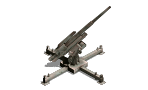
Birgeria's new PZC units
First, these are not brand new icons. I made them by reassemble features of different existing icons from our celebrities in this forum: Guille 1434 and PAK mode team. So before anything, I'll give my appreciated to them and Happy New Year to all PzC fans!
Last edited by Birgeria on Sat Oct 29, 2022 12:16 am, edited 1 time in total.
Re: Some "new" Artillery icons
Here are AR and AT version of Russian M1943 152mm heavy howitzer.
- Attachments
-
- 152mm_M1943_D1_Aty.png (21.07 KiB) Viewed 24511 times
-
- 152mm_M1943_D1_AT.png (22.46 KiB) Viewed 24511 times
Re: Some "new" Artillery icons
Russian M1910/34 heavy gun. 152mm barrel on 122mm M1931 carriage.
- Attachments
-
- 152mm_M1910-34_Aty.png (18.61 KiB) Viewed 24511 times
-
- 152mm_M1910-34_AT.png (20.34 KiB) Viewed 24511 times
Re: Some "new" Artillery icons
Russian 122mm M1931 A-19
- Attachments
-
- 122mm_M1931_Aty.png (20.5 KiB) Viewed 24510 times
-
- 122mm_M1931_AT.png (22.2 KiB) Viewed 24510 times
Re: Some "new" Artillery icons
Russian 122mm M1931/37 A-19 on ML-20 carriage
- Attachments
-
- 122mm_M1931-37_AT.png (24.5 KiB) Viewed 24495 times
-
- 122mm_M1931_Aty.png (20.5 KiB) Viewed 24495 times
Re: Some "new" Artillery icons
Corrected Aty icon for M1931/37
- Attachments
-
- 122mm_M1931-37_Aty.png (28.04 KiB) Viewed 24494 times
Re: Some "new" Artillery icons
Here are some WWI artillery pieces used by USSR during WWII.
Re: Some "new" Artillery icons
Two 152mm howitzers: M1909/30 and M1910/30
- Attachments
-
- 152mm_M1910-30_AT.png (20.04 KiB) Viewed 24472 times
-
- 152mm_M1909-30_Aty.png (19.76 KiB) Viewed 24472 times
-
- 152mm_M1909-30_AT.png (19.87 KiB) Viewed 24472 times
Re: Some "new" Artillery icons
M1910/30
- Attachments
-
- 152mm_M1910-30_Aty.png (20.05 KiB) Viewed 24458 times
Re: Some "new" Artillery icons
107mm corps field gun M1910/30
- Attachments
-
- 107mm_M1910-30_Aty.png (16.37 KiB) Viewed 24455 times
-
- 107mm_M1910-30_AT.png (16.66 KiB) Viewed 24455 times
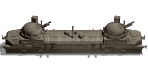
Re: Some "new" Artillery icons
Hello Birgeria, that looks good ...
keep it up ... after no one has answered, my feedback.
The units are partly, in my opinion, too dark, partly the details are missing or are too pixelated. Just my opinion and no criticism, that's often a matter of opinion . I think it's great when there are more fans of Panzer Corps who try to improve the game with their creative ideas. Keep it up...
keep it up ... after no one has answered, my feedback.
The units are partly, in my opinion, too dark, partly the details are missing or are too pixelated. Just my opinion and no criticism, that's often a matter of opinion
. I think it's great when there are more fans of Panzer Corps who try to improve the game with their creative ideas. Keep it up...Re: Some "new" Artillery icons
Hi AKRebelAKRebel wrote: Wed Dec 30, 2020 10:38 pm Hello Birgeria, that looks good ...
keep it up ... after no one has answered, my feedback.
The units are partly, in my opinion, too dark, partly the details are missing or are too pixelated. Just my opinion and no criticism, that's often a matter of opinion
Thanks so much for the comments. I use DCS for their camo types, and I choose "black and white" for the base icons. Is that the reason of dark? Also, I'm still not very familiar with paint software, do you know how to increase the resolution when I prepare the icons?
Birgeria

Re: Some "new" Artillery icons
Nice work, Birgeria! It's always good to have more icon designers. 
Regarding the darkness of the icons, perhaps Guille will share his expertise. I think he mentioned that when he starts with an icon that has been changed to black & white, that he has to lighten it before he adds the new texture/skin. Hopefully, he will post here and explain in better detail. But keep it up! A very good start.
Regarding the darkness of the icons, perhaps Guille will share his expertise. I think he mentioned that when he starts with an icon that has been changed to black & white, that he has to lighten it before he adds the new texture/skin. Hopefully, he will post here and explain in better detail. But keep it up! A very good start.
Re: Some "new" Artillery icons
Hello Birgeria,Birgeria wrote: Thu Dec 31, 2020 3:29 amHi AKRebelAKRebel wrote: Wed Dec 30, 2020 10:38 pm Hello Birgeria, that looks good ...
keep it up ... after no one has answered, my feedback.
The units are partly, in my opinion, too dark, partly the details are missing or are too pixelated. Just my opinion and no criticism, that's often a matter of opinion
Thanks so much for the comments. I use DCS for their camo types, and I choose "black and white" for the base icons. Is that the reason of dark? Also, I'm still not very familiar with paint software, do you know how to increase the resolution when I prepare the icons?
Birgeria
Darkness:
Yes, that's right, for a better result with DCS, as already described by cw58, the symbols must be in black and white and brightened. From my point of view, there is no general setting, it means trying it out, trying it out until the result is right.
Details:
The basis for a better resolution is the quality of the original.
-
guille1434
- Major-General - Jagdtiger

- Posts: 2856
- Joined: Sun Jul 01, 2012 5:32 pm
Re: Some "new" Artillery icons
Hello Birgeria:
Thanks for sharing your last batch of icons... It is amazing for me how many different variants and subvariants of artillery pieces the Soviets produced before and during the war. I am always learning about some model previously unknown to me...
Regarding the use of basic icons and camo/color skin files in the DCS software, my "recipe" is more or less similar to what Cw58 and AKRebel already said:
Basic icons should be made in grayscale colors (except some "fixed color" details, like exhaust tubes, externally mounted tools, etc...) and made lighter than a normal icon, but you must not forget to give also this basic icon some more contrast, otherwise it will look too "flat" and the details on it will be obscured by the camouflage colors applied over it by the program. With the same purpose, I like to prepare several variations of the same camo skin file in a gradation of lighter to darker tones. After that, it is a question of trial and error until you find the icon/skin combination which looks better to you...
I hope this helps...
Thanks for sharing your last batch of icons... It is amazing for me how many different variants and subvariants of artillery pieces the Soviets produced before and during the war. I am always learning about some model previously unknown to me...
Regarding the use of basic icons and camo/color skin files in the DCS software, my "recipe" is more or less similar to what Cw58 and AKRebel already said:
Basic icons should be made in grayscale colors (except some "fixed color" details, like exhaust tubes, externally mounted tools, etc...) and made lighter than a normal icon, but you must not forget to give also this basic icon some more contrast, otherwise it will look too "flat" and the details on it will be obscured by the camouflage colors applied over it by the program. With the same purpose, I like to prepare several variations of the same camo skin file in a gradation of lighter to darker tones. After that, it is a question of trial and error until you find the icon/skin combination which looks better to you...
I hope this helps...
Re: Some "new" Artillery icons
Hi Guilleguille1434 wrote: Thu Dec 31, 2020 4:27 pm Hello Birgeria:
Thanks for sharing your last batch of icons... It is amazing for me how many different variants and subvariants of artillery pieces the Soviets produced before and during the war. I am always learning about some model previously unknown to me...
Regarding the use of basic icons and camo/color skin files in the DCS software, my "recipe" is more or less similar to what Cw58 and AKRebel already said:
Basic icons should be made in grayscale colors (except some "fixed color" details, like exhaust tubes, externally mounted tools, etc...) and made lighter than a normal icon, but you must not forget to give also this basic icon some more contrast, otherwise it will look too "flat" and the details on it will be obscured by the camouflage colors applied over it by the program. With the same purpose, I like to prepare several variations of the same camo skin file in a gradation of lighter to darker tones. After that, it is a question of trial and error until you find the icon/skin combination which looks better to you...
I hope this helps...
Thanks for the advise. I increased the brightness and I think they look better now. I'll post the reworked version of the icons I updated yesterday soon.
Re: Some "new" Artillery icons
Thanks for the advise. I increased the brightness and I think they look better now. I'll post the reworked version of the icons I updated yesterday soon.cw58 wrote: Thu Dec 31, 2020 4:22 am Nice work, Birgeria! It's always good to have more icon designers.
Regarding the darkness of the icons, perhaps Guille will share his expertise. I think he mentioned that when he starts with an icon that has been changed to black & white, that he has to lighten it before he adds the new texture/skin. Hopefully, he will post here and explain in better detail. But keep it up! A very good start.
Re: Some "new" Artillery icons
Some reworked version of yesterday's icons:
- Attachments
-
- 152mm_M1910-34_Aty.png (21.31 KiB) Viewed 24339 times
-
- 152mm_M1910-34_AT.png (22.49 KiB) Viewed 24339 times
Re: Some "new" Artillery icons
M1910/30
- Attachments
-
- 152mm_M1910-30_AT.png (21.6 KiB) Viewed 24338 times
-
- 152mm_M1910-30_Aty.png (19.2 KiB) Viewed 24338 times
Re: Some "new" Artillery icons
M1909/30
- Attachments
-
- 152mm_M1909-30_Aty.png (22.43 KiB) Viewed 24337 times
-
- 152mm_M1909-30_AT.png (23.47 KiB) Viewed 24337 times