

First off, sorry if this is in the wrong place, I have no idea where else to put this...
I'm working on a personal mod that adds new units from different games (hence it being a personal mod, idk if I'd be allowed to release it), but I'm running into a texture-related issue.
My main question is basically, how am I supposed to include the the textures for units? I use 3DS Max, and I've figured out how to use bitmaps (kinda), but I have no idea how to put it into practice in a mod. Not only that, but there's something complicating things...
The units I'm trying to import do not use a single image for their texture. Rather, they use multiple images. I can properly texture the units in 3DS Max, but how do I get this to work in OoB?
Thanks in advance for any help!
Custom Unit Textures
Moderators: The Artistocrats, Order of Battle Moderators
-
Darthrafael
- Private First Class - Wehrmacht Inf

- Posts: 9
- Joined: Fri Jun 05, 2015 5:21 pm
-
GabeKnight
- Lieutenant-General - Karl-Gerat 040
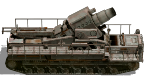
- Posts: 3718
- Joined: Mon Nov 27, 2017 10:24 pm
Re: Custom Unit Textures
No, no, you've come to the right place, but I don't know if I can give an adequate answer to your question, because I'm just a rookie with the whole 3D stuff myself.Darthrafael wrote: Mon Oct 28, 2019 4:55 pm First off, sorry if this is in the wrong place, I have no idea where else to put this...
To import new units into OoB, you need
1) a MDT file generated from Max (using the export script from the link) and
2) a single, mapped (if I recall correctly it's called "UV mapping") PNG texture file - plus one for the wreck.
An example mod can be found here: viewtopic.php?f=374&t=64469
-
Darthrafael
- Private First Class - Wehrmacht Inf
- Posts: 9
- Joined: Fri Jun 05, 2015 5:21 pm
Re: Custom Unit Textures
Glad to know I'm in the right place, at least!GabeKnight wrote: Mon Oct 28, 2019 5:34 pm No, no, you've come to the right place, but I don't know if I can give an adequate answer to your question, because I'm just a rookie with the whole 3D stuff myself.
To import new units into OoB, you need
1) a MDT file generated from Max (using the export script from the link) and
2) a single, mapped (if I recall correctly it's called "UV mapping") PNG texture file - plus one for the wreck.
An example mod can be found here: viewtopic.php?f=374&t=64469
1: I managed to get this to work, this is not the issue
2: This is the issue in my case, I don't know how to go from multiple images to one.

Re: Custom Unit Textures
What is needed is so-called UV mappingDarthrafael wrote: Mon Oct 28, 2019 5:37 pm 2: This is the issue in my case, I don't know how to go from multiple images to one.
https://en.wikipedia.org/wiki/UV_mapping
Basically the whole 3d model gets one picture as UV map or UV texture. This is technically a normal image file, but one where all the geometry of the model is "unwrapped". This is done in your 3d software, or with 3rd party tools.
Imagine your model as a little paper model - to paint it easier you could unfold it to be normal " flat" paper again - this is what UV mapping is for, just that you save into a 2d pic, a so-called "net", which should show the outlines of all those polygons. Once you have that you can work with it further in 2d, for example to add detail using a typical 2d gfx software)
Those texture maps are usually quadratic in the typical "computer" sizes that are easy to calculate. We use 512*512 for OOB stock units.
Re: Custom Unit Textures
Here's a pic from a specific tool for UV mapping, which hopefully illustrates the issue better, pls. see below.
What you do here (or in your 3d software) is:
- load a 3d model, here on the right
- select its various parts, either by sub-object (if any present), or manually select faces
- then you actually "unwrap" it, so you tell this tool how to display the selected parts in 2d on the left
- here, most of the center fuselage is displayed as a simple sideview, but it can get much more detailled and complex if needed
- the upper faces for the fuselage are unwrapped separately (those are the two red blocks on the left top)
- you can drag and resize anything on the left to fit it into the quadratic from as you wish
- anything inside this quadrat is finally saved as 2d image, like described in the prev. post for example in a size of 512*512.
- this image shows the outline of all those polygons/faces
- after unwrapping save the model so it has then UV coordinates set from now
- load the quadratic 2d image with those outlines into a 2d gfx software to get the look you want for your model
- once complete, assign it as texture to your model in your 3d program
What you do here (or in your 3d software) is:
- load a 3d model, here on the right
- select its various parts, either by sub-object (if any present), or manually select faces
- then you actually "unwrap" it, so you tell this tool how to display the selected parts in 2d on the left
- here, most of the center fuselage is displayed as a simple sideview, but it can get much more detailled and complex if needed
- the upper faces for the fuselage are unwrapped separately (those are the two red blocks on the left top)
- you can drag and resize anything on the left to fit it into the quadratic from as you wish
- anything inside this quadrat is finally saved as 2d image, like described in the prev. post for example in a size of 512*512.
- this image shows the outline of all those polygons/faces
- after unwrapping save the model so it has then UV coordinates set from now
- load the quadratic 2d image with those outlines into a 2d gfx software to get the look you want for your model
- once complete, assign it as texture to your model in your 3d program
- UV.jpg (709.52 KiB) Viewed 2362 times
-
Darthrafael
- Private First Class - Wehrmacht Inf
- Posts: 9
- Joined: Fri Jun 05, 2015 5:21 pm
Re: Custom Unit Textures
I'll give creating an uv-map from scratch, though the model I'm trying to use already has one. My issue is that the model I'm using uses several images to texture itself (see below) instead of just one, so I take it I somehow need to turn those 3 UV Maps into one, right?bebro wrote: Tue Oct 29, 2019 12:32 pm Here's a pic from a specific tool for UV mapping, which hopefully illustrates the issue better, pls. see below.
What you do here (or in your 3d software) is:
- load a 3d model, here on the right
- select its various parts, either by sub-object (if any present), or manually select faces
- then you actually "unwrap" it, so you tell this tool how to display the selected parts in 2d on the left
- here, most of the center fuselage is displayed as a simple sideview, but it can get much more detailled and complex if needed
- the upper faces for the fuselage are unwrapped separately (those are the two red blocks on the left top)
- you can drag and resize anything on the left to fit it into the quadratic from as you wish
- anything inside this quadrat is finally saved as 2d image, like described in the prev. post for example in a size of 512*512.
- this image shows the outline of all those polygons/faces
- after unwrapping save the model so it has then UV coordinates set from now
- load the quadratic 2d image with those outlines into a 2d gfx software to get the look you want for your model
- once complete, assign it as texture to your model in your 3d program
Or does OoB support models using multiple images and is there actually no problem?

Re: Custom Unit Textures
Darthrafael wrote: Tue Oct 29, 2019 8:53 pm I'll give creating an uv-map from scratch, though the model I'm trying to use already has one. My issue is that the model I'm using uses several images to texture itself (see below) instead of just one, so I take it I somehow need to turn those 3 UV Maps into one, right?
Or does OoB support models using multiple images and is there actually no problem?
Ok, that's a different issue. Those various types of textures (diffuse, specular, reflection, etc.) do add specific aspects to the look of a model.
Most important for us is the diffuse map - for basic color, all the details etc.
Only aircraft models in OOB use diffuse and specular maps combined in one TGA file. When we have the diffuse map done, we create a specular map and put it in the alpha channel of the image file. However aircraft without this extra would still work.
For vehicles we have extra "destroyed" textures, but as separate image files as they are only shown when the unit is destroyed.
Other than those you do not not need multiple textures per unit, and I'm not sure the game would even support extra bump maps or so.
Whether you need to combine all the textures of your particular model into one diffuse maps I can't say from here, depends what those are used for, and what they actually show, so how much they affect the look beyond the diffuse map.
-
Darthrafael
- Private First Class - Wehrmacht Inf
- Posts: 9
- Joined: Fri Jun 05, 2015 5:21 pm
Re: Custom Unit Textures
I'll give using multiple images a shot once I get adding new units to work for my mod, but here's a bit more information on what all the images do when it comes to the unit's final appearance, in case it helps clarify things.bebro wrote: Wed Oct 30, 2019 7:38 amDarthrafael wrote: Tue Oct 29, 2019 8:53 pm I'll give creating an uv-map from scratch, though the model I'm trying to use already has one. My issue is that the model I'm using uses several images to texture itself (see below) instead of just one, so I take it I somehow need to turn those 3 UV Maps into one, right?
Or does OoB support models using multiple images and is there actually no problem?
Ok, that's a different issue. Those various types of textures (diffuse, specular, reflection, etc.) do add specific aspects to the look of a model.
Most important for us is the diffuse map - for basic color, all the details etc.
Only aircraft models in OOB use diffuse and specular maps combined in one TGA file. When we have the diffuse map done, we create a specular map and put it in the alpha channel of the image file. However aircraft without this extra would still work.
For vehicles we have extra "destroyed" textures, but as separate image files as they are only shown when the unit is destroyed.
Other than those you do not not need multiple textures per unit, and I'm not sure the game would even support extra bump maps or so.
Whether you need to combine all the textures of your particular model into one diffuse maps I can't say from here, depends what those are used for, and what they actually show, so how much they affect the look beyond the diffuse map.
Each of the images textures a different part of the model, as seen below. Free cookie to whoever recognizes the model.

-
Darthrafael
- Private First Class - Wehrmacht Inf
- Posts: 9
- Joined: Fri Jun 05, 2015 5:21 pm
Re: Custom Unit Textures
Alright, now that I've modded in the unit, this is what I get.

So it seems that it only takes one texture file, which is unfortunate, so I probably have to remap the thing. And yes, it's facing the wrong direction, I can fix that.
I am, however, confused about the barrel angle, any ideas what caused that?
So it seems that it only takes one texture file, which is unfortunate, so I probably have to remap the thing. And yes, it's facing the wrong direction, I can fix that.
I am, however, confused about the barrel angle, any ideas what caused that?