


My copy of the game is THAT : CEAW 1.12 + GS 2.0 included in the digital commercial version I bought).
So, when I install the game, I have 2 steeps :
1/ Installation of CEAW 1.12 Gold
2/ When 1/ is made, a new windows open and ask me to install GS 2.0
The pb for me was : how to install GS 2.1O ?
A/ I tried first : To install CEAW 1.12 Gold and NOT TO install GS 2.0
After installation of CEAW 1.12 Gold, I did just install the GS 2.10 application I downloaded.
Result : bad. Somes files are missing in Grand strategy directory (application file of GS 2.10 is missing)
B/ I tried in second time that :
To install CEAW 1.12 Gold + to install GS 2.0 as asked in the two successive "officiel" windows of my digital copy
After that : I instal the GS 2.10 application I downloaded
It works fine (not played a lot of turns, but it seems to work with new features of GS 2.10).
Is this B/ process right ?
Pb with GS 2.10 installation
Moderators: firepowerjohan, Happycat, rkr1958, Slitherine Core
Pb with GS 2.10 installation
For nostalgics of Field of Glory 1, I am working on a special "ancient battles" mod (Matrix forum - Strategic Command WIE)
Re: Pb with GS 2.10 installation
Please, could someone from GS 2.10 staff give me answer about the installation question ? I would want to be sure to have not any pb during game before to start a campaing
My question : I have installed CEAW 1.12 Gold + GS 2.0 (as asked in the digital version I bought)
Then , I have installed the GS 2.1 application after dowloading it on slitherine
Is it the right process ? If not, please : what is the righ and exact process to install GS 2.1 when you have bought on Slitherine a digital version that includes CEAW 1.12 Gold and GS 2.0 ?
My question : I have installed CEAW 1.12 Gold + GS 2.0 (as asked in the digital version I bought)
Then , I have installed the GS 2.1 application after dowloading it on slitherine
Is it the right process ? If not, please : what is the righ and exact process to install GS 2.1 when you have bought on Slitherine a digital version that includes CEAW 1.12 Gold and GS 2.0 ?
For nostalgics of Field of Glory 1, I am working on a special "ancient battles" mod (Matrix forum - Strategic Command WIE)
-
avoran
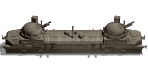
- Sergeant Major - Armoured Train
- Posts: 589
- Joined: Wed Feb 02, 2011 1:45 pm
- Location: Veliki Novgorod
Re: Pb with GS 2.10 installation
I'm not one of the devs but I believe your B option is the right one.
CEAW Grand Strategy fan
Commander: The Great War beta tester
Commander: The Great War beta tester
Re: Pb with GS 2.10 installation
Thanks for reply 
But better would be to have a "official" answer from GS 2.1 staff about that :
When you have a digital version that includes CEAW 1.12 Gold + GS 2.0, what have you to do EXACTLY to install GS 2.1 ? And what is the EXACT directory where you have to install the GS 2.1 application ?
The default provided default directory when you try to install GS 2.1 is : Military History Commander - Europe at War GOLD
Have you to use this directory ?
If not, what directory have you to use ?
Have you before to install GS 2.1 to uninstall GS 2.0 ? But in this case, the pb is that you can not uninstall GS 2.0 separatly (on my computer)
So, if I suppose that I uninstall ALL CEAW files of my computer to have a "starting" clear situation : what have I to do exactly, please ?
Step 1
Step 2,etc
That sort of tutorial would be good.
if not possible to do that, a simply zip file with all needed files for GS 2.1 (incluiding GS application files) would be great, and we would do the work ourself manually : would be better than the mess of the provided GS 2.1 application, I think
I did a test, this evening : to uninstall all
Starting with clear situation aNd following Slitherine instruction (given on the page where GS 2.1 may be downloaded):
I have installed 1.12 Gold CEAW : my digital version have installed the game automatically in this folder : Military History Commander - Europe at War GOLD
I have NOT installed GS 2.0, as my digital asked me for
Then, I have installed GS 2.1 application in the default folder suggested by this application : Military History Commander - Europe at War GOLD (the game was installed in THIS folder on my PC automatically by my digital version)
The result is : no GS application file in the Grand strategy folder, impossible to play with GS.
I did a other test : I installed the game 1.12 Gold and GS 2.0 as my digital version asked me fort, and then , I installed GS 2.1 application in the provided default folder : it works (but not certitude to have not pb during game? I did not play a long time). And in the forum, I saww that Stauffenberg said : you should uninstall GS 2.0 before to install GS 2.1, and you should not choice the default folder suggested by GS 2.1 application (but in this case : what is the good folder ? The folder where the game is installed ? On my PC, it is... the default suggested folder ! and where are the GS 2.1 application files ? When you install GS 2.1 on the CEAW 1.12 Gold, the GS application files is no present in grand strategy folder. I did the test : this GS application file IS NOT in the G S 2.1 application : when I install the GS 2.1 application install in a "test" directory, I obtain NOT the GS application file needed to lunch the game : where is this files ? In the GS 2.0 ..!)
Crazy, no sense
Where is the good way, please ? synthetic and definitive clarifications from Slitherine and/or GS stafF would be appreciated.
But better would be to have a "official" answer from GS 2.1 staff about that :
When you have a digital version that includes CEAW 1.12 Gold + GS 2.0, what have you to do EXACTLY to install GS 2.1 ? And what is the EXACT directory where you have to install the GS 2.1 application ?
The default provided default directory when you try to install GS 2.1 is : Military History Commander - Europe at War GOLD
Have you to use this directory ?
If not, what directory have you to use ?
Have you before to install GS 2.1 to uninstall GS 2.0 ? But in this case, the pb is that you can not uninstall GS 2.0 separatly (on my computer)
So, if I suppose that I uninstall ALL CEAW files of my computer to have a "starting" clear situation : what have I to do exactly, please ?
Step 1
Step 2,etc
That sort of tutorial would be good.
if not possible to do that, a simply zip file with all needed files for GS 2.1 (incluiding GS application files) would be great, and we would do the work ourself manually : would be better than the mess of the provided GS 2.1 application, I think
I did a test, this evening : to uninstall all
Starting with clear situation aNd following Slitherine instruction (given on the page where GS 2.1 may be downloaded):
I have installed 1.12 Gold CEAW : my digital version have installed the game automatically in this folder : Military History Commander - Europe at War GOLD
I have NOT installed GS 2.0, as my digital asked me for
Then, I have installed GS 2.1 application in the default folder suggested by this application : Military History Commander - Europe at War GOLD (the game was installed in THIS folder on my PC automatically by my digital version)
The result is : no GS application file in the Grand strategy folder, impossible to play with GS.
I did a other test : I installed the game 1.12 Gold and GS 2.0 as my digital version asked me fort, and then , I installed GS 2.1 application in the provided default folder : it works (but not certitude to have not pb during game? I did not play a long time). And in the forum, I saww that Stauffenberg said : you should uninstall GS 2.0 before to install GS 2.1, and you should not choice the default folder suggested by GS 2.1 application (but in this case : what is the good folder ? The folder where the game is installed ? On my PC, it is... the default suggested folder ! and where are the GS 2.1 application files ? When you install GS 2.1 on the CEAW 1.12 Gold, the GS application files is no present in grand strategy folder. I did the test : this GS application file IS NOT in the G S 2.1 application : when I install the GS 2.1 application install in a "test" directory, I obtain NOT the GS application file needed to lunch the game : where is this files ? In the GS 2.0 ..!)
Crazy, no sense
Where is the good way, please ? synthetic and definitive clarifications from Slitherine and/or GS stafF would be appreciated.
For nostalgics of Field of Glory 1, I am working on a special "ancient battles" mod (Matrix forum - Strategic Command WIE)
Re: Pb with GS 2.10 installation
I have CEAW version that is "greater" than 1.06 (my digital version is 1.12 Gold+GS 2.0 included in digital version)
The official instructionf of SLitherine are that :
http://www.slitherine.com/ceaw_gs2
Already have PC CEAW v1.06 or greater? Don't have CEAW for PC
First uninstall any previous mods
Then download the PC Grand
Strategy 2.10 expansion
So, if I follow exactly these instructions :
1/I must have installed CEAW 1.12 gold on my PC
2/ I must have not installed GS 2.0 on my PC (GS 2.0 is a mod, and Slitherine ask to uninstall all mods)
If I do that : impossible to play, the needed application file to lunch GS is missing in Grand strategy folder (As I said above, this file is not included in the GS 2.1 application install : I think that Slitherine has simply forgotten to include it : here is the probable reason of the pb )
)
PLEASE, SLITHERINE : GIVE US A SIMPLE AND COMPLETE ZIP FILE WITH NEEDED FILES FOR GS 2.10 AND WE WILL INSTALL OURSELF MANUALLY
The official instructionf of SLitherine are that :
http://www.slitherine.com/ceaw_gs2
Already have PC CEAW v1.06 or greater? Don't have CEAW for PC
First uninstall any previous mods
Then download the PC Grand
Strategy 2.10 expansion
So, if I follow exactly these instructions :
1/I must have installed CEAW 1.12 gold on my PC
2/ I must have not installed GS 2.0 on my PC (GS 2.0 is a mod, and Slitherine ask to uninstall all mods)
If I do that : impossible to play, the needed application file to lunch GS is missing in Grand strategy folder (As I said above, this file is not included in the GS 2.1 application install : I think that Slitherine has simply forgotten to include it : here is the probable reason of the pb
)PLEASE, SLITHERINE : GIVE US A SIMPLE AND COMPLETE ZIP FILE WITH NEEDED FILES FOR GS 2.10 AND WE WILL INSTALL OURSELF MANUALLY
For nostalgics of Field of Glory 1, I am working on a special "ancient battles" mod (Matrix forum - Strategic Command WIE)
Re: Pb with GS 2.10 installation
Perhaps founded the reason of missing file : The place where the application needed file is NOT the same in GS 2.0 and in GS 2.1 : Slitherine has made changes for that :
In GS 2.0 : the needed file to lunch the game ("Play GS") is placed in the GRAND STRATEGY Folder
With GS 2.1: this file is NO MORE in the Grand strategy folder : he goes in the MAIN directory of game
So, when you try to search as in the past in the Grand strategy folder, you do not find it, you have to search now it in the main game directory.
In GS 2.0 : the needed file to lunch the game ("Play GS") is placed in the GRAND STRATEGY Folder
With GS 2.1: this file is NO MORE in the Grand strategy folder : he goes in the MAIN directory of game
So, when you try to search as in the past in the Grand strategy folder, you do not find it, you have to search now it in the main game directory.
For nostalgics of Field of Glory 1, I am working on a special "ancient battles" mod (Matrix forum - Strategic Command WIE)