Hi, after a trouble free installation and nice arranged menu I started campaign.
After quickly loading the map I started probing, at first glance a small map, but I Resolution 1680x1050 and 22 "monitor, so I see a great space. Just got back to the times of PG and after a few strokes here to understand all functions and controls. Even if the icon "next unit", switching the air / ground are quite small and info on the units, too. Compared to bigger units quite pulling eyes. I do not know how I can improve.
The minimap would appreciate a larger resolution warring parties, either separate the allies and Germans as different colors or in PG, stars and the German mark.
Graphic map and the detail is nice units I was surprised. The sounds of movement are moderate and the music is pleasant. Only the artillery barrage would like to see more, think more audio shoots at one attack. The game drew me immediately and I ended up about 2 hours, so I forgot the time and do not even know the difference between the first hour and 5 minutes ago.
The graphics are smooth, even on my Core2Duo, 1.8GHz, 2GB RAM, GF7600GT and without a single problem.
Comments:
- small icons "next unit", switching the air / ground and info on units
- better resolution units on the minimap
- a few missing sound
- graphically the effect of fire from the midst of a pixel instead of a gun for larger units
Other things'll gladly add more games after testing, thank you for having invited into the beta.
PS:Sorry for my english, is not perfect.
First impressions - Pupec
Moderators: Slitherine Core, The Lordz, Panzer Corps Moderators, Panzer Corps Design
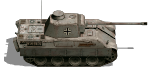
I stumbled across a bug in purchasing units in the representation of the Panther tank.
Type "G" has a different icon than the bigger picture and "D" and "A" too
Image Link: http://img192.imageshack.us/i/pantherimage.jpg/
Type "G" has a different icon than the bigger picture and "D" and "A" too
Image Link: http://img192.imageshack.us/i/pantherimage.jpg/
It was fixed in new working copy, thanks for noticing.Pupec wrote:I stumbled across a bug in purchasing units in the representation of the Panther tank.
Type "G" has a different icon than the bigger picture and "D" and "A" too
Image Link: http://img192.imageshack.us/i/pantherimage.jpg/

Re: First impressions - Pupec
Hey Pupec, thanks for your comments! And it is really good to hear that:
I have a question about this:
Thanks for reporting that bug with Panther, it will be fixed.Pupec wrote: Graphic map and the detail is nice units I was surprised. The sounds of movement are moderate and the music is pleasant. Only the artillery barrage would like to see more, think more audio shoots at one attack. The game drew me immediately and I ended up about 2 hours, so I forgot the time and do not even know the difference between the first hour and 5 minutes ago.
I have a question about this:
But the minimap already uses different colors (gray and green) for axis and allies. So, what do you suggest exactly - increase the size of unit markings on the minimap?Pupec wrote: The minimap would appreciate a larger resolution warring parties, either separate the allies and Germans as different colors or in PG, stars and the German mark.
Icons on the minimap are dimly discernible in case of more units.
The picture is beautiful to see the approximate number of allied troops, while Germany's gray enough to lapse into the background and I can not tell the approximate number of units on the minimap 6.5cm x 7cm.
http://img847.imageshack.us/f/minimap.jpg/
The second picture is to see what units are in the segment. Maybe if it were a mini-map zoom in, or be able to choose only a portion of the approach from all over the map. Or just more saturated color than gray.
http://img135.imageshack.us/f/minimapscr.jpg/
I'd like an icon, or information directly at the unit running out of ammunition, in combat somehow forget to watch the mini-info on the sidebar, but this request was already on the board
The picture is beautiful to see the approximate number of allied troops, while Germany's gray enough to lapse into the background and I can not tell the approximate number of units on the minimap 6.5cm x 7cm.
http://img847.imageshack.us/f/minimap.jpg/
The second picture is to see what units are in the segment. Maybe if it were a mini-map zoom in, or be able to choose only a portion of the approach from all over the map. Or just more saturated color than gray.
http://img135.imageshack.us/f/minimapscr.jpg/
I'd like an icon, or information directly at the unit running out of ammunition, in combat somehow forget to watch the mini-info on the sidebar, but this request was already on the board
Our plan was that the minimap is used for quick orientation only, it is too small for anything else. If you need a better map for planning your operation, you can always open strategic map. Isn't it good enough?Pupec wrote: The second picture is to see what units are in the segment. Maybe if it were a mini-map zoom in, or be able to choose only a portion of the approach from all over the map. Or just more saturated color than gray.
http://img135.imageshack.us/f/minimapscr.jpg/
Yeah, we will likely add these.Pupec wrote: I'd like an icon, or information directly at the unit running out of ammunition, in combat somehow forget to watch the mini-info on the sidebar, but this request was already on the board
True, it was just a first impression, and I took a mini-map to compensate for the battlefield
I liked the sound effect destroyer, like multi-shot would have liked even artillery, but the current one is good.
And too curious about the sound effect of submarines torpedoes and shooting destoyeru triggering bombs.
I liked the sound effect destroyer, like multi-shot would have liked even artillery, but the current one is good.
And too curious about the sound effect of submarines torpedoes and shooting destoyeru triggering bombs.