My first steps in PC2 campaign creation!

A forum to discuss custom scenarios, campaigns and modding in general.

Moderator: Panzer Corps 2 Moderators

Tobi72
Major-General - Tiger I
Posts: 2346
Joined: Wed Apr 03, 2024 11:55 am
Location: Deutschland

Re: My first steps in PC2 campaign creation!

Post by Tobi72 »

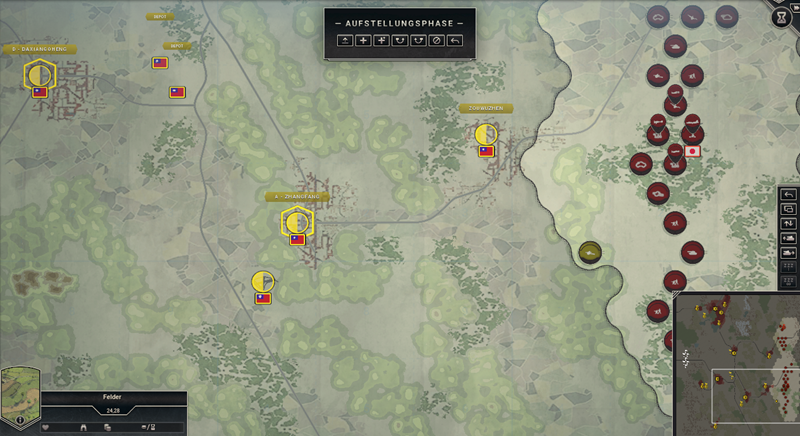
The image and message are working — now I just need to teach the game German. 😄
fg.png
fg.png (1006.32 KiB) Viewed 215 times
I still haven’t figured out why it replaces German umlauts with question marks. If German already gives it this much trouble, I can only imagine the fun a Turkish modder would have with this! 😂
huuiii.png
huuiii.png (602.59 KiB) Viewed 215 times
The transition from Yamato-37 to Yamato-38 is working too, including carrying over your core army.

Why am I mentioning this? Because I’m still new to PC2 modding :D
Tobi72
Major-General - Tiger I
Posts: 2346
Joined: Wed Apr 03, 2024 11:55 am
Location: Deutschland

Re: My first steps in PC2 campaign creation!

Post by Tobi72 »

I’ve noticed that the Japanese A5M in the game doesn’t look like the original at all; instead, it resembles a completely different aircraft—something like an Italian Macchi Saetta Folgore. Perhaps someone from the development team will read this, and there’s still hope that it might be corrected. Furthermore, some of the timeframes—or rather, the periods of service—for Japanese tanks, infantry units, and mobile artillery don’t seem accurate, at least according to my own research. Because of this, I’ve created a small mod so that, for instance, naval landing troops and the Type 95 Ha-Go tank become available starting in 1937.
A5m.png
A5m.png (343.76 KiB) Viewed 159 times
originalA5m.jpeg
originalA5m.jpeg (111.5 KiB) Viewed 159 times
Tobi72
Major-General - Tiger I
Posts: 2346
Joined: Wed Apr 03, 2024 11:55 am
Location: Deutschland

Re: My first steps in PC2 campaign creation!

Post by Tobi72 »

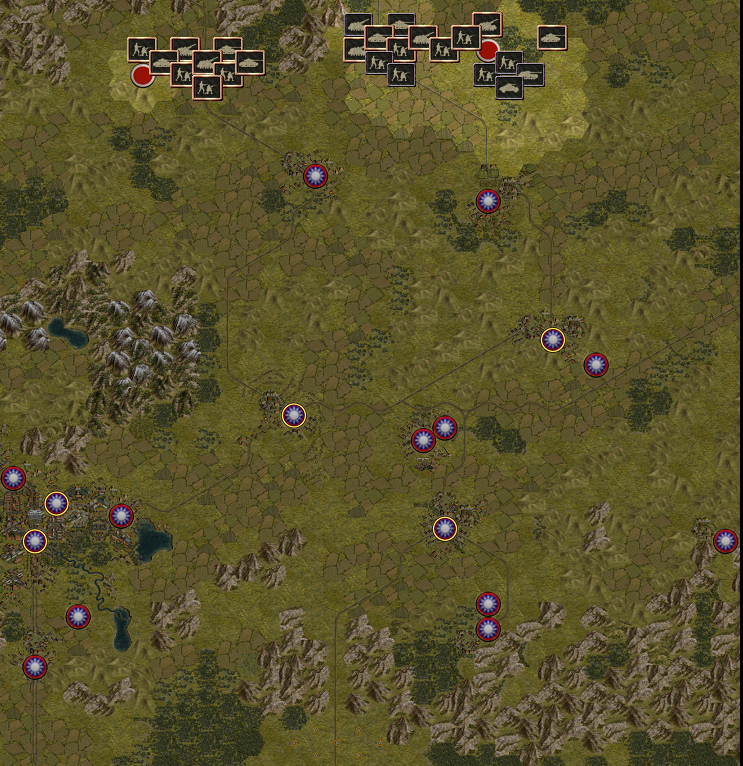
When importing maps from PC1 into PC2, I noticed that the maps are automatically rotated 90 degrees clockwise.

The reason is a technical difference between the two games. Panzer Corps 2 uses a hexagonal grid with a different orientation. Therefore, maps imported from Panzer Corps 1 are rotated 90 degrees clockwise. This preserves the original arrangement of terrain, roads, rivers, units, and mission objectives.

Unfortunately, this also means that some historical directions of advance no longer correspond to the compass directions on the converted maps.

I have therefore adjusted several mission briefings to reflect the new map orientation. However, given the number of scenarios, I cannot completely rule out having overlooked some geographical references or directional descriptions.
hj.png
hj.png (1.3 MiB) Viewed 61 times
gh.png
gh.png (618.61 KiB) Viewed 61 times
Post Reply

Return to “Panzer Corps 2 Scenario Design”