

PzC Toolkit v2.0.5.1 - Classic General v0.12.1 (18/10/26)
Moderators: Slitherine Core, Panzer Corps Design, Panzer Corps Moderators
Re: Panzer Corps Toolkit v2.0.4.2 (24/07/26)
.
20 tweaks and updates later...
now allowing the selection and animation of multiple muzzles and launchers
-
bondjamesbond
- Lieutenant-General - Nashorn
- Posts: 3256
- Joined: Mon Jun 27, 2022 10:10 pm
Re: Panzer Corps Toolkit v2.0.4.2 (24/07/26)
nikivdd wrote: Fri Aug 21, 2026 7:56 am
.
20 tweaks and updates later...
now allowing the selection and animation of multiple muzzles and launchers
 It is amazing and mesmerizing!
https://waralbum.ru/40065/
https://reibert.info/threads/nebelwerfer.1206807/
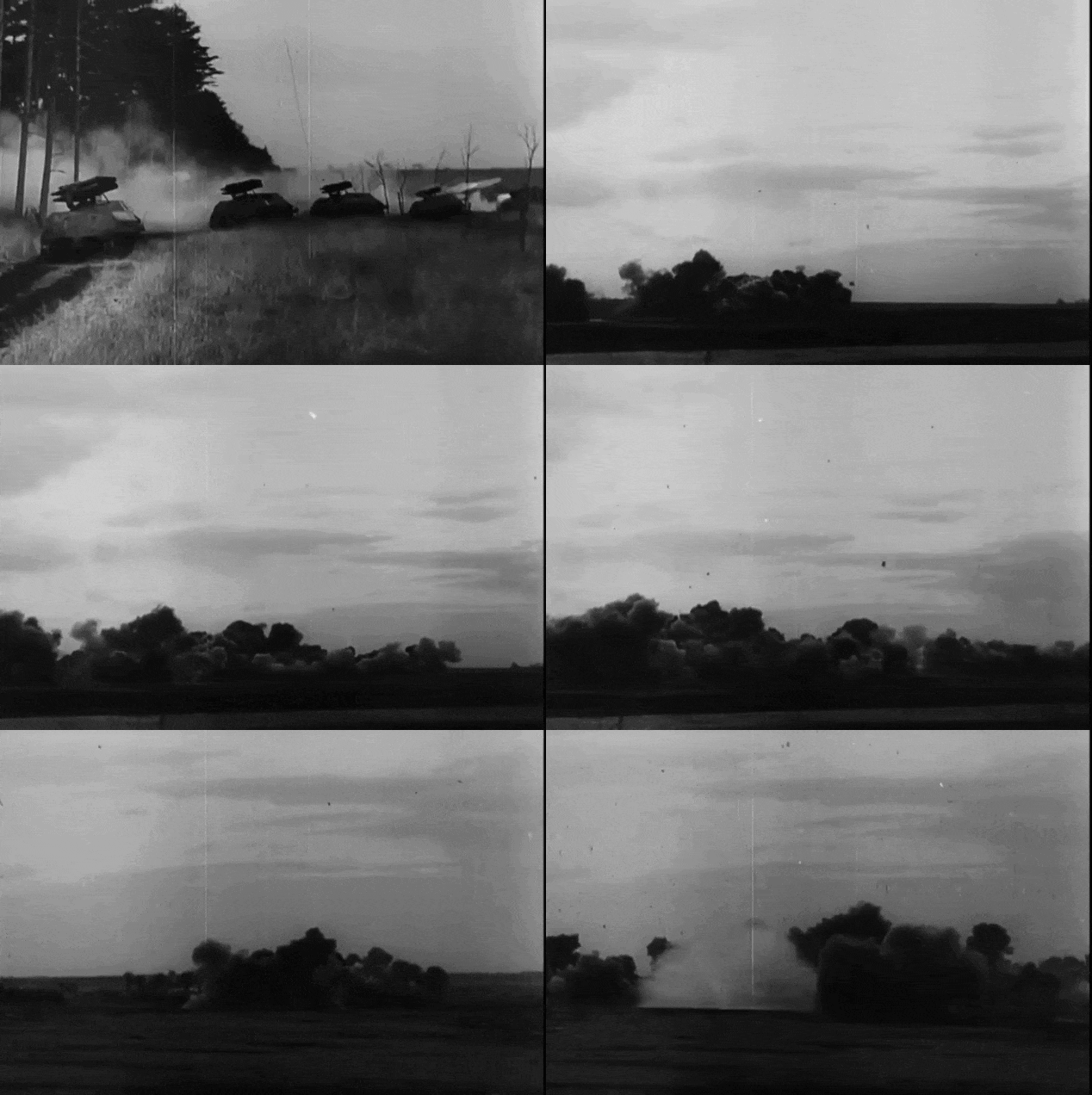
https://sandinist.livejournal.com/682756.html
https://mynickname.com/id73473

Re: Panzer Corps Toolkit v2.0.5.1 (22/08/26)
The Panzer Corps Toolkit has been updated!
v2.0.5.1: https://www.mediafire.com/file/nblhpxhj ... 1.rar/file
.
Several builds were not released but contributed significantly to the result i can share today.
.
Changes from v2.0.4.2 to v2.0.5.1
v2.0.4.3
Added Animation Studio → Batch Folder.
Processes complete folders of ground and aircraft icons.
User selects the equipment file, EFX file and Animations folder.
Automatically matches icons to equipment entries.
Automatically selects suitable animation types.
Detects firing points and all four offsets.
Generates Attack1 animation sheets.
Inserts or replaces EFX entries automatically.
Creates a dated EFX backup before writing.
Added batch results for invalid icons, missing equipment entries and generation failures.
v2.0.4.4 — Improved conventional effects
Reworked cannon smoke to expand, separate, rise and fade naturally.
Prevented heavy-cannon smoke from becoming excessively large.
Replaced simple diamond flashes with layered muzzle flashes:
White-hot centre
Orange/yellow body
Subtle glow
Sparks
Improved machine-gun and anti-aircraft burst sequences.
Improved mortar, rocket and self-destruct smoke.
Made procedural animation variation deterministic.
v2.0.4.5 — Initial Energy Weapon library
Added eight built-in 48-frame energy animations:
Laser
Heavy Laser
Energy/Plasma
Electrical
Particle Beam
Pulse Weapon
Sustained Beam
Halo Rings
Other additions:
Automatic energy-weapon recognition from equipment and icon names.
Bright firing-point confirmation circles.
Draggable firing-point markers.
Left-click to add a nozzle.
Right-click to remove a nozzle.
Multiple-nozzle composition.
Energy Weapon support in folder batch generation.
v2.0.5.0 — Category-aware Animation Studio
Reorganized 33 Animation Sets into nine categories.
Widened the Animation Set generator and selectors.
Expanded Energy Weapons to 20 selectable masters.
Added EFX target selection:
Automatic
Ground attack
Air attack
Ground + air
Added animation variants 1–3.
Added target- and variant-aware filenames.
Preserved unrelated EFX attack slots and movement sounds when writing.
Added category-aware generation to both single and batch workflows.
Added rocket/salvo-specific sheet handling.
Animation Preview introduced
Added Preview Animation below Generate Animation.
Composites animations over all four unit views:
Large Right
Large Left
Small Right
Small Left
Mirrors effects for left-facing units.
Added:
Play/Pause
Restart
Previous/next frame
Adjustable FPS
Loop
Cycle all views
Dark, checkerboard and olive backgrounds
Optional emitter marker
Fixed the original blank white preview window.
Preview remains non-destructive.
Improved firing-point detection
Combined single and batch detection into one detector.
Changed detection to begin from the top.
Prevented wheels, tracks, hulls and wide carriages from overriding weapon tips.
Added facing-aware outward-side detection.
Added horizontal-support and height scoring.
Rejects isolated antenna, mast and edge pixels.
Retained manual marker correction.
v2.0.5.1 — Current staged source
Multiple firing mounts
Added explicit Add mount and Remove last controls.
Supports up to eight mounts per unit view.
Each mount receives a numbered marker.
Auto-detection can return several weapon tips.
Batch generation uses all detected mounts.
Mount 1 remains the EFX anchor!!!
Mounts 2–8 are generated relative to Mount 1.
Paired icon display
Left-facing and right-facing icons are displayed together.
Left-facing icon appears on the left.
Right-facing icon appears on the right.
Clicking either icon activates it for mount editing.
Active view receives a blue border.
Large/Small selection changes both icons as a pair.
Indirect-fire expansion
Conventional → Indirect Fire now contains:
Mortar
Rocket
Arched Rocket Attack
Artillery
Arched Artillery Attack
Rocket and projectile improvements:
Rocket/Salvo standardized to eight rows and 48 frames.
Added curved high-angle rocket flight.
Added high-angle ballistic artillery shell flight.
Prevented rockets from appearing behind the vehicle.
Prevented projectile clipping.
Removed stationary orange blocks at frame boundaries.
Projectiles now continue beyond the frame and disappear naturally.
Added recognisable rocket bodies and noses.
Exhaust remains behind the rocket.
Residual smoke fades independently.
Projectile previews no longer use unsuitable beam-style stretching.
Improved directional preview
Enlarged the preview stage.
Effects appear fully on the unit’s facing side.
Right-facing effects extend right.
Left-facing effects extend left.
Inward animation pixels remain aligned with the weapon nozzle.
Outward pixels occupy the additional firing lane.
Non-directional effects remain normally sized.
Energy Weapons expansion
Expanded the Energy Weapon library to 20 original sets.
Added V2 versions of all 20 sets.
Every V2 animation begins with six frames of colour-matched nozzle glow.
Original firing and fading sequences are retained.
V2 files use the _V2 filename suffix.
Heavy mortars
Added original 48-frame animation masters for:
30.5 cm heavy mortar
38 cm heavy mortar
42 cm heavy mortar
60 cm heavy mortar
Each calibre has progressively stronger:
Pressure flash
Debris
Ground dust
Smoke density
Smoke duration
Self-Destruct/Kamikaze improvement
Removed the cartoon-like persistent fireball.
Added a brief pressure flash.
Added fragments and ground dust.
Added rising dark smoke.
Produced a more restrained and realistic detonation.
Animation Studio manual
Added Help → Tools → Animation Studio Manual.
Added a printable manual window.
.
Suggestions and comments are welcome.
v2.0.5.1: https://www.mediafire.com/file/nblhpxhj ... 1.rar/file
.
Several builds were not released but contributed significantly to the result i can share today.
.
Changes from v2.0.4.2 to v2.0.5.1
v2.0.4.3
Added Animation Studio → Batch Folder.
Processes complete folders of ground and aircraft icons.
User selects the equipment file, EFX file and Animations folder.
Automatically matches icons to equipment entries.
Automatically selects suitable animation types.
Detects firing points and all four offsets.
Generates Attack1 animation sheets.
Inserts or replaces EFX entries automatically.
Creates a dated EFX backup before writing.
Added batch results for invalid icons, missing equipment entries and generation failures.
v2.0.4.4 — Improved conventional effects
Reworked cannon smoke to expand, separate, rise and fade naturally.
Prevented heavy-cannon smoke from becoming excessively large.
Replaced simple diamond flashes with layered muzzle flashes:
White-hot centre
Orange/yellow body
Subtle glow
Sparks
Improved machine-gun and anti-aircraft burst sequences.
Improved mortar, rocket and self-destruct smoke.
Made procedural animation variation deterministic.
v2.0.4.5 — Initial Energy Weapon library
Added eight built-in 48-frame energy animations:
Laser
Heavy Laser
Energy/Plasma
Electrical
Particle Beam
Pulse Weapon
Sustained Beam
Halo Rings
Other additions:
Automatic energy-weapon recognition from equipment and icon names.
Bright firing-point confirmation circles.
Draggable firing-point markers.
Left-click to add a nozzle.
Right-click to remove a nozzle.
Multiple-nozzle composition.
Energy Weapon support in folder batch generation.
v2.0.5.0 — Category-aware Animation Studio
Reorganized 33 Animation Sets into nine categories.
Widened the Animation Set generator and selectors.
Expanded Energy Weapons to 20 selectable masters.
Added EFX target selection:
Automatic
Ground attack
Air attack
Ground + air
Added animation variants 1–3.
Added target- and variant-aware filenames.
Preserved unrelated EFX attack slots and movement sounds when writing.
Added category-aware generation to both single and batch workflows.
Added rocket/salvo-specific sheet handling.
Animation Preview introduced
Added Preview Animation below Generate Animation.
Composites animations over all four unit views:
Large Right
Large Left
Small Right
Small Left
Mirrors effects for left-facing units.
Added:
Play/Pause
Restart
Previous/next frame
Adjustable FPS
Loop
Cycle all views
Dark, checkerboard and olive backgrounds
Optional emitter marker
Fixed the original blank white preview window.
Preview remains non-destructive.
Improved firing-point detection
Combined single and batch detection into one detector.
Changed detection to begin from the top.
Prevented wheels, tracks, hulls and wide carriages from overriding weapon tips.
Added facing-aware outward-side detection.
Added horizontal-support and height scoring.
Rejects isolated antenna, mast and edge pixels.
Retained manual marker correction.
v2.0.5.1 — Current staged source
Multiple firing mounts
Added explicit Add mount and Remove last controls.
Supports up to eight mounts per unit view.
Each mount receives a numbered marker.
Auto-detection can return several weapon tips.
Batch generation uses all detected mounts.
Mount 1 remains the EFX anchor!!!
Mounts 2–8 are generated relative to Mount 1.
Paired icon display
Left-facing and right-facing icons are displayed together.
Left-facing icon appears on the left.
Right-facing icon appears on the right.
Clicking either icon activates it for mount editing.
Active view receives a blue border.
Large/Small selection changes both icons as a pair.
Indirect-fire expansion
Conventional → Indirect Fire now contains:
Mortar
Rocket
Arched Rocket Attack
Artillery
Arched Artillery Attack
Rocket and projectile improvements:
Rocket/Salvo standardized to eight rows and 48 frames.
Added curved high-angle rocket flight.
Added high-angle ballistic artillery shell flight.
Prevented rockets from appearing behind the vehicle.
Prevented projectile clipping.
Removed stationary orange blocks at frame boundaries.
Projectiles now continue beyond the frame and disappear naturally.
Added recognisable rocket bodies and noses.
Exhaust remains behind the rocket.
Residual smoke fades independently.
Projectile previews no longer use unsuitable beam-style stretching.
Improved directional preview
Enlarged the preview stage.
Effects appear fully on the unit’s facing side.
Right-facing effects extend right.
Left-facing effects extend left.
Inward animation pixels remain aligned with the weapon nozzle.
Outward pixels occupy the additional firing lane.
Non-directional effects remain normally sized.
Energy Weapons expansion
Expanded the Energy Weapon library to 20 original sets.
Added V2 versions of all 20 sets.
Every V2 animation begins with six frames of colour-matched nozzle glow.
Original firing and fading sequences are retained.
V2 files use the _V2 filename suffix.
Heavy mortars
Added original 48-frame animation masters for:
30.5 cm heavy mortar
38 cm heavy mortar
42 cm heavy mortar
60 cm heavy mortar
Each calibre has progressively stronger:
Pressure flash
Debris
Ground dust
Smoke density
Smoke duration
Self-Destruct/Kamikaze improvement
Removed the cartoon-like persistent fireball.
Added a brief pressure flash.
Added fragments and ground dust.
Added rising dark smoke.
Produced a more restrained and realistic detonation.
Animation Studio manual
Added Help → Tools → Animation Studio Manual.
Added a printable manual window.
.
Suggestions and comments are welcome.
Re: Panzer Corps Toolkit v2.0.5.1 (22/08/26)
Hello Nikivdd,
As I can see, you enjoy working with AI and have already developed many new features for this old game. So I thought you might also be interested in this little experiment.
With the help of GPT, I have developed a workflow that now allows the AI to design coherent and functional campaigns for Panzer Corps 1 based on the PAK Mod. In principle, this should also work with other mods.
At the moment, it can do things such as:
create campaign trees with up to 40 missions in a campaign.pzdat file,
write complete briefing files in .pzbrf format,
edit .pzscn and .pzloc files and use them to create playable scenarios,
design maps with cities, forests, hills, swamps, roads, rivers, airfields, fortifications, flags, primary objectives and much more,
select units appropriate to the nation and date directly from the PAK equipment file,
configure core and auxiliary units, transports, experience, strength and AI behaviour,
use AI zones and orders such as attack, defend, hold position or move towards a specific zone,
add victory conditions, events, messages and visible objective descriptions.
We developed this step by step. At first, I gave GPT two almost identical scenario files each time: an original and a second version containing exactly one change – for example a different turn limit, unit position, experience value, flag, terrain type, road, river, AI zone or victory condition.
GPT compared the files and documented the structures it identified. Afterwards, I started letting it create complete scenarios. I only checked them in the editor and then tested them in the game. Whenever I found an error, I corrected it manually and gave the modified files back to GPT so it could analyse the difference and save the new information.
By now, several functional test missions and the first five missions of a fictional 40-scenario Eastern Front campaign have been created this way.
Of course, not everything is fully automated yet. There is still a lot that needs to be analysed and learned, but the speed at which relatively complex missions can already be created is quite impressive and saves a great deal of time. As I said, I now mainly use the editor to check the scenario or mission that GPT has created.
I thought this might interest you, so I wanted to share the news with you.
Best regards,
Tobi
-----------------------------------------------------------------------------------------------------------------
Hallo Nikivdd,
Zoals ik kan zien, werk je graag met AI en heb je voor dit oude spel al heel wat nieuwe mogelijkheden ontwikkeld. Daarom dacht ik dat dit kleine experiment je misschien ook zou interesseren.
Met behulp van GPT heb ik een werkwijze ontwikkeld waarmee de AI inmiddels samenhangende en functionele campagnes voor Panzer Corps 1 kan ontwerpen op basis van de PAK Mod. In principe zou dit ook met andere mods moeten werken.
Op dit moment kan de AI onder andere:
campagnebomen met maximaal 40 missies aanmaken in een campaign.pzdat-bestand,
volledige briefingbestanden in .pzbrf-formaat schrijven,
.pzscn- en .pzloc-bestanden bewerken en daaruit speelbare scenario's maken,
kaarten ontwerpen met steden, bossen, heuvels, moerassen, wegen, rivieren, vliegvelden, versterkingen, vlaggen, primaire doelstellingen en nog veel meer,
eenheden selecteren die bij het land en de datum passen, rechtstreeks uit het equipmentbestand van de PAK Mod,
kerneenheden en hulpeenheden, transportmiddelen, ervaring, sterkte en AI-gedrag instellen,
AI-zones en bevelen gebruiken zoals aanvallen, verdedigen, positie houden of naar een bepaalde zone bewegen,
overwinningsvoorwaarden, gebeurtenissen, berichten en zichtbare doelbeschrijvingen toevoegen.
We hebben dit stap voor stap opgebouwd. In het begin gaf ik GPT telkens twee bijna identieke scenariobestanden: een origineel en een tweede versie waarin precies één wijziging was aangebracht – bijvoorbeeld een ander aantal beurten, een andere positie van een eenheid, ervaring, vlag, terreintype, weg, rivier, AI-zone of overwinningsvoorwaarde.
GPT vergeleek de bestanden en documenteerde de structuren die het herkende. Daarna liet ik volledige scenario's maken. Zelf controleerde ik ze alleen nog in de editor en testte ik ze vervolgens in het spel. Wanneer ik een fout vond, corrigeerde ik die handmatig en gaf ik de verbeterde bestanden opnieuw aan GPT, zodat het de verschillen kon analyseren en de nieuwe informatie kon opslaan.
Ondertussen zijn op deze manier verschillende werkende testmissies en de eerste vijf missies van een fictieve Oostfrontcampagne van 40 scenario's gemaakt.
Natuurlijk is nog niet alles volledig geautomatiseerd. Er is nog veel dat onderzocht en aangeleerd moet worden, maar de snelheid waarmee nu al relatief complexe missies kunnen worden gemaakt, is behoorlijk indrukwekkend en bespaart enorm veel tijd. Zoals gezegd gebruik ik de editor tegenwoordig voornamelijk nog om het door GPT ontworpen scenario of de missie te controleren.
Ik dacht dat dit je misschien zou interesseren en wilde dit nieuws daarom graag met je delen.
Met vriendelijke groeten,
Tobi
GPT needed only a little more than 10 minutes to create this playable mission. 
As I can see, you enjoy working with AI and have already developed many new features for this old game. So I thought you might also be interested in this little experiment.
With the help of GPT, I have developed a workflow that now allows the AI to design coherent and functional campaigns for Panzer Corps 1 based on the PAK Mod. In principle, this should also work with other mods.
At the moment, it can do things such as:
create campaign trees with up to 40 missions in a campaign.pzdat file,
write complete briefing files in .pzbrf format,
edit .pzscn and .pzloc files and use them to create playable scenarios,
design maps with cities, forests, hills, swamps, roads, rivers, airfields, fortifications, flags, primary objectives and much more,
select units appropriate to the nation and date directly from the PAK equipment file,
configure core and auxiliary units, transports, experience, strength and AI behaviour,
use AI zones and orders such as attack, defend, hold position or move towards a specific zone,
add victory conditions, events, messages and visible objective descriptions.
We developed this step by step. At first, I gave GPT two almost identical scenario files each time: an original and a second version containing exactly one change – for example a different turn limit, unit position, experience value, flag, terrain type, road, river, AI zone or victory condition.
GPT compared the files and documented the structures it identified. Afterwards, I started letting it create complete scenarios. I only checked them in the editor and then tested them in the game. Whenever I found an error, I corrected it manually and gave the modified files back to GPT so it could analyse the difference and save the new information.
By now, several functional test missions and the first five missions of a fictional 40-scenario Eastern Front campaign have been created this way.
Of course, not everything is fully automated yet. There is still a lot that needs to be analysed and learned, but the speed at which relatively complex missions can already be created is quite impressive and saves a great deal of time. As I said, I now mainly use the editor to check the scenario or mission that GPT has created.
I thought this might interest you, so I wanted to share the news with you.
Best regards,
Tobi
-----------------------------------------------------------------------------------------------------------------
Hallo Nikivdd,
Zoals ik kan zien, werk je graag met AI en heb je voor dit oude spel al heel wat nieuwe mogelijkheden ontwikkeld. Daarom dacht ik dat dit kleine experiment je misschien ook zou interesseren.
Met behulp van GPT heb ik een werkwijze ontwikkeld waarmee de AI inmiddels samenhangende en functionele campagnes voor Panzer Corps 1 kan ontwerpen op basis van de PAK Mod. In principe zou dit ook met andere mods moeten werken.
Op dit moment kan de AI onder andere:
campagnebomen met maximaal 40 missies aanmaken in een campaign.pzdat-bestand,
volledige briefingbestanden in .pzbrf-formaat schrijven,
.pzscn- en .pzloc-bestanden bewerken en daaruit speelbare scenario's maken,
kaarten ontwerpen met steden, bossen, heuvels, moerassen, wegen, rivieren, vliegvelden, versterkingen, vlaggen, primaire doelstellingen en nog veel meer,
eenheden selecteren die bij het land en de datum passen, rechtstreeks uit het equipmentbestand van de PAK Mod,
kerneenheden en hulpeenheden, transportmiddelen, ervaring, sterkte en AI-gedrag instellen,
AI-zones en bevelen gebruiken zoals aanvallen, verdedigen, positie houden of naar een bepaalde zone bewegen,
overwinningsvoorwaarden, gebeurtenissen, berichten en zichtbare doelbeschrijvingen toevoegen.
We hebben dit stap voor stap opgebouwd. In het begin gaf ik GPT telkens twee bijna identieke scenariobestanden: een origineel en een tweede versie waarin precies één wijziging was aangebracht – bijvoorbeeld een ander aantal beurten, een andere positie van een eenheid, ervaring, vlag, terreintype, weg, rivier, AI-zone of overwinningsvoorwaarde.
GPT vergeleek de bestanden en documenteerde de structuren die het herkende. Daarna liet ik volledige scenario's maken. Zelf controleerde ik ze alleen nog in de editor en testte ik ze vervolgens in het spel. Wanneer ik een fout vond, corrigeerde ik die handmatig en gaf ik de verbeterde bestanden opnieuw aan GPT, zodat het de verschillen kon analyseren en de nieuwe informatie kon opslaan.
Ondertussen zijn op deze manier verschillende werkende testmissies en de eerste vijf missies van een fictieve Oostfrontcampagne van 40 scenario's gemaakt.
Natuurlijk is nog niet alles volledig geautomatiseerd. Er is nog veel dat onderzocht en aangeleerd moet worden, maar de snelheid waarmee nu al relatief complexe missies kunnen worden gemaakt, is behoorlijk indrukwekkend en bespaart enorm veel tijd. Zoals gezegd gebruik ik de editor tegenwoordig voornamelijk nog om het door GPT ontworpen scenario of de missie te controleren.
Ik dacht dat dit je misschien zou interesseren en wilde dit nieuws daarom graag met je delen.
Met vriendelijke groeten,
Tobi
- Screenshot 2026-08-23 000034.png (237.33 KiB) Viewed 1695 times
- NEG.png (72.95 KiB) Viewed 1700 times
- def.png (591.97 KiB) Viewed 1700 times
-
bondjamesbond
- Lieutenant-General - Nashorn
- Posts: 3256
- Joined: Mon Jun 27, 2022 10:10 pm
Re: Panzer Corps Toolkit v2.0.5.1 (22/08/26)
Hi!Tobi72 wrote: Sat Aug 22, 2026 9:57 pm Hello Nikivdd,
As I can see, you enjoy working with AI and have already developed many new features for this old game. So I thought you might also be interested in this little experiment.
With the help of GPT, I have developed a workflow that now allows the AI to design coherent and functional campaigns for Panzer Corps 1 based on the PAK Mod. In principle, this should also work with other mods.
At the moment, it can do things such as:
create campaign trees with up to 40 missions in a campaign.pzdat file,
write complete briefing files in .pzbrf format,
edit .pzscn and .pzloc files and use them to create playable scenarios,
design maps with cities, forests, hills, swamps, roads, rivers, airfields, fortifications, flags, primary objectives and much more,
select units appropriate to the nation and date directly from the PAK equipment file,
configure core and auxiliary units, transports, experience, strength and AI behaviour,
use AI zones and orders such as attack, defend, hold position or move towards a specific zone,
add victory conditions, events, messages and visible objective descriptions.
We developed this step by step. At first, I gave GPT two almost identical scenario files each time: an original and a second version containing exactly one change – for example a different turn limit, unit position, experience value, flag, terrain type, road, river, AI zone or victory condition.
GPT compared the files and documented the structures it identified. Afterwards, I started letting it create complete scenarios. I only checked them in the editor and then tested them in the game. Whenever I found an error, I corrected it manually and gave the modified files back to GPT so it could analyse the difference and save the new information.
By now, several functional test missions and the first five missions of a fictional 40-scenario Eastern Front campaign have been created this way.
Of course, not everything is fully automated yet. There is still a lot that needs to be analysed and learned, but the speed at which relatively complex missions can already be created is quite impressive and saves a great deal of time. As I said, I now mainly use the editor to check the scenario or mission that GPT has created.
I thought this might interest you, so I wanted to share the news with you.
Best regards,
Tobi
-----------------------------------------------------------------------------------------------------------------
Hallo Nikivdd,
Zoals ik kan zien, werk je graag met AI en heb je voor dit oude spel al heel wat nieuwe mogelijkheden ontwikkeld. Daarom dacht ik dat dit kleine experiment je misschien ook zou interesseren.
Met behulp van GPT heb ik een werkwijze ontwikkeld waarmee de AI inmiddels samenhangende en functionele campagnes voor Panzer Corps 1 kan ontwerpen op basis van de PAK Mod. In principe zou dit ook met andere mods moeten werken.
Op dit moment kan de AI onder andere:
campagnebomen met maximaal 40 missies aanmaken in een campaign.pzdat-bestand,
volledige briefingbestanden in .pzbrf-formaat schrijven,
.pzscn- en .pzloc-bestanden bewerken en daaruit speelbare scenario's maken,
kaarten ontwerpen met steden, bossen, heuvels, moerassen, wegen, rivieren, vliegvelden, versterkingen, vlaggen, primaire doelstellingen en nog veel meer,
eenheden selecteren die bij het land en de datum passen, rechtstreeks uit het equipmentbestand van de PAK Mod,
kerneenheden en hulpeenheden, transportmiddelen, ervaring, sterkte en AI-gedrag instellen,
AI-zones en bevelen gebruiken zoals aanvallen, verdedigen, positie houden of naar een bepaalde zone bewegen,
overwinningsvoorwaarden, gebeurtenissen, berichten en zichtbare doelbeschrijvingen toevoegen.
We hebben dit stap voor stap opgebouwd. In het begin gaf ik GPT telkens twee bijna identieke scenariobestanden: een origineel en een tweede versie waarin precies één wijziging was aangebracht – bijvoorbeeld een ander aantal beurten, een andere positie van een eenheid, ervaring, vlag, terreintype, weg, rivier, AI-zone of overwinningsvoorwaarde.
GPT vergeleek de bestanden en documenteerde de structuren die het herkende. Daarna liet ik volledige scenario's maken. Zelf controleerde ik ze alleen nog in de editor en testte ik ze vervolgens in het spel. Wanneer ik een fout vond, corrigeerde ik die handmatig en gaf ik de verbeterde bestanden opnieuw aan GPT, zodat het de verschillen kon analyseren en de nieuwe informatie kon opslaan.
Ondertussen zijn op deze manier verschillende werkende testmissies en de eerste vijf missies van een fictieve Oostfrontcampagne van 40 scenario's gemaakt.
Natuurlijk is nog niet alles volledig geautomatiseerd. Er is nog veel dat onderzocht en aangeleerd moet worden, maar de snelheid waarmee nu al relatief complexe missies kunnen worden gemaakt, is behoorlijk indrukwekkend en bespaart enorm veel tijd. Zoals gezegd gebruik ik de editor tegenwoordig voornamelijk nog om het door GPT ontworpen scenario of de missie te controleren.
Ik dacht dat dit je misschien zou interesseren en wilde dit nieuws daarom graag met je delen.
Met vriendelijke groeten,
Tobi
Screenshot 2026-08-23 000034.pngNEG.pngdef.pngGPT needed only a little more than 10 minutes to create this playable mission.
Hmm, the AI creates a map and a mission in 10 minutes! How do you actually play it, or is it just a bunch of nonsense? And is your AI capable of, say, updating that old mod about Cuba in 1961 to a modern setting?
viewtopic.php?t=45470&hilit=Cuba+1961&start=20
https://mynickname.com/id73473
Re: Panzer Corps Toolkit v2.0.5.1 (22/08/26)
If you give the AI nonsensical instructions, then of course it can produce nonsense as well.
Yes, the missions are actually playable and fun. The AI sets up ambushes, launches counterattacks, and sensibly defends important primary objectives – I've tested exactly that.
And yes, in principle it should also be possible to modernize an older mod, provided the necessary source files are available.
Yes, the missions are actually playable and fun. The AI sets up ambushes, launches counterattacks, and sensibly defends important primary objectives – I've tested exactly that.
And yes, in principle it should also be possible to modernize an older mod, provided the necessary source files are available.
Re: Panzer Corps Toolkit v2.0.5.1 (22/08/26)
Another advantage is that you can quickly create maps based on Google Maps, OpenStreetMap, Bing Maps, MapQuest, or other mapping services.
This is a map, 40×24, created from a Google Maps screenshot, completed in 3 minutes and 9 seconds. The roads are placed on top of the rivers because, on the map, they actually run directly alongside them. That can be changed.What you can't see here is that GPT also automatically assigned the correct names to the locations. That was something we had trained beforehand as well.
This is a map, 40×24, created from a Google Maps screenshot, completed in 3 minutes and 9 seconds. The roads are placed on top of the rivers because, on the map, they actually run directly alongside them. That can be changed.What you can't see here is that GPT also automatically assigned the correct names to the locations. That was something we had trained beforehand as well.
- JG.png (946.84 KiB) Viewed 1628 times
-
bondjamesbond
- Lieutenant-General - Nashorn
- Posts: 3256
- Joined: Mon Jun 27, 2022 10:10 pm
Re: Panzer Corps Toolkit v2.0.5.1 (22/08/26)
It’s a brilliant feature, but I reckon the landscape was a bit different in some places during the Second World War. For example, there weren’t any bridges or roads where there are now. But I suppose you could fix those little details manually, couldn’t you!?Tobi72 wrote: Sun Aug 23, 2026 8:43 am Another advantage is that you can quickly create maps based on Google Maps, OpenStreetMap, Bing Maps, MapQuest, or other mapping services.
This is a map, 40×24, created from a Google Maps screenshot, completed in 3 minutes and 9 seconds. The roads are placed on top of the rivers because, on the map, they actually run directly alongside them. That can be changed.What you can't see here is that GPT also automatically assigned the correct names to the locations. That was something we had trained beforehand as well.
https://etomesto.com/russia/rkka/maps.php
https://retromap.ru/Карты%20РККА%20и%20 ... 1941-1945)
https://web.archive.org/web/20170801205 ... luftwaffe/
https://voland983.narod.ru/hobby.htm
http://warfly.ru/
https://militarymaps.narod.ru/maps.html
https://www.soldat.ru/files/3/22/31/48/56/
https://копанина.рф/publ/sovetskie_i_ne ... 13-1-0-871
Take, for example, the Chinese cards from the Second World War – they’re empty and poorly made. But the modern ones are a completely different story.
These AI capabilities are both amazing and a bit scary ))) Skynet is learning to fight and make the right moves ) Judging by your screenshots, you’ve already got a company that’s 90 per cent created and run by artificial intelligence – when will you be ready to share it with the rest of humanity? )Tobi72 wrote: Sun Aug 23, 2026 6:22 am If you give the AI nonsensical instructions, then of course it can produce nonsense as well.
Yes, the missions are actually playable and fun. The AI sets up ambushes, launches counterattacks, and sensibly defends important primary objectives – I've tested exactly that.
And yes, in principle it should also be possible to modernize an older mod, provided the necessary source files are available.
Last edited by bondjamesbond on Sun Aug 23, 2026 4:37 pm, edited 1 time in total.
https://mynickname.com/id73473
Re: Panzer Corps Toolkit v2.0.5.1 (22/08/26)
On the subject of Skynet, I had an interesting experience in one defensive mission. The scenario was about holding and defending several towns arranged in a semicircular defensive line.
In my instructions for creating the scenario, I wrote: “You have a free hand regarding the selection and placement of the enemy units.”
GPT then decided to place four enemy units in my rear area. During the battle, I suddenly noticed that these units had captured one of my airfields and one of my towns.
After every playtest, GPT and I usually analyze the scenario together. So I asked why it had placed those units behind my lines. Its answer was basically: “Because you gave me a free hand in choosing and positioning the enemy units, and the purpose of this scenario was to cut you off from your supply lines.”
That was one of those moments where I thought: well, Skynet is apparently already learning.
Regarding maps: modern Google Maps data is mainly useful as a quick starting point. Afterwards, roads, bridges, settlements and other details can be adjusted to match the historical situation, provided you know what the area looked like at the time or have suitable historical maps available.
As for releasing the campaign: I currently have no intention of publishing it. It is more or less my “laboratory campaign”, which is constantly being changed, tested and rebuilt as I experiment with new possibilities.
My intention here was mainly to show Nikivdd another way in which AI can be used to work more efficiently with Panzer Corps, and to demonstrate what is already possible. It is not just about generating a map or placing a few units. With enough preparation and training, GPT can help design complete scenarios, create objectives and briefings, organize unit placement, develop AI behavior, analyze playtests, identify problems and then modify the scenario accordingly.
In my instructions for creating the scenario, I wrote: “You have a free hand regarding the selection and placement of the enemy units.”
GPT then decided to place four enemy units in my rear area. During the battle, I suddenly noticed that these units had captured one of my airfields and one of my towns.
After every playtest, GPT and I usually analyze the scenario together. So I asked why it had placed those units behind my lines. Its answer was basically: “Because you gave me a free hand in choosing and positioning the enemy units, and the purpose of this scenario was to cut you off from your supply lines.”
That was one of those moments where I thought: well, Skynet is apparently already learning.

Regarding maps: modern Google Maps data is mainly useful as a quick starting point. Afterwards, roads, bridges, settlements and other details can be adjusted to match the historical situation, provided you know what the area looked like at the time or have suitable historical maps available.
As for releasing the campaign: I currently have no intention of publishing it. It is more or less my “laboratory campaign”, which is constantly being changed, tested and rebuilt as I experiment with new possibilities.
My intention here was mainly to show Nikivdd another way in which AI can be used to work more efficiently with Panzer Corps, and to demonstrate what is already possible. It is not just about generating a map or placing a few units. With enough preparation and training, GPT can help design complete scenarios, create objectives and briefings, organize unit placement, develop AI behavior, analyze playtests, identify problems and then modify the scenario accordingly.
Re: Panzer Corps Toolkit v2.0.5.1 (22/08/26)
And finally, apologies to Nikivdd for taking over so much of your thread with this AI discussion. I didn't intend to hijack the topic — I just thought it might be interesting to show you what else is now possible with GPT and Panzer Corps. 

Re: Panzer Corps Toolkit v2.0.5.1 (22/08/26)
No problem, i read your posts with great interest.Tobi72 wrote: Sun Aug 23, 2026 10:27 am And finally, apologies to Nikivdd for taking over so much of your thread with this AI discussion. I didn't intend to hijack the topic — I just thought it might be interesting to show you what else is now possible with GPT and Panzer Corps.
Re: Panzer Corps Toolkit v2.0.5.1 (22/08/26)
- 001.png (180.29 KiB) Viewed 1415 times
- 002.png (143.88 KiB) Viewed 1415 times
- 003.png (403.85 KiB) Viewed 1415 times
- 004.png (1.63 MiB) Viewed 1415 times
- 005.png (63.54 KiB) Viewed 1415 times
- 006.png (102.42 KiB) Viewed 1415 times
- 007.png (103.64 KiB) Viewed 1415 times
-
bondjamesbond
- Lieutenant-General - Nashorn
- Posts: 3256
- Joined: Mon Jun 27, 2022 10:10 pm
Re: Panzer Corps Toolkit v2.0.5.1 (22/08/26)
Wow, I’m starting to feel a bit nostalgic – or is it déjà vu!? So, are you planning to make a remaster or a remake of *Panzer General*!?nikivdd wrote: Thu Aug 27, 2026 4:10 pm 001.png
.
002.png
.
003.png
.
004.png
.
005.png
.
006.png
.
007.png

https://www.mobygames.com/game/1021/pan ... reenshots/
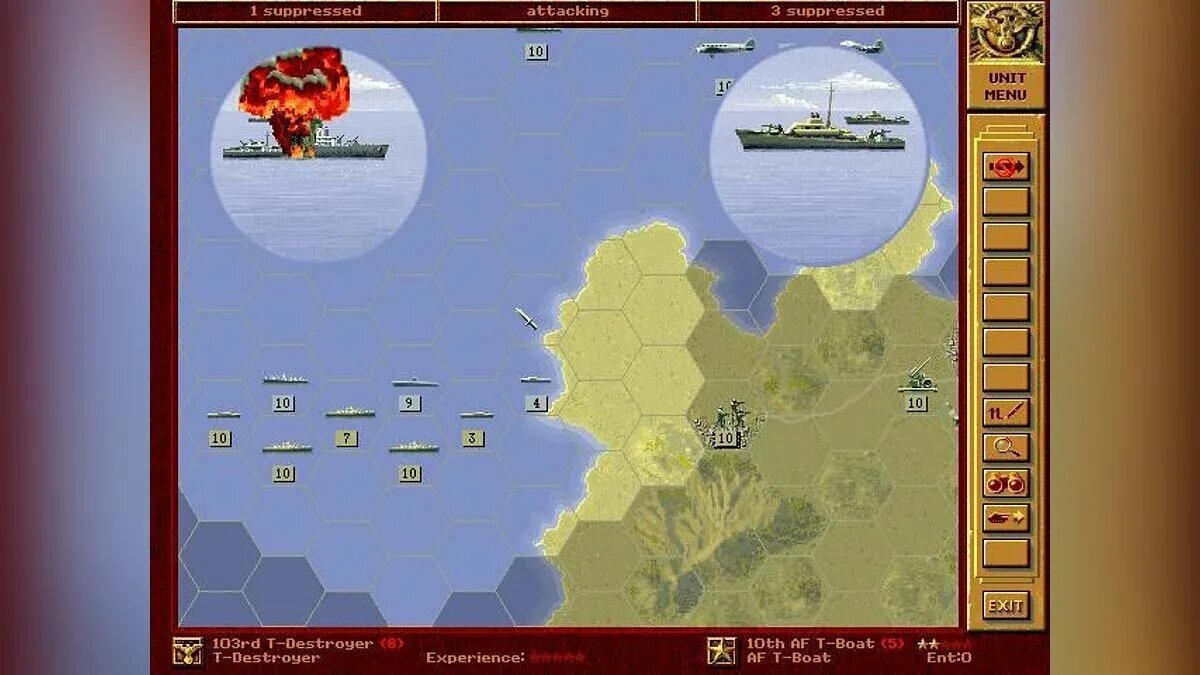
In this game, I’ve always loved the animation in the circles when the armies clashed with one another ) And I used to get really frustrated when I was younger whenever my army was wiped out in my circle )))
https://www.goodolddays.net/en/game/Allied-General/
https://mynickname.com/id73473
Re: Panzer Corps Toolkit v2.0.5.1 (22/08/26)
Out of curiosity, I want to find out how far I can take Panzer General into Windows. One step at a time.Wow, I’m starting to feel a bit nostalgic – or is it déjà vu!? So, are you planning to make a remaster or a remake of *Panzer General*!?
.
- 008.png (1.22 MiB) Viewed 1354 times
- 009.png (221.62 KiB) Viewed 1354 times
- 011.png (308.38 KiB) Viewed 1354 times
I am a the stage that the program no longer relies on the PG *.shp files. All icons were extracted as individual*.png files.
-
bondjamesbond
- Lieutenant-General - Nashorn
- Posts: 3256
- Joined: Mon Jun 27, 2022 10:10 pm
Re: Panzer Corps Toolkit v2.0.5.1 (22/08/26)
nikivdd wrote: Fri Aug 28, 2026 8:43 amOut of curiosity, I want to find out how far I can take Panzer General into Windows. One step at a time.Wow, I’m starting to feel a bit nostalgic – or is it déjà vu!? So, are you planning to make a remaster or a remake of *Panzer General*!?
.
008.png
.
009.png
.
011.png
.
I am a the stage that the program no longer relies on the PG *.shp files. All icons were extracted as individual*.png files.

I’m also curious to see how far you’ll get with your experiments! Perhaps you’ll even manage to update the graphics and effects without losing touch with the timeless classics!
https://ps1db.ru/ps1/60-panzer-general.html
https://ps1db.ru/ps1/579-allied-general.html
https://dzen.ru/a/akOZY6H1F0kmqIvN
https://mynickname.com/id73473
Re: Panzer Corps Toolkit v2.0.5.1 (22/08/26)
Finally the movement rules are settled and the different terrain types. Rivers were a big pain to get right. A lot of the UI toolbar functions have been activated and tested.bondjamesbond wrote: Fri Aug 28, 2026 4:23 pm
I’m also curious to see how far you’ll get with your experiments! Perhaps you’ll even manage to update the graphics and effects without losing touch with the timeless classics!
https://ps1db.ru/ps1/60-panzer-general.html
https://ps1db.ru/ps1/579-allied-general.html
The screens and UI appear "outdated" but i preserve as much as possible of the 1994 feel.
I am also adding a few ideas of my own.
.
- 001.png (202.88 KiB) Viewed 1319 times
- 002.png (119.07 KiB) Viewed 1319 times
- 003.png (16.86 KiB) Viewed 1319 times
- 004.png (1.54 MiB) Viewed 1319 times
- 005.png (358.15 KiB) Viewed 1319 times
-
bondjamesbond
- Lieutenant-General - Nashorn
- Posts: 3256
- Joined: Mon Jun 27, 2022 10:10 pm
Re: Panzer Corps Toolkit v2.0.5.1 (22/08/26)
nikivdd wrote: Fri Aug 28, 2026 5:05 pmFinally the movement rules are settled and the different terrain types. Rivers were a big pain to get right. A lot of the UI toolbar functions have been activated and tested.bondjamesbond wrote: Fri Aug 28, 2026 4:23 pm
I’m also curious to see how far you’ll get with your experiments! Perhaps you’ll even manage to update the graphics and effects without losing touch with the timeless classics!
https://ps1db.ru/ps1/60-panzer-general.html
https://ps1db.ru/ps1/579-allied-general.html
The screens and UI appear "outdated" but i preserve as much as possible of the 1994 feel.
I am also adding a few ideas of my own.
.
001.png
.
002.png
.
003.png
.
004.png
.
005.png

That was my absolute favourite CD )))And it even had a Russian translation!
I can see it, but I prefer the port of this classic to the original PlayStation – the graphics weren’t quite as rubbish there, and there were no glitches. On the other hand, my CD-ROM started to freeze during animations and cutscenes over time. Oh, the nostalgia – but I used to play it for days on end )))

https://wio.ru/strat/kmhpg.htm
https://wio.ru/strat/strat.htm
https://mynickname.com/id73473
Re: Panzer Corps Toolkit v2.0.5.1 (22/08/26)
.
An alpha test of combat between the human player and the AI opponent.
Some gameplay mechanics are deliberately different from those in Panzer General and the more recent Panzer Corps.
Units with transport can mount, move, dismount, and still attack if eligible. Artillery can provide supporting fire based on its firing range, so it no longer needs to be adjacent to the unit it is supporting.
The game runs as a native 64-bit Windows application.
.
Suggestions and feedback welcome.

Re: Panzer Corps Toolkit v2.0.5.1 (22/08/26)
This is certainly interesting. I have so many questions.
What game engine are you using? The original PG engine?
If so, how are you making the gameplay mechanics changes?
How are you changing the original .shp icons into .png icons? Can they be replaced with better icons (i.e., PC icons)?
I've got others but I don't want to overload you while you're in creative mode.
What game engine are you using? The original PG engine?
If so, how are you making the gameplay mechanics changes?
How are you changing the original .shp icons into .png icons? Can they be replaced with better icons (i.e., PC icons)?
I've got others but I don't want to overload you while you're in creative mode.
Re: Panzer Corps Toolkit v2.0.5.1 (22/08/26)
1)C# (the game logic, UI, combat engine, AI, scenario loading, equipment handling, etc.) + .NET 8 (runtime/framework) + WinForms (the Windows desktop UI and game window)cw58 wrote: Sat Aug 29, 2026 7:39 pm This is certainly interesting. I have so many questions.
What game engine are you using? The original PG engine?
If so, how are you making the gameplay mechanics changes?
How are you changing the original .shp icons into .png icons? Can they be replaced with better icons (i.e., PC icons)?
I've got others but I don't want to overload you while you're in creative mode.
2) Me and AI
3) 38 converted scenarios,
equipment file,
unit icon PNGs,
nation/flag PNGs,
briefing/debriefing texts,
unit strength plates,
scenario/unit IDs and most scenario metadata are no longer DOS dependent.
Still DOS dependent for the time being:
Tactical terrain graphics, Strategic map graphics, and some other miscellaneous.
Icons from Panzer Corps are on the to-do list.
The game will run on a 64 bit windows applications which is better than PG (8 bit) and PzC (32 bit), no 3D stuff.