Panzer Corps Toolkit v2.0.4.2 (24/07/26)

A forum to discuss custom scenarios, campaigns and modding in general.

Moderators: Slitherine Core, Panzer Corps Design, Panzer Corps Moderators

nikivdd
Panzer Corps Map Designer
Posts: 5061
Joined: Fri Jun 24, 2011 1:21 pm
Location: Belgium

Re: Panzer Corps Toolkit v1.9.8.3 (17/07/26)

Post by nikivdd »

Change of plans today, unexpectedly, i have the kingdom for myself :)
This means i can work on the next expansion of the Toolkit: the equipment file editor. I will attend to the mask skin option next week probably. I am super excited with the equipment file editor because i introduced extra columns, which will give me more tools for the army generators. Like for example - unit availability (common, rare, very rare, prototype)
.
Some screens of the first tests and adjustments, which is very repetitive.
Remember, your input is valued as well.
.
alpha 1.png
alpha 1.png (73.5 KiB) Viewed 711 times
.
alpha 2.png
alpha 2.png (14.15 KiB) Viewed 711 times
.
alpha 3.png
alpha 3.png (13.18 KiB) Viewed 711 times
.
As seen in the first screenshot, the equipment file editor has a validator, which found some errors in my equipment file :oops:
.
Italy_White-Cross.png
Italy_White-Cross.png (1.83 KiB) Viewed 711 times
.
Belgiuim_Roundel.png
Belgiuim_Roundel.png (8.27 KiB) Viewed 711 times
.
The last two pictures are custom insignias for the Unit Paint Studio. These go into documents\Panzer Corps Toolkit\Unit Paint Studio\Insignia
.
And a repost of the Unit Paint Studio, the manual in all supported languages.
.
Unit_Paint_Studio_All_Languages.zip
(32.21 KiB) Downloaded 23 times
nikivdd
Panzer Corps Map Designer
Posts: 5061
Joined: Fri Jun 24, 2011 1:21 pm
Location: Belgium

Re: Panzer Corps Toolkit v1.9.8.3 (17/07/26)

Post by nikivdd »

alpha 4.png
alpha 4.png (77.98 KiB) Viewed 686 times
.
This is an example of a skin i created from the module "create skin from a picture".
I also discovered a nasty bug in the Unit Paint Toolkit. The latest version only allows units to be painted from the fixed directory where the program is installed. In the next version, after extensive testing, i hope the problem is solved. Units and the mask can be selected from other directories in the next release. I also created a few new insignia which will be included as well.
bondjamesbond
Lieutenant-General - Do 217E
Posts: 3054
Joined: Mon Jun 27, 2022 10:10 pm

Re: Panzer Corps Toolkit v1.9.8.3 (17/07/26)

Post by bondjamesbond »

nikivdd wrote: Sat Jul 18, 2026 4:20 pm alpha 4.png
.
This is an example of a skin i created from the module "create skin from a picture".
I also discovered a nasty bug in the Unit Paint Toolkit. The latest version only allows units to be painted from the fixed directory where the program is installed. In the next version, after extensive testing, i hope the problem is solved. Units and the mask can be selected from other directories in the next release. I also created a few new insignia which will be included as well.
Image
Image
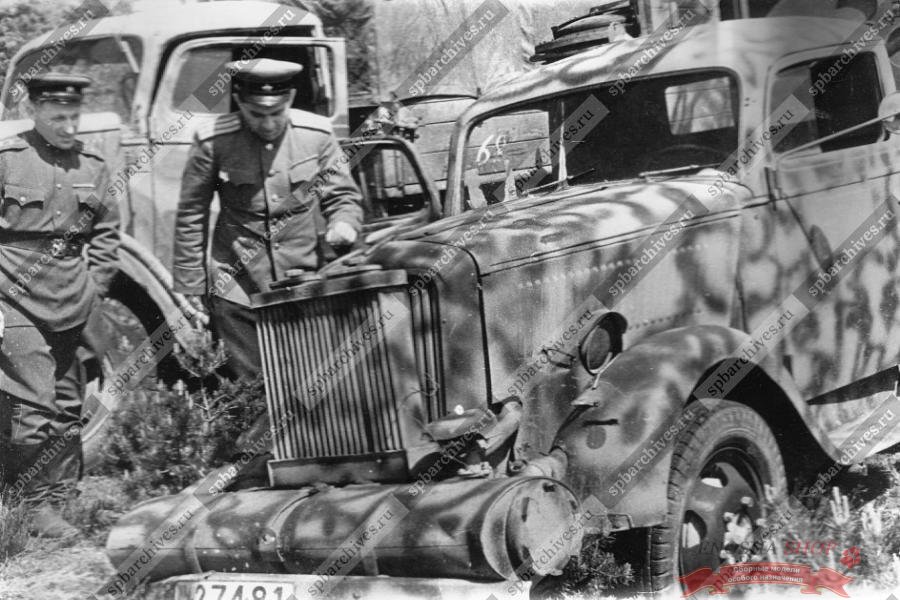
An Opel Blitz lorry fitted with a gas generator
During the war, Germany faced an acute shortage of fuel (petrol, kerosene) and actively sought ways to resolve this problem. One such solution was the use of special systems on vehicles that ran on solid fuel (wood, coal, etc.); these systems were known as ‘Holzgas’ or, as we call them, gas generators. Italeri offers us a fascinating version of the Mercedes-Benz L701 gas generator vehicle (a licensed copy of the Opel Blitz) with a simplified wooden cab. The model is based on a 1943 truck on display at the Technik Museum Sinsheim, in the small German town of Sinsheim.

:lol: :lol: :lol:

https://war-book.ru/opel-blitz-avtomobil/
https://www.mycity-military.com/slika.p ... d1946..jpg
Attachments
78013_44203025_Opel-Blitz_Beograd1946.jpg
78013_44203025_Opel-Blitz_Beograd1946.jpg (211.69 KiB) Viewed 673 times
https://mynickname.com/id73473
Image
nikivdd
Panzer Corps Map Designer
Posts: 5061
Joined: Fri Jun 24, 2011 1:21 pm
Location: Belgium

Re: Panzer Corps Toolkit v2.0.0.2 (18/07/26)

Post by nikivdd »

Panzer Corps Toolkit — Summary of additions, fixes, and improvements since v1.9.8.5

Since v1.9.8.5, the Panzer Corps Toolkit has grown substantially, especially in the areas of Unit Paint Studio, campaign-army management, doctrine generation, equipment editing, localization, and installer safety.

Unit Paint Studio

The Unit Paint Studio received major improvements to file handling and insignia replacement.

Unit skinning now works correctly with icons stored in:

the installed program folder;
the user’s Documents folder;
OneDrive-backed folders;
any custom location selected by the user.

The selected icon’s exact full path is now treated as authoritative, preventing the program from silently substituting a similarly named file from the installation folder.

Mask lookup was improved so the program checks:

for a matching mask beside the selected icon;
the user mask library in Documents;
the installed fallback mask library.

The Studio Folders browser was also improved:

a visible Select Unit for Painting command was added;
mask files ending in _Mask.png cannot be selected as unit icons;
double-clicking a valid icon opens it directly;
custom, Documents, OneDrive, and installed folders are supported.

Insignia replacement was substantially refined. The program now correctly handles both compact replacement regions and older fragmented masks by grouping nearby blue mask areas separately for each sprite view. Insignias are proportionally scaled, centred, and rendered with transparency and opacity controls.

Custom insignia assets were added for:

United Kingdom;
Belgium;
France;
Greece;
Italy;
Slovakia;
Soviet Union.

These are installed into:

Documents\Panzer Corps Toolkit\Unit Paint Studio\Insignia

Existing user-edited insignia files are preserved.

Campaign Army Reinforcements

The Reinforcements Editor gained a dedicated Add Bonus Unit feature.

It now allows bonus equipment to be added explicitly to an imported campaign army while keeping normal reinforcement generation rules unchanged.

The bonus-unit picker:

shows only equipment containing the bonus trait;
limits available nations to those already present in the imported army;
supports multi-nation campaign armies;
provides Nation, Class, and unit-name filters;
preserves equipment ID, nation, class, and custom-name information;
does not consume reinforcement budget or ordinary purchase limits;
supports Undo and Redo;
warns before accidental duplicates.
Bonus entries now display readable nation, class, unit name, and equipment ID information.

Upgrade Generator

The Upgrade Generator was updated to handle imported bonus units correctly.

Bonus units can now upgrade only to:

another unit containing the bonus trait;
equipment belonging to the same nation;
equipment satisfying the normal date, class, series, and cost rules.

The generator no longer allows:

bonus units to upgrade into normal equipment;
normal units to upgrade into bonus equipment;
foreign-nation bonus replacements.

Custom names, experience, strength, heroes, and other campaign-state information remain preserved during upgrades.

When no valid bonus replacement exists, the unit remains unchanged and the generator explains why.

Army Doctrine Generator

The Doctrine Generator was extensively expanded.

Italy was added alongside the existing doctrine nations:

Germany;
Poland;
France;
United Kingdom;
Soviet Union;
United States;
Italy.

Detailed year profiles were added for the period 1938–1946.

Doctrine posture selection was introduced:

Offensive;
Defensive;
Breakthrough;
Reserve.

Posture now modifies the national and yearly doctrine by influencing:

class proportions;
mobility;
artillery support;
anti-tank and anti-aircraft support;
reconnaissance;
equipment age and quality;
transport behaviour;
rarity weighting;
air support.

Doctrine definitions were moved into an editable DoctrineProfiles.json file.

The program now provides commands to:

open the doctrine file;
reload it;
validate it;
restore the default version.

Invalid JSON or invalid doctrine values produce readable validation errors instead of crashing the generator.

A Doctrine Explanation section was added. It reports:

the nation and year profile used;
the selected posture;
class and support priorities;
equipment-age and mobility bias;
rarity handling;
transport behaviour;
why units were selected or omitted.

Generated doctrine armies now enforce strict uniqueness by equipment ID. The same equipment entry can never appear twice.

When there are not enough eligible unique units, the generator creates the largest valid army possible and reports the shortfall instead of inserting duplicates.

Class allocation was also improved. Simple rounding was replaced with a largest-remainder method, preventing low-percentage classes such as fighters and tactical bombers from being consistently rounded down to zero.

Doctrine profiles can now define minimum class quantities, for example one fighter or one tactical bomber, provided eligible equipment exists.

The Equipment File Editor (new feature)

The Add Unit window now includes:

every major equipment field;
a scrolling vertical layout;
a full Traits section;
custom traits;
Remove Traits;
Series;
a Usable Transports section;
automatic .png handling for icon filenames;
several insertion-position options;
proper nation and class binding;
date validation;
confirmation before insertion;
automatic preparation for the next unit.

Supported insertion positions include:

top of the equipment list;
bottom of the list;
bottom of the selected nation;
bottom of the selected class within a nation;
above a selected equipment ID;
below a selected equipment ID.

The editor now preserves the original equipment file structure as closely as possible.

Saving was improved to avoid file-lock errors. Files are now written through a temporary file, validated, backed up, and then replaced safely.
The editor’s Validate command was expanded to check equipment dates using the exact required format:
DD.MM.YYYY

Validation now reports:

invalid dates;
the affected equipment ID;
the affected field;
the invalid value;
the required format;
mixed date formats;
end dates earlier than start dates.

Validation never silently changes the file.

Negative Air Attack values are also handled correctly:

negative values represent passive anti-air capability;
zero means no counterattack;
positive values represent active air attack.
Default equipment file handling

The bundled default equipment.pzeqp was replaced with the newer user-provided version.

The program now maintains two copies:

the release default in the program installation folder;
the active working copy in
Documents\Panzer Corps Toolkit\Equipment\equipment.pzeqp.

The installation-folder copy is always replaced by the version shipped with the current release.

During installation or upgrade, if a Documents working copy already exists:

a timestamped backup is created;
the installer asks whether the user wants to replace the active working copy;
Yes activates the new equipment file;
No preserves the current working file.

The prompt defaults to No for safety.

An installer runtime error caused by incorrect timestamp formatting in the backup routine was fixed.

Localization

A broad localization audit was performed across all eight supported languages:

English;
German;
French;
Russian;
Polish;
Dutch;
Spanish;
Italian.

The audit covered:

menus;
dialogs;
viewers;
editors;
generators;
column headings;
filters;
context menus;
validation messages;
status text;
tooltips;
print output;
saved text;
Help;
installer messages.

New Doctrine, bonus-unit, equipment-validation, and installer strings were localized.

v2.0.0.2: https://www.mediafire.com/file/dtxtzbwj ... 2.rar/file
nikivdd
Panzer Corps Map Designer
Posts: 5061
Joined: Fri Jun 24, 2011 1:21 pm
Location: Belgium

Re: Panzer Corps Toolkit v2.0.0.2 (18/07/26)

Post by nikivdd »

The next update will contain under Tools, the Scenario Assistant.
.
alpha 1.png
alpha 1.png (44.8 KiB) Viewed 553 times
.
alpha 2.png
alpha 2.png (20.62 KiB) Viewed 553 times
.
Introducing the Scenario Assistant for Panzer Corps Toolkit

The Scenario Assistant is a new guided wizard designed to help scenario creators plan, organize, and document a complete Panzer Corps scenario from start to finish.

Instead of keeping information scattered across notes, briefing files, spreadsheets, and memory, the Scenario Assistant brings the most important parts of scenario design together in one structured workflow.

The assistant currently guides the designer through 14 steps:

Scenario name
Scenario date
General information and participating nations
Scenario map
Global parameters and weather
Player-side settings
Player Order of Battle
Opponent-side settings
Opponent Order of Battle
Intro briefing
Victory and defeat briefings
Victory conditions
In-game messages
Designer notes

Each step can be saved separately, revisited later, or skipped when it is not yet relevant. The complete project is stored as a JSON file in:

Documents\Panzer Corps Toolkit\Scenario Assistant

The project filename is based on the scenario name entered in the first step.

Orders of Battle

The Player and Opponent OOB steps support three construction methods:

Manual unit selection
Army Doctrine Generator
OOB Generator

Manual selection only shows equipment belonging to the nations chosen for that side and includes a unit-class filter.

Automatically generated armies appear directly in the OOB viewer. They can also be regenerated, replacing the previous result.

The Scenario Assistant respects the number of core and auxiliary slots entered for each side.

Weather Integration

The built-in Weather Predictor can run silently in the background.

Generated weather probabilities and ground conditions are inserted automatically into the scenario parameters, while remaining fully editable afterward.

Panzer Corps Briefing Support

The Scenario Assistant includes editors for:

Intro briefing
Decisive Victory briefing
Marginal Victory briefing
Loss briefing

Briefings can be imported, edited, saved, and saved under a new name.

The editor preserves the Panzer Corps .PZBRF format.

Text can also be copied and pasted from external programs. Plain text is converted into the required paragraph structure.

Default briefing filenames are generated automatically from the scenario name.

Additional Features

The Scenario Assistant also includes:

Nation selection for both sides
Map copy and paste
Automatic map preview scaling
Prestige and experience settings
Core and auxiliary slot limits
Attacker and defender logic
Victory conditions
Turn-based in-game messages
Designer notes
Complete project printing
Complete project mailing
Save, Save As, Previous Step, Next Step, Skip Step, and Quit controls
Unsaved-changes warnings when closing

The goal of the Scenario Assistant is not to replace the Panzer Corps Scenario Editor.

It is intended as a planning, preparation, and documentation companion that helps both new and experienced scenario designers keep their work organized and avoid forgetting important settings, briefings, force structures, or design notes.

For newcomers, it provides a clear step-by-step structure.

For veteran modders, it offers a central workspace for planning and documenting complex scenarios while still leaving every field editable.
nikivdd
Panzer Corps Map Designer
Posts: 5061
Joined: Fri Jun 24, 2011 1:21 pm
Location: Belgium

Re: Panzer Corps Toolkit v2.0.1 (20/07/26)

Post by nikivdd »

v2.0.1: https://www.mediafire.com/file/ybha7cp3 ... 1.rar/file
.
The new Scenario Assistant was added under Tools as a 14-step wizard covering:

Scenario name, date, location, battle name, and participating nations
Map import and clipboard paste
Global parameters and automatic weather generation
Player and opponent settings
Manual and generated OOBs
Intro, victory, and defeat briefings
Victory conditions
In-game messages
Designer notes

Help - Tools: the file for the Scenario Assistant has been included in the program for all supported languages.
.
Generator updates

Imported campaign armies now require an upgrade budget
Regular and SS/SE units can only upgrade within their own category
SS/SE detection checks both Short Name and Full Name
Reinforcements Generator button renamed to Generate Reinforcements when a campaign army is loaded
.
Scenario_Assistant_Manuals_All_Languages.zip
(20.79 KiB) Downloaded 19 times
.
Suggestions, comments are welcome.
nikivdd
Panzer Corps Map Designer
Posts: 5061
Joined: Fri Jun 24, 2011 1:21 pm
Location: Belgium

Re: Panzer Corps Toolkit v2.0.1 (20/07/26)

Post by nikivdd »

I have been busy working on the next update, for the create unit mask program under the unit paint studio.
.
In case some have already had a go at the create unit mask, here is already a list of changes done.
.
Workflow and steps

Removed the inactive Prepare Neutral Base step.
Reduced the wizard from 10 steps to 9 steps.
Added a Skip button to the optional Big Unit step.
Each editing step enables only the controls relevant to that step.

Navigation and canvas controls

Added horizontal and vertical scrolling when zoomed in.
Mouse wheel scrolls vertically.
Shift + mouse wheel scrolls horizontally.
Ctrl + mouse wheel zooms.
Middle-mouse drag pans the canvas.
Added a Controls button beside Run Automatic Suggestion in the painting steps.
The Controls pop-up explains mouse and keyboard commands.

Painting cursors
Painting steps use a cursor that reflects the selected tool size.
Regular mask-painting steps use a circular cursor.
Insignia Replacement uses a square cursor tied to the pencil, brush, or eraser size.

Region workflow
Removed the generic Main and Ignore region choices.
Steps for base, secondary, and tertiary colours now paint directly into their own defined region.
Insignia Replacement contains only:
Insignia Bounds
Insignia Pixels
Insignia Replacement
Renamed Insignia Replacement (Optional) to Insignia Replacement.
Removed the old persistent insignia checkbox and RGB information from the bottom-left corner.

Added clearer terminology:

Insignia Bounds — the full area where the replacement insignia may appear.
Insignia Pixels — the original insignia pixels that must be removed.
Replaced the longer instruction with a shorter explanation.
Both regions are defined separately for all four icon views.
Regions are not mirrored automatically.

Editing behavior
Undo and Redo are intended to work one action at a time.
Automatic Suggestion is available for the relevant colour-region steps.
Automatic Suggestion, Clear Region, painting, erasing, and fills are treated as individual editing actions.

The main design direction has been to make the wizard shorter, remove controls that do not serve the active step, and make each painting stage more obvious without taking away manual control.
.
0.png
0.png (52.46 KiB) Viewed 501 times
.
1.png
1.png (35.62 KiB) Viewed 501 times
.
2.png
2.png (35.73 KiB) Viewed 501 times
.
3.png
3.png (35.75 KiB) Viewed 501 times
.
4.png
4.png (40.89 KiB) Viewed 501 times
.
5.png
5.png (40.89 KiB) Viewed 501 times
.
A special thanks and credit to Birgeria for his excellent unit of the Skoda T-21
bondjamesbond
Lieutenant-General - Do 217E
Posts: 3054
Joined: Mon Jun 27, 2022 10:10 pm

Re: Panzer Corps Toolkit v2.0.1 (20/07/26)

Post by bondjamesbond »

nikivdd wrote: Mon Jul 20, 2026 7:56 pm I have been busy working on the next update, for the create unit mask program under the unit paint studio.
.
In case some have already had a go at the create unit mask, here is already a list of changes done.
.
Workflow and steps

Removed the inactive Prepare Neutral Base step.
Reduced the wizard from 10 steps to 9 steps.
Added a Skip button to the optional Big Unit step.
Each editing step enables only the controls relevant to that step.

Navigation and canvas controls

Added horizontal and vertical scrolling when zoomed in.
Mouse wheel scrolls vertically.
Shift + mouse wheel scrolls horizontally.
Ctrl + mouse wheel zooms.
Middle-mouse drag pans the canvas.
Added a Controls button beside Run Automatic Suggestion in the painting steps.
The Controls pop-up explains mouse and keyboard commands.

Painting cursors
Painting steps use a cursor that reflects the selected tool size.
Regular mask-painting steps use a circular cursor.
Insignia Replacement uses a square cursor tied to the pencil, brush, or eraser size.

Region workflow
Removed the generic Main and Ignore region choices.
Steps for base, secondary, and tertiary colours now paint directly into their own defined region.
Insignia Replacement contains only:
Insignia Bounds
Insignia Pixels
Insignia Replacement
Renamed Insignia Replacement (Optional) to Insignia Replacement.
Removed the old persistent insignia checkbox and RGB information from the bottom-left corner.

Added clearer terminology:

Insignia Bounds — the full area where the replacement insignia may appear.
Insignia Pixels — the original insignia pixels that must be removed.
Replaced the longer instruction with a shorter explanation.
Both regions are defined separately for all four icon views.
Regions are not mirrored automatically.

Editing behavior
Undo and Redo are intended to work one action at a time.
Automatic Suggestion is available for the relevant colour-region steps.
Automatic Suggestion, Clear Region, painting, erasing, and fills are treated as individual editing actions.

The main design direction has been to make the wizard shorter, remove controls that do not serve the active step, and make each painting stage more obvious without taking away manual control.
.
0.png
.
1.png
.
2.png
.
3.png
.
4.png
.
5.png
.
A special thanks and credit to Birgeria for his excellent unit of the Skoda T-21

Image
https://union.4bb.ru/viewtopic.php?id=971&p=31#p128293

That's really cool!
https://dzen.ru/a/YNxAqTOiL2r_ZgBK
https://yuripasholok.livejournal.com/12923117.html

Image
Now you can paint the T-35 in winter camouflage!
https://mynickname.com/id73473
Image
nikivdd
Panzer Corps Map Designer
Posts: 5061
Joined: Fri Jun 24, 2011 1:21 pm
Location: Belgium

Re: Panzer Corps Toolkit v2.0.1 (20/07/26)

Post by nikivdd »

Soviet_T35_Painted1.png
Soviet_T35_Painted1.png (21.63 KiB) Viewed 443 times
.
Soviet_T35_Painted2.png
Soviet_T35_Painted2.png (19.17 KiB) Viewed 443 times
.
Soviet_T35_Painted3.png
Soviet_T35_Painted3.png (19.99 KiB) Viewed 443 times
.
Soviet_T35_Painted4.png
Soviet_T35_Painted4.png (18.86 KiB) Viewed 443 times
.
An update of the program will be made available tomorrow with fixes and additions to the Unit mask creator and Unit paint studio, 6 new insignias and 16 winter skins.

A really great addition to the unit paint studio is MOVE INSIGNIA.

Use Move Insignia when the replacement insignia is correctly selected but needs precise positioning on the painted unit. The button is available after Replace insignia is enabled and an insignia has been selected.

Click Move Insignia to open the eight-direction control. Each arrow click moves the insignia exactly one pixel up, down, left, right, or diagonally. The painted-unit preview updates immediately. Moving the insignia does not change its scale or opacity. Use Undo to reverse the last movement, Redo to restore it, and Reset to return the insignia to its original position.
bondjamesbond
Lieutenant-General - Do 217E
Posts: 3054
Joined: Mon Jun 27, 2022 10:10 pm

Re: Panzer Corps Toolkit v2.0.1 (20/07/26)

Post by bondjamesbond »

nikivdd wrote: Tue Jul 21, 2026 11:39 am Soviet_T35_Painted1.png
.
Soviet_T35_Painted2.png
.
Soviet_T35_Painted3.png
.
Soviet_T35_Painted4.png
.
An update of the program will be made available tomorrow with fixes and additions to the Unit mask creator and Unit paint studio, 6 new insignias and 16 winter skins.

A really great addition to the unit paint studio is MOVE INSIGNIA.

Use Move Insignia when the replacement insignia is correctly selected but needs precise positioning on the painted unit. The button is available after Replace insignia is enabled and an insignia has been selected.

Click Move Insignia to open the eight-direction control. Each arrow click moves the insignia exactly one pixel up, down, left, right, or diagonally. The painted-unit preview updates immediately. Moving the insignia does not change its scale or opacity. Use Undo to reverse the last movement, Redo to restore it, and Reset to return the insignia to its original position.
It’s truly mesmerising! Here’s a bit of information about the emblems on the tanks!
https://nz.pinterest.com/pin/1550224121 ... loseup_cta
https://wio.ru/tank/oz/razn.htm
https://wio.ru/tank/oz/oz.htm
https://wio.ru/tank/oz/7gottb.htm
https://wio.ru/tank/t-3485-4gmk.htm

Image

https://lewhobotov.livejournal.com/1196223.html
https://www.flickr.com/photos/130556552 ... 991373463/
https://ru.pinterest.com/pin/6446481341 ... loseup_cta
Attachments
IMG_20260722_013648_1_1.jpg
IMG_20260722_013648_1_1.jpg (107.66 KiB) Viewed 375 times
63e2f3be7983aa9279fdea22c25f1ec8.jpg
63e2f3be7983aa9279fdea22c25f1ec8.jpg (74.2 KiB) Viewed 402 times
63e2f3be7983aa9279fdea22c25f1ec8.jpg
63e2f3be7983aa9279fdea22c25f1ec8.jpg (14.98 KiB) Viewed 413 times
https://mynickname.com/id73473
Image
nikivdd
Panzer Corps Map Designer
Posts: 5061
Joined: Fri Jun 24, 2011 1:21 pm
Location: Belgium

Re: Panzer Corps Toolkit v2.0.2.1 (22/07/26)

Post by nikivdd »

v2.0.2.1: https://www.mediafire.com/file/0ey6lrcc ... 1.rar/file
.
Panzer Corps Toolkit — Changes since v2.0.1

Since v2.0.1, the main development focus has been a major refinement of Unit Paint Studio, especially the Create Unit Mask workflow, alongside installer improvements, new bundled assets, updated manuals, and usability additions.

Unit Mask Creator

The vehicle-mask creator was substantially expanded and reorganized.

The workflow now uses ten steps:

Select unit icon
Optional BigUnit
Secondary-colour areas
Tertiary-colour areas
Ignore background and shadow
Insignia Replacement
Transparency Cleanup
Review All Icon Views
Preview and Validate
Save Mask

Each step now enables only the controls relevant to that stage. A Skip button was added for the optional BigUnit step.

Painting and navigation controls

Zoomed images can now be navigated properly:

Mouse wheel scrolls vertically
Shift + mouse wheel scrolls horizontally
Ctrl + mouse wheel changes zoom
Middle-mouse drag pans the canvas
Horizontal and vertical scrollbars remain available

Painting cursors now reflect the active tool size:

Circular cursor for the normal colour-painting steps
Square cursor for Insignia Replacement

A Controls button was added beside Run Automatic Suggestion in the painting steps. It opens a compact reference for mouse and keyboard commands.

Undo and Redo

Undo and Redo were redesigned to work on individual actions rather than reverting entire steps.

Histories are now separated by:

wizard step
icon view
mask region
individual action

This prevents tertiary-colour Undo from affecting secondary-colour work and prevents insignia Undo from clearing changes made in other views.

The untouched starting state is now stored before the first action, allowing the first brush stroke, fill, erasure, or automatic suggestion to be undone.

Secondary and tertiary painting

Secondary- and tertiary-colour areas now use separate editing histories.

Automatic Suggestion was corrected so that it works independently in both steps and updates the appropriate mask region.

The generic Main and Ignore region choices were removed from these steps. Each step now paints directly into its own defined region.

Background and shadow handling

A dedicated step now identifies:

image background
excluded ground shadows

These areas are preserved as black in the final mask and are used later during Transparency Cleanup.

Insignia Replacement

The step was renamed from Insignia Replacement (Optional) to Insignia Replacement.

The old persistent insignia checkbox and RGB notes were removed from the lower-left panel.

The region choices are now clearly named:

Insignia Bounds — the complete area where a replacement insignia may appear
Insignia Pixels — only the original insignia pixels that must be removed


The exact mask colours are:

Insignia Bounds: RGB 72, 0, 255
Insignia Pixels: RGB 33, 0, 127

Both regions must be defined separately for all four icon views and are not mirrored automatically.

Transparency Cleanup

A new step was added after Insignia Replacement.

Its purpose is to produce the correct final mask structure:

painted mask areas remain visible
background and excluded shadows remain black
remaining unpainted vehicle-body pixels become fully transparent

The user can clean these areas manually with a protected cleanup eraser or use Run Automatic Suggestion.

Painted secondary, tertiary, and insignia regions are protected during cleanup.

Review and validation

Step 8 now reviews the exact finished mask produced by Transparency Cleanup.

The review no longer shows the original vehicle artwork underneath. It displays:

black background and excluded shadows
transparent unpainted vehicle areas
all painted mask regions
all four icon views together

Validation checks were updated to match the revised mask workflow.

Saving mask work

A Save button was added to every mask-creator step.

The work-in-progress save preserves:

all four icon views
painted regions
background and shadow markings
insignia bounds and insignia pixels
transparency-cleanup progress
current step
active editing state and related settings

This allows unfinished masks to be resumed later without losing work.

Paint Unit improvements
Brightness recalibration

The brightness control was recalibrated so that the appearance previously produced at -10 is now treated as the neutral/default 0.

This better matches the selected skin as shown in the Skin Browser.

Move Insignia

A new Move Insignia button was added to the Insignia section.

It opens an eight-direction control:

up
down
left
right
four diagonals

Each click moves the selected insignia exactly one pixel.

The feature:

updates the preview immediately
preserves insignia scale and opacity
supports Undo, Redo, and Reset
remains disabled until insignia replacement is enabled and an insignia is selected
Saving painted units

Two export commands were added to the Paint Unit viewer:

Save — automatically exports as
icon_name_painted.png
Save As… — allows the user to choose any name and destination

Both preserve:

PNG transparency
active skin
secondary and tertiary colours
insignia selection
insignia opacity
insignia scale
insignia position

Existing files require confirmation before being overwritten.

New bundled assets
New insignias


Six insignia files were added:

Japan Rising Sun
US Single White Star
US White Star with Broken Circle
US White Star with Yellow Circle
Finland Marking
Finland Roundel

They are installed to:

Documents\Panzer Corps Toolkit\Unit Paint Studio\Insignia

New winter skins

Sixteen winter skins and sixteen matching thumbnails were added:

Winter1.png through Winter16.png
Winter1_Thumb.png through Winter16_Thumb.png

They are installed to:

Documents\Panzer Corps Toolkit\Unit Paint Studio\Skins

The installer creates the folders when needed and preserves unrelated user-added assets.

Manuals and Help
Unit Paint Studio Manual v1.1


The Unit Paint Studio manual was updated to version 1.1 in all eight supported languages:

English
German
French
Russian
Polish
Dutch
Spanish
Italian

The update includes full instructions for Move Insignia.

Create Unit Mask Manual v1.0

In the help section, a new dedicated Create Unit Mask manual was added in all eight supported languages.

It covers:

the complete ten-step workflow
mask colours
mouse and keyboard controls
automatic suggestions
Undo and Redo
work-in-progress saving
insignia regions
transparency cleanup
review and validation
final saving
troubleshooting
.
Unit_Paint_Studio_Manual_v1.1_All_Languages.zip
(33.28 KiB) Downloaded 18 times
.
Create_Unit_Mask_Manual_v1.0_All_Languages.zip
(21.39 KiB) Downloaded 22 times
.
German_Balkenkreuz.png
German_Balkenkreuz.png (2.24 KiB) Viewed 362 times
.
The Balkenkreuz was not yet added to the latest version.
.
Type_90_Kyu-Maru.png
Type_90_Kyu-Maru.png (34.94 KiB) Viewed 362 times
.
Type_90_Kyu_Maru_v2.png
Type_90_Kyu_Maru_v2.png (36.43 KiB) Viewed 362 times
.
Japan1_Thumb.png
Japan1_Thumb.png (3.53 KiB) Viewed 362 times
.
Japan2_Thumb.png
Japan2_Thumb.png (6 KiB) Viewed 362 times
.
In the Unit Paint Studio, a paint skin is easily made from a Thumbnail.
bondjamesbond
Lieutenant-General - Do 217E
Posts: 3054
Joined: Mon Jun 27, 2022 10:10 pm

Re: Panzer Corps Toolkit v2.0.2.1 (22/07/26)

Post by bondjamesbond »

nikivdd wrote: Wed Jul 22, 2026 9:51 am v2.0.2.1: https://www.mediafire.com/file/0ey6lrcc ... 1.rar/file
.
Panzer Corps Toolkit — Changes since v2.0.1

Since v2.0.1, the main development focus has been a major refinement of Unit Paint Studio, especially the Create Unit Mask workflow, alongside installer improvements, new bundled assets, updated manuals, and usability additions.

Unit Mask Creator

The vehicle-mask creator was substantially expanded and reorganized.

The workflow now uses ten steps:

Select unit icon
Optional BigUnit
Secondary-colour areas
Tertiary-colour areas
Ignore background and shadow
Insignia Replacement
Transparency Cleanup
Review All Icon Views
Preview and Validate
Save Mask

Each step now enables only the controls relevant to that stage. A Skip button was added for the optional BigUnit step.

Painting and navigation controls

Zoomed images can now be navigated properly:

Mouse wheel scrolls vertically
Shift + mouse wheel scrolls horizontally
Ctrl + mouse wheel changes zoom
Middle-mouse drag pans the canvas
Horizontal and vertical scrollbars remain available

Painting cursors now reflect the active tool size:

Circular cursor for the normal colour-painting steps
Square cursor for Insignia Replacement

A Controls button was added beside Run Automatic Suggestion in the painting steps. It opens a compact reference for mouse and keyboard commands.

Undo and Redo

Undo and Redo were redesigned to work on individual actions rather than reverting entire steps.

Histories are now separated by:

wizard step
icon view
mask region
individual action

This prevents tertiary-colour Undo from affecting secondary-colour work and prevents insignia Undo from clearing changes made in other views.

The untouched starting state is now stored before the first action, allowing the first brush stroke, fill, erasure, or automatic suggestion to be undone.

Secondary and tertiary painting

Secondary- and tertiary-colour areas now use separate editing histories.

Automatic Suggestion was corrected so that it works independently in both steps and updates the appropriate mask region.

The generic Main and Ignore region choices were removed from these steps. Each step now paints directly into its own defined region.

Background and shadow handling

A dedicated step now identifies:

image background
excluded ground shadows

These areas are preserved as black in the final mask and are used later during Transparency Cleanup.

Insignia Replacement

The step was renamed from Insignia Replacement (Optional) to Insignia Replacement.

The old persistent insignia checkbox and RGB notes were removed from the lower-left panel.

The region choices are now clearly named:

Insignia Bounds — the complete area where a replacement insignia may appear
Insignia Pixels — only the original insignia pixels that must be removed


The exact mask colours are:

Insignia Bounds: RGB 72, 0, 255
Insignia Pixels: RGB 33, 0, 127

Both regions must be defined separately for all four icon views and are not mirrored automatically.

Transparency Cleanup

A new step was added after Insignia Replacement.

Its purpose is to produce the correct final mask structure:

painted mask areas remain visible
background and excluded shadows remain black
remaining unpainted vehicle-body pixels become fully transparent

The user can clean these areas manually with a protected cleanup eraser or use Run Automatic Suggestion.

Painted secondary, tertiary, and insignia regions are protected during cleanup.

Review and validation

Step 8 now reviews the exact finished mask produced by Transparency Cleanup.

The review no longer shows the original vehicle artwork underneath. It displays:

black background and excluded shadows
transparent unpainted vehicle areas
all painted mask regions
all four icon views together

Validation checks were updated to match the revised mask workflow.

Saving mask work

A Save button was added to every mask-creator step.

The work-in-progress save preserves:

all four icon views
painted regions
background and shadow markings
insignia bounds and insignia pixels
transparency-cleanup progress
current step
active editing state and related settings

This allows unfinished masks to be resumed later without losing work.

Paint Unit improvements
Brightness recalibration

The brightness control was recalibrated so that the appearance previously produced at -10 is now treated as the neutral/default 0.

This better matches the selected skin as shown in the Skin Browser.

Move Insignia

A new Move Insignia button was added to the Insignia section.

It opens an eight-direction control:

up
down
left
right
four diagonals

Each click moves the selected insignia exactly one pixel.

The feature:

updates the preview immediately
preserves insignia scale and opacity
supports Undo, Redo, and Reset
remains disabled until insignia replacement is enabled and an insignia is selected
Saving painted units

Two export commands were added to the Paint Unit viewer:

Save — automatically exports as
icon_name_painted.png
Save As… — allows the user to choose any name and destination

Both preserve:

PNG transparency
active skin
secondary and tertiary colours
insignia selection
insignia opacity
insignia scale
insignia position

Existing files require confirmation before being overwritten.

New bundled assets
New insignias


Six insignia files were added:

Japan Rising Sun
US Single White Star
US White Star with Broken Circle
US White Star with Yellow Circle
Finland Marking
Finland Roundel

They are installed to:

Documents\Panzer Corps Toolkit\Unit Paint Studio\Insignia

New winter skins

Sixteen winter skins and sixteen matching thumbnails were added:

Winter1.png through Winter16.png
Winter1_Thumb.png through Winter16_Thumb.png

They are installed to:

Documents\Panzer Corps Toolkit\Unit Paint Studio\Skins

The installer creates the folders when needed and preserves unrelated user-added assets.

Manuals and Help
Unit Paint Studio Manual v1.1


The Unit Paint Studio manual was updated to version 1.1 in all eight supported languages:

English
German
French
Russian
Polish
Dutch
Spanish
Italian

The update includes full instructions for Move Insignia.

Create Unit Mask Manual v1.0

In the help section, a new dedicated Create Unit Mask manual was added in all eight supported languages.

It covers:

the complete ten-step workflow
mask colours
mouse and keyboard controls
automatic suggestions
Undo and Redo
work-in-progress saving
insignia regions
transparency cleanup
review and validation
final saving
troubleshooting
.
Unit_Paint_Studio_Manual_v1.1_All_Languages.zip
.
Create_Unit_Mask_Manual_v1.0_All_Languages.zip
.
German_Balkenkreuz.png
.
The Balkenkreuz was not yet added to the latest version.
.
Type_90_Kyu-Maru.png
.
Type_90_Kyu_Maru_v2.png
.
Japan1_Thumb.png
.
Japan2_Thumb.png
.
In the Unit Paint Studio, a paint skin is easily made from a Thumbnail.
Image
https://warriors.fandom.com/ru/wiki/MT_No._V
https://ru.wikipedia.org/wiki/Японский_«Тигр»
https://wiki.warthunder.com/258-history ... martcamera

I love it! Especially Japanese tanks from the Cold War era! Niko, I’ve been meaning to ask you for ages: why don’t you create mods or chapters based on any military conflicts or incidents that took place after 1945? Or are you only interested in the period before the Second World War and that era itself?
https://yandex.uz/images/search?lr=1033 ... 0_Kyu_Maru
https://mynickname.com/id73473
Image
nikivdd
Panzer Corps Map Designer
Posts: 5061
Joined: Fri Jun 24, 2011 1:21 pm
Location: Belgium

Re: Panzer Corps Toolkit v2.0.2.1 (22/07/26)

Post by nikivdd »

Niko, I’ve been meaning to ask you for ages: why don’t you create mods or chapters based on any military conflicts or incidents that took place after 1945? Or are you only interested in the period before the Second World War and that era itself?
My main interests are the interwar period and the Second World War, but I can also have a go at creating a fictional campaign for Modern Conflicts.

Tomorrow’s update for the Panzer Corps Toolkit is nearly ready. Big units are still sorely lacking in my armoury, so I am testing a possible solution to the problem. The result can serve as a placeholder until I create something better.

The four-sprite icons were made by Birgeria.

.
Char_D2_1st.png
Char_D2_1st.png (30.11 KiB) Viewed 306 times
.
Char_D2_1st.png
Char_D2_1st.png (71.03 KiB) Viewed 306 times
.
Char_D2_2nd.png
Char_D2_2nd.png (31.18 KiB) Viewed 306 times
.
Char_D2_2nd.png
Char_D2_2nd.png (70.89 KiB) Viewed 306 times
.
So the next update will include:

a new single BigUnit creator
a new bulk BigUnit creator
Czech and Ukrainian language support
new custom insignias for Poland, The Netherlands, Germany

Create BigUnit (Bulk) converts an entire folder of standard Panzer Corps unit sprites into 256 × 256 transparent BigUnit images in one operation.
bondjamesbond
Lieutenant-General - Do 217E
Posts: 3054
Joined: Mon Jun 27, 2022 10:10 pm

Re: Panzer Corps Toolkit v2.0.2.1 (22/07/26)

Post by bondjamesbond »

nikivdd wrote: Wed Jul 22, 2026 6:42 pm
Niko, I’ve been meaning to ask you for ages: why don’t you create mods or chapters based on any military conflicts or incidents that took place after 1945? Or are you only interested in the period before the Second World War and that era itself?
My main interests are the interwar period and the Second World War, but I can also have a go at creating a fictional campaign for Modern Conflicts.

Tomorrow’s update for the Panzer Corps Toolkit is nearly ready. Big units are still sorely lacking in my armoury, so I am testing a possible solution to the problem. The result can serve as a placeholder until I create something better.

The four-sprite icons were made by Birgeria.

.
Char_D2_1st.png
.
Char_D2_1st.png
.
Char_D2_2nd.png
.
Char_D2_2nd.png
.
So the next update will include:

a new single BigUnit creator
a new bulk BigUnit creator
Czech and Ukrainian language support
new custom insignias for Poland, The Netherlands, Germany

Create BigUnit (Bulk) converts an entire folder of standard Panzer Corps unit sprites into 256 × 256 transparent BigUnit images in one operation.
Image
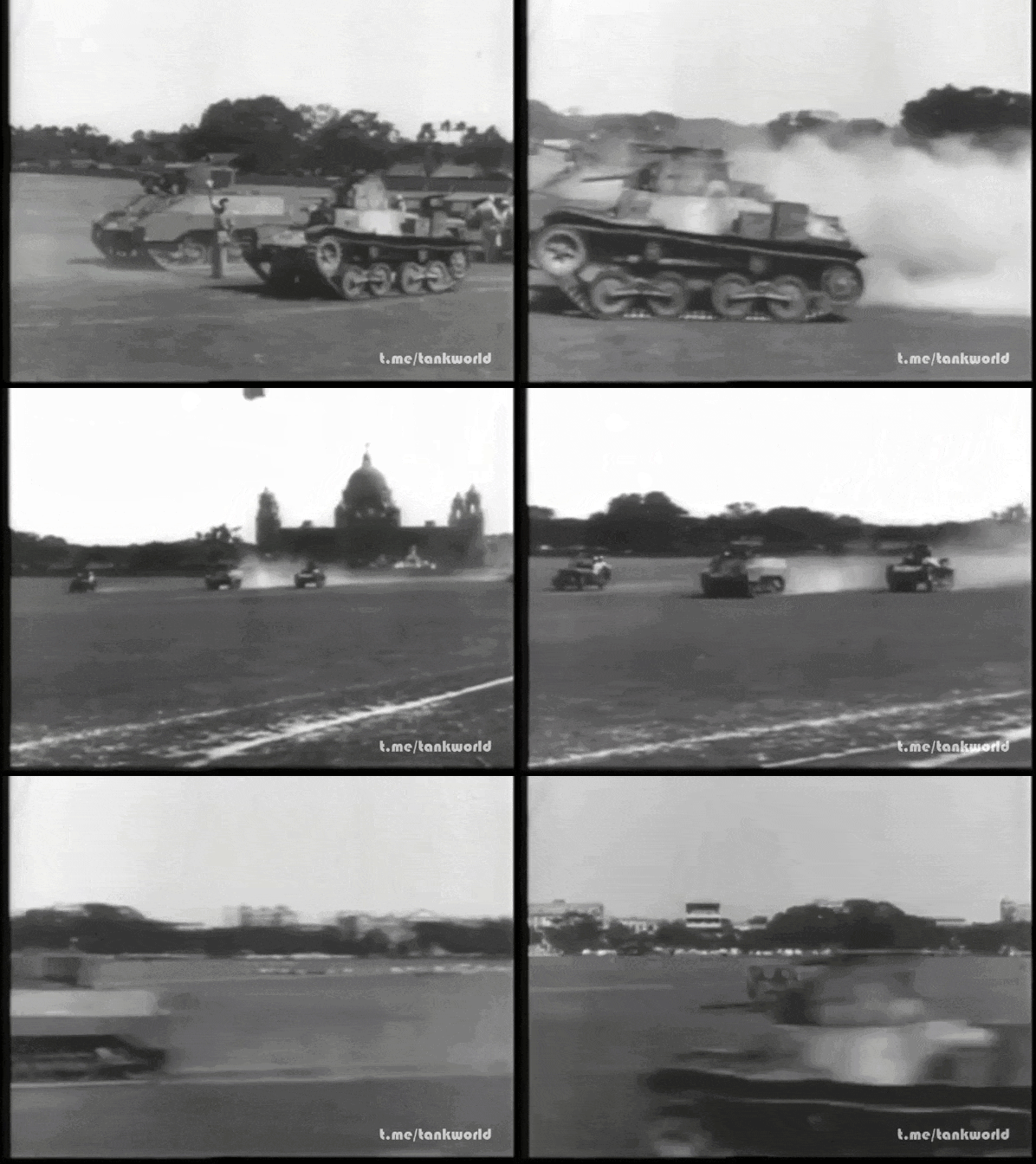
Дрэг-рейсинг между Type 95 Ha-Go и M5 Stuart.

Don’t rush it – the right programme doesn’t always come together quickly, but I hope everything will be of high quality and easy to understand!

Image
Image
https://runews24.ru/articles/23/03/2026 ... trove-xark
As for the new missions – even if they’re alternative and hypothetical, based on the ‘Modern Conflicts’ mod – it’ll be very interesting and intriguing to see and play them in your interpretation, as you’ve already developed your own style and signature touch!
Image
Translated with DeepL.com (free version)
Last edited by bondjamesbond on Thu Jul 23, 2026 1:26 pm, edited 2 times in total.
https://mynickname.com/id73473
Image
nikivdd
Panzer Corps Map Designer
Posts: 5061
Joined: Fri Jun 24, 2011 1:21 pm
Location: Belgium

Re: Panzer Corps Toolkit v2.0.3.1 (23/07/26)

Post by nikivdd »

v2.0.3.1: https://www.mediafire.com/file/6jqv2eye ... 1.rar/file
.
What's new?

Create BigUnit converts a standard Panzer Corps unit sprite into a single 256 × 256 transparent BigUnit image. It supports ground and aircraft sprite formats, automatically crops and scales the selected unit view, and provides manual controls for positioning, size, rotation, flipping, transparency cleanup, sharpening, smoothing, and other image-quality adjustments;

Create BigUnit (Bulk) is the automated batch version. It processes an entire folder of compatible ground and aircraft sprites in one operation, applies the selected settings consistently, preserves the original filenames, saves the generated BigUnits to a separate output folder, and provides progress information plus a detailed result log for processed or skipped files;

Czech and Ukrainian language support added;

Additional custom insignias for Paint Unit.
nikivdd
Panzer Corps Map Designer
Posts: 5061
Joined: Fri Jun 24, 2011 1:21 pm
Location: Belgium

Re: Panzer Corps Toolkit v2.0.3.1 (23/07/26)

Post by nikivdd »

Preview "Create Skin from Camo Pattern"
.
1.png
1.png (826.73 KiB) Viewed 230 times
.
2.png
2.png (12.4 KiB) Viewed 230 times
.
3.png
3.png (385.49 KiB) Viewed 230 times
.
Sample skin of the upcoming new feature:
.
Camo_Skin.png
Camo_Skin.png (69.14 KiB) Viewed 230 times
.
Camo_Skin_Thumb.png
Camo_Skin_Thumb.png (12.16 KiB) Viewed 230 times
.
Camo_Skin2.png
Camo_Skin2.png (72.33 KiB) Viewed 230 times
.
Camo_Skin2_Thumb.png
Camo_Skin2_Thumb.png (12.2 KiB) Viewed 230 times
.
Tiger_II_painted1.png
Tiger_II_painted1.png (33.64 KiB) Viewed 230 times
.
The skin generator still needs refinement ;)
The smaller icons of the camo sprite should be mirrors, not two different ones.
nikivdd
Panzer Corps Map Designer
Posts: 5061
Joined: Fri Jun 24, 2011 1:21 pm
Location: Belgium

Re: Panzer Corps Toolkit v2.0.3.1 (23/07/26)

Post by nikivdd »

Create a skin from a camouflage pattern (continued)
.
Camo5_Skin.png
Camo5_Skin.png (82.21 KiB) Viewed 193 times
.
Camo5_Skin_Thumb.png
Camo5_Skin_Thumb.png (12.49 KiB) Viewed 193 times
.
Test1.png
Test1.png (30.68 KiB) Viewed 193 times
.
Test2.png
Test2.png (23.06 KiB) Viewed 193 times
.
Unit skins are finally been created as it should be. The small ones at the bottom are each others mirrors. The right half of the large one is the mirror of the left half.
.
Panzer.png
Panzer.png (62.71 KiB) Viewed 193 times
.
Panzer_Thumb.png
Panzer_Thumb.png (8.74 KiB) Viewed 193 times
.
Test_PzIIIN.png
Test_PzIIIN.png (23.27 KiB) Viewed 193 times
.
Test_Plane.png
Test_Plane.png (16.89 KiB) Viewed 193 times
.
Create a skin from a camouflage pattern will be available in the next update!
bondjamesbond
Lieutenant-General - Do 217E
Posts: 3054
Joined: Mon Jun 27, 2022 10:10 pm

Re: Panzer Corps Toolkit v2.0.3.1 (23/07/26)

Post by bondjamesbond »

nikivdd wrote: Thu Jul 23, 2026 6:49 pm Create a skin from a camouflage pattern (continued)
.
Camo5_Skin.png
.
Camo5_Skin_Thumb.png
.
Test1.png
.
Test2.png
.
Unit skins are finally been created as it should be. The small ones at the bottom are each others mirrors. The right half of the large one is the mirror of the left half.
.
Panzer.png
.
Panzer_Thumb.png
.
Test_PzIIIN.png
.
Test_Plane.png
.
Create a skin from a camouflage pattern will be available in the next update!
Image
This camouflage could come in very handy for anyone creating a mod based on the Arab-Israeli wars or the Korean War of 1950–53, for example! Here, for instance, are some pictures of German tanks and self-propelled guns from the Second World War that were used by Syria.
https://union.4bb.ru/viewtopic.php?id=1488&p=3#p125862
https://reibert.info/threads/nemeckoe-t ... 041/page-6

A UN peacekeeper with an MP-40!

https://www.yaplakal.com/forum2/topic1776801.html
https://www.youtube.com/watch?v=G4lk0d9GI34
Attachments
FNMP40.jpg
FNMP40.jpg (53.26 KiB) Viewed 137 times
https://mynickname.com/id73473
Image
nikivdd
Panzer Corps Map Designer
Posts: 5061
Joined: Fri Jun 24, 2011 1:21 pm
Location: Belgium

Re: Panzer Corps Toolkit v2.0.4.2 (24/07/26)

Post by nikivdd »

v2.0.4.2: https://www.mediafire.com/file/qq26025o ... 2.rar/file
.
Since v2.0.3.1, the main additions and improvements are:

Added Misc → Change Opening Screen with four selectable startup backgrounds and saved user preference.

Added Create Skin from Camo Pattern with file loading, clipboard paste, Ctrl+V, Undo Paste, live preview, layout controls, and paired skin/thumbnail saving.
Corrected standard 296 × 296 skin generation:
mirrored left/right top section
mirrored lower icons
fully opaque compatible thumbnails

Improved Reinforcements and Upgrade Unit generators

Completely redesigned the Army Doctrine Generator:
age-based equipment selection
nearest age-band fallback
cheaper same-class replacements when over budget
better historical variety while respecting budget

Imported campaign armies are now grouped by unit class in Reinforcements and Upgrade displays.

Added EQP Availability Timeline viewer (under menu viewer, eqp file) with:
nation and class selection
previous/next month navigation
four columns: Newly Available, Currently Available, Becoming Obsolete, Obsolete
no duplicate unit listings

Added and corrected localization, installer metadata, documentation, changelogs, and build scripts through v2.0.4.2.
Post Reply

Return to “Panzer Corps : Scenario Design”