Page 2 of 3
Re: Couple of questions
Posted: Thu Feb 22, 2018 5:05 pm
by gunnyjs
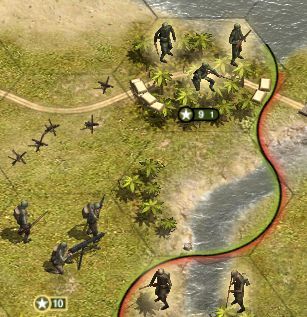
PoorOldSpike wrote:I'm probably making a fool of myself by asking, but why do some units have two numbers like this Marine (top right) in US Pacific > Guadalcanal?
I know the '9' is his current strength, but what's the '1' for?
And note the other unit doesn't have two numbers, just a straight '10'
PS- and by the way, is there any hotkey or tweak or mod to make the number plates bigger and easier to see? (my poor 60-year-old eyeballs are feeling the strain)
You are probably doing this already but I scroll the mouse wheel some to enlarge stuff but I don't like it zoomed in all the way cause it looses the map size view here is a .pdf showing different sizes vs scrolling in
https://www.dropbox.com/s/hrhpst6yqr9lt ... s.pdf?dl=0
Re: Couple of questions
Posted: Thu Feb 22, 2018 5:25 pm
by PoorOldSpike
Thanks guys, yes it makes sense that the Marines carry a goody bag of extra supplies around with them..

And Gunny, thanks for the zoom level shots, at the moment my number plates are always too small even when zoomed out or zoomed fully in.
For example when I zoom in on a unit, the unit gets bigger but the number plate stays small, like in my earlier Marine screenshot!
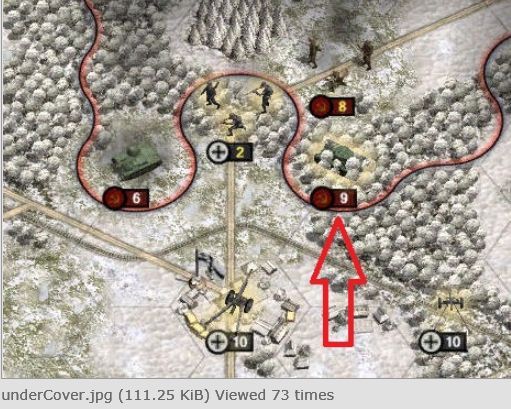
PS- I just noticed this shot in a post by GabeKnight in the 5.2.9 thread, the large number plates are what I want and when I asked him how he did it and he said try zooming, but like I said, zooming doesn't make them bigger for me.
It's probably a reso thing, i'll try some reso tests later by juggling the game, vid card and monitor settings or something..
Re: Couple of questions
Posted: Thu Feb 22, 2018 5:43 pm
by Shards
Just did a quick test with zoom and resolutions.
Unit size doesn't make any difference, nor it seems does smaller resolutions in a Window.
The best I managed to get the plates was by zooming all the way in, then zooming about approx 12 clicks on my mouse wheel. That seemed to scale up the plates a bit whilst still giving a bit more view of the battlefield.
Re: Couple of questions
Posted: Thu Feb 22, 2018 5:49 pm
by GabeKnight
Maybe this helps?
The "small scale" or "adjust units size" checkboxes maybe?
Re: Couple of questions
Posted: Thu Feb 22, 2018 7:11 pm
by PoorOldSpike
Thanks guys I'll try your suggestions..
Re: Couple of questions
Posted: Fri Feb 23, 2018 5:06 pm
by PoorOldSpike
Couple more questions-
1- I've read Bru's excellent Editor manual but I can't find (or have missed seeing) any mention about whether you can give units a random appearance percentage, say 50% which means there's a fifty-fifty chance that it'll be in the game each time you play, so that every game will be different and fresh.
2- Likewise is it possible to give a unit a random radius , say '4' which means it'll randomly appear in the placement hex or up to 4 hexes away from it in any random direction? That way every time you play you won't know where he is and it's fresh every game.
3- When placing a defensive line in the editor, is it possible to make them all start ready-entrenched at the start?
(BTW, the Panzer Corps editor has all the above features)
Re: Couple of questions
Posted: Fri Feb 23, 2018 5:27 pm
by Shards
There is certainly a Random Trigger that you can use to vary the game each time. It's a touch clunky, but it works.
You have to use Random Trigger and individual triggers pointing to various spots if you want the spawn position to vary, there's no direct analogy to random radius
When you click on a unit in the editor, you'll see three numbers to the right of the AI team button. These are Strength, Experience and Entrenchment. All out of 10.
Re: Couple of questions
Posted: Fri Feb 23, 2018 5:44 pm
by gunnyjs
Yeah under PREFERENCES choose LARGE SCALE ---- zooming in helps but yal just a little - I should have referred to Captain Obvious cause zooming in does not get a vast improvement wait I just tried large scale, small scale, and Dynamic, Uh, it does change the Unit Scale as the choices there say that it will but once again yeah the plates stay the same size - so chalk it up to fog of war and attack anyway forget the plate size. Fixed Positions are monuments to the stupidity of man ATTACK !!
Re: Couple of questions
Posted: Fri Feb 23, 2018 5:51 pm
by PoorOldSpike
Yeah Gunny I've discovered the plates stay the same small size no matter what combinations of resolution and ingame scaling I use, but I'm getting use to it so no sweat, and thanks to for the spawn stuff trigger info..
(I wish game developers everywhere would remember we've not all got gigantic monitors like they have, in fact there's a whole bunch of unplayable games sitting gathering dust on my shelf because the onscreen graphics and text is too uncomfortably small)
Thanks Shards you've answered my start-entrenched question, now I'll psyche myself up to explore the labyrinth of trigger-editing, I'll unwind a ball of string as I go in so I should be able to find my way back out.
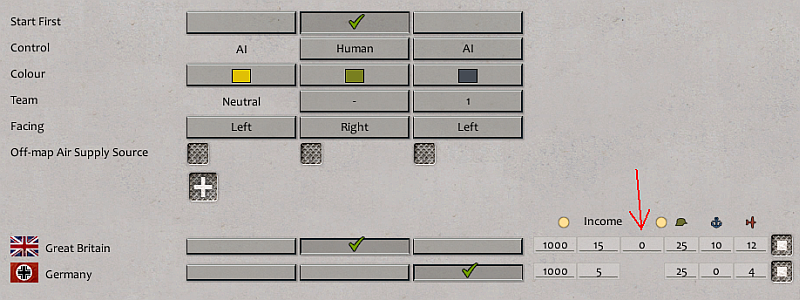
PS- another question has just surfaced, namely what's that red arrowed number for, I've set it to various experimental values but can't see what effect it has on income, but maths never was my strong point..
Re: Couple of questions
Posted: Fri Feb 23, 2018 5:56 pm
by gunnyjs
PoorOldSpike wrote:Couple more questions-
3- When placing a defensive line in the editor, is it possible to make them all start ready-entrenched at the start?
(BTW, the Panzer Corps editor has all the above features)
Ok this may help but it does not refer to at the start but maybe you could tweak it - so in a scenario I made I have units appear After the scenario begins (but they show up where the map is still dark ok anyway) to do this I did the following:
Made A Trigger and had it begin on TURN START
The Condition was simply CHECK TURN then I specified a turn
The Effect was SPAWN UNIT ok so the key is when you use the effect spawn unit you can among other things set the ENTRENCHMENT LEVEL !!!! (along with stenght expierience efficiency etc) The only problem is can this be done at the start I am thinking you mean at the start of the scenario but if you mean at the start of the turn then this should work
Woo Hoo !!!
Re: Couple of questions
Posted: Fri Feb 23, 2018 6:00 pm
by gunnyjs
I think the area you point out with the red arrow is this:
"Set the Resource Points for each nation in each active alliance. In order, from left to right, the first three columns are starting resource points, resource points Income (added each turn), and, for human players only and if applicable, compensation resource points given to human players due to the absence of core units if the scenario is to be played in stand-alone mode outside of a campaign." Page 10 of the Editor Manual (Discalmer: but I may be all wet)
Re: Couple of questions
Posted: Fri Feb 23, 2018 6:02 pm
by GabeKnight
PoorOldSpike wrote:PS- another question has just surfaced, namely what's that red arrowed number for, I've set it to various experimental values but can't see what effect it has on income, but maths never was my strong point..
It's extra RP for the player if the scenario is played outside of a campaign by single scenario mode.
Re: Couple of questions
Posted: Sun Feb 25, 2018 8:12 pm
by gunnyjs
This is a quote the first sentence ...(I wish game developers everywhere would remember we've not all got gigantic monitors like they have, in fact there's a whole bunch of unplayable games sitting gathering dust on my shelf because the onscreen graphics and text is too uncomfortably small) ....
Hey Spike since we are still answering your couple of questions that is now a questionnaire maybe consider that I use a BENQ XL2411 According to Amazon it shows this below:
BenQ XL2411Z 144Hz 1ms 24 inch Gaming Monitor NVIDIA 3D Vision Supported seamless FPS RTS MOBA Game eSport (Discontinued by Manufacturer)
so its 24 inches and is the best monitor I have owned so far and I think you are worth it forget the family buy you something huge and decent - if this is one of your major forms of entertainment then that is a good enough excuse. It reads above Discontinued by Manufacturer maybe its a piece of junk but I like it I have had it awhile and so maybe other models have come out who knows. I also have a good video card that is matched to a respectable chip, ram etc. Well the pc is now about a year old and was not the best out there so its probably outdated but it does the job just fine.
I am just begging you to treat yourself - maybe if you see better you won't be asking us so many questions .... just kidding boss.
Re: Couple of questions
Posted: Mon Feb 26, 2018 12:13 am
by PoorOldSpike
gunnyjs wrote:BenQ XL2411Z 144Hz 1ms 24 inch Gaming Monitor NVIDIA 3D Vision Supported seamless FPS RTS MOBA Game eSport (Discontinued by Manufacturer)..so its 24 inches and is the best monitor I have owned so far and I think you are worth it forget the family buy you something huge and decent...I am just begging you to treat yourself - maybe if you see better you won't be asking us so many questions .... just kidding boss.
I've got a big 27" monitor, we single men are rolling in cash, I decided many years ago I didn't want to get married and be a family man saddled with a nagging wife and noisy smelly kids, and I like living alone spending all my pennies on myself and nobody else..
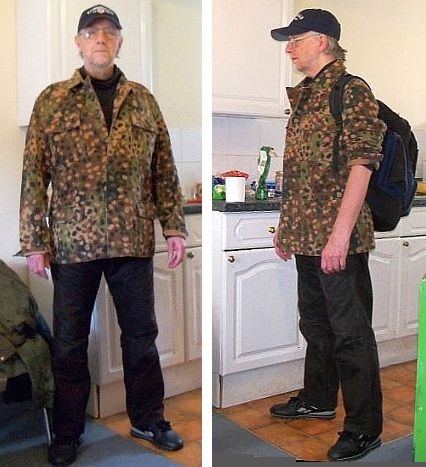
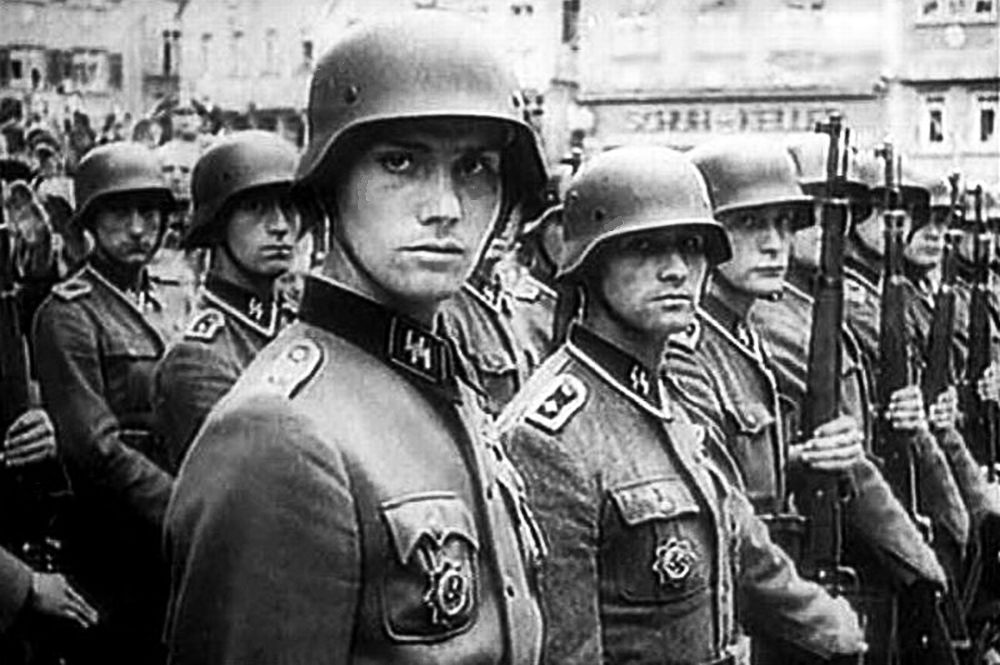
PS- This is me in a replica Waffen-SS jacket I bought myself recently for 50 GB pounds (75 US dollars) and am going to strut around town in it; I might award myself a Tank Destruction shoulder patch to sew on it..
Re: Couple of questions
Posted: Mon Feb 26, 2018 3:15 am
by gunnyjs
Our lives about mirror each other and we have similar belongings - Ok Good you are on the right track
Re: Couple of questions
Posted: Tue Feb 27, 2018 11:36 am
by PoorOldSpike
Here's another question that maybe the devs can answer?-
We love the devs to bits of course, but why are there no West Front DLC's for OOB covering from Normandy to the fall of Germany?
That glaring omission means there are are a lot of WW2 wargamers out there who simply aren't going to buy OOB because it's got no WF in it, so I'd urge the devs to get a WF DLC on the market as a matter of priority.
I'm surprised they chose instead to put a lot of their valuable time and effort into producing lower-priority DLC's like Rising Sun, Winter War and Kriegsmarine.
Ironically
there are already a great range of British and American units in the OOB Editor just waiting to be put into scenarios for a WF DLC, so the job's already half done..
PS- I know we can use those units to create our own WF scens in the editor, but sadly the range doesn't include the very important Brit Cromwell tank, I suppose the devs forgot to put it in, grrrr...
Cromwell-
 http://www.mission4today.com/index.php? ... orum&f=134
Re: Couple of questions
Posted: Tue Feb 27, 2018 11:45 am
by Shards
Order of Battle started out as "Order of Battle - Pacific", focussing very much on that theatre. The game has only moved to Europe in the last year or so...
Re: Couple of questions
Posted: Tue Feb 27, 2018 12:10 pm
by Horst
If the Western Allied and Soviet DLCs cover the war from start to end, then I bet the German faction is first finished with all necessary German units before other faction campaigns against Germany are created. After Afrika (Korps) comes possibly Endkrieg, but that's just my silly speculation.
OoB is a game of patience!

Re: Couple of questions
Posted: Tue Feb 27, 2018 12:14 pm
by PoorOldSpike
Thanks guys, yeah, I own both the excellent 'Blitzkrieg' and 'Panzerkrieg' DLC's but I'm itching to have a crack at jerry in the fields of Normandy, Arnhem, Bulge and Aachen etc.
If the devs would like me to playtest any beta WF scens they're producing I'd be glad to lend a hand to ease their workload, I'm retired and can put in 10 hours a day on it, Adolf's boys are calling us out!..
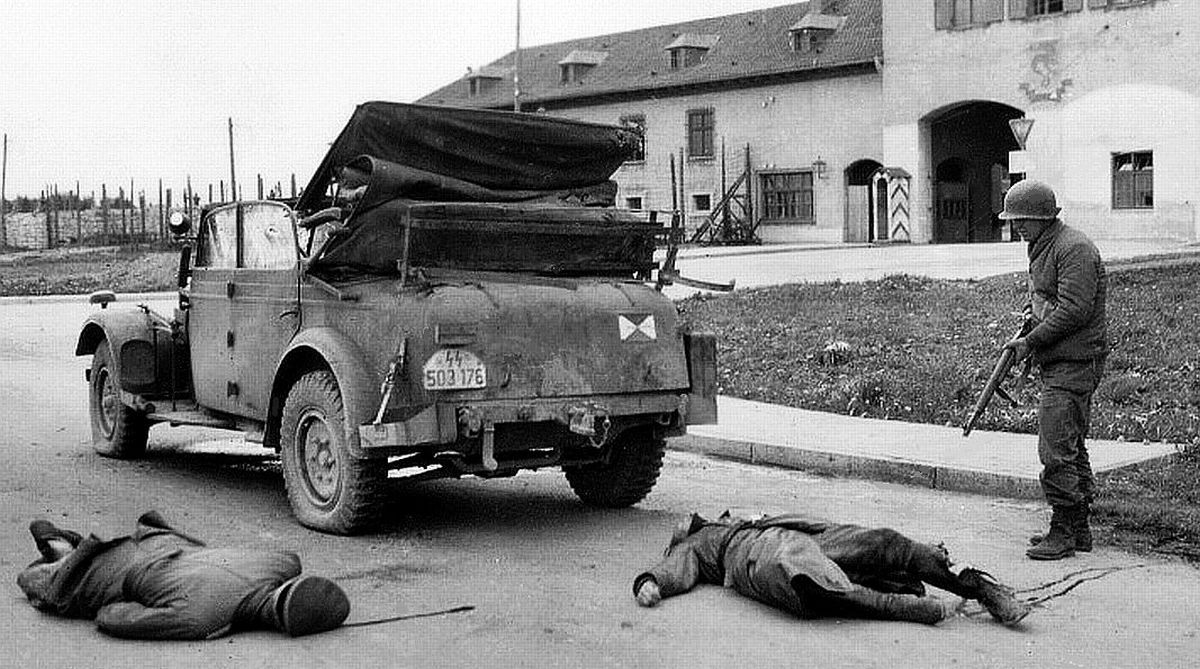
Could get rough out there...
US troops ambush and kill SS officer Ernst Fick (left) and his driver at Murnau, Germany April 29th 1945
 http://www.mission4today.com/index.php? ... orum&f=134
"Before America entered the war I knew we could not win it.
http://www.mission4today.com/index.php? ... orum&f=134
"Before America entered the war I knew we could not win it.
After she entered I knew we could not lose"- Winston Churchill
Re: Couple of questions
Posted: Tue Feb 27, 2018 2:16 pm
by gunnyjs
The problem is those tires look like they need a little air