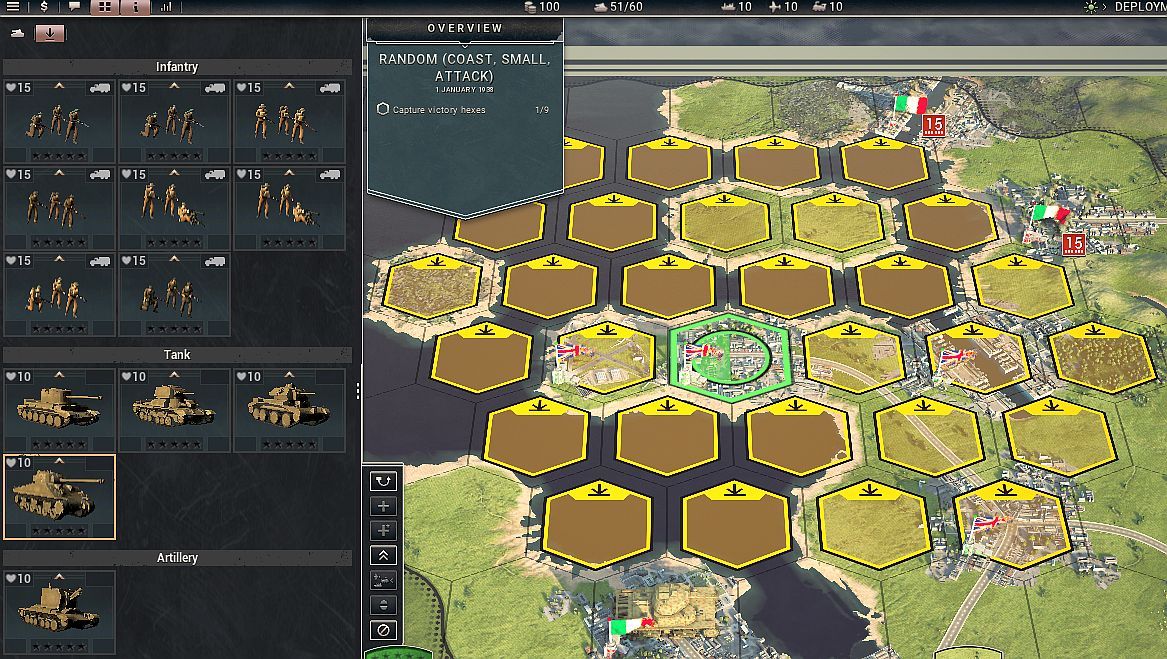
Cannot deploy units
Posted: Fri Apr 24, 2020 5:16 pm
The manual says,"Deploying units is most easily done with the
unit list open. To deploy a unit, select it on the unit list and then click one of
the highlighted hexes on the map to position the unit there. If you change your
mind, you can undeploy a unit by right-clicking it on the map or by using the
‘Undeploy’ action found above the unit info panel in the bottom left corner of
your screen. Keep doing this until all of your units are either in reserve or on
the map."
Instead when a unit is selected and the open hex on the map is selected
a rotating circle of dashes appears around the hex the unit is to go to. The whole
screen freezes at that point.
unit list open. To deploy a unit, select it on the unit list and then click one of
the highlighted hexes on the map to position the unit there. If you change your
mind, you can undeploy a unit by right-clicking it on the map or by using the
‘Undeploy’ action found above the unit info panel in the bottom left corner of
your screen. Keep doing this until all of your units are either in reserve or on
the map."
Instead when a unit is selected and the open hex on the map is selected
a rotating circle of dashes appears around the hex the unit is to go to. The whole
screen freezes at that point.