Page 1 of 1
Q: Map Visibility
Posted: Fri Mar 13, 2020 5:48 pm
by vexiliant
Is there a way to [I'll call it FOW] not have FOW? [Fog Of War]
I'll give an example:
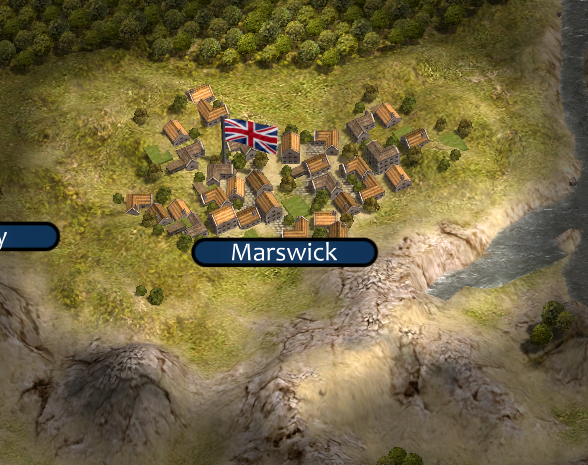
- marswick.png (774.76 KiB) Viewed 1352 times
It only gives a hex visibility of 1. When making Non-playable scenarios it's kind of a bummer that I can't see the entire map w/o FOW.
Another example is a huge city. Having VP's around it with only 1 hex visibility around it is not appealing..... [An obvious hint to a Non-playable scenario

]
Re: Q: Map Visibility
Posted: Fri Mar 13, 2020 9:30 pm
by Zekedia222
You could you the console command “#orbitalcommand”
Re: Q: Map Visibility
Posted: Fri Mar 13, 2020 11:29 pm
by timberwolf15
In order to enter a console command type in <SHIFT> + C - this means hold down the Shift Key then press the C key but you probably know this -- also as you already know there is a section of Stickies in the forum and one of them is a "Cheat CODES" thread which explains all the commands including #orbitalcommand
Now, there has been discussions in the threads that this command affects the AI wherein the AI too can not see everything .. and this may NOT be what you want ..
so for scenario design command can be ideal you can also put into your scenarios Triggers which reveal areas are available but I can ONLY get the trigger to reveal the map for ONE turn only no matter what I do how I change it etc. Whether using = < > Turn number whatever .. this trigger allows the map to be reveal by however many hexes ya want which may help you but unfortunately after extensive play testing and trigger tweaks I can ONLY get the reveal map thing to work on ONE turn for example, only on turn 3 or only on turn 4 etc.
Triggers and figuring them out get my hair grey.
Re: Q: Map Visibility
Posted: Sat Mar 14, 2020 3:40 am
by GabeKnight
Bruce's excellent
Scen Editor Manual.
Also Vex, I would suggest to load some of the stock scens in the editor and go over them a bit. Use a scen you've already played and know well and see how it has been done by others.
@gunny
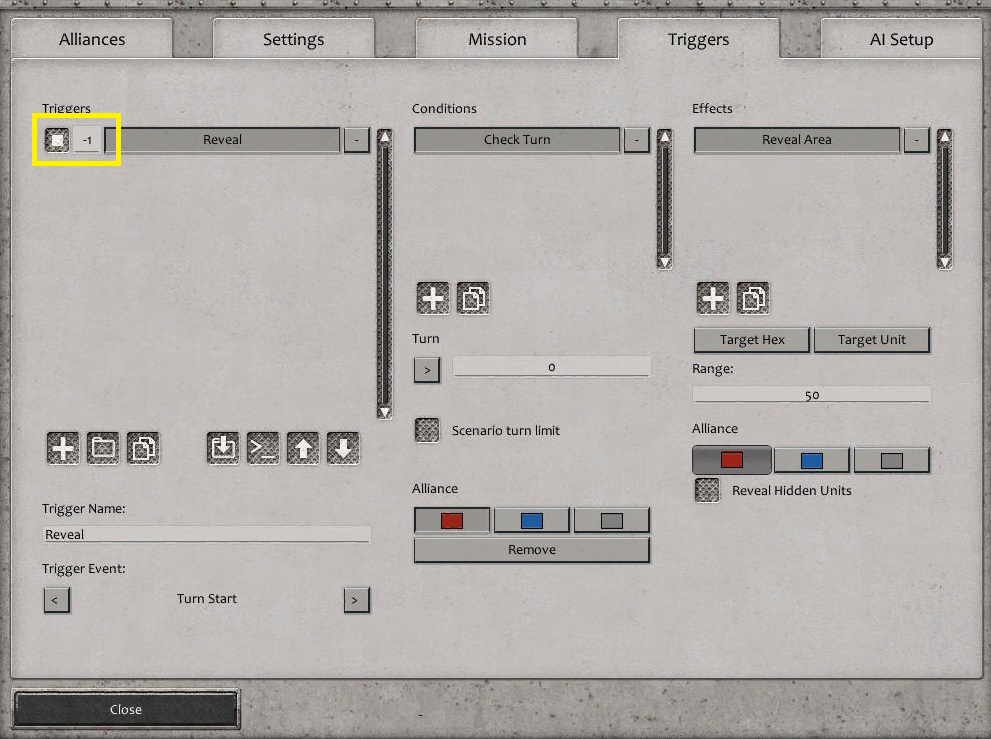
- Screenshot 63.jpg (203.64 KiB) Viewed 1318 times
Re: Q: Map Visibility
Posted: Sat Mar 14, 2020 5:21 am
by timberwolf15
GabeKnight wrote: Sat Mar 14, 2020 3:40 am
Bruce's excellent
Scen Editor Manual.
Also Vex, I would suggest to load some of the stock scens in the editor and go over them a bit. Use a scen you've already played and know well and see how it has been done by others.
@gunny
Screenshot 63.jpg
Thanks Gabe this is the 2nd time I have been schooled by the answer here which is to fiddle with the highlighted yellow area there was something else I did in a campaign I made earlier and this was the answer to make the trigger work by assigning here the right number thing then I quickly forgot this concept I payed zero attention to this area in yellow after having read the scenario manual months and months ago but it is there for a reason this helps in many ways thanks...
Re: Q: Map Visibility
Posted: Sat Mar 14, 2020 7:14 pm
by vexiliant
GabeKnight wrote: Sat Mar 14, 2020 3:40 am
I would suggest to load some of the stock scens in the editor and go over them a bit. Use a scen you've already played and know well and see how it has been done by others.
I'm quite confused, can you further explain what it means?
Re: Q: Map Visibility
Posted: Sat Mar 14, 2020 7:17 pm
by vexiliant
Zekedia222 wrote: Fri Mar 13, 2020 9:30 pm
You could you the console command “#orbitalcommand”
I forgot about that command, thanks!