Page 1 of 2
Pictures for events
Posted: Thu Jan 16, 2020 7:18 am
by vexiliant
Branching of off my other question about triggers (
Trigger Question (briefing)), I've now put those into use. Now the question is:
Where would we put the pictures for the outcome's, event's, popups, etc.?
I notice how when looking in official/custom made scenarios' folders there are the pictures for those. Is that it? If so (or not), how would I implement them in-game?
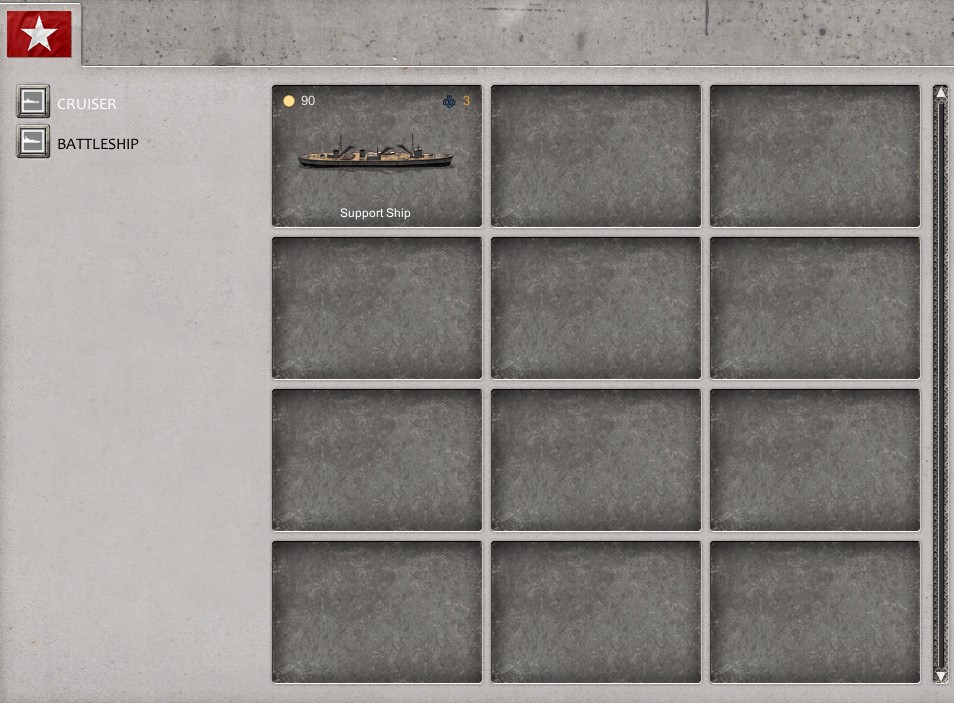
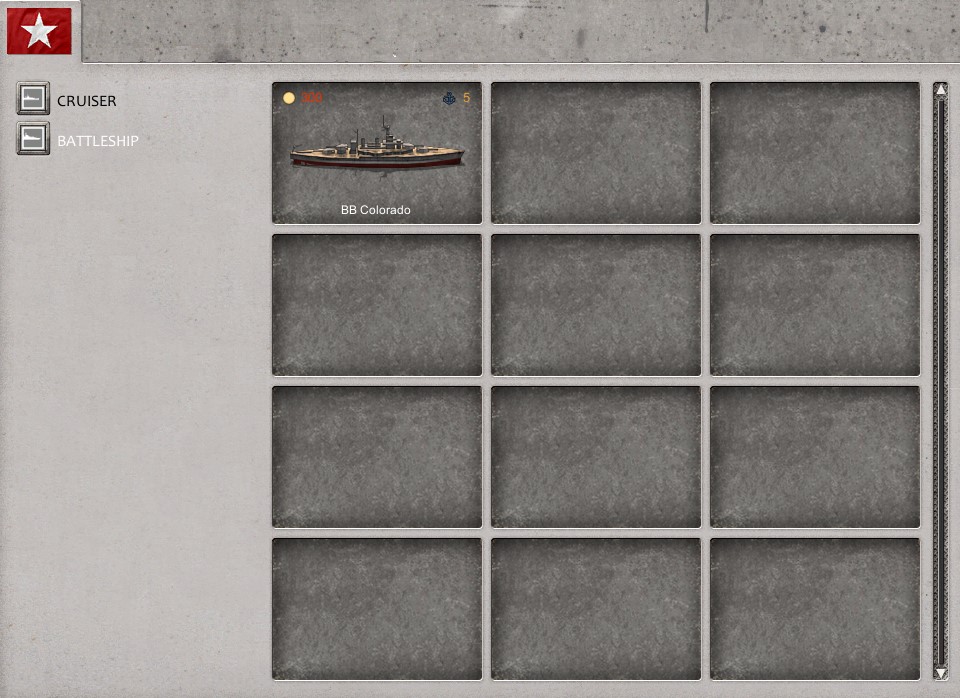
[P.S: For some reason, you can buy stuff even before WW2.... I hope this is a bug

]
- REDsup.jpg (163.9 KiB) Viewed 2742 times
- REDbat.jpg (163.41 KiB) Viewed 2742 times
Re: Pictures for events
Posted: Thu Jan 16, 2020 10:50 am
by Erik2
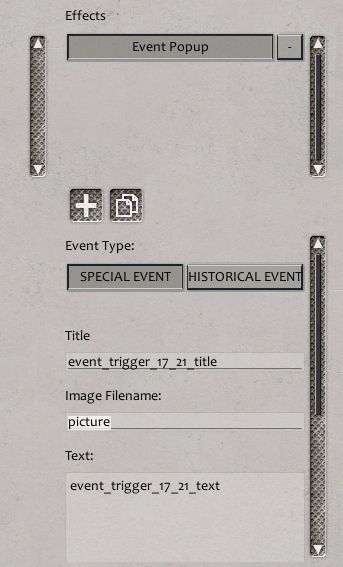
Put the picture.png image in the scenario folder.
Add the image name to the trigger.
- pic.jpg (27.8 KiB) Viewed 2733 times
Re: Pictures for events
Posted: Thu Jan 16, 2020 11:20 am
by Zekedia222
No, that stuff is perfectly fine. USS Colorado was commissioned in 1927, so its availability should be sometime in 1927.
Re: Pictures for events
Posted: Thu Jan 16, 2020 3:40 pm
by vexiliant
Zekedia222 wrote: Thu Jan 16, 2020 11:20 am
No, that stuff is perfectly fine. USS Colorado was commissioned in 1927, so its availability should be sometime in 1927.
I set the date as "1782". Don't know why it does that, I can understand the support ships feature but 1782? That does not make sense, I guess they didn't set it as n/a before 1927 since they probably didn't think that people would be making scenarios before it..
Re: Pictures for events
Posted: Thu Jan 16, 2020 3:43 pm
by vexiliant
Erik2 wrote: Thu Jan 16, 2020 10:50 am
Put the picture.png image in the scenario folder.
Add the image name to the trigger.
Yes, tried that, but didn't work. I put it in the scenario's folder itself, is it literally just the Scenario folder(where all your scenarios are put in)?
Re: Pictures for events
Posted: Thu Jan 16, 2020 5:13 pm
by Erik2
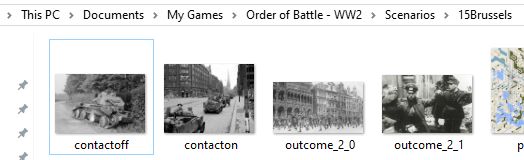
Scenarios folder path
- image.jpg (18.3 KiB) Viewed 2704 times
Re: Pictures for events
Posted: Thu Jan 16, 2020 6:54 pm
by vexiliant
So would it be this?
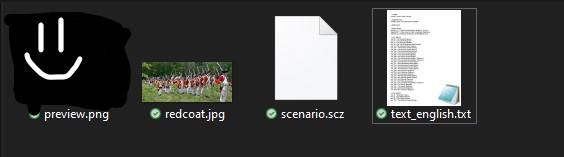
- redcoatp.jpg (14.37 KiB) Viewed 2697 times
When I tried It it didn't work, I think I had to restart OoB.
Re: Pictures for events
Posted: Thu Jan 16, 2020 7:05 pm
by bru888
I'm not sure what you are showing us but it does look like the contents of the scenario folder, yes. However, I noticed that one of your images, "redcoat," is in JPG format. All images in OOB (except, oddly, map templates) must be in PNG format.
Re: Pictures for events
Posted: Thu Jan 16, 2020 7:19 pm
by vexiliant
bru888 wrote: Thu Jan 16, 2020 7:05 pm
I'm not sure what you are showing us
I'm showing if it is put in the correct place for images (and yes, redcoat was the one I was trying to show)
Re: Pictures for events
Posted: Thu Jan 16, 2020 7:24 pm
by vexiliant
Update: Just replaced it with a PNG image.
Re: Pictures for events
Posted: Thu Jan 16, 2020 8:16 pm
by LNDavoust
You should put the pictures in the folder were the rest of the scen's files are, Vex. For example, if your scen is called "Gotterdammerung", you should put the files in "C:\Users\YourUserName\Documents\My Games\Order of Battle - WW2\Scenarios\Gotterdammerung".
Keep in mind that the pics won't load if you execute the scenario from the editor. You should play from the Menu Screen (Single Player, Scenarios,...)
Re: Pictures for events
Posted: Thu Jan 16, 2020 8:19 pm
by LNDavoust
Yep, the PNG detail is also important xD
Also, regarding the size of the pictures (from the editor manual): "(...) pictures need to be 512 x 415 pixel PNG files (...)".
Re: Pictures for events
Posted: Thu Jan 16, 2020 8:24 pm
by bru888
LNDavoust wrote: Thu Jan 16, 2020 8:19 pm
Also, regarding the size of the pictures (from the editor manual): "(...) pictures need to be 512 x 415 pixel PNG files (...)".
Not in every case, though. I compiled this list in response to another inquiry a while back:
Optimal Image Sizes
If you canvass the official DLC, the optimal image sizes seem to be:
- Campaign introductory image 817 x 485 pixels
- Campaign background map 1967 x 1500 pixels
- Campaign mask tga files 512 x 390 pixels
- Campaign/Scenario event and outcome images 512 x 415 pixels
Re: Pictures for events
Posted: Thu Jan 16, 2020 11:26 pm
by timberwolf15
edited no longer needed
- battlegroup.jpeg (427.05 KiB) Viewed 2431 times
Re: Pictures for events
Posted: Fri Jan 17, 2020 4:57 am
by vexiliant
gunny wrote: Thu Jan 16, 2020 11:26 pm
How are you guys putting pics into the thread I used to be able to do that now I can't ... thanks in advance .
Assuming you mean
attachments.
Save your image somewhere you can access is and drag and drop to the screen! Just click
Place inline to where you want it after copying the image here (where you are responding).
There is also an option to
"Add files" as well.
Re: Pictures for events
Posted: Fri Jan 17, 2020 8:04 pm
by vexiliant
LNDavoust wrote: Thu Jan 16, 2020 8:16 pm
Keep in mind that the pics won't load if you execute the scenario from the editor. You should play from the Menu Screen (Single Player, Scenarios,...)
Gotcha! I was playing from SE, and was confused when it didn't show...
Re: Pictures for events
Posted: Sat Jan 18, 2020 12:40 am
by timberwolf15
Ok thanks
The attachment test.png is no longer available
Ok I got it one clicks on Attachments then on add files then a window pops up and you choose the file you want to add - the picture then click on place inline and its done
Re: Pictures for events
Posted: Sat Jan 18, 2020 12:43 am
by vexiliant
That also works, gunny.
Re: Pictures for events
Posted: Sat Jan 18, 2020 12:43 am
by timberwolf15
The attachment oob1pop.png is no longer available
The attachment oob2pop.png is no longer available
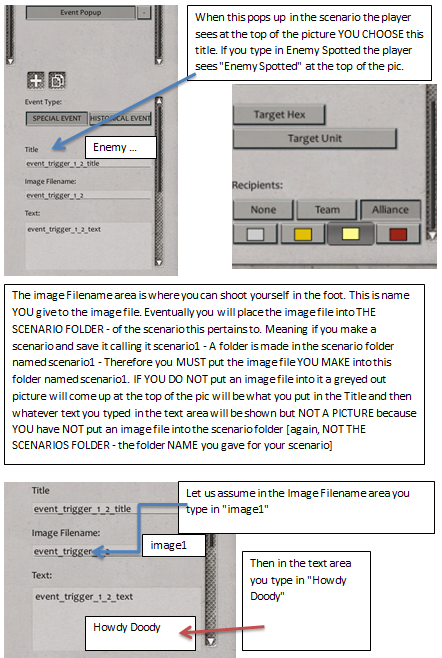
- oob1pop.png (230.36 KiB) Viewed 2600 times
Re: Pictures for events
Posted: Sat Jan 18, 2020 12:44 am
by Zekedia222
Hold on a second, are you trying to make the Revolutionary war or something?
