Page 1 of 1
screen frozen
Posted: Sun Oct 28, 2018 7:15 pm
by NikiforosFokas
It is the second time this happened to me.
While i play a multiplayer game the screen gets frozen, i can not move my cursor. Even the ctrl-alt-del combo does not work. I do not know if it is my pc's problem or of the games. So i just to want if it is only my problem.
The problem is new. A maybe useful info. Recently I start to play Sovereignty: Crown of Kings. I like the game but it is always crash. It gives a dialog box (something about the memory). Both of the times that i had the problem with Fog it was after this thing happened that i open Fog to play.
Have the right to relate this two things?
Re: screen frozen
Posted: Sun Oct 28, 2018 7:17 pm
by zakblood
might be better to upload a log or a report
viewtopic.php?f=488&t=79801
How to get a DirectX Diagnostic file:
1. click on "START"
2. click "run"
3. type in "dxdiag" and click "OK"
4. check through the tabs and perform all tests
5. click "Save all Information..." and save the text file to a location of your choice
We prefer that DxDiag files be posted as message attachments rather than pasted into the body of the post.
zip the file and attach it to a reply or previous post
Re: screen frozen
Posted: Sun Oct 28, 2018 7:20 pm
by NikiforosFokas
the problem is that i have to close the pc manually after that. can i take the log after the pc restarts?
Re: screen frozen
Posted: Sun Oct 28, 2018 7:21 pm
by zakblood
include any error logs from the game (these are found in C:\Users\[your PC]\Documents\My Games\ANCIENTS). Look for the error.log txt file. (Note: It is important to copy this before restarting the game, otherwise it will be rewritten)
so no sorry, option is get the log now before you restart the game, but on a windows reboot, yes that would be fine, log will still be there, hopefully
as it's a txt file same as the report, to attach it here, you have to add it to a zip file first
Re: screen frozen
Posted: Sun Oct 28, 2018 7:24 pm
by NikiforosFokas
So it is late now

but the next time i will not start the game before i will take the log.
And a side note ( i know it is not the right place here) but my good Zakblood am i the only one who finds Sovereignty unplayble due to the continues crashes?
Re: screen frozen
Posted: Sun Oct 28, 2018 7:36 pm
by zakblood
a few still have issues with the game, mainly hardware or software running tbh, as nobody from the developers have managed to track it down to the game from the error logs
viewforum.php?f=368
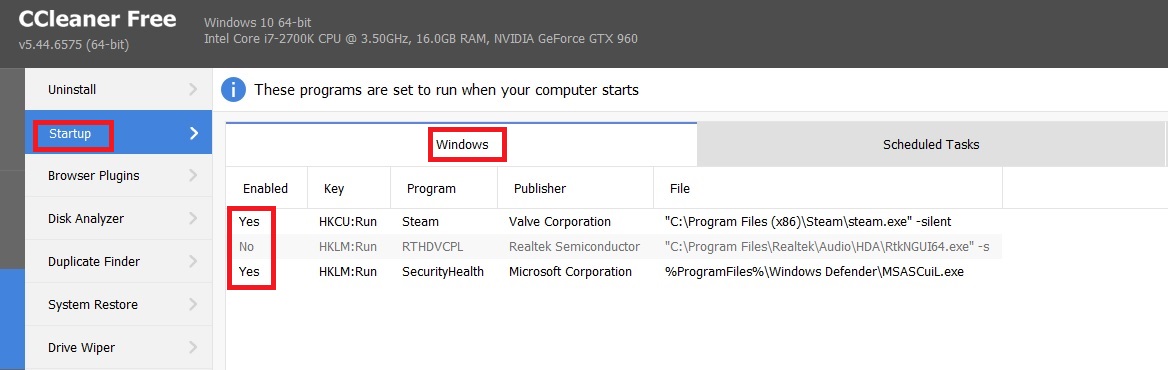
so for me Sovereignty works ok, but not everyone so agree with you, it all depends on what sort of pc you have and what O/S etc, how new it's been installed and how good are the drivers and software installed, like all games, a clean profile is better than a full one, and some apps and programs causes conflicts with none running causing less or none at all
- 3.jpg (84.46 KiB) Viewed 1788 times
Re: screen frozen
Posted: Mon Oct 29, 2018 7:24 am
by rbodleyscott
zakblood wrote: Sun Oct 28, 2018 7:21 pm
include any error logs from the game (these are found in C:\Users\[your PC]\Documents\My Games\ANCIENTS). Look for the error.log txt file. (Note: It is important to copy this before restarting the game, otherwise it will be rewritten
Actually
C:\Users\[your PC]\Documents\My Games\FIELDOFGLORY2
Re: screen frozen
Posted: Mon Oct 29, 2018 7:50 am
by zakblood
ooops my bad, and old link
failed
but not an issue either, helped him on steam with the issue last night and it's not a gaming one either, so hopefully today he will post it's sorted so no harm done
