Page 1 of 1
pointing problems after switch to Desktop
Posted: Mon Aug 06, 2018 9:54 am
by Trisztessa
Hello,
ist a while since i played OOB as i startet to Playagain the old Problem still exist i wrote it 3 times in steam nothing nada nichts^^
So i copy now the last message about this dingi hope u Programmers fix it plz finally .
******************
Rudel besitzt Order of Battle: World War II Vor 10 Stunden
Please fix finally the point for mouse and scroll...
Hell, i told it once got no answear ... so again,
If u switch once in Game to Desktop and then back the mouse pointer respektive the zentrum of him dont is anymore in the middle for the selekted Menue in game u must point outside the pointed menue to hit it ^^also the scroll is disturbed total with the mouse^^ Since years now is disapointing 100 % because u have to restart the game then to got the right settings then. So if u switch again to desktop and back in game u get the same Error please please fix this finally.
thx
and a fine day in while

Re: pointing problems after switch to Desktop
Posted: Mon Aug 06, 2018 10:07 am
by zakblood
most problems and errors are just a few hardware / software issues on a given pc, with the most being able to self fix with simple solutions like removing external usb none needed devices like joysticks etc, with poor or old drivers,...
How to get a DirectX Diagnostic file:
1. click on "START"
2. click "run"
3. type in "dxdiag" and click "OK"
4. check through the tabs and perform all tests
5. click "Save all Information..." and save the text file to a location of your choice
We prefer that DxDiag files be posted as message attachments rather than pasted into the body of the post.
once the report has been made, just attach it to your post with first adding the file to a zip, which is then permitted to attach to the forum
Re: pointing problems after switch to Desktop
Posted: Mon Aug 06, 2018 11:32 am
by Trisztessa
Jaja
i know well believe me allways u go for dx diag or smthing else xd
my rig is top at the time no probs.
i attach now the dx file u Need somthing more like the log file to i attachit also .
so ist done ^^
hope u will fix this year old braking bug .-)
Re: pointing problems after switch to Desktop
Posted: Mon Aug 06, 2018 11:51 am
by zakblood
Windows 7 Home Premium 64-bit (6.1, Build 7601) Service Pack 1 (7601.win7sp1_ldr.180608-0600)
Processor: Intel(R) Core(TM) i5-5200U CPU @ 2.20GHz (4 CPUs), ~2.2GHz
Memory: 8192MB RAM
BIOS: BIOS Date: 12/04/15 again 3 years out of date, check with M/B maker to see if there's a later version
Card name: NVIDIA GeForce GTX 960
Display Memory: 2705 MB
Dedicated Memory: 2980 MB
Shared Memory: 3821 MB
Current Mode: 1920 x 1080 (32 bit) (60Hz)
Driver Date/Size: 8/1/2018
Realtek High Definition Audio Date and Size:
6/9/2015 3 years out of date
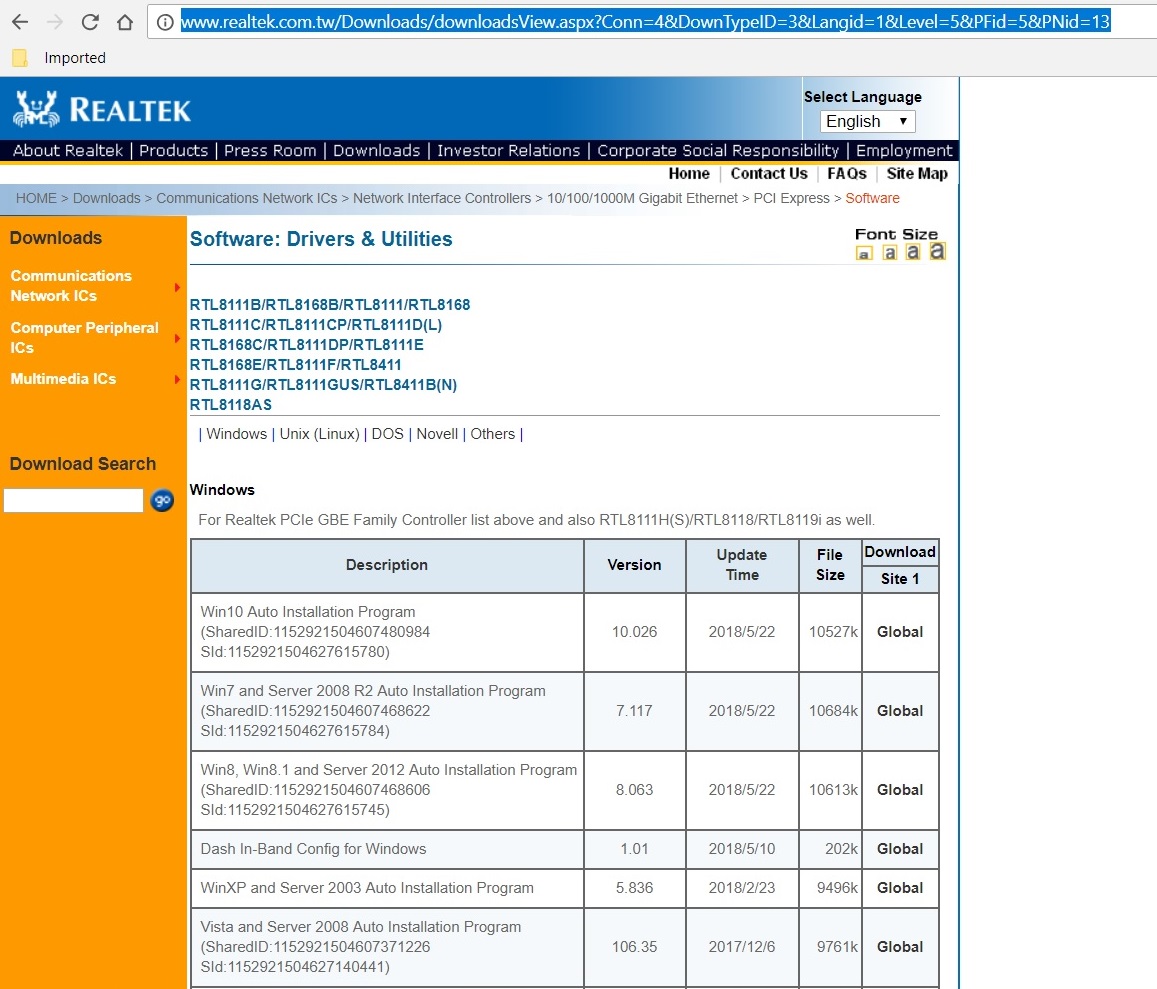
- realtec.jpg (258.51 KiB) Viewed 2790 times
remove any external unused USB device and retry, USB head set etc and see if there's any more up to date driver than
2015
Re: pointing problems after switch to Desktop
Posted: Mon Aug 06, 2018 12:45 pm
by Trisztessa
Sorry i dont will do this !
My rig runs so well an i got over 320 games in steam and not one has any Problem exept the OOB!
and i dont go for a bios or mobo update for only 1 game and surley at the end it brings Nada ^'^
give the DEvs the Log file and the dx file they should set up theyr brain muscles wehere this error came from i bet 100%
is a code Problem^.
thx anyway
btw no one slitherine game i got has any such problem .
and i say it clear nicht mit Höflichkeit because Höflichkeit ist die grösste
Form der Verachtung!
also i dont say it Höflich i say it rude xd
Fix it finally plz
Danke sehr
Re: pointing problems after switch to Desktop
Posted: Mon Aug 06, 2018 2:15 pm
by zakblood
well the developers have your log and now they will have to see if they can replicate the error, as to fix something, first they would need the same thing to occur on there hardware and drivers, no error, no fix, means they can't replicate it, therefore can't fix it. it's that simple, so fingers crosses they can,...
my advice was to try a few things at your end first while you wait for another patch from OOB, but not to take my advice is your call.
a bios update to a bios on a motherboard fixes issue after release of a motherboard and is always recommended
Code: Select all
https://www.pcworld.com/article/187437/software/how-to-update-your-bios.html
same advice is recommend for drivers.
Re: pointing problems after switch to Desktop
Posted: Mon Aug 06, 2018 4:07 pm
by Trisztessa
i know
that u meant well^^
sorry if i was a bit rude

but is the Standard mosten of all devs look at your rig to say xd
Finally i done the bios update now will check if it help for this pointing dingi but mean no ^^
i personally saw much Errors in the attached log file espezially we got Units with no names!
hope they find the error have a nice time in while.
Nice Greetings from
a Boon

Re: pointing problems after switch to Desktop
Posted: Mon Aug 06, 2018 4:17 pm
by zakblood
hope your sorted out soon and can finally enjoy the game, thanks for the reports and posts, fingers crossed it works for you
Re: pointing problems after switch to Desktop
Posted: Mon Aug 06, 2018 7:14 pm
by Trisztessa
Bios works top is now upto date you drive me to do it^^ , OOB has still the same error but and hers a but xd
If it happens
i switche now 2-3 times alt Tabulator then if lucky the pointcenter will come lovley back

Minimum this so ist enojable ' Ey tell them Sandstorm is nicely'btw'
Nvidea is up to date by me all other thinges also well so lets hope the
Bitmap Brothers find the case plz .-)
So now i go Heros of the Storm and chill there a round
Nice Evening.
Tris

Re: pointing problems after switch to Desktop
Posted: Tue Sep 18, 2018 11:12 am
by Horst
Trisztessa, I've noticed the same issue with displaced cursor position either with 6.1.9.
I've played the game since beginning and hadn't this problem until updating from 5.3.0 to the latest version with Sandstorm.
Something fishy was done during development meanwhile and I bet nothing can (and should) be done on our side here.
I try to avoid using alt+return to switch to full-screen from now on and rather only use the windowed mode by moving the title bar as far as to the top as possible until this is maybe fixed one day or year.