Page 1 of 1
Borderless OOB-window
Posted: Tue Dec 26, 2017 1:40 pm
by Erik2
I like using the window-mode in multi-screen setups. Less hassle when you want to switch between apps.
But if you set the window to max screen-size it will crop the lower part of OOB-info. This is a nuisance especially when you're working in the editor.
This free app will allow you to switch between border/no border with just a click.
Download link:
https://sourceforge.net/projects/border ... ng.mirror/
Re: Borderless OOB-window
Posted: Tue Dec 26, 2017 3:12 pm
by bru888
Erik, if this does what I think, I just may have to fly to Norway to give you a platonic bro-kiss.

I will try it tonight when I am free of my OOB-less workaday drudgery.

Re: Borderless OOB-window
Posted: Tue Dec 26, 2017 6:47 pm
by Erik2
Your welcome. Keep the app open on the other monitor so you can easily put the border back.
Re: Borderless OOB-window
Posted: Tue Dec 26, 2017 9:05 pm
by bru888
A bit finicky; it seems to need Full Application Refresh occasionally (i.e., favorites need to be reset) but it certainly works as a "one-off" each time. Thanks for this, seriously.
You know how I like to include screen shots when posting here? What this means is I will not need to go through the F9 "take screenshot then retrieve file from folder and edit it" routine when doing so. With OOB in borderless (I very much prefer full-screen view) yet still windowed mode, I will be able to use my screen capture program directly rather than using F9. That will save me tons of time.
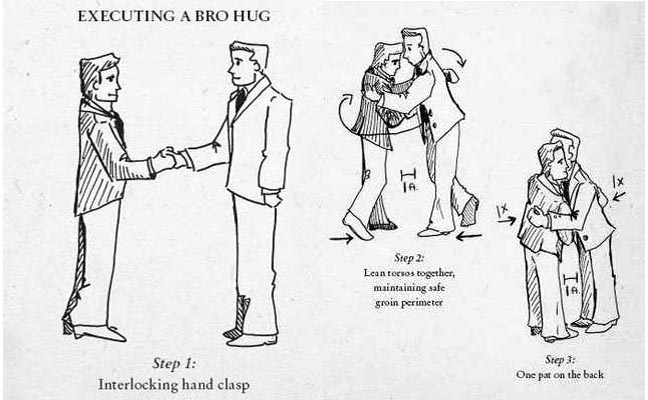
Look, I can't afford to travel to Norway, and it's cold enough here already, you know? And upon further research there's no such thing as a
bro bro-kiss, if you know what I mean. So here is a remote bro-
hug:
- Bro Hug.jpg (50.62 KiB) Viewed 1362 times