Page 1 of 1
Cannot Update Deadlock
Posted: Thu Sep 28, 2017 11:33 am
by ImbiboErgoSum
I primarily use Steam. Steam doesn't update, says there's an error with the Content Server. Already switched content servers from Philippines to Singapore to Taiwan.
The download link on this forum gives me an error as well.
Re: Cannot Update Deadlock
Posted: Thu Sep 28, 2017 11:40 am
by zakblood
the download link on site is just for the site version, and not for steam, if you try another server on steam, you need to log in and out for the settings to take?
have you tried to log out and log back in?
clearing your browser cache and cookies in steam and your download cache and retry, may help
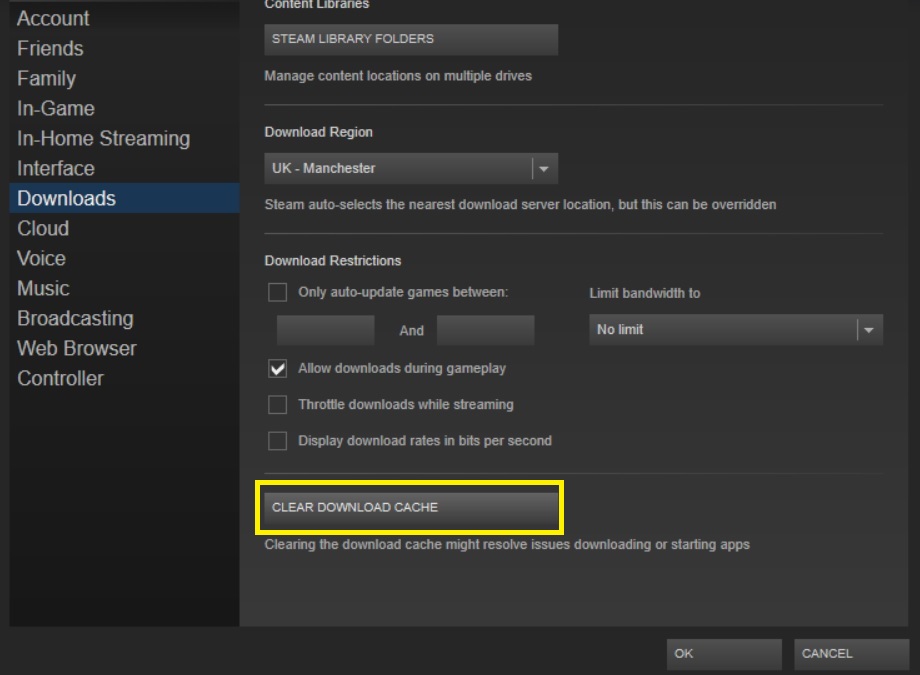
- Untitled.jpg (80.16 KiB) Viewed 3631 times
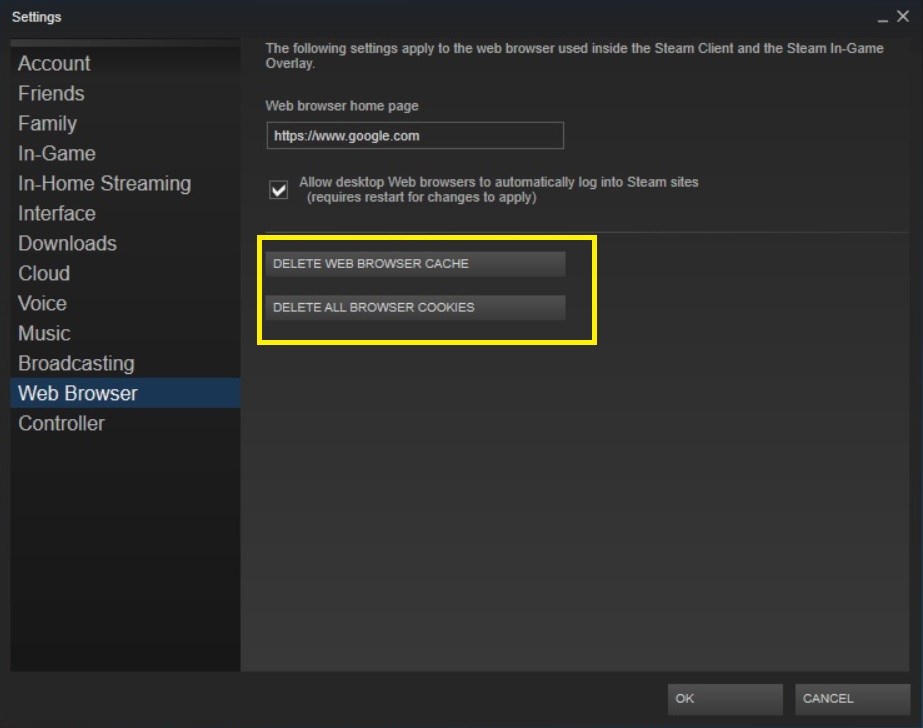
- Untitled.jpg (69.58 KiB) Viewed 3631 times
Re: Cannot Update Deadlock
Posted: Fri Sep 29, 2017 10:14 pm
by ImbiboErgoSum
zakblood_slith wrote:the download link on site is just for the site version, and not for steam, if you try another server on steam, you need to log in and out for the settings to take?
have you tried to log out and log back in?
clearing your browser cache and cookies in steam and your download cache and retry, may help
Untitled.jpg
Untitled.jpg
Thanks. Worked for a bit. Then it stalled again.
I thought it might have been a firewall issue, but now with firewall down, it's stalled again at 69%.
Re: Cannot Update Deadlock
Posted: Sat Sep 30, 2017 8:41 am
by VPaulus
I'm sorry but unfortunately we can't help much on this, as the issue is on Steam side.
Try to download it at different times during the day.
Also ensure that your Steam client is updated.
On other thing you can also try, is to install the game in a different Steam library folder than the default one.
For adding a new Steam library folder, please follow the steps below:
1. Open Steam Client
2. Click on "Steam" on the top left and click "Settings" on the drop down menu
3. Click on the "Downloads"
4. Click on "STEAM LIBRARY FOLDERS" button
5. Click on "ADD LIBRARY FOLDER"
6. Click on the Drive letter you wish to add a New Steam Library Folder
7. Click on "NEW FOLDER"
8. Choose a folder named (for example "New Steam") and Click on "OK" button
9. Click on "SELECT"
10. Click on "CLOSE"
Please check also this YouTube video:
https://www.youtube.com/watch?v=BqiVicULiNA
Re: Cannot Update Deadlock
Posted: Sun Oct 01, 2017 8:33 pm
by ImbiboErgoSum
Appreciate your assistance guys.
Finally got it working, thankfully without taking up half the weekend.
Only had to switch content servers a half dozen times and finally ending up at LA.
