Page 1 of 1
Briefing
Posted: Tue Aug 09, 2016 9:39 pm
by Petcat
I've tried looking on the forum and on the wiki but I can't find any documentation on the briefing animation of arrows and captions before the battle.
Is there something I've missed?
Re: Briefing
Posted: Tue Aug 09, 2016 10:35 pm
by pipfromslitherine
IIRC you need a UI file named as <scenario>_map.txt in the DATA/UI/ folder of your campaign. They are standard UI files which are built with animations in to show the various arrows etc.
Best bet is to check out the existing files, e.g. in Bagration etc, as these show off how it is done.
Cheers
Pip
Re: Briefing
Posted: Thu Aug 11, 2016 11:51 am
by Petcat
Thanks
Just the trick.
Re: Briefing
Posted: Thu Aug 11, 2016 7:55 pm
by Petcat
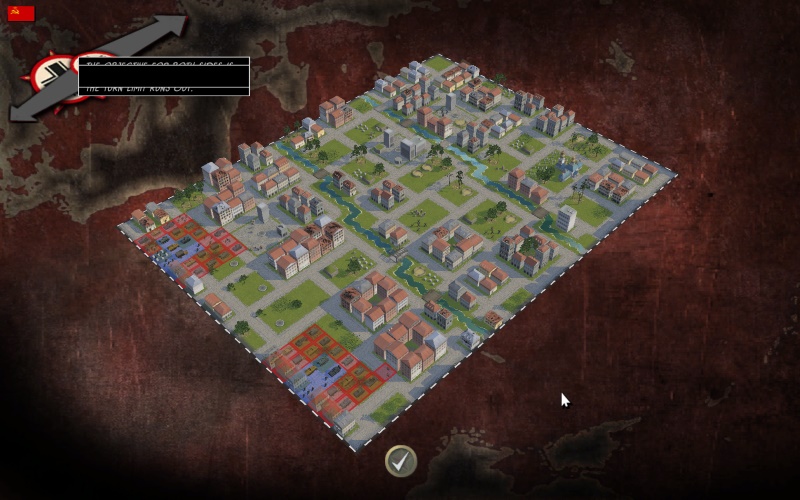
When setting up a skirmish, I seem to have broken the briefing.
Probably due to the new nation added, is there another file I could alter and look at that sets up briefings for skirmish games.
- Screen_00000042.jpg (150.59 KiB) Viewed 5859 times
Re: Briefing
Posted: Thu Aug 11, 2016 10:36 pm
by pipfromslitherine
There is a skirmish_map.txt file in DATA/UI. I have a (very vague) recollection this is used for skirmishes, so you should in theory be able to over-ride it in your custom campaign.
Cheers
Pip
Re: Briefing
Posted: Thu Aug 11, 2016 10:42 pm
by pipfromslitherine
Further to this, note you can include a BRIEFING_CALLBACK function in your scenario script, which is expected to call the SetBriefingScreen function to fill in the animation, string ID for the name of the mission, etc. At least, that's what the code says!
Cheers
Pip
Re: Briefing
Posted: Fri Aug 12, 2016 9:50 am
by Petcat
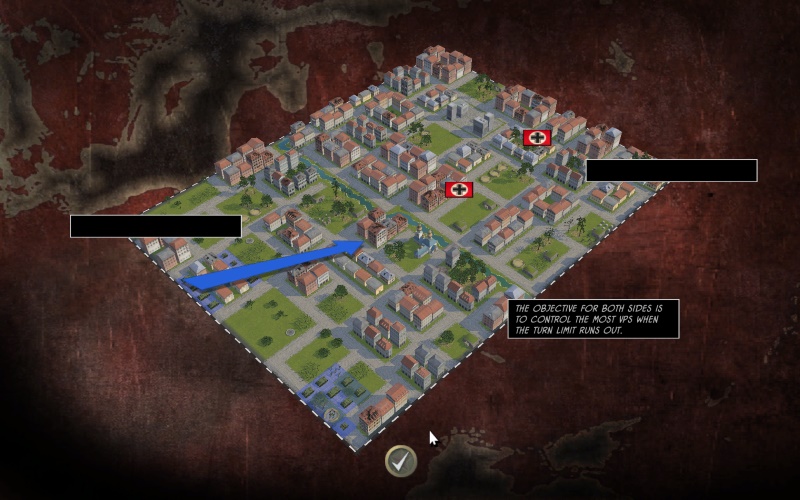
Changing the side 7 to 8 in the skirmish map got it working.
What is the file stores the string for the text?
- Screen_00000043.jpg (148.68 KiB) Viewed 5849 times
Re: Briefing
Posted: Fri Aug 12, 2016 4:00 pm
by pipfromslitherine
OK, I had to go digging a bit. The briefing screen stuff is set up in MapGenerate2.bsf (around line 296) in DATA/BATTLE/SCRIPTS. If needed you should be able to copy and tweak this file in your custom campaign.
Effectively, you need strings of the form IDS_<constructed_name>_SKIRMISHMAP_TEXT0 (for example) these map to the skirmishmap_text0 text control in the UI (as per the usual UI rules for text substitution). So currently the script builds a constructed_name from the type and sides (e.g. ATTACK1v7) and this is used for both the text setup and the animation that it plays when the briefing pops up.
Cheers
Pip
Re: Briefing
Posted: Mon Aug 29, 2016 1:42 pm
by Petcat
Cheers, fixed it.