Page 1 of 1
Main Menu Screen
Posted: Sun May 22, 2016 6:06 pm
by Philippeatbay
What is the path to the first screen that you see when you fire up the game?
I haven't yet managed to find it, though until now I haven't need to.
I'm in the later stages of putting together a music mod for Le Roi Soleil.
Since the expansion didn't come with any scenarios, I have to either make a global change of all the music, or change the music scenario by scenario.
When I eventually put together a Turkish side siege of Vienna mod, I plan on a one scenario only approach.
But for all the other late 17th century scenarios a global music pack makes more sense.
What I'm thinking of is adding a visual cue to the fact that you have a mod installed, and including the regular music mod and main menu screen so you can easily make the switch back to the earlier look and music.
Re: Main Menu Screen
Posted: Sun May 22, 2016 7:57 pm
by rbodleyscott
Philippe_at_bay wrote:What is the path to the first screen that you see when you fire up the game?
\Core\UI\MainMenuOverlay.txt
&
\Core\UI\MainMenuOverlay.bsf
See also:
https://sites.google.com/site/battleaca ... umentation
https://sites.google.com/site/battleaca ... -scripting
Re: Main Menu Screen
Posted: Sun May 22, 2016 8:26 pm
by Philippeatbay
Many thanks !
Re: Main Menu Screen
Posted: Wed Jun 01, 2016 3:23 pm
by Philippeatbay
I've never worked with bsf files before.
I have an ancient version of Photoshop, and I'm not sure if it can be re-configured to handle them.
What programs are people using to work with them?
Re: Main Menu Screen
Posted: Wed Jun 01, 2016 3:48 pm
by Paul59
Hi Philippe,
The .bsf files are not graphical files. They contain programming information and can be edited with a text editor, such as WordPad.
Unfortunately I have never modded the MainMenuOverlay.bsf file and do not know how it works.
Re: Main Menu Screen
Posted: Wed Jun 01, 2016 4:52 pm
by Philippeatbay
Then I guess I'm back to square one.
I want to (temporarily) replace the the first backdrop image of cavalrymen charging pikemen with a picture of Louis XIV.
Should I be looking for a DDS file, where do I find it, and what is the name of that particular file?
I may not have asked the question clearly enough in the first place.
[update: I've found a DDS file (background.dds) in Data/UI/Textures that looks like it's the one I want].
Re: Main Menu Screen
Posted: Wed Jun 01, 2016 6:26 pm
by pipfromslitherine
You can either overwrite the texture, or change the .txt file to point to a new one.
Cheers
Pip
Re: Main Menu Screen
Posted: Wed Jun 01, 2016 6:28 pm
by rbodleyscott
pipfromslitherine wrote:You can either overwrite the texture, or change the .txt file to point to a new one.
Cheers
Pip
Either way, make a backup of the original version first.
Re: Main Menu Screen
Posted: Wed Jun 01, 2016 7:47 pm
by Adebar
Philippe_at_bay wrote:[update: I've found a DDS file (background.dds) in Data/UI/Textures that looks like it's the one I want].
That's correct.
For scenario selection screen etc. there's Background_Fade.dds. Parts of this image must to be toned down/darkened for the sake of readability of the UI texts. You can use the picture below as a guideline to make it fit to the other UI elements:
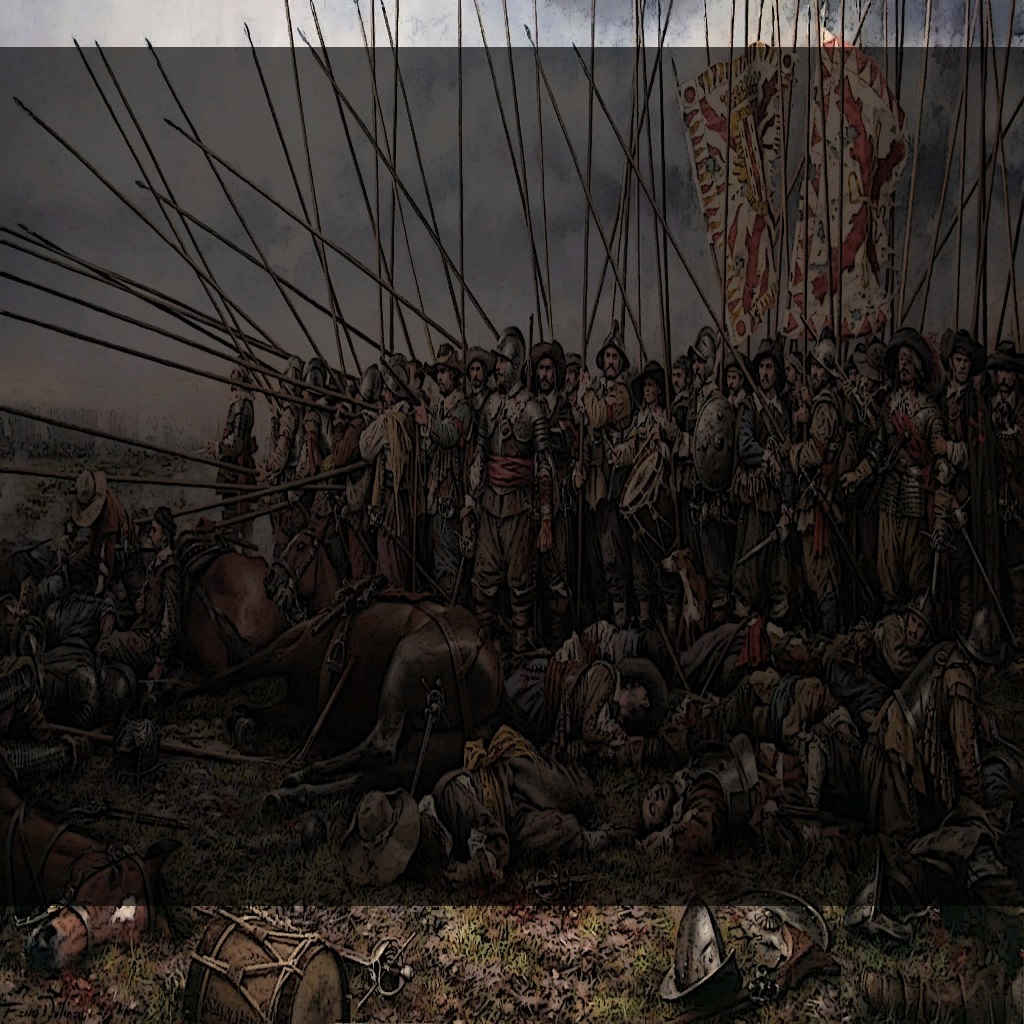
Notice that the original unscaled images were 1680x1050 scaled down to 1024x1024 (to prevent distortions).
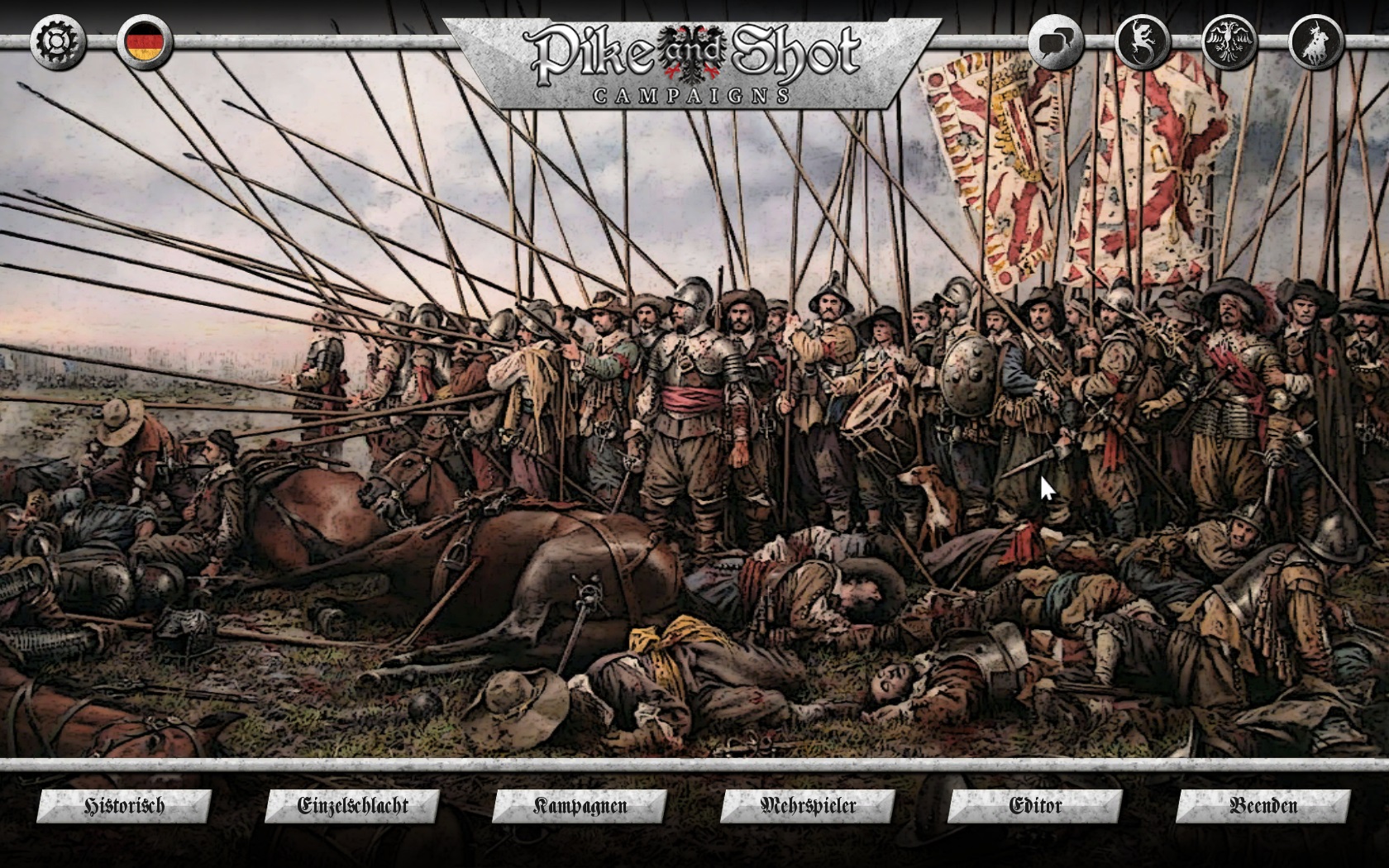
Almost all UI components are moddable, which is very cool. ATM my main screen looks like this:
Re: Main Menu Screen
Posted: Thu Jun 02, 2016 3:53 am
by Philippeatbay
Your screen looks great, and so does the fraktur.
I had already made the darker screen when I noticed your post. When playing a user-made scenario, the darkened screen will probably revert to the original, but I don't think there's much that can be done about that.
My screen is really nothing more than a visual cue that the Roi Soleil music mod has been installed, and is hardly as dramatic as yours.

Re: Main Menu Screen
Posted: Thu Jun 02, 2016 4:41 am
by Adebar
That looks nice!
Philippe_at_bay wrote:
I had already made the darker screen when I noticed your post. When playing a user-made scenario, the darkened screen will probably revert to the original, but I don't think there's much that can be done about that.
When you go to Documents/My Games/PSCAMP/CAMPAIGNS/ to any of the custom scenario folders you can find Backdrop.dds which in most cases is identical to Background_Fade.dds (except the scenario maker modded it).
Just in case you want to create a custom scenario yourself: You can pass Backdrop.dds if you make Icon.dds in 1024x1024 format instead.