Page 1 of 2
Winter Wonderland - Experimental
Posted: Sat May 14, 2016 8:41 am
by Adebar
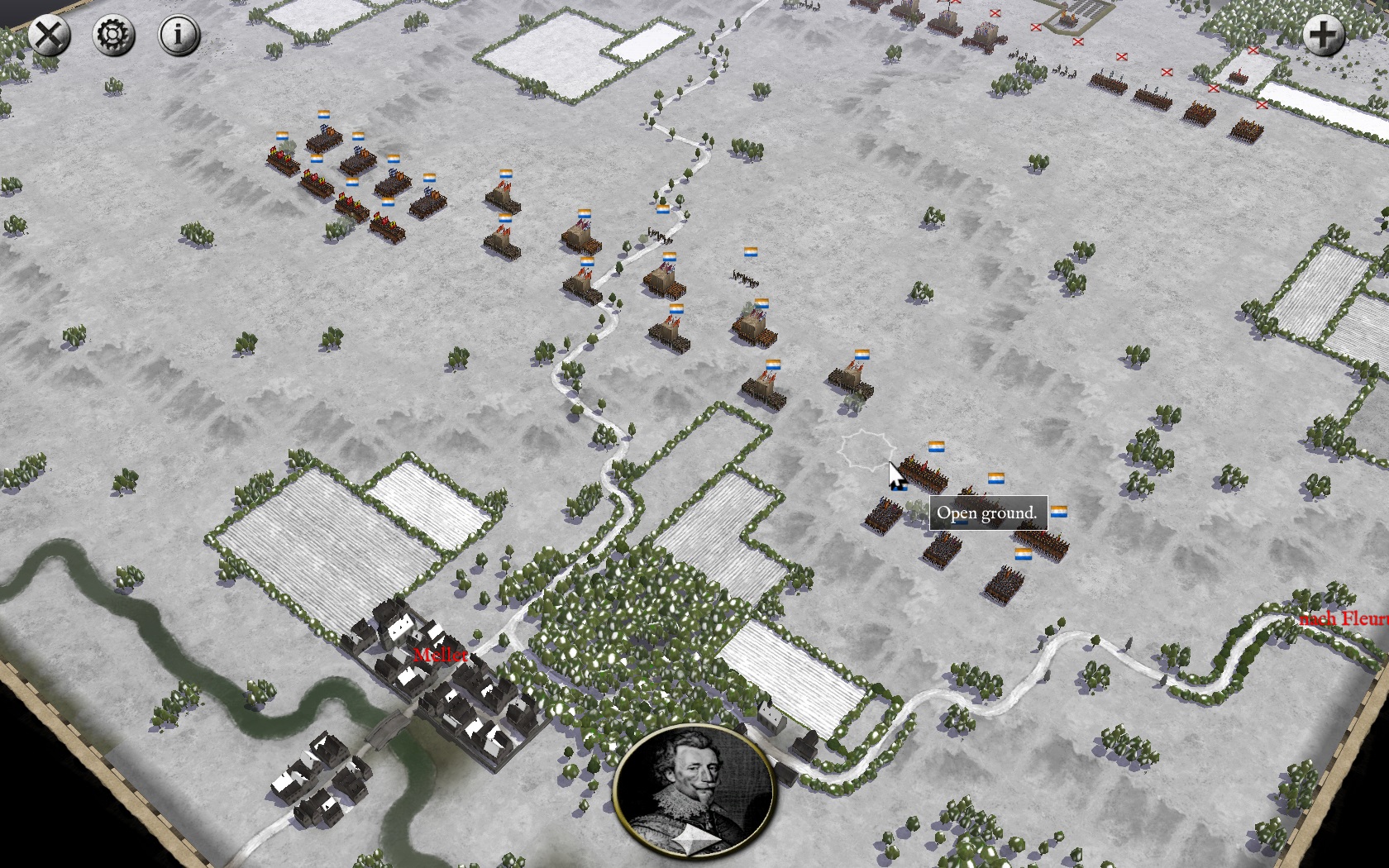
I'm experimenting with winter textures ATM. Tiles are almost finished, objects textures that are shown in the screenshots below are from another modder - can someone please tell me who?
I incorporated the tiles by creating a new texture set, SnowEurope. (Concerning several smaller details I may need some help from Richard.) Idea is to just choose this texture set in the editor when you're building a new scenario. And, thank god, it works ...

Fleurus in the snow (quite anachronistic, I know):
Closeup. I tried to tone down the brightness so noone gets snowblind:
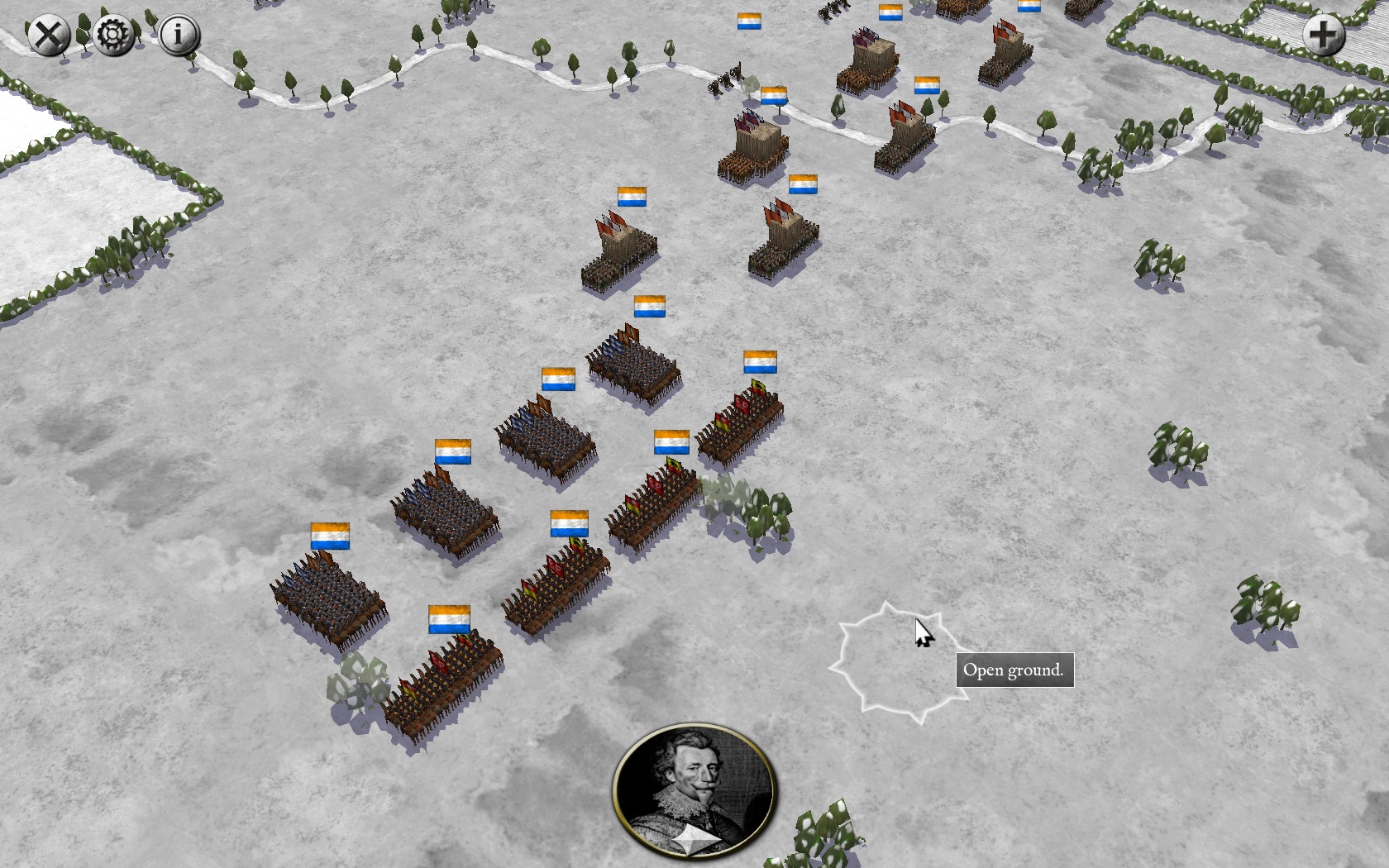
I'm planing to fine tune some more details and rework the objects.
Comments, ideas, help very much welcome!
Re: Winter Wonderland - Experimental
Posted: Sat May 14, 2016 9:28 am
by rbodleyscott
Adebar wrote:(Concerning several smaller details I may need some help from Richard.)
Ask away
Re: Winter Wonderland - Experimental
Posted: Sat May 14, 2016 9:47 am
by Adebar
Ok, in TILES.txt it says:
// STYLE <style_name> - The style of the tileset. Overlay sets and layer 0 sets must have the same style for edging to work. Style names are not predefined, style names appear in the editor, define IDS_TERRAIN_STYLE_<style_name> to define the display string.
Question is - where (in which file/place) do I have to add "IDS_TERRAIN_STYLE_<SnowEurope>"? (In the editor I get "IDS NAME Missing" and the tiles are not named.
Re: Winter Wonderland - Experimental
Posted: Sat May 14, 2016 10:01 am
by Adebar
Objects recolored (and added more vegetation to the map):
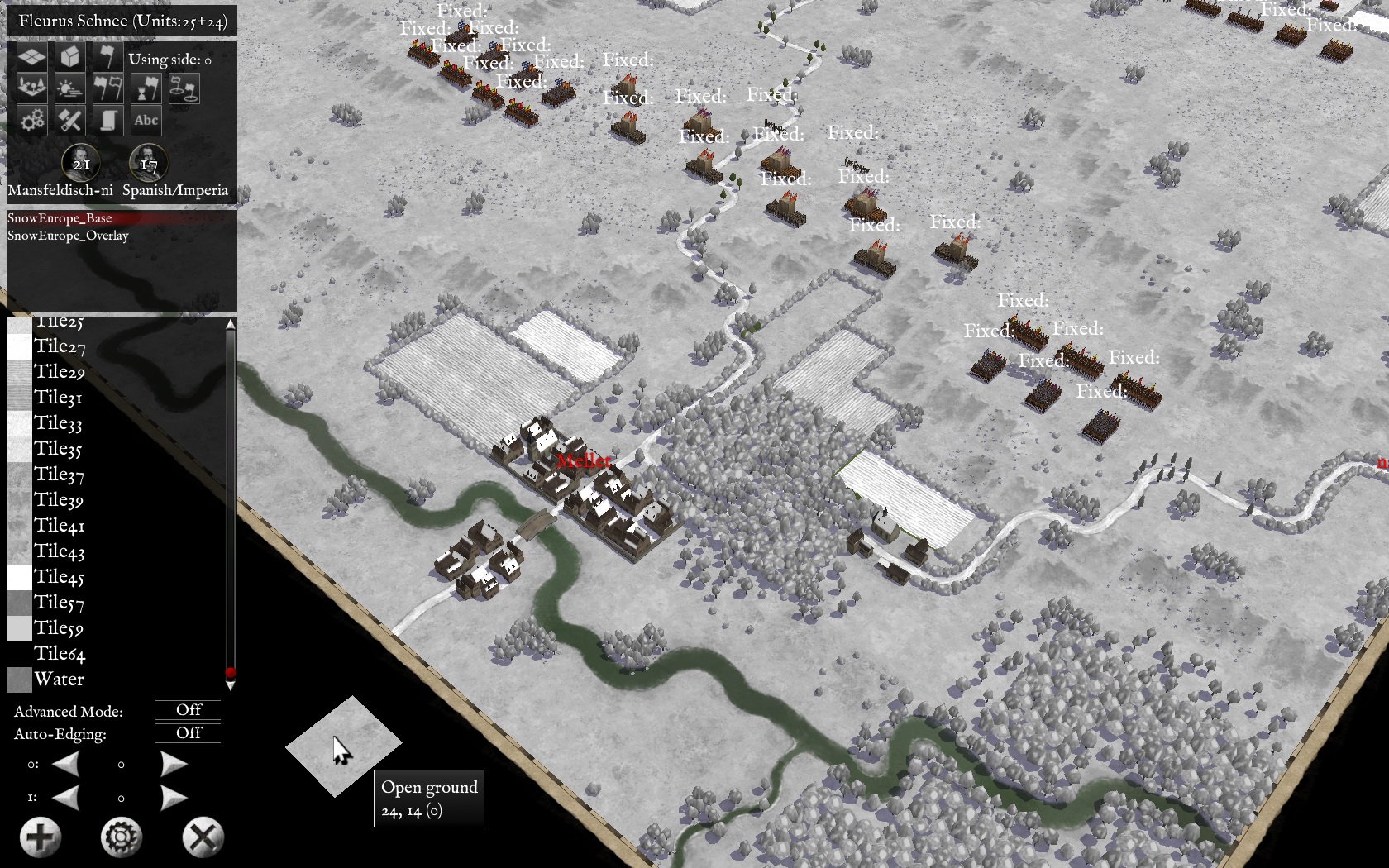
Hope the scene doesn't look too bland now.
Re: Winter Wonderland - Experimental
Posted: Sat May 14, 2016 10:03 am
by rbodleyscott
Adebar wrote:Ok, in TILES.txt it says:
// STYLE <style_name> - The style of the tileset. Overlay sets and layer 0 sets must have the same style for edging to work. Style names are not predefined, style names appear in the editor, define IDS_TERRAIN_STYLE_<style_name> to define the display string.
Question is - where (in which file/place) do I have to add "IDS_TERRAIN_STYLE_<SnowEurope>"? (In the editor I get "IDS NAME Missing" and the tiles are not named.
As usual we do not recommend altering the main installation.
So, in the Editor, make a copy of the vanilla campaign most similar to the one you want.
Assuming you are using Pike and Shot: Campaigns it will go in /My Documents/My Games/PSCAMP/
CAMPAIGNS/WhateverYouCalled YourCampaign
Take a look at the file tree near the end of the following document:
http://www.slitherinebravo.net/GameWiki ... tub_engine
You can put your new tile set in:
/My Documents/My Games/PSCAMP/
CAMPAIGNS/WhateverYouCalled YourCampaign/TILES/
You can put all the new strings you need in
/My Documents/My Games/PSCAMP/
CAMPAIGNS/WhateverYouCalled YourCampaign/text1.txt
Note that this is a Unicode file, not a normal text file, so it is best c reated by copying an existing .txt file from the game and stripping out the contents. I suggest using a text editor (such as Notepad++ which is free) rather than a Word Processor, because Word Processors tend to insert non-unicode characters which can either not display or even crash the program.
The tile name strings are in the form
IDS_T_CentralEurope_Base_Tile39, "Slope Edge",
for the base tiles
and
IDS_T_CentralEurope_Overlay_Tile31, "River Mouth",
for the overlay tiles.
(You will find the full current list in the game /Data/Text/Text1.txt. You can copy those and then replace "CentralEurope" with "SnowEurope".
Re: Winter Wonderland - Experimental
Posted: Sat May 14, 2016 10:09 am
by Adebar
Thanks for all the info, Richard. I've got a few days off so there's enough time to figure this out.
When it's finished I could publish this as a "Snow Mod Pack" for everyone who is interested.
Re: Winter Wonderland - Experimental
Posted: Sat May 14, 2016 12:53 pm
by Miletus
Looks absolutely amazing! Well done you!!!
Re: Winter Wonderland - Experimental
Posted: Sat May 14, 2016 10:22 pm
by Paul59
Yes, this looks great. please carry on the good work!
BTW, I think Richard's suggested method means that you would have to manually add the terrain files to each scenario folder that needs them, rather than having them automatically available in the editor as you intended. Unfortunately that is not possible without modifying the main installation, which of course you should not do.
Regards
Paul
Re: Winter Wonderland - Experimental
Posted: Sat May 14, 2016 11:20 pm
by Adebar
Thanks, folks! - Paul, you and Richard are right, I thought I could incomperate the mod without messing with the main game files. But it will surley work well the other way.
During the last couple of hours I finished the overlays and recolored further objects.
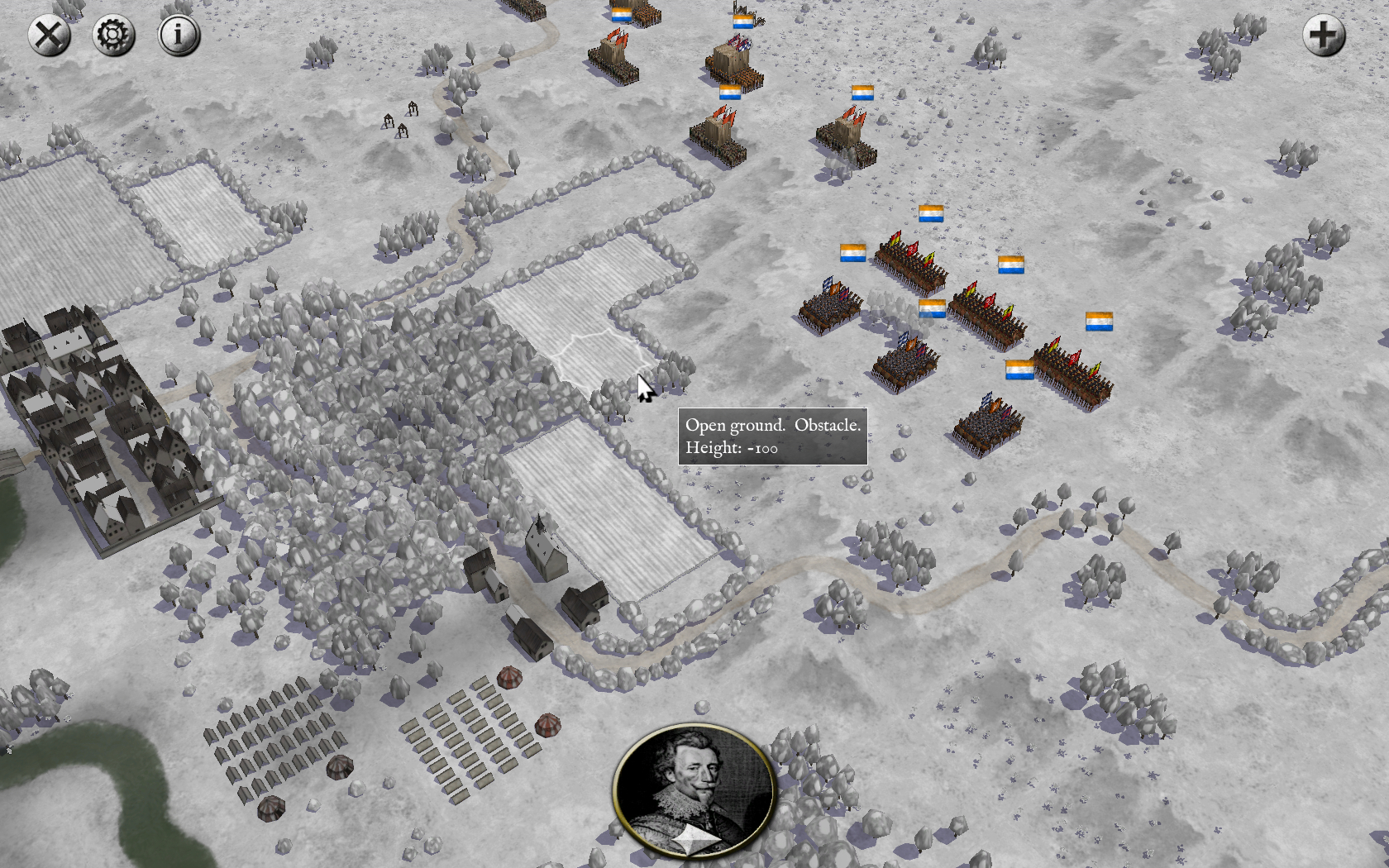
Here the LOS terrain effect can be seen:
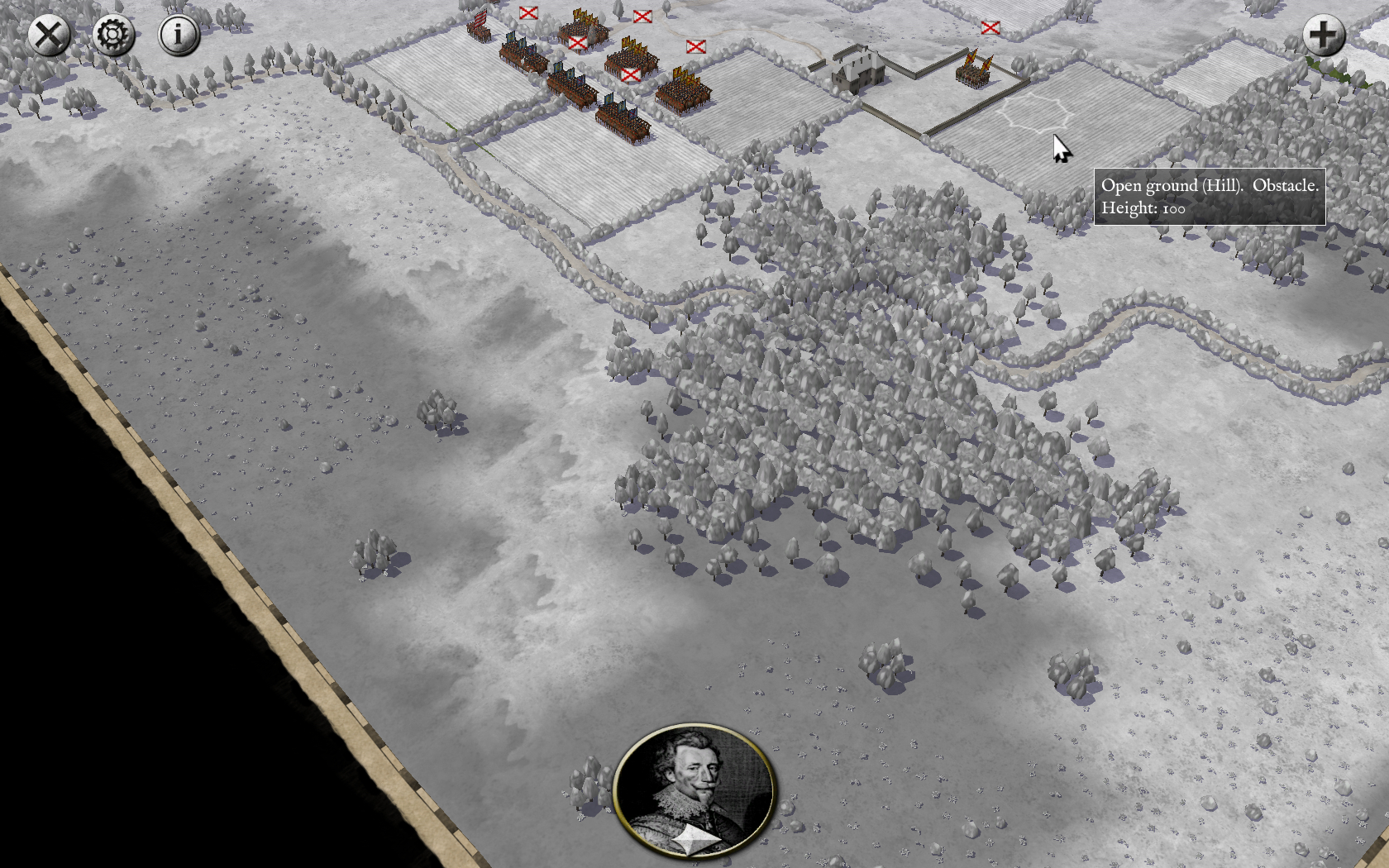
Streets and paths are lightly brown colored for contrast. Experimented with lightly colored field tiles too but that didn't fit the scenery IMO (they are included in the textures though). If anyone has ideas how to add more hints of colour to the winter landscape, please let me know.

Re: Winter Wonderland - Experimental
Posted: Sun May 15, 2016 6:44 am
by Adebar
Follwing Richard's instructions it's very easy now to implement the winter textures. (Thanks again for the quick and competent help!) When I'm publishing the mod pack I'll add an detailed ReadMe.
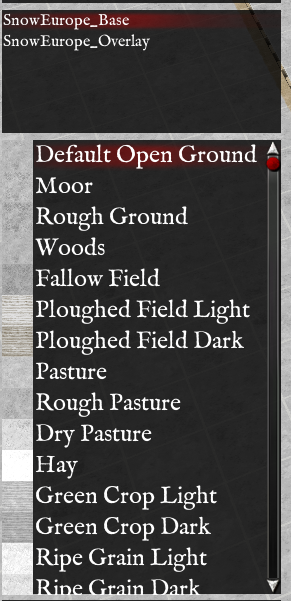
Now I'm going to revise several of the tiles to expand the "Fifty Shades of Grey" colour palette a bit.
Some of the tiles will be renamed.
Re: Winter Wonderland - Experimental
Posted: Sun May 15, 2016 7:50 am
by Adebar
Hello, Richard! One thing is still missing - the correct name of the texture set in the Convert Style pop-up:
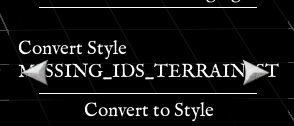
I added the line
IDS_TERRAIN_STYLE_<SnowEurope>
in Text1.txt. This apparently does not work. Where has the line to be placed instead?
Re: Winter Wonderland - Experimental
Posted: Sun May 15, 2016 8:01 am
by rbodleyscott
Adebar wrote:Hello, Richard! One thing is still missing - the correct name of the texture set in the Convert Style pop-up:
I added the line
IDS_TERRAIN_STYLE_<SnowEurope>
in Text1.txt. This apparently does not work. Where has the line to be placed instead?
It should be
IDS_TERRAIN_STYLE_SNOWEUROPE
Re: Winter Wonderland - Experimental
Posted: Sun May 15, 2016 8:15 am
by Adebar
Sorry, tried it, but it doesn't work for me.
Re: Winter Wonderland - Experimental
Posted: Sun May 15, 2016 8:30 am
by rbodleyscott
Adebar wrote:Sorry, tried it, but it doesn't work for me.
You need the line
STYLE SnowEurope
in Tiles.TXT
in /TILES/SnowEurope_Base and /TILES/SnowEurope_Overlay
But I am guessing you already have that.
Re: Winter Wonderland - Experimental
Posted: Sun May 15, 2016 8:34 am
by rbodleyscott
When the program flags up a missing string error (in a white popup box), what is the name of the missing string? (We can't see the full name in the screenshot because there isn't room for it in that dialogue).
(Note that it will only do this once, so you will have to restart the program to make it reappear)
Re: Winter Wonderland - Experimental
Posted: Sun May 15, 2016 8:38 am
by Adebar
Already done. Checked it again: no typos etc. Tried it with another scenario - same result, same error message. I have no idea where the mistake could be found.
There is no real pop-up, sorry for the lack of clarity. Only the error message in the Convert Stle thingy, guess "MISSING_IDS_TERRAIN_STYLE".
Apart from that small detail everything is working correctly.
Re: Winter Wonderland - Experimental
Posted: Sun May 15, 2016 8:50 am
by rbodleyscott
Adebar wrote:There is no real pop-up, sorry for the lack of clarity. Only the error message in the Convert Stle thingy, guess "MISSING_IDS_TERRAIN_STYLE".
We don't need to guess. Please run the game again and take a screen shot of the white missing string error popup. There should be one, but it will only appear once. You need to restart the program and then go through to the editor to make it appear.
Re: Winter Wonderland - Experimental
Posted: Sun May 15, 2016 8:59 am
by Adebar
Sorry, there is no white pop-up. When I choose to convert the map to a style I circle through the different texture styles. When the style name SnowEurope should appear it shows the Missing_IDS string like in the screenshot. No pop-up whatsoever.
I'd say I upload the mod pack and send you a DL link so you could take a closer look if you don't mind.
Re: Winter Wonderland - Experimental
Posted: Sun May 15, 2016 9:03 am
by rbodleyscott
Adebar wrote:I'd say I upload the mod pack and send you a DL link so you could take a closer look if you don't mind.
Yes, that seems best
Re: Winter Wonderland - Experimental
Posted: Sun May 15, 2016 9:16 am
by Adebar
Sent!