Page 1 of 1
Unit damage done
Posted: Sun Mar 27, 2016 8:05 pm
by earlecook
Hello,
How do you put a screenshot .png picture in the question?
Re: Unit damage done
Posted: Mon Mar 28, 2016 12:58 am
by bru888
Heh. This is a good exercise in that I will show you with pictures how to show a picture!
First, please realize that you want pics to be in .jpg format because that format requires much less file space than .png. That's important, because they have a 256K limit on file uploads here.
So, save a pic in .jpg format. Crop it down to only the essential and, when you File Save As, look for an option to scale the .jpg quality so that the file is 256K or less. I use FastStone Image Viewer for this purpose. Notice that there is an option bottom of the Save As screen:
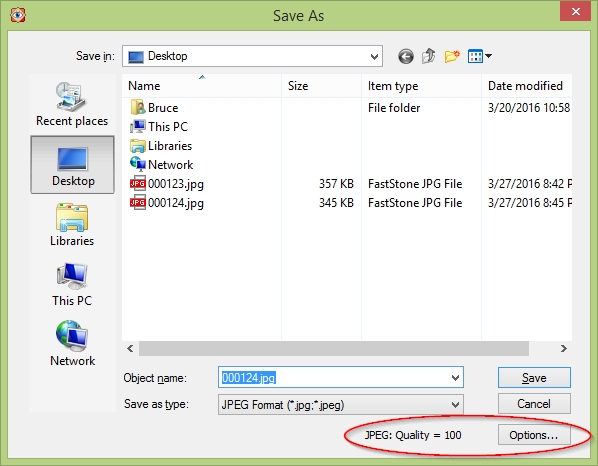
- 000123.jpg (117.84 KiB) Viewed 1001 times
The next window allows you to dial down the quality until it is 256K or less:
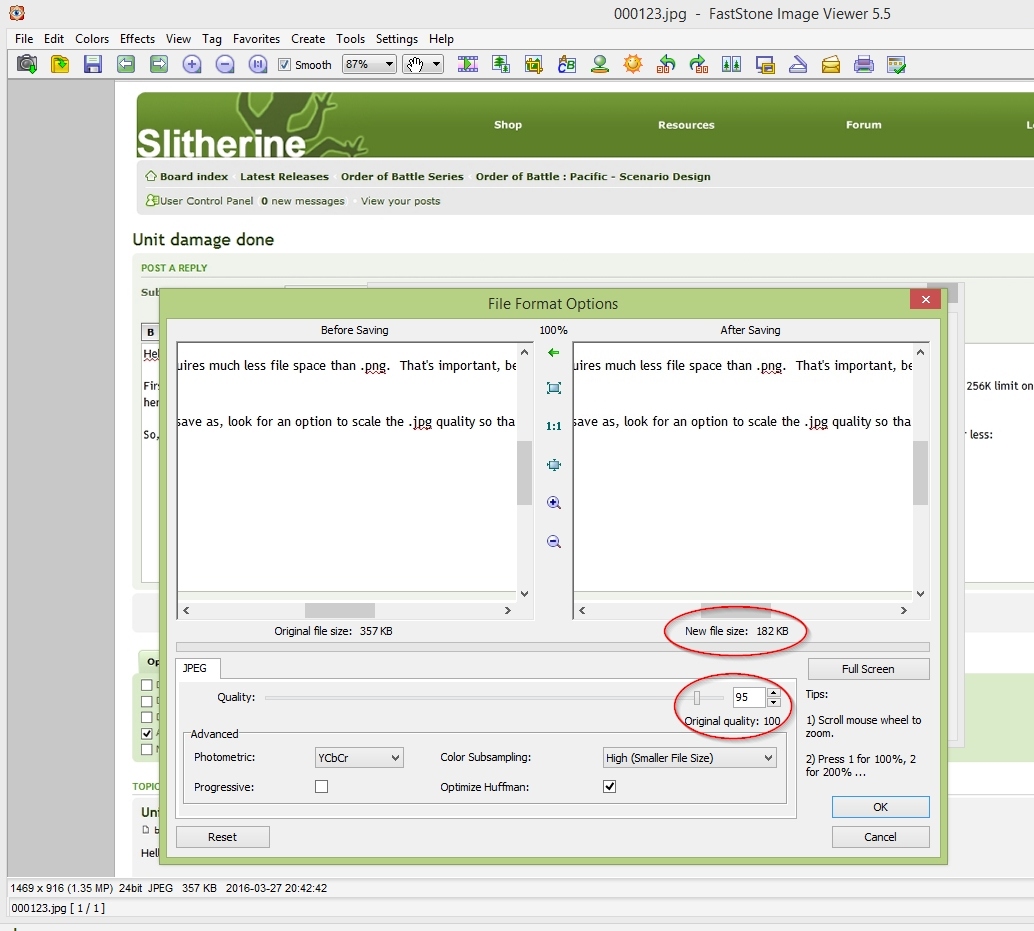
- 000124.jpg (222 KiB) Viewed 1001 times
Next you Upload Attachment (Browse, Add the File - see below). Once you have a file uploaded, then place your cursor in the message where you want it to appear and click Place Inline. As shown below, the attachment statement appears along with the name of the file. See this screenshot, which shows itself being added to this message:
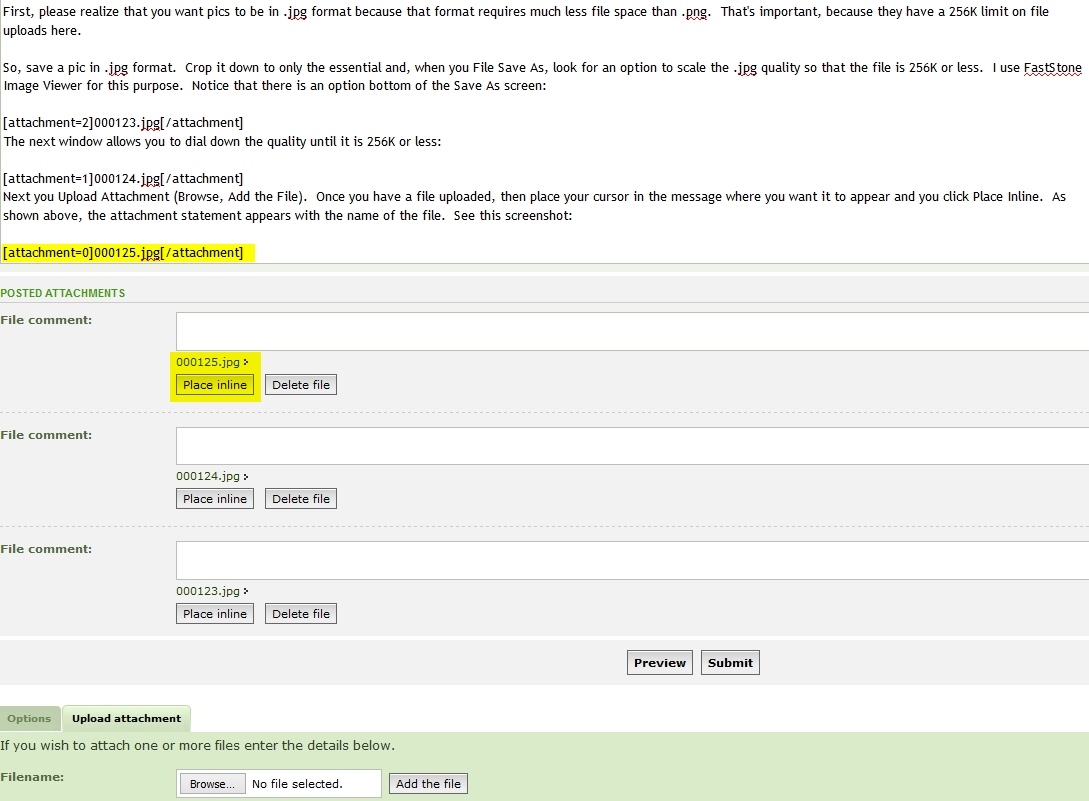
- 000125.jpg (152.47 KiB) Viewed 1001 times