Mac Demo - Couple of Minor Issues
Posted: Wed Mar 21, 2012 6:04 pm
After getting the iPad version I thought I'd see how Battle Academy plays with a mouse and keyboard, and while it's even better on the big screen (for now, until the Retina update is out  )there are a couple of little problems I've found...
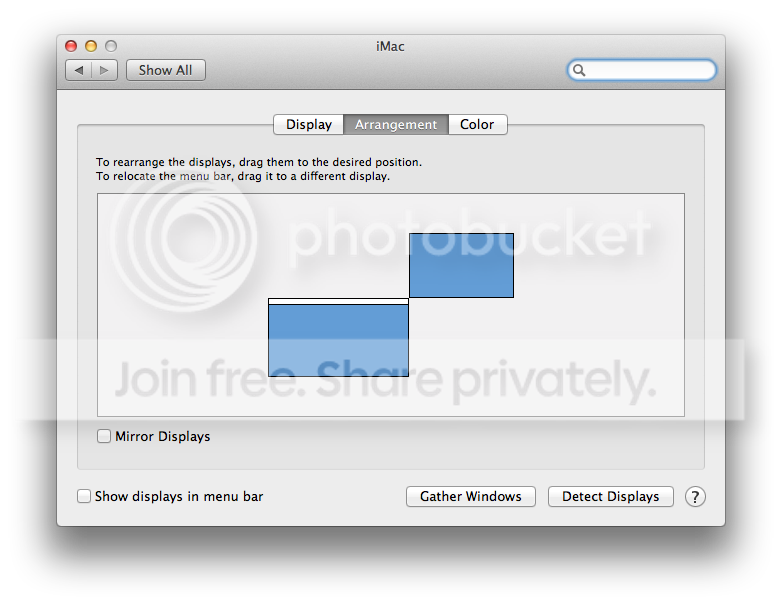
1) When using the mouse to scroll the map, it won't scroll if the mouse is in the upper 7/8 of the right side of the screen. The mouse will often also "stick" along the right side of the screen if it is moved to the edge. Keyboard scrolling works fine, as do all other directions with the mouse.
2) If I Cmd+Tab away from BA, there is a blank light grey window on the desktop which will cover the game screen if clicked on, and can't be removed or moved to the background. If the little red X in the upper left corned is clicked right away though, it goes away with no ill effects that I have seen.
3) The music continues to play even if the game is minimized.
)there are a couple of little problems I've found...1) When using the mouse to scroll the map, it won't scroll if the mouse is in the upper 7/8 of the right side of the screen. The mouse will often also "stick" along the right side of the screen if it is moved to the edge. Keyboard scrolling works fine, as do all other directions with the mouse.
2) If I Cmd+Tab away from BA, there is a blank light grey window on the desktop which will cover the game screen if clicked on, and can't be removed or moved to the background. If the little red X in the upper left corned is clicked right away though, it goes away with no ill effects that I have seen.
3) The music continues to play even if the game is minimized.