Page 1 of 1
How can I change savegame/mods location?
Posted: Fri Oct 14, 2022 8:31 am
by Garb
Hi, I generally avoid having anything on C drive. Is there a way to configure the launcher to store/use another location? Would a "userdir.txt" in the root folder work?
Thank you for your time.
Re: How can I change savegame/mods location?
Posted: Fri Oct 14, 2022 10:49 am
by VirgilInTheSKY
I think your saves and configs go to root folder and MyDocuments, which should be in D Drive as long as you don't install the game itself to C?
Re: How can I change savegame/mods location?
Posted: Fri Oct 14, 2022 2:03 pm
by Garb
Hi, my game is installed in D drive. Installation automatically creates a folder in "C/user/My Documents/My Games" with the cache, save games and this is also the location where mods have to be installed.
I wonder if there is any way to change this default destination.
Thanks,
Re: How can I change savegame/mods location?
Posted: Fri Oct 14, 2022 4:16 pm
by dalfrede
Use an alias, create a 'my games' folder wherever you want.
Move the files et all to the new location.
Replace the original folder with an alias pointing to the new location.
Re: How can I change savegame/mods location?
Posted: Fri Oct 14, 2022 9:57 pm
by Garb
Thank you, what do you mean by "alias"?
I can create, indeed, a "My games" folder anywhere and move everything there, however I need to point to the game's executable (*.exe) where to look for savegames and mods.
I am asking how to indicate the (new) location to the game, so it does not look at the default one which is in C drive.
Sorry if I was not clear.
Re: How can I change savegame/mods location?
Posted: Fri Oct 14, 2022 10:29 pm
by dalfrede
https://www.digitalcitizen.life/how-create-shortcuts/
In Windows they are called 'shortcuts'. I use a Mac which which like Unix calls it an 'Alias' .
I found it by Googling 'How to create shortcuts for files, folders, apps, and web pages in Windows'
It's like a Desktop shortcut, but in your documents folder.
Re: How can I change savegame/mods location?
Posted: Fri Oct 14, 2022 11:00 pm
by Garb
Thank you, I see now.
However, even if I place a shortcut in the location the game will "look" by default (C/My documents...etc), I need a way to indicate to the game to look at this shortcut.
The game's *.exe will not look for anything if it does not know it is supposed to be looking for it. For now it has been instructed to look for C drive, and I cannot trick it to not to do so.
Other games (like HoI4) achieve that by giving you the ability to indicate where the game should look (by a simple *.txt file which points at your chosen location).
PC2 does not have a similar mechanism. The *.config and *.json files simply acknowledge where mods should be (C drive) without offering an option to change location.
Thank you again for your time,
Re: How can I change savegame/mods location?
Posted: Sat Oct 15, 2022 6:42 pm
by dalfrede
You give the shortcut the exact same name as the folder in the path the game is looking for.
So the game goes through the shortcut as part of the path.
The computer does not differentiate between a shortcut and an actual folder.
Re: How can I change savegame/mods location?
Posted: Sat Oct 15, 2022 10:50 pm
by Garb

I did try that, it made sense. However the game creates a new folder/subfolders when it encounters the shortcut. Again, thank you for your help.
Re: How can I change savegame/mods location?
Posted: Tue Oct 18, 2022 2:36 am
by Garb
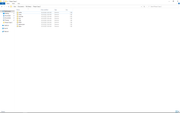
The next thing I tried was to replace the individual folders with shortcuts to another location; it did not work, the game does not consider the shortcuts as valid entries.
I guess only the developers can solve that and I have no idea if it is feasible.