Page 1 of 1
Campaign Variables
Posted: Mon Jan 31, 2022 5:45 pm
by StuccoFresco
Hi all, I have doubts about the "VARIABLES" Tab in Campaign settings. I tried using variables in scenarios and they SEEM to work just fine. What is this tab supposed to do, and how do I use it?
Re: Campaign Variables
Posted: Sat Feb 05, 2022 6:55 pm
by bru888
The purpose of the Variables tab is merely to supply information about whether the variable in question has been activated. Here, for example, if during a preceding scenario, some goal was achieved that activated an air experience reward (the trigger set campaign variable "air_experience_1" to equal 1), the designer has set the information "Free French units are receiving ... ") and the location pin on the campaign map to appear before the Exporter and other toggled scenarios.
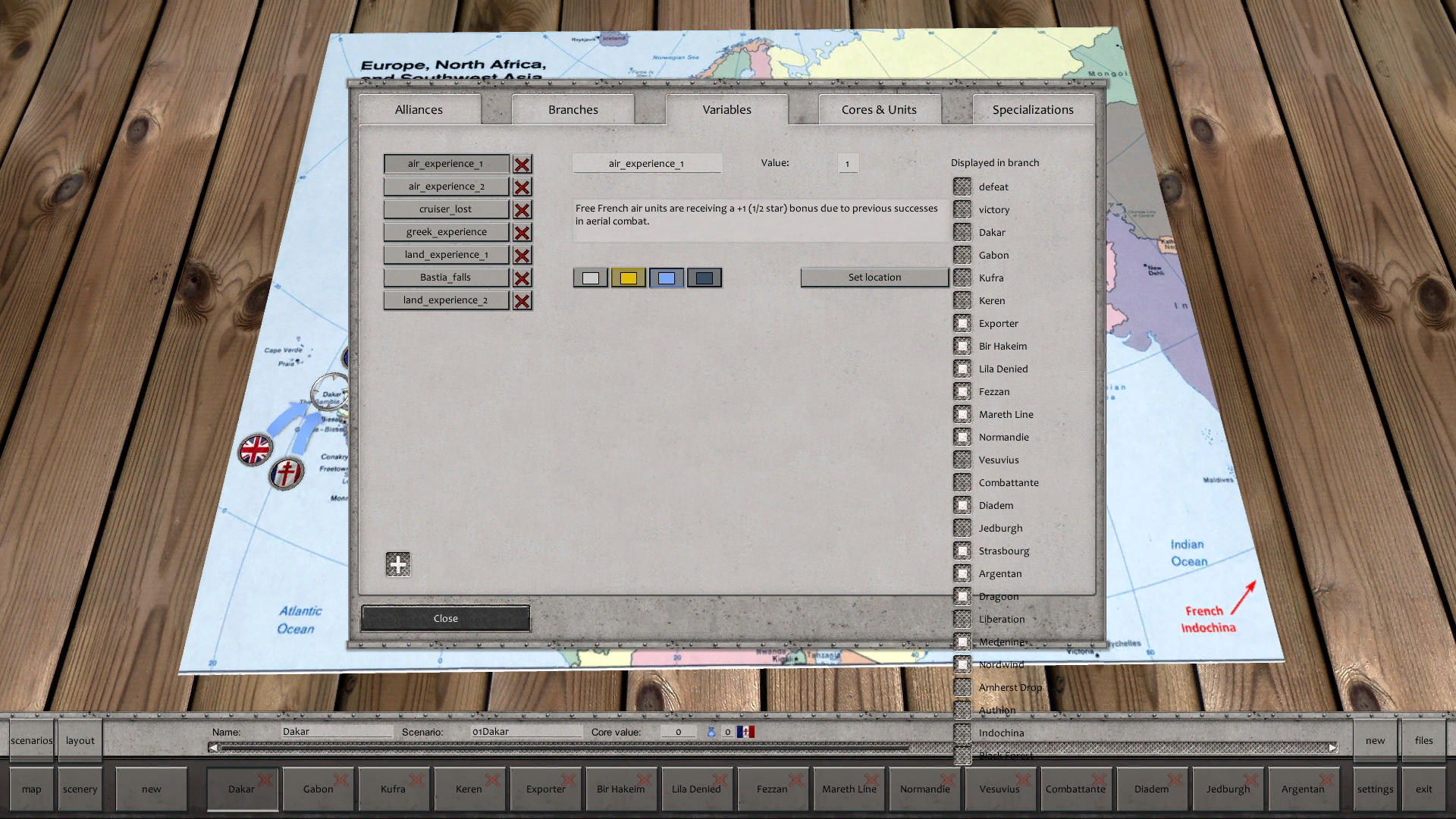
- Screenshot 1.jpg (366.64 KiB) Viewed 961 times
If the campaign variable "air_experience_1" is not set to 1 by a scenario trigger effect, then nothing appears, of course. Again, it's just information that is shown between scenarios. All the rewards for achieving air experience had to be programmed into every one of those highlighted scenarios with triggers that checked if campaign variable "air_experience_1" = 1. If so, then the experience of certain friendly air units was increased by those triggers.
It sounds like you could use a perusal of the
Campaign Editor Manual, written by a very learned scholar who is also divinely handsome and a real lady's man. (


)
Re: Campaign Variables
Posted: Mon Feb 07, 2022 11:39 am
by StuccoFresco
Oh ok, I used to display them in the scenario, but this is even better.