Page 1 of 1
Setting unit experience in a scenario - How?
Posted: Mon Nov 29, 2021 12:00 am
by PaganCyC
Looks like this is the spot to set it:
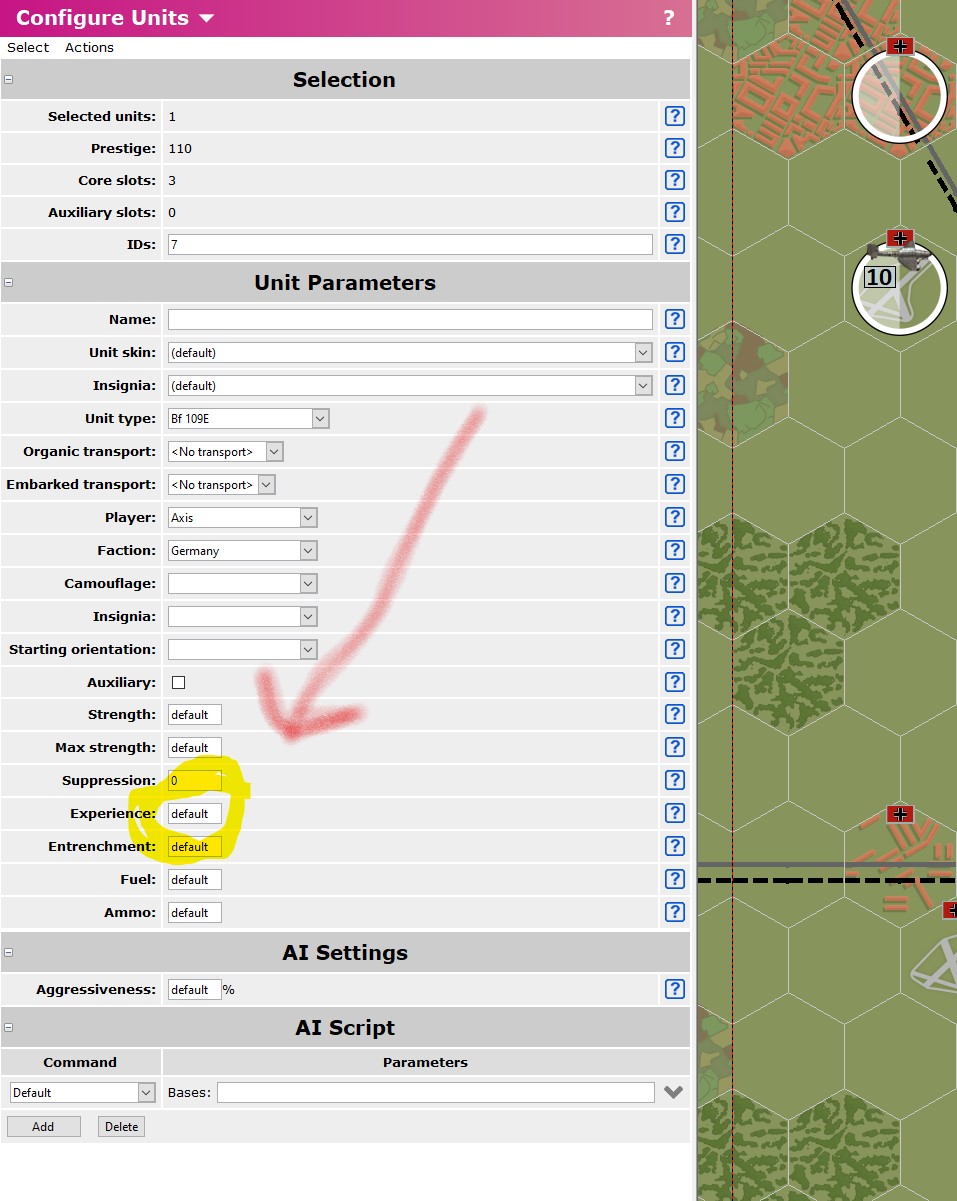
- Screenshot 2021-11-28 184955.jpg (210.41 KiB) Viewed 1045 times
But there is no Save button, and moving to another unit and back loses the set value.
Obviously it is possible since the last two tournament maps had units start with experience. What am I missing?
Re: Setting unit experience in a scenario - How?
Posted: Mon Nov 29, 2021 5:27 am
by asuser
You have to push the button "Apply" (see button bottom left), then save the scenario completely (see button top left).
With "Apply" you give the new value to the unit.
Re: Setting unit experience in a scenario - How?
Posted: Mon Nov 29, 2021 1:17 pm
by PaganCyC
asuser wrote: Mon Nov 29, 2021 5:27 am
You have to push the button "Apply" (see button bottom left), then save the scenario completely (see button top left).
With "Apply" you give the new value to the unit.
Thanks! I had somehow ended up with the editor window larger than the screen I was working on and Apply was hidden.
Re: Setting unit experience in a scenario - How?
Posted: Mon Nov 29, 2021 11:44 pm
by PoorOldSpike
Yes the 'Ok' and 'Apply' buttons etc are off the bottom of the screen (or hidden by the taskbar) depending on what resolution settings you're using; I get round it by moving my taskbar to the right hand edge of the screen so I can see what was hidden under it.