Page 1 of 1
[Gameplay Bug] [Unlocked scen list error] [v9.03]
Posted: Fri Oct 01, 2021 11:48 am
by GabeKnight
Okay, I don't know why this hasn't been posted here yet or maybe I just can't find it, but this is not a new bug:
The unlocked scen list doesn't work/update properly.
(To my knowledge the scen list only saves the most recent scen played)
Also here on Steam:
Completed scenario list disappeared
Or do you really think that the only campaign I've played is the BootCamp..?

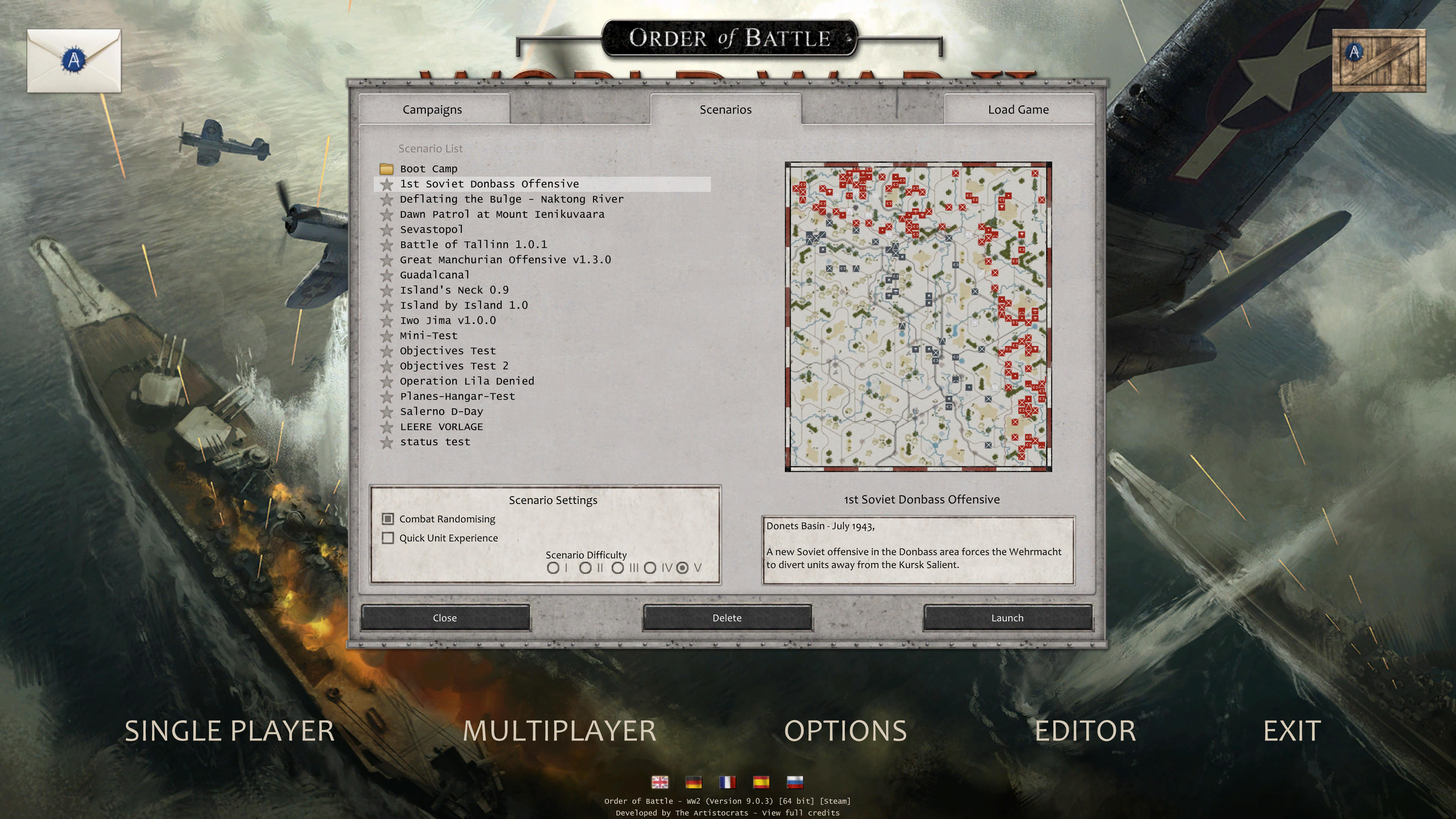
- Screenshot 347.jpg (943.61 KiB) Viewed 1029 times
[Gameplay Bug] [Unlocked scen list error] [v9.25]
Posted: Sun Nov 27, 2022 12:15 am
by GabeKnight
While you're doing the "house cleaning", this bug has been here for a while. It's a bit embarrassing to have to use a cheat code for the complete scen list every time, don't you think?
Re: [Gameplay Bug] [Unlocked scen list error] [v9.03]
Posted: Sun Nov 27, 2022 2:31 pm
by Horst
I haven't payed attention to this, but if a mod screws up something and resets the
options.dat file, maybe it also resets the
unlocked.dat file?
I wrote a batch file that quickly restores these files from a backup folder inside the
Settings folder, that file was included.
I don't have any played scenario at moment to test this theory.
Anyway, if this happens without any mod interference and maybe rather on updated game version/scenarios, then another entry for the everlasting to-fix list.
Should you cheat yourself again through the scenarios, I suggest to make also a
backup folder inside there (and also elsewhere on a backup disc/drive) to quickly restore your old settings. Always useful if you change computer or reinstall Windows. As long as the game won't forget the unlocks when quitting the game right away, it should be a good safety measure.
My batch file inside
Settings folder with link to desktop:
Re: [Gameplay Bug] [Unlocked scen list error] [v9.03]
Posted: Tue Nov 29, 2022 5:32 am
by GabeKnight
Thanks, Horst.
I think even the simple "workaround" to set the unlocked.dat file as "read-only" with the explorer works somewhat.
But hey, this was a working feature of the game previously, so why should I have to resort to backups and such now. Just saying...