Page 1 of 1
Unit Renaming Tool/Save game editor
Posted: Sat Nov 07, 2020 4:16 pm
by ghostronin
First, I'm aware that you can rename units directly in-game, i.e.First select a unit and then you can rename it by clicking its name (US Infantry '41 for example). However, is there a way to modify unit names outside of the game itself?
I feel like this will be easier for me as opposed to clicking each individual unit in-game and renaming by the in-game method reference, especially in some scenarios where there are a large # of units. For example, if I wanted to rename my german units using historical names as opposed to generic names via batch rename by unit type:
-Rename all "German Infantry 41" to the following list: 1. Infanterie-Division, 2. Infanterie-Division, 3. Infanterie-Division, etc.
-Rename all tank unit types to divisions to the following list, etc.: 27. Panzer-Division, 116. Panzer-Division, 130. Panzer-Lehr-Division, etc.
Re: Unit Renaming Tool/Save game editor
Posted: Sat Nov 07, 2020 4:25 pm
by terminator
Each unit has a number.
You can also change the name of a unit by editing the scenario text file:
// NAME
scenario_name = New Scenario
// DESCRIPTION
scenario_descr = (No description available)
// BRIEFINGS
// OBJECTIVES
// UNIT NAMES
unit_27 = Jagdpanther test
// HEX NAMES
// SPAWNED UNIT NAMES
// TRIGGER TEXTS
// OUTCOME EVENTS
Re: Unit Renaming Tool/Save game editor
Posted: Sat Nov 07, 2020 5:33 pm
by ghostronin
Thanks! I found this file, in the initial setup. But where would I find it to edit for an ongoing campaign? For example, Buq Buq as part of Afrika campaign and I want to edit my unit names?
Re: Unit Renaming Tool/Save game editor
Posted: Sat Nov 07, 2020 7:08 pm
by Erik2
The text_english file resides inside every scenario folder.
Re: Unit Renaming Tool/Save game editor
Posted: Sat Feb 20, 2021 7:11 pm
by ghostronin
@terminator @Erik2 Thank you for your help. How do I find a complete list of unit numbers for each stock DLC Scenario so that I can rename? Apologies if these are simple questions. For example, in many of the campaign scenarios there are no units listed under "// UNIT NAMES" or "// SPAWNED UNIT NAMES" within the text_english.txt file. Without the list of active units in the scenario I'm unable to identify their respective unit numbers, names or even how many units are present in the scenario. Further, is it also possible to rename enemy units by scenario?
Re: Unit Renaming Tool/Save game editor
Posted: Sun Feb 21, 2021 2:52 am
by bru888
ghostronin wrote: Sat Feb 20, 2021 7:11 pm
@terminator @Erik2 Thank you for your help. How do I find a complete list of unit numbers for each stock DLC Scenario so that I can rename? Apologies if these are simple questions. For example, in many of the campaign scenarios there are no units listed under "// UNIT NAMES" or "// SPAWNED UNIT NAMES" within the text_english.txt file. Without the list of active units in the scenario I'm unable to identify their respective unit numbers, names or even how many units are present in the scenario. Further, is it also possible to rename enemy units by scenario?
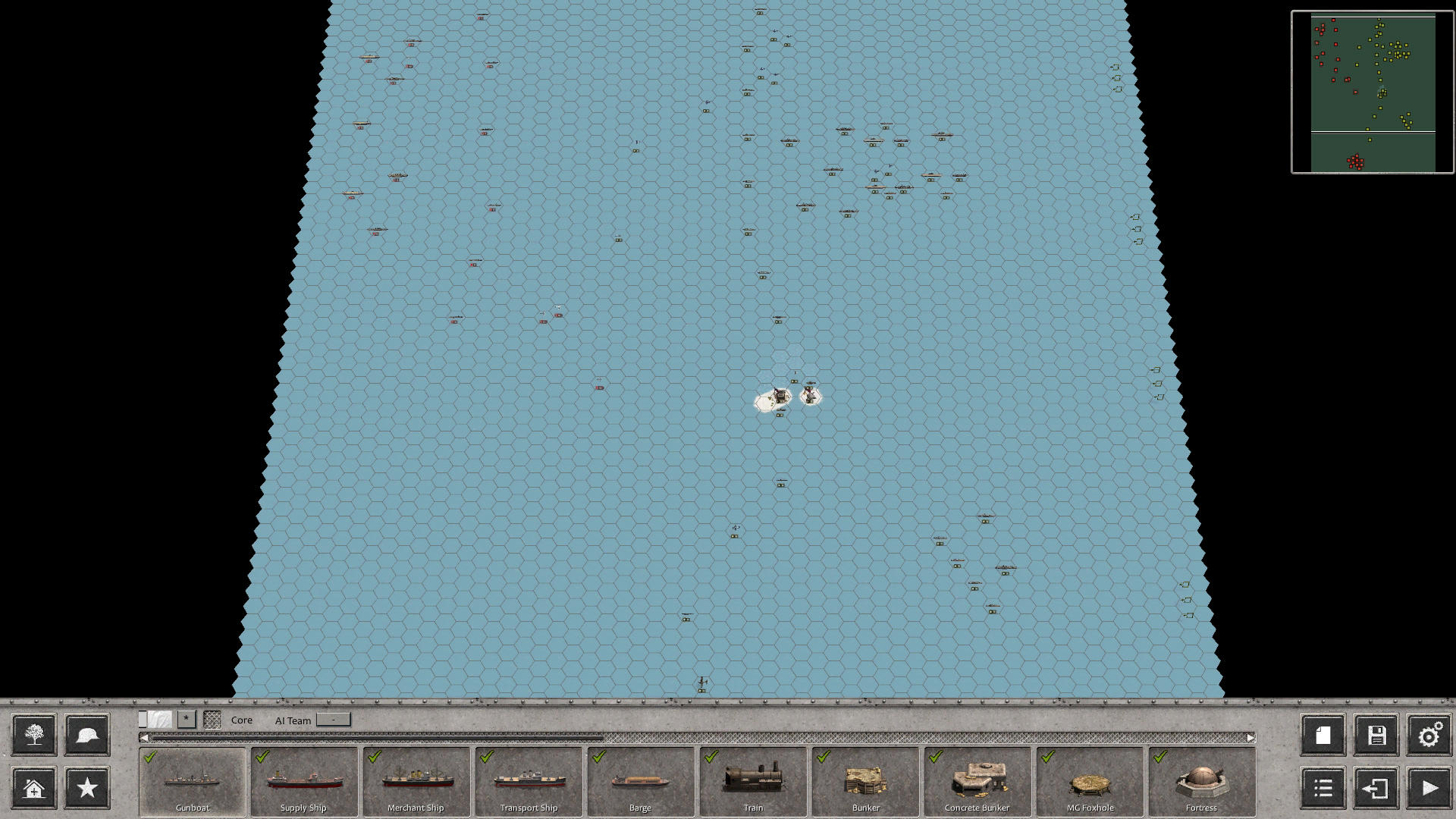
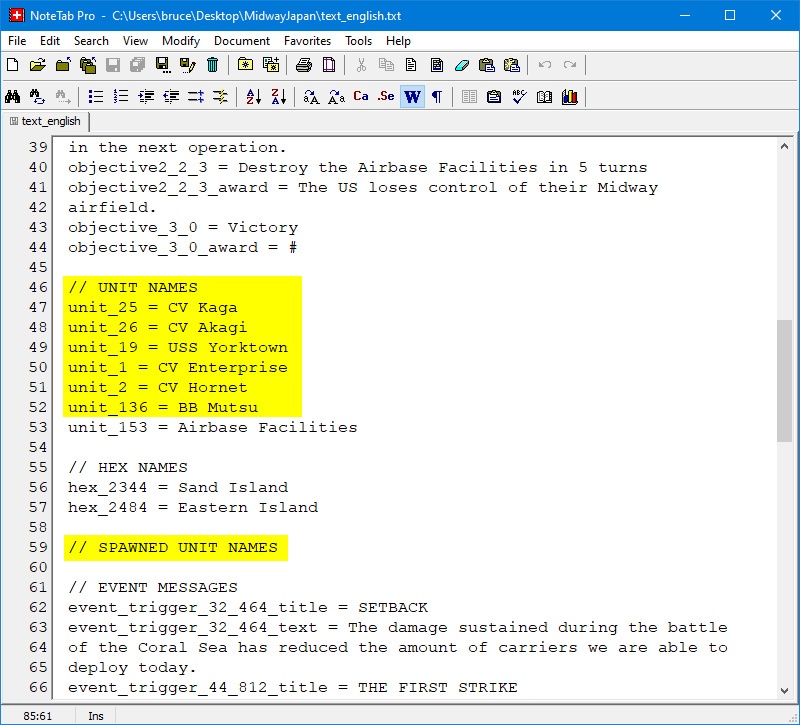
Regarding "in many of the campaign scenarios there are no units listed under "// UNIT NAMES" or "// SPAWNED UNIT NAMES" within the text_english.txt file," units are listed only if the designer gave them customized names in the scenario editor.
For example, of the dozens of units on the map in this scenario,
- Screenshot 1.jpg (302.06 KiB) Viewed 2787 times
the designer chose to rename only a few carriers and a battleship. If he has any units spawning in the scenario, he has not renamed them either:
- Image0329.jpg (161.86 KiB) Viewed 2787 times
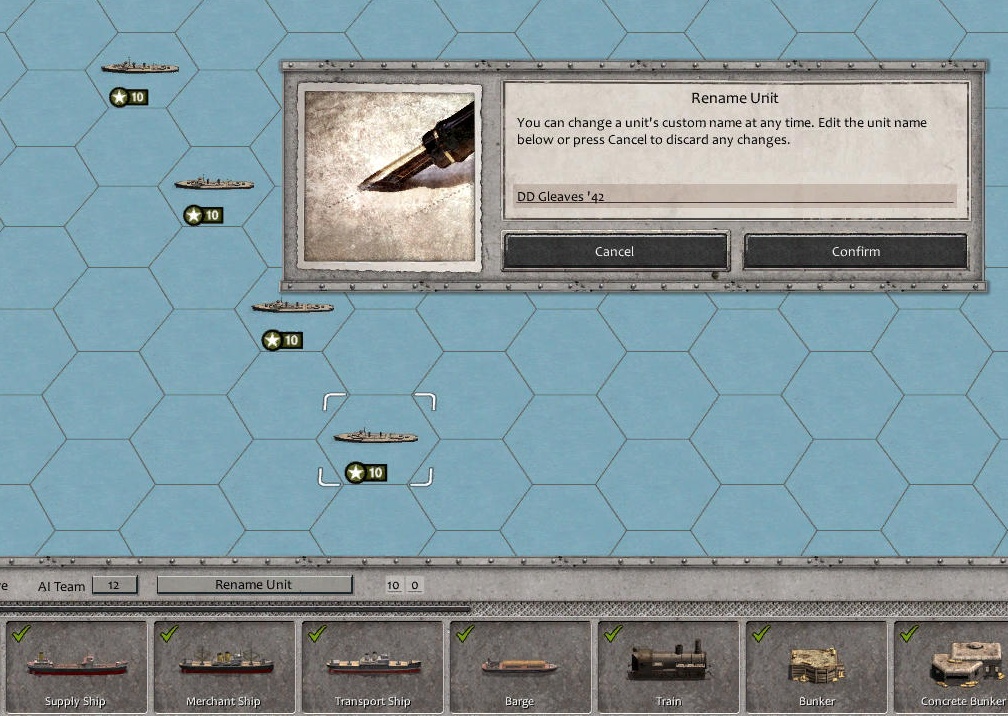
So if you want to rename units, you must do so within the scenario editor, such as this DD Gleaves '42 - click on it, then click "Rename Unit":
- Screenshot 2.jpg (275.99 KiB) Viewed 2787 times
Your next question is likely to be "How do I edit DLC and custom campaign scenarios? That is the tough part. You must copy the scenario folder from the campaign's Scenarios folder to your C:\Users\[your name]\Documents\My Games\Order of Battle - WW2\Scenarios folder. That is the folder that the scenario editor looks at. When you are finished, you copy the scenario folder back to the campaign's Scenarios folder.
Re: Unit Renaming Tool/Save game editor
Posted: Sun Feb 21, 2021 4:54 pm
by ghostronin
Thank you Bru! Not the answer I had hoped to hear, but this does address my question. Had hoped for an easier mechanism/UI to mod this, i.e. purely text editor based.
Re: Unit Renaming Tool/Save game editor
Posted: Sun Feb 21, 2021 5:56 pm
by bru888
ghostronin wrote: Sun Feb 21, 2021 4:54 pm
Thank you Bru! Not the answer I had hoped to hear, but this does address my question. Had hoped for an easier mechanism/UI to mod this, i.e. purely text editor based.
You are welcome. Now, you
can do as the other guys suggested IF the original designer did rename many of his units. Those names will show up in the text file and can be edited therein. The problem with this, however, is that often you will not know which particular units on the map you are editing. The game keeps track of units by numbering them but you do not see this number in the game or even in the editor.
The best time for purely text editor-based alterations is for renaming units that are already custom named, for some purpose such as inserting "HMS" before all British ship names, or including "3rd Div" for named U.S. ground units belonging to that outfit. Be careful, by the way, not to exceed the width of the unit's title box with your custom names. The game will still attempt to display the entire name but it will not look very good.