Page 4 of 5
Posted: Tue Aug 09, 2011 11:06 am
by Amaris
Well done Merr: you are a great bug finder

Nice work for house1, I'll fix that, thanks you again.
For church, I hadn't tested it with a river.

I test well tiles to put an object of church but I do not do to put cobbles overlay

Posted: Tue Aug 09, 2011 11:48 am
by Merr
Amaris,
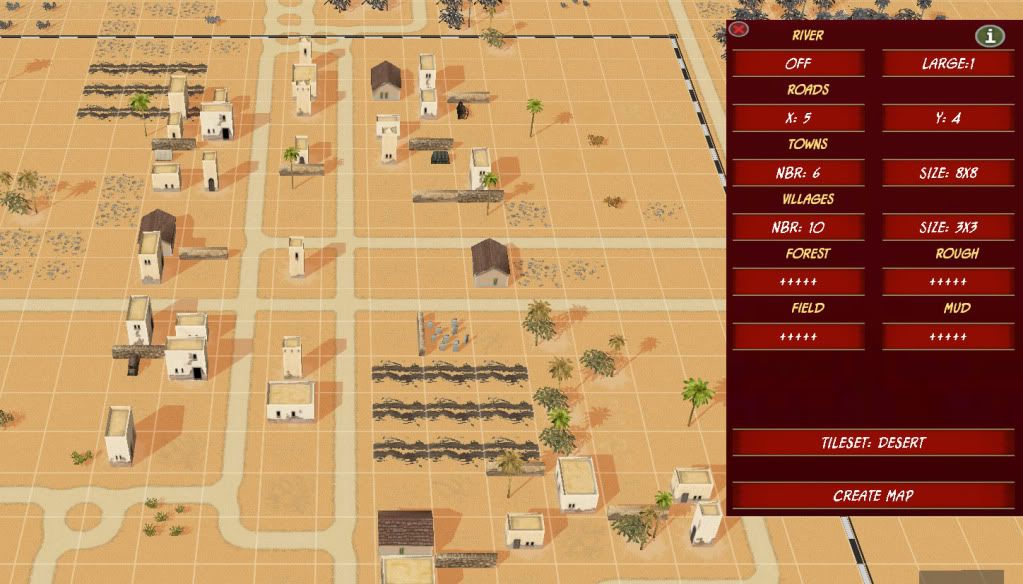
I found another bug ... desert tileset ... perhaps wrong tile# ??

I see "tracks" ??
Should there be a field? ... or should fields be "off" ?
Should "fields = dunes" ???
Posted: Tue Aug 09, 2011 12:40 pm
by Amaris
Desert's field are like that :

Nothing spectacular
I think Dunes requires hills. So they'll be put manually.
But there has a bug with wrong tile# somewhere
Posted: Tue Aug 09, 2011 1:26 pm
by Amaris
Found it
 Version 5:
- Fix house bug and church bug.
Download: https://sites.google.com/site/bbcbaamar ... dom-plugin
Posted: Wed Aug 10, 2011 1:54 pm
by Merr
Amaris,
Found another bug .... Bulge Map (only) ... Church_B object incorrect rotation.
Note... French map doesn't use church_b ... And other three church objects (around steeple) on Bulge map use church_a ... Is this simply an object typo or did you intend on using church_b ??
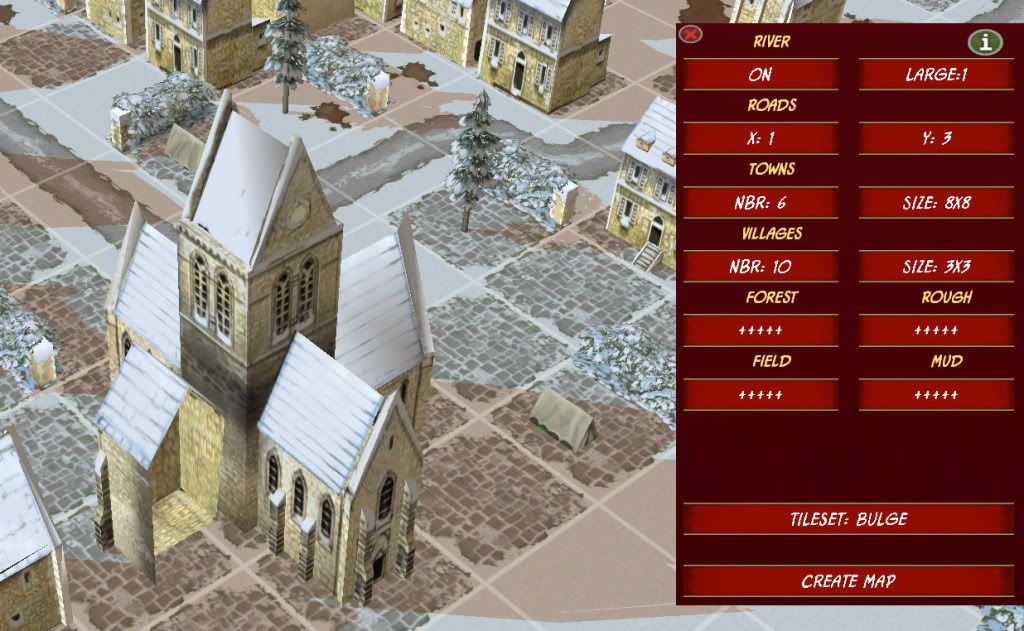
I didn't see any other bugs, however, your little brick wall "U" ... not centered on purpose?
Posted: Wed Aug 10, 2011 5:21 pm
by Merr
Amaris,
On the Bulge map ... the wall object in question is called "ARDENNES_Brick_yardwall", as shown below ;
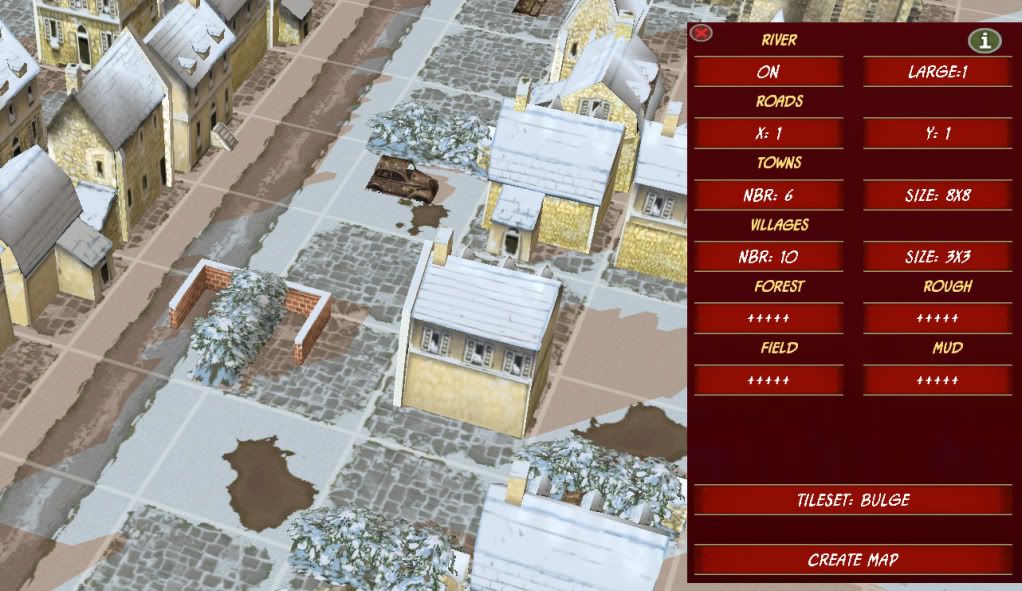
If you change this to this object ... "ARDENNES_stone_yardwall" ... and change the code as follows ;
Code: Select all
		if (GetGlobal("tileset") == 1)
		{
			id = PlaceObject(xd, yd, "bulge", "snowy_hedgrow2") ;
			SetObjectRotation(id, 157) ;
			k2 = Rand(1, 4);
			if (k2 == 1)
			{
				//id2 = PlaceObject(xd, yd, "bulge", "ARDENNES_Brick_yardwall") ;
				id2 = PlaceObject(xd, yd, "bulge", "ARDENNES_stone_yardwall") ;
			}
			if (k2 == 2)
			{
				id2 = PlaceObject(xd, yd, "bulge", "ARDENNES_town_wall_straight") ;
			}
			if (k2 == 3)
			{
				id2 = PlaceObject(xd, yd, "bulge", "ARDENNES_stone_wall_straight") ;
			}
			if (k2 == 4)
			{
				id2 = PlaceObject(xd, yd, "bulge", "ARDENNES_wall_straight") ;
			}
			if (k2 != 1)
			{
				SetObjectRotation(id2, 157) ;
			}
			else
			{
				SetObjectRotation(id2, 0) ;
			}
		}
... it will look like this below ;
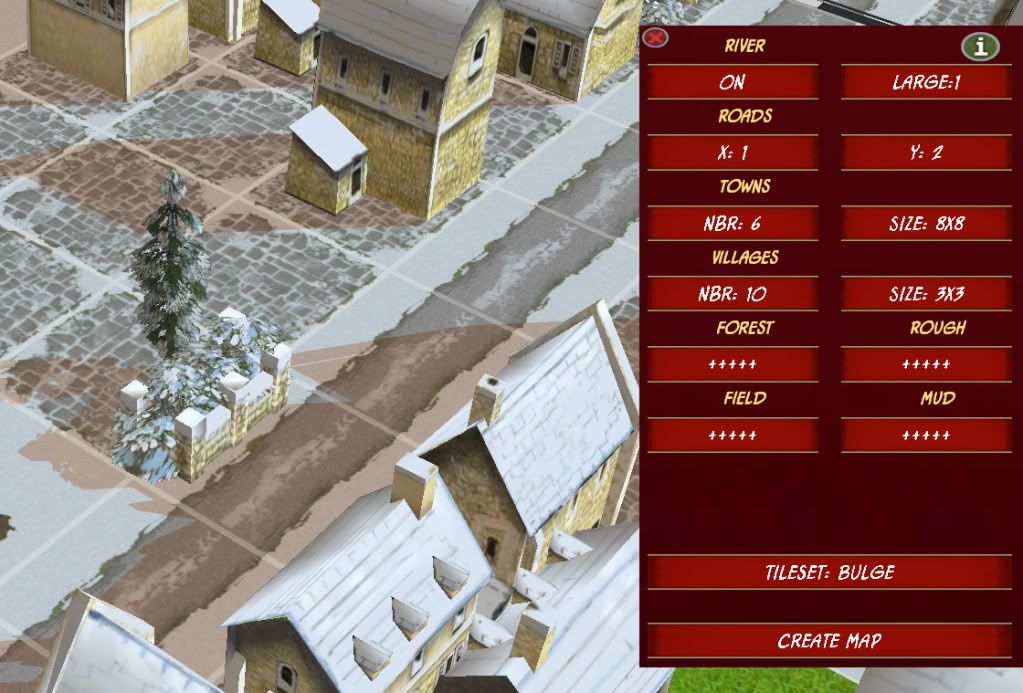
Just a suggestion .... or you can get rid of it altogether
Perhaps it could be moved a little, that is, if you decide on the change

If you decide to keep the "brick" ... maybe it needs a special rotation to make it fit correctly(similiar to house1 problem)
Posted: Wed Aug 10, 2011 5:27 pm
by Amaris
OK thanks.
I'll be back on the end of week with a fix version
Posted: Wed Aug 10, 2011 5:53 pm
by Merr
Amaris wrote:OK thanks.
I'll be back on the end of week with a fix version
Ok ... hey ... I tested this new script with brick wall ... Using change, I did not see any bugs. Perhaps you'll like it?
- added 50 to xd.
- rotated brick wall value = 0.
Code: Select all
		if (GetGlobal("tileset") == 1)
		{
			id = PlaceObject(xd, yd, "bulge", "snowy_hedgrow2") ;
			SetObjectRotation(id, 157) ;
			k2 = Rand(1, 4);
			if (k2 == 1)
			{
				id2 = PlaceObject(xd+50, yd, "bulge", "ARDENNES_Brick_yardwall") ;
			}
			if (k2 == 2)
			{
				id2 = PlaceObject(xd, yd, "bulge", "ARDENNES_town_wall_straight") ;
			}
			if (k2 == 3)
			{
				id2 = PlaceObject(xd, yd, "bulge", "ARDENNES_stone_wall_straight") ;
			}
			if (k2 == 4)
			{
				id2 = PlaceObject(xd, yd, "bulge", "ARDENNES_wall_straight") ;
			}
			if (k2 != 1)
			{
				SetObjectRotation(id2, 157) ;
			}
			else
			{
				SetObjectRotation(id2, 0) ;
			}
		}
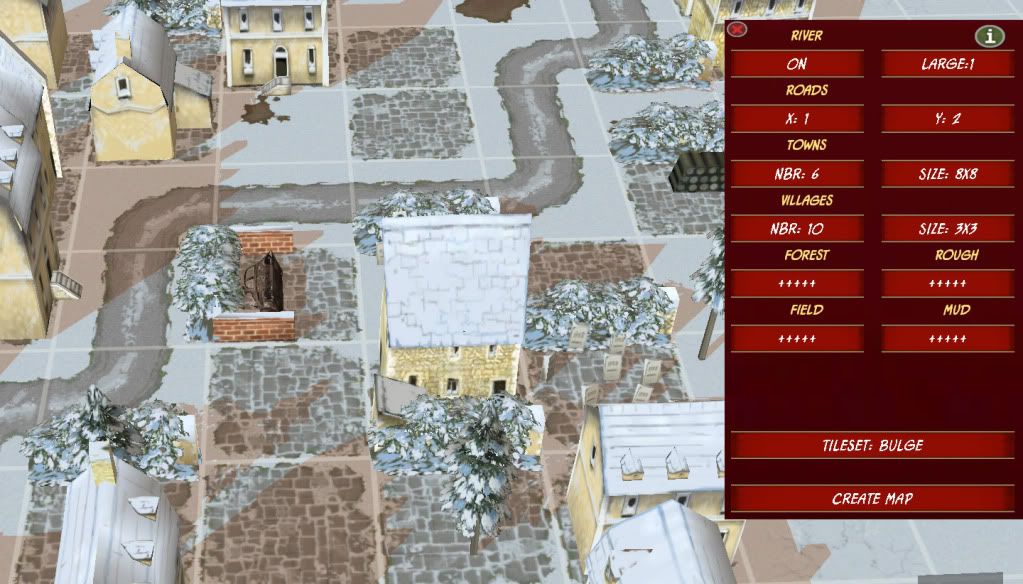
What it looks like ;
Posted: Fri Aug 12, 2011 12:15 pm
by Amaris
Version 6:
- Fix bulge bugs.
- Add rocks for desert tileset:

Download:
https://sites.google.com/site/bbcbaamar ... dom-plugin
Posted: Fri Aug 12, 2011 10:13 pm
by Merr
Amaris,
I see you changed the object to "ARDENNES_stone_yardwall" ... however, the rotation needs to be 0. Did you forget the extra condition at the end?
Also, I think the Slith Water Edging function needs to be the last function to execute because the edging isn't working under the bridge ... Perhaps move the function to run after Ama_MapRandom() ???
I can't find anything else wrong, but I'm still looking.
Remember, if you add new objects then you might get bitten by the "Rotation Bug"
Posted: Sat Aug 20, 2011 12:28 pm
by Amaris
Version 7:
- Fix other bulge bugs and river's edge under bridge.
 Download: https://sites.google.com/site/bbcbaamar ... dom-plugin
I also changed the positioning and orientation of the ARDENNES_stone_yardwall:

If there are no other errors I consider it finished.
I can of course continue to improve but it's endless. And I need to move on. Back to my random normandy campaign for example
May be also 'historica'l scenarios.
Posted: Sat Aug 20, 2011 8:58 pm
by Merr
Amaris wrote:
If there are no other errors I consider it finished.
I can of course continue to improve but it's endless. And I need to move on. Back to my random normandy campaign for example
May be also 'historica'l scenarios.
Congratulations !

...
With your permission, I would like to use the script in my new Hetzer! scenario, and future random scenarios. My current random map technology (box of chocolates) is rather too symetrical, like you said
.
Also, while you were "plugging away"
on the PLUGIN, I've been creating AI scripts to use BONUS scripts with a random map. I also have a random bonus script that I can post seperately (template) which might be useful or at least give you some ideas on other random scripts. That script combines "like-type" bonus functions into one bonus for random selection throughout the entire scenario, e.g. Airstrike combines all types, Hurricane,Typhoon,B17 etc.
Thank you working on the plugin!
It's beutiful !
Posted: Sun Aug 21, 2011 1:14 am
by pipfromslitherine
Very cool. Perhaps we can include it in the next update so everyone can use it!
Now you are done, it might be worth thinking about the different ways that you can use it. One way is the approach you have now (note - you should give the plugin script an ID different to the existing ones, I can manage a list of 'safe' user IDs if that would be a good way to go) and use the plugin just as a tool for generating the map data, which then gets saved out.
An alternative approach would be to have the script run when the mission loads up and do its work then. That is - you would set up the various values as you do now, but when the mission loads the plugin would load up those values, and then run its generation code to build a different map every time. Now, this is cool in that you can have a mission in a campaign which is 'random' entirely, each time you play it, but it would need to have scripting to allow for deployment of units and VPs on the randomised map each time.
Just giving you more food for thought
.
Cheers
Pip
Posted: Thu Aug 25, 2011 2:01 pm
by Merr
pipfromslitherine wrote:Very cool. Perhaps we can include it in the next update so everyone can use it!
Pip,
Looking at your MG screenshots ... Any chance of adding the Holland tileset/objects to his plugin?
That would really be an exciting bonus!
Posted: Thu Aug 25, 2011 3:43 pm
by pipfromslitherine
Hmmm - it shouldn't be an issue, once the patch is out and the data is there to add into the script.
Cheers
Pip
Posted: Thu Aug 25, 2011 4:13 pm
by Amaris
I made this plugin to the community. It is used more happier I am.
Mer: great work for AI scripts ! I look forward to this. This could be very useful
Posted: Fri Sep 02, 2011 4:44 am
by Rosseau
Well, your map generator just passed the "idiot" litmus test.
Knowing nothing about how to use it, I created a Bulge map in about a five seconds.
Amazing work and am confident it will appear in an official patch.
Posted: Sun Sep 04, 2011 8:29 am
by Amaris
Rosseau:
I'm pretty busy on something else now, but I have not forgotten BA
I also plan a version of the script that run when the mission loads up.
Posted: Sun Sep 04, 2011 11:59 pm
by pipfromslitherine
Once 1.6 is out (soon I hope!). We will revisit this, and hopefully (and with permission from the author!) we'll add it in as a superb helper for people to make their own random maps.
Cheers
Pip
Posted: Sat Sep 10, 2011 3:28 pm
by Merr
Amaris wrote:I made this plugin to the community. It is used more happier I am.
Mer: great work for AI scripts ! I look forward to this. This could be very useful
Amaris,
I haven't forgotten you and the AI scripts!
The scripts are 95% finished ... I'm looking at providing the AI the functionality to cancel a strike mission. That should finish my basic, cheap and easy scripts that will hopefully add some "personality" to the AI.
At the moment, I've been bitten by the Marget Garden campaign ... Which, by the way, that tile set would look very nice to add (if Pip can do it for us).


