Page 6 of 34
Re: The "Gabe-Mod" ;) and units.csv fixes (v5.2.9)
Posted: Tue Mar 27, 2018 4:55 pm
by GabeKnight
terminator wrote:Do you use also the Japanese paratrooper's 3D models ?
Names = "Red Devils" ?
No, I kept the models as they were (UK_SAS). Why? Is there something wrong with their animation? Haven't bought them yet in Burma Road, just couldn't look at the empty pictures and names anymore...


But that's what testing's for, right? So I'm "testing" it right now and having fun with OoB at the same time.

EDIT: The 3D models look okay in the game, it' just the names and 2D pic missing IMO.

- Brit_para.jpg (139.44 KiB) Viewed 5690 times
Re: The "Gabe-Mod" ;) and units.csv fixes (v5.2.9)
Posted: Wed Mar 28, 2018 6:08 am
by terminator
Would not the British parachutists be better with a US_Para_Grenade_42 instead of the UK_Grenade_41 :
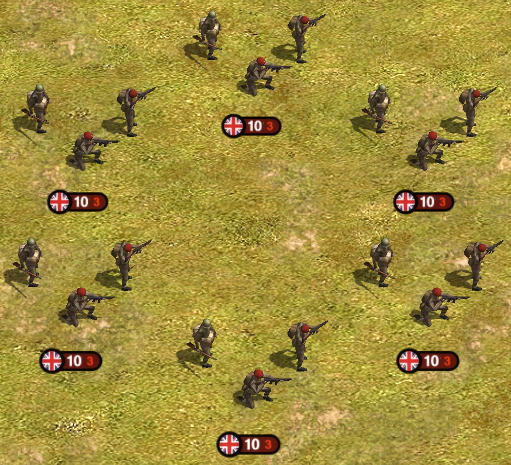
- British_Airborne(US_Para_Grenade_42).png (563.4 KiB) Viewed 5682 times
The model of the helmet of the the UK_Grenade_41 is not the voucher for British parachutists :

- british-paratrooper-helmet-ww2-1177h.jpg (27.67 KiB) Viewed 5682 times
An historical picture :

- British_Paratroops_Arnhem.jpg (77.23 KiB) Viewed 5682 times
Re: The "Gabe-Mod" ;) and units.csv fixes (v5.2.9)
Posted: Wed Mar 28, 2018 6:53 am
by Igor1941
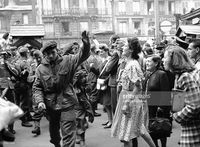
Parisians spit on prisoners of British paratroopers, whom the Germans lead around the city
Re: The "Gabe-Mod" ;) and units.csv fixes (v5.2.9)
Posted: Wed Mar 28, 2018 7:07 am
by terminator
I can propose this image for the British paratrooper units :
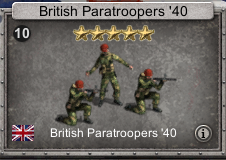
- British_Para_Units.png (72.19 KiB) Viewed 5679 times
Here is the image. To use it do "Save the image as":

- British_Paratroopers_40.png (15.72 KiB) Viewed 5679 times
Re: The "Gabe-Mod" ;) and units.csv fixes (v5.2.9)
Posted: Wed Mar 28, 2018 12:43 pm
by GabeKnight
@Terminator
Thanks for the pic, that I'm taking. As for the model change, I get your point, but that's not important to me. I'll let something like that for the devs to decide.

- Screenshot 250.jpg (143.54 KiB) Viewed 5673 times
Re: The "Gabe-Mod" ;) and units.csv fixes (v5.2.9)
Posted: Wed Mar 28, 2018 11:53 pm
by GabeKnight
My next project are AT model variants of existing AA units.
First (experimental) attempt to modify official units. And please don't ask why I've chosen the "Sturer Emil" model for that, I don't know. It's just a test!

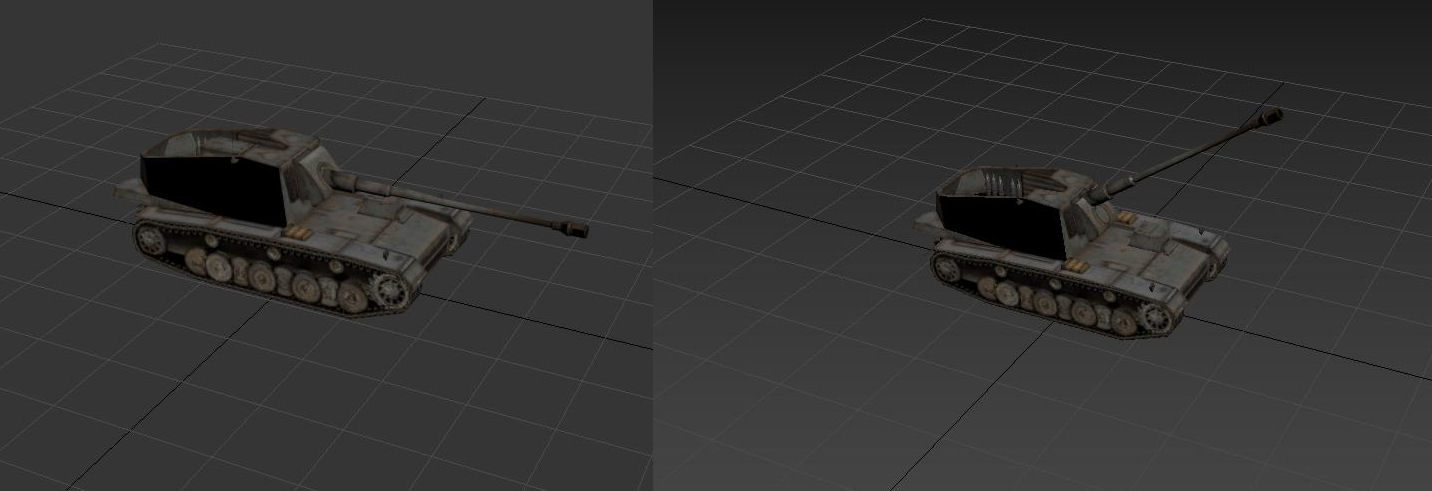
- Emil.jpg (64.57 KiB) Viewed 5662 times
Re: The "Gabe-Mod" ;) and units.csv fixes (v5.2.9)
Posted: Thu Mar 29, 2018 12:06 am
by SchnelleMeyer
Good looking tank destroyer!
Re: The "Gabe-Mod" ;) and units.csv fixes (v5.2.9)
Posted: Thu Mar 29, 2018 1:47 am
by GabeKnight
SchnelleMeyer wrote:Good looking tank destroyer!
But please bear in mind, that these are
NOT my own models, but only a slightly modified version of the official "Sturer Emil" model of the Panzerkrieg DLC.
Honestly, I'd never have the patience to build something like this from scratch. At the most, I like to take things and change them for the better, so to say.
Re: The "Gabe-Mod" ;) and units.csv fixes (v5.2.9)
Posted: Thu Mar 29, 2018 9:04 am
by terminator
Hi GabeKnight,
It is possible to correct the models and animations for cavalry :
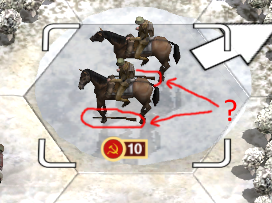
- Cavalry.png (134.38 KiB) Viewed 5649 times
Could you change the color of the horse for example ?
Re: The "Gabe-Mod" ;) and units.csv fixes (v5.2.9)
Posted: Thu Mar 29, 2018 1:50 pm
by GabeKnight
terminator wrote:It is possible to correct the models and animations for cavalry :
I'll take a look into it, but I'm still just a rookie with the modelling software. There are still many things to work out, had my first real success of importing a "base structure" unit
just yesterday!
EDIT: As far as I can see, the models for the cavalry riders and regular infantry are the same. There have to be some different animation mechanics at play (CavalryIdle, cavalrymove,...) to put them on the horses and place the rifles in their hands. I have no idea how to manipulate that, sorry.
terminator wrote:Could you change the color of the horse for example ?
But if you just want to change the appearance of an
existing stock unit, that's no real problem. You just need to place the modified texture file in the \Units\Textures folder of your mod, rename it like its "model" in the units.csv file and it will automatically override the "official" one like I've done
here for example.
It only becomes complicated, if you need a new unit name and thus a new model.
EDIT: e.g. a white horse

Re: The "Gabe-Mod" ;) and units.csv fixes (v5.2.9)
Posted: Thu Mar 29, 2018 5:23 pm
by GabeKnight
terminator wrote:Could you change the color of the horse for example ?
Interesting facts: There are already two colored horse models available ("transport_horse_B"=black and "transport_horse"=brown) and although all cavalry units should have a mixed coloured horse set (models-column of the units.csv), the game obviously only choses the first horse's color for the other as well.
Jap Cavalry = "transport_
horse_B -0.12 0.05, transport_
horse 0.12 -0.03" = black horsies
Chinese Cavalry = "transport_
horse -0.12 0.05, transport_
horse_B 0.12 -0.03" = brown horsies
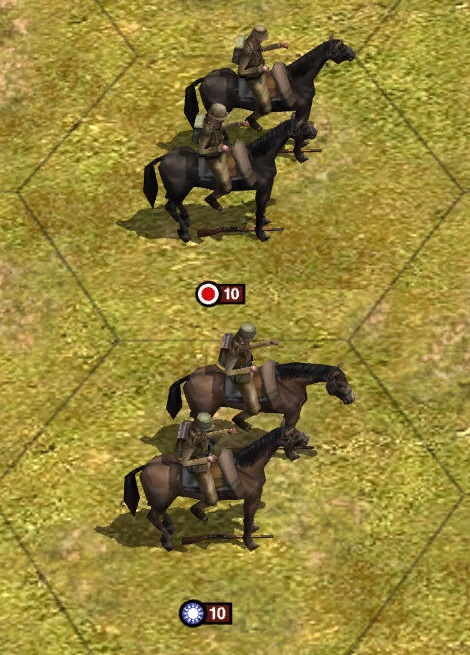
- Screenshot 255.jpg (136.4 KiB) Viewed 5630 times
The sequence in which the models are named in the models-column (0,1,2,...) is also used in the "effectSequences.txt" file to determine the order of animations.
...and if someone wondered, what the two numbers after each of the models meant, it's the individual model's location respective to hex-center (offset)
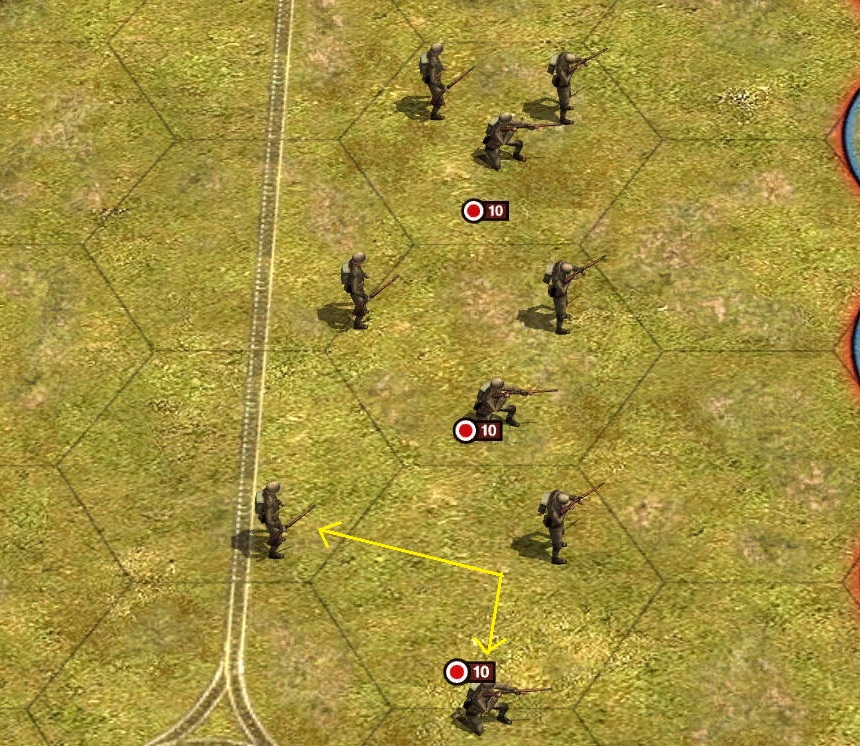
- Screenshot 254.jpg (328.52 KiB) Viewed 5630 times
Re: The "Gabe-Mod" ;) and units.csv fixes (v5.2.9)
Posted: Thu Mar 29, 2018 7:58 pm
by terminator
I arrive to change the texture only for the Units from Battle of Britain.
I do not know how to extract the original models (file.mdb) ? I do not find them.
Ex with the H59 Rescue :
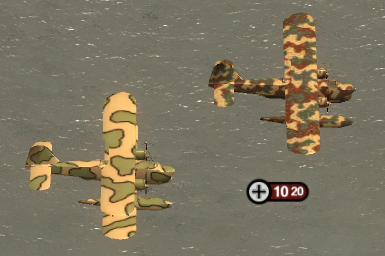
- Skin.png (181.11 KiB) Viewed 5616 times
Re: The "Gabe-Mod" ;) and units.csv fixes (v5.2.9)
Posted: Fri Apr 13, 2018 1:35 pm
by terminator
Hi GabeKnight,
Do you manage to change the sounds ?
It seems easy but I do not arrive there :
http://www.slitherine.com/forum/viewtop ... 88#p545682
Re: The "Gabe-Mod" ;) and units.csv fixes (v5.2.9)
Posted: Fri Apr 13, 2018 2:10 pm
by GabeKnight
Yeah, it's already done for the Cluster Bomb setting of my "Schienengeschütz" unit. You can look it up. But in short, it works like described in the post:
1.) Create folder \Sounds\ in your mod, I've put the new "
ClusterBomb.wav" soundfile there
2.) In the \Data\effects.txt you add the new sound effect. I've modified the existing Mortar effect (1.0 -> 2.0 = larger shell animation). Then I've used the new sound file name with "sfx = ... " and turned up the volume a bit (1.0 -> 2.5)
Code: Select all
[Mortar_600mm_CL]
attached = CannonFlash 1.0
independent = MortarShellHuge 2.0
independent = CannonSmokeLarge 1.0
sfx = ClusterBomb 2.5
recoil
3.) in the \Data\effectSequences.txt you add the new (final) sequence for your unit. Here you can use the vanilla effects as well as your own and define how the combat/move/defend animations are going to look like in the game. I've modified an arty effect for that. Here you include the new effect you just created from "2.)". The first number seems to be the timer (in seconds) of the sequence and the last number's used for the 3D-models definitions (like turrets and barrels locations). And this is the name you use in the units.csv file in the "weaponEffect" column.
Code: Select all
[ART_16inch_CL]
0.0 ART_Shell 0
0.0 Mortar_600mm_CL 0
0.9 BarrelSmoke 0
1.3 hit
1.3 damage
That's all. I'm just not very creative when it comes to naming, so I've copied existing entires and added the "_CL" suffix to them
What are you planning to do?
Re: The "Gabe-Mod" ;) and units.csv fixes (v5.2.9)
Posted: Fri Apr 13, 2018 4:42 pm
by terminator
Thank you for this interesting information but I do not still manage to modify movement sounds :

- MoveSound.PNG (3.01 KiB) Viewed 5464 times
Re: The "Gabe-Mod" ;) and units.csv fixes (v5.2.9)
Posted: Fri Apr 13, 2018 8:08 pm
by GabeKnight
@terminator
Why not? Should work. In doubt, create a new entry with your sound file and keep the old one.
Just don't use the brackets "[" or "]" ! Because from what I've gathered, the entry
means, that there are THREE sound files representing infantry movement (Infantry_01.wav, Infantry_02.wav and Infantry_03.wav), and the game will choose one randomly. Haven't tested it, though.
Re: The "Gabe-Mod" ;) and units.csv fixes (v5.2.9)
Posted: Sat Apr 28, 2018 7:06 am
by terminator
GabeKnight wrote:@Horst, terminator, airbornemongo, Kondi and others

First of all, THANK YOU gentlemen for all this valuable help and input so far.
It's nice to see this thread's going where I was hoping it would.
Although I must confess, the amount of ideas and work involved are starting to outgrow my ambition a little...
But Rome wasn't built on one day either...
One question for the experts:
This I've figured out so far: if you want to add a
new switch abilily (with a NEW BUTTON/ICON!) to a unit, one can use this setting in the "switch" column of the units.csv
weapon:<switch_unit_name> <icon_name> <cooldown>
and placing the new button's graphic in "Graphics\UI\Large" with the filename "ability_weapon_
<icon_name>.png". This works so far as I've been using it on my railway gun. But with this method there's always the cool-down timer attached:
The attachment Screenshot 233.jpg is no longer available
Now the real question:
How do I use or create
new switch modes not being of the "weapon:" class? I mean like "submerged" or "uparmour" with them having own graphics like button_submerge.png or button_uparmour.png respectively. For example a switch mode between tactical bomber and dogfighter mode. I won't use the stupid weapon-switch (with cooldown) or torpedo:/torpedo_switch graphics for that. I'd rather like to have an own
button_ruestsatz_1280.png graphic. And there seems to be a number of unused button graphics files in the vanilla game's own library anyways. Like this:
The attachment button_supply_mode_1280.png is no longer available
How do I activate it? I've tried adding a switch ability "supply:" and "supply_mode:" but this didn't work. Any ideas?

There's
NOT always the
cool-down timer attached with this method :
- weapon(switch).png (144.73 KiB) Viewed 5344 times
Re: The "Gabe-Mod" ;) and units.csv fixes (v5.2.9)
Posted: Sat Apr 28, 2018 3:57 pm
by GabeKnight
terminator wrote: There's
NOT always the
cool-down timer attached with this method :[/attachment]
Okay, I actually didn't test a zero/null setting.
But what I meant was the whole "overlay" mechanic with the two arrows in the top corner. This template is used for
all "weapon" switch modes:

- button_weapon_switch_high_1280.png (10.22 KiB) Viewed 5331 times
Re: The "Gabe-Mod" ;) and units.csv fixes (v5.2.9)
Posted: Fri May 04, 2018 1:30 pm
by Telematic
GabeKnight wrote:
But if you just want to change the appearance of an
existing stock unit, that's no real problem. You just need to place the modified texture file in the \Units\Textures folder of your mod, rename it like its "model" in the units.csv file and it will automatically override the "official" one like I've done
here for example.
Ok I placed a .tga file in the texture directory with the name of the model and it works, but I'd like to know how to modify it (e.g. where is the bow of the ship or the wings of the plane in the .tga file).
GabeKnight wrote:
But please bear in mind, that these are NOT my own models, but only a slightly modified version of the official "Sturer Emil" model of the Panzerkrieg DLC
How you get it?
Thanks
Re: The "Gabe-Mod" ;) and units.csv fixes (v5.2.9)
Posted: Fri May 04, 2018 4:32 pm
by GabeKnight
Telematic wrote:
Ok I placed a .tga file in the texture directory with the name of the model and it works, but I'd like to know how to modify it (e.g. where is the bow of the ship or the wings of the plane in the .tga file).
As far as I know, you need to use a mapper software to arrange the texture from the 3D model and then colour it with a paint program. But I've never done it myself on a completely "bare" model. The most I've done was to test some colour changes on existing textures (most of the time you see what's what). Sorry, can't really help you there.
