Panzer Corps Toolkit v1.9.4 (16/07/26)

A forum to discuss custom scenarios, campaigns and modding in general.

Moderators: Slitherine Core, Panzer Corps Moderators, Panzer Corps Design

bondjamesbond
Lieutenant-General - Do 217E
Posts: 3038
Joined: Mon Jun 27, 2022 10:10 pm

Re: PzC Equipment Viewer - Army Generator v1.6.5 (13/07/26)

Post by bondjamesbond »

terminator wrote: Tue Jul 14, 2026 4:13 pm
bondjamesbond wrote: Tue Jul 14, 2026 2:33 pm Oh, that's wonderful, and a huge thank you for paying attention to the 300 million people who understand Russian!
396 million people speak French :wink:
Image
Every sixth person on Earth is a Bolshevik Chinese!

Image

Don't forget the Vichy flag so we can tell the French collaborators apart from de Gaulle's heroes if they happen to face each other on the battlefield in Africa and Asia! So censorship only causes harm and confusion in historical games!
https://ru.wikipedia.org/wiki/Вишистская_Франция
https://en.wikipedia.org/wiki/Vichy_France

*Deleted. I don't like nazi stuff in any of my threads*

Adolf Hitler shakes hands with the British Prime Minister,Neville Chamberlain, at the Munich Conference,Germany, 29 September 1938.

*Deleted. I don't like nazi stuff in any of my threads*

:lol: :lol: :lol:
It is precisely because of this ill-conceived censorship that we are distorting the true history!
Last edited by bondjamesbond on Wed Jul 15, 2026 6:41 am, edited 7 times in total.
https://mynickname.com/id73473
Image
cw58
Master Sergeant - U-boat
Posts: 500
Joined: Thu Sep 24, 2015 9:44 pm

Re: PzC Equipment Viewer - Army Generator v1.6.5 (13/07/26)

Post by cw58 »

nikivdd wrote: Tue Jul 14, 2026 1:37 pm
If you have time or desire, the program has a default set (vanilla) and an uncensored set (like the swastika), perhaps you can do the uncensored version for Italy, Romania and Slovakia? Thanks for your consideration.
Sure, I can do those if I knew which of the flags are censored. I'd ask for a pic or something for clarification but if they're censored......? I really don't know much about European censorship laws and don't want to cause problems for myself or anyone else. :?

So I'm taking a guess:
for Slovakia, I found a flag for the Hlinka Party. Red doubled-cross on a white circle on a blue background.
for Romania, I found a war flag that has a crest-like image centered on the normal tri-colored Romanian flag.
for Italy, I found a war flag for the RSI that has an eagle centered on the normal tri-colored Italian flag.

Let me know if those are correct or not. And if there are any others you might want.
nikivdd
Panzer Corps Map Designer
Posts: 5044
Joined: Fri Jun 24, 2011 1:21 pm
Location: Belgium

Re: PzC Equipment Viewer - Army Generator v1.6.5 (13/07/26)

Post by nikivdd »

cw58 wrote: Wed Jul 15, 2026 12:48 am
Sure, I can do those if I knew which of the flags are censored. I'd ask for a pic or something for clarification but if they're censored......? I really don't know much about European censorship laws and don't want to cause problems for myself or anyone else. :?

So I'm taking a guess:
for Slovakia, I found a flag for the Hlinka Party. Red doubled-cross on a white circle on a blue background.
for Romania, I found a war flag that has a crest-like image centered on the normal tri-colored Romanian flag.
for Italy, I found a war flag for the RSI that has an eagle centered on the normal tri-colored Italian flag.

Let me know. if those are correct or not. And if there are any others you might want.
My bad, i had a look again and all flags are just fine. The standard and uncensored flag versions differ only by one flag.
nikivdd
Panzer Corps Map Designer
Posts: 5044
Joined: Fri Jun 24, 2011 1:21 pm
Location: Belgium

Re: PzC Equipment Viewer - Army Generator v1.8.6 (15/07/26)

Post by nikivdd »

New update!
v1.8.6: https://www.mediafire.com/file/30by1vip ... 6.rar/file
.
New Features and Improvements

The v1.8.x series expands the program well beyond equipment browsing, adding new editing, printing, naming, localization, and generator features.

Army Generator improvements

All standard Army Generators received a cleaner generated-army table.

The redundant Nation column was removed because the nation is already selected before generation.

A new editable Custom Name column was added between Unit and ID. It is blank by default and can be used for names such as:
1st Tank Battalion
Kampfgruppe Adler
Desert Patrol
7th Guards Regiment
Custom names are preserved when armies are saved or loaded and are included in text exports and printed output.

Army Generator windows now open at a larger default size, allowing more of the generated force to be viewed without manual resizing.

Printing support

All Army Generators now include a Print button.

Printing is available only after an army has been generated or loaded. The button becomes disabled again when the generated results are cleared.

Printed army reports include the generated units, costs, classes, IDs, and custom names.

The OOB Generator also received its own Print function.

OOB Generator improvements

The OOB Generator received several interface and output improvements:

Equipment ID was renamed to ID
An editable Custom Name column was added between Equipment and Class
Custom names are stored in saved OOB files
Custom names are included in text exports and printed reports
The Close button was moved to the bottom-right corner
The historical formation structure and notes remain visible beneath the generated OOB

Briefing Editor

A new tool was added under:

Tools → Briefing Editor

The editor supports Panzer Corps .pzbrf briefing files.

It can:
Open briefings
Edit the raw HTML-formatted text
Save
Save As
Print
Copy selected text
Select all text
Undo and redo edits
Standard keyboard shortcuts such as Ctrl+C, Ctrl+A, Ctrl+Z, and Ctrl+Y are supported.

Briefings are saved in the original Panzer Corps format:
UTF-16 Little Endian
Byte-order mark included
Windows CRLF line endings
HTML-text content
.pzbrf extension
The program asks whether the existing file should be overwritten or saved under a new filename and location.

Hero Name Generator

A new tool was added under:

Tools → Hero Name Generator

The user selects:
Nation
Unit Class
The program generates:
A historically appropriate male given name
A surname
A nation-specific World War II officer rank
Optional hero bonus values
Available attributes are:
Attack
Defense
Initiative
Movement
Spotting
Range
Range is only available for Artillery.

Default value ranges
Attack: 0–5
Defense: 0–5
Initiative: 0–5
Movement: 0–3
Spotting: 0–2
Range: 0–2
Generated values are displayed in red so they stand out from the minimum and maximum limits.

Custom value mode

The user can define custom minimum and maximum values for every attribute before generating a hero.

For example:

Attack: 1–8
Defense: 0–6
Initiative: 2–7
New editable name databases

Two new editable support files were introduced:

NamesSurnames.json

Contains nation-based male names and surnames for use by the Hero Name Generator.

Each supported nation contains:

50 male given names
50 surnames

Blue Team and Red Team are excluded.

NationRanks.json

Contains historically appropriate World War II officer ranks for each nation, using the proper national terminology.

Where appropriate, ranks are separated by military service so land, air, and naval unit classes receive suitable titles.


Multi-language interface

The program now supports eight interface languages:
English
German
French
Russian
Polish
Dutch
Spanish
Italian
The installer asks for the initial language.

The language can later be changed from:

File → Language

Translated interface elements include:
Menus
Buttons
Labels
Dropdown choices
Column headers
Warnings
Help text
Generator options
Weather Predictor controls
OOB Generator controls
Hero Generator controls
Briefing Editor menus
Print headings
Only fixed program text is translated.

Equipment names, formation names, briefing content, custom names, rank names, and other file-based content remain exactly as written.

Editable and saved JSON files continue to use stable English keys and internal values.

Localized nation and formation display

Built-in nation names are displayed in the selected language throughout:
Equipment Viewer
Army Generators
OOB Generator
Hero Name Generator
Custom nation names loaded from nations.json remain unchanged.

Built-in formation and force-type names are also localized, including:
Infantry Division
Tank Division
Motorized Division
Mechanized Division
Fighter Group
Bomber Group
Naval Task Force
Submarine Flotilla
Carrier Task Force
Internal identifiers and saved data remain language-independent.

Weather Predictor localization

The Weather Predictor interface is now translated, including:
Scenario date
Region
Number of turns
Turns per day
Starting weather
Starting ground
Forecast stability
Weather and ground types
Region names
Table headers
Profile summaries
Weather Guidance dialog
The underlying WeatherProfiles.json database remains in English.

Menu changes

A new top-level menu named Viewer was added between:

File → Viewer → Army

It is currently visible but disabled, leaving room for future viewer-related features.

The Army and Help menus were expanded and localized more thoroughly.

Updated flag sets

The embedded flag collections were replaced with new sets:

Updated Standard flag set
Updated Uncensored flag set
Existing Custom flag option retained

Users can continue switching between the available sets through the File menu.
Thanks to CW58 for the new flags!
General direction of v1.8.x

The v1.8.x series transforms the program from a primarily equipment-focused utility into a broader Panzer Corps modding toolkit, with:

Better Army and OOB workflow
Editable unit naming
Direct printing
Briefing-file editing
Hero generation
Historical name and rank databases
Full multi-language interface support
Improved visual organization and usability
.
t1.png
t1.png (19.91 KiB) Viewed 291 times
.
t2.png
t2.png (20.45 KiB) Viewed 291 times
.
t3.png
t3.png (58.94 KiB) Viewed 291 times
nikivdd
Panzer Corps Map Designer
Posts: 5044
Joined: Fri Jun 24, 2011 1:21 pm
Location: Belgium

Re: PzC Equipment Viewer - Army Generator v1.8.6 (15/07/26)

Post by nikivdd »

Beta screens of the next update.
.
A new opening screen
.
01.png
01.png (872.87 KiB) Viewed 260 times
.
A new unit viewer menu
.
02.png
02.png (41.16 KiB) Viewed 260 times
.
Unit comparison
.
03.png
03.png (74.19 KiB) Viewed 260 times
.
05.png
05.png (36.13 KiB) Viewed 260 times
.
06.png
06.png (46.52 KiB) Viewed 260 times
.
And the program is getting much more than just an equipment viewer, it's new and permanent name is Panzer Corps Toolkit.
.
Suggestions and comments are welcome.
imp44791
Sergeant - 7.5 cm FK 16 nA
Posts: 215
Joined: Mon Oct 10, 2016 2:01 pm

Re: PzC Equipment Viewer - Army Generator v1.8.6 (15/07/26)

Post by imp44791 »

This is insanely impressive. Even useless old me may try to make a mod now (no, I won't. I'm useless AND lazy).

Wow.
Imeror
2nd Lieutenant - Elite Panzer IVF/2
Posts: 707
Joined: Mon Aug 10, 2020 5:48 pm

Re: PzC Equipment Viewer - Army Generator v1.8.6 (15/07/26)

Post by Imeror »

nikivdd wrote: Wed Jul 15, 2026 2:40 pm And the program is getting much more than just an equipment viewer, it's new and permanent name is Panzer Corps Toolkit.
It's turning into something huge!
I didn't expect the program to evolve this much in such a short time.

At this rate, it's almost a shame not to be able to edit the equipment file while sitting comfortably in front of this toolkit.
Is there really no way to modify the values ​​using this tool?
I assume the program would need to request permissions to modify other files on the host PC, and that's what causes issues?

Anyway, it's going to be a huge help for a lot of people!


bondjamesbond wrote: Tue Jul 14, 2026 7:39 pm It is precisely because of this ill-conceived censorship that we are distorting the true history!
Just a quick reminder (very brief this time, I promise I won't write another essay like I did in my own thread!).

I know you often say that the West is a place of censorship and restricted freedoms, where things are covered up to rewrite history, etc...
Well:

Image

Russia also bans the display of Nazi symbols, except in artistic, educational, or scientific contexts (just like most other countries; it’s rarely an outright, total ban).
It’s just that this type of law is practically unenforceable (regardless of the country), so there is usually a degree of tacit acceptance, since you can't check every piece of software for Nazi imagery. Unless, of course, it’s displayed prominently; like if someone decided to hang a Nazi flag outside their home or make a big-budget movie glorifying the Third Reich. And no one is stupid enough to do that kind of thing in public... Until January 2025 at least :lol:
That’s why you don’t hear about it. But in reality, Nazi imagery is as banned in Russia than in most of Europe.

Anyway, there’s no need to dwell on that. We’re here to talk about this toolkit. I’d just like us to avoid spouting nonsense at the drop of a hat.


However, there is one last point that might interest nikivdd: laws change.
In 2018, Germany, the country most determined to ban the display of Nazi imagery, has acknowledged (along with the rest of the EU) that video games are a form of art. Consequently, Nazi imagery is now accepted in that context (provided it doesn't glorify the regime). So, there is no longer censorship of historical video games in Germany; though I have no idea if other countries have stricter censorship rules on this matter than the Germans do.
If the answer is no, it might not be worth making a censored version anymore.
Modern Conflict : WWIII campaigns : www.slitherine.com/forum/viewtopic.php?t=116355
March of the Eagles : additional campaigns : www.forum.slitherine.com/viewtopic.php?t=119050
nikivdd
Panzer Corps Map Designer
Posts: 5044
Joined: Fri Jun 24, 2011 1:21 pm
Location: Belgium

Re: PzC Equipment Viewer - Army Generator v1.8.6 (15/07/26)

Post by nikivdd »

@Imeror

Editing and such will come in a later phase. I experimented with one column in the OOB generator to change the quantity of a unit and the ability to give each unit a custom name in the various army generators and save/print the result. Let me say it is part of a bigger plan.

It has the uncensored "german" flag and i allow it for reasons of historical accuracy but definitely not to glorify a regime.
That is why i build in the choice to use a standard set and an uncensored set. Law in Belgium in that regard are quite similar as the one in Germany.
nikivdd
Panzer Corps Map Designer
Posts: 5044
Joined: Fri Jun 24, 2011 1:21 pm
Location: Belgium

Re: PzC Equipment Viewer - Army Generator v1.8.6 (15/07/26)

Post by nikivdd »

alpha test.png
alpha test.png (252.14 KiB) Viewed 204 times
.
Alpha test screenshot of the Unit Paint Studio
bondjamesbond
Lieutenant-General - Do 217E
Posts: 3038
Joined: Mon Jun 27, 2022 10:10 pm

Re: PzC Equipment Viewer - Army Generator v1.8.6 (15/07/26)

Post by bondjamesbond »

Imeror wrote: Wed Jul 15, 2026 7:57 pm
nikivdd wrote: Wed Jul 15, 2026 2:40 pm And the program is getting much more than just an equipment viewer, it's new and permanent name is Panzer Corps Toolkit.
It's turning into something huge!
I didn't expect the program to evolve this much in such a short time.

At this rate, it's almost a shame not to be able to edit the equipment file while sitting comfortably in front of this toolkit.
Is there really no way to modify the values ​​using this tool?
I assume the program would need to request permissions to modify other files on the host PC, and that's what causes issues?

Anyway, it's going to be a huge help for a lot of people!


bondjamesbond wrote: Tue Jul 14, 2026 7:39 pm It is precisely because of this ill-conceived censorship that we are distorting the true history!
Just a quick reminder (very brief this time, I promise I won't write another essay like I did in my own thread!).

I know you often say that the West is a place of censorship and restricted freedoms, where things are covered up to rewrite history, etc...
Well:

Image

Russia also bans the display of Nazi symbols, except in artistic, educational, or scientific contexts (just like most other countries; it’s rarely an outright, total ban).
It’s just that this type of law is practically unenforceable (regardless of the country), so there is usually a degree of tacit acceptance, since you can't check every piece of software for Nazi imagery. Unless, of course, it’s displayed prominently; like if someone decided to hang a Nazi flag outside their home or make a big-budget movie glorifying the Third Reich. And no one is stupid enough to do that kind of thing in public... Until January 2025 at least :lol:
That’s why you don’t hear about it. But in reality, Nazi imagery is as banned in Russia than in most of Europe.

Anyway, there’s no need to dwell on that. We’re here to talk about this toolkit. I’d just like us to avoid spouting nonsense at the drop of a hat.


However, there is one last point that might interest nikivdd: laws change.
In 2018, Germany, the country most determined to ban the display of Nazi imagery, has acknowledged (along with the rest of the EU) that video games are a form of art. Consequently, Nazi imagery is now accepted in that context (provided it doesn't glorify the regime). So, there is no longer censorship of historical video games in Germany; though I have no idea if other countries have stricter censorship rules on this matter than the Germans do.
If the answer is no, it might not be worth making a censored version anymore.
My French opponent, I’m not suggesting we glorify Nazism here, but let’s make sure everything is historically accurate! Otherwise, it turns into some sort of farce, with some unknown troops—who look very much like Nazis—fighting under a flag that looks more like a towel! And I very much hope that you don’t have the vice squad or censors going round people’s flats checking their personal computers – if they suddenly find a game featuring a swastika, they’d immediately give you a telling-off, throw you in prison, and perhaps even shoot you ))) So let’s not go completely mad here chasing the ghosts of communism, Nazism and masturbation )))

We have censorship here too, but so far no one has had the daft idea of blurring out Nazi flags in games, paintings, films and museums!


P.S.
You must hold your positions until victory, whilst destroying as many of the enemy’s main forces as possible. You will be provided with additional support units and instructions on how to blow up the dam when necessary.
I’m also curious as to why modders don’t use this script and hex code to drown enemies who find themselves in an area that’s supposed to flood according to the storyline. Or is it censorship and moral principles again?
https://panzercorps.fandom.com/wiki/Bat ... ern_Europe
https://mynickname.com/id73473
Image
nikivdd
Panzer Corps Map Designer
Posts: 5044
Joined: Fri Jun 24, 2011 1:21 pm
Location: Belgium

Re: PzC Equipment Viewer - Army Generator v1.9.4 (16/07/26)

Post by nikivdd »

New update!
v1.9.4: https://www.mediafire.com/file/e3wc0qou ... 4.rar/file

The v1.9.x series transformed the original Equipment Viewer into the broader Panzer Corps Toolkit.

Main changes include:

New application name and opening screen
1940s-inspired menu styling
Main screen with title, subtitle, version display, and current EQP entry count
Unit Viewer moved under Viewer → EQP File
Added Single Unit Viewer and new Unit Comparison
Unit Comparison supports up to three units
Numerical differences shown with green (+x) and red (-x)
Neutral Cost display
Rate of Fire shown only for Artillery
Comparison search filters for Nation, Class, and Date
Bundled default equipment.pzeqp
Custom EQP loading with optional custom flag-set selection
Added Back to Main Screen
Expanded multilingual Viewer help
New Misc → Contact option using PanzerCorpsToolKit@proton.me
Existing installation folder retained for upgrade compatibility
nikivdd
Panzer Corps Map Designer
Posts: 5044
Joined: Fri Jun 24, 2011 1:21 pm
Location: Belgium

Re: Panzer Corps Toolkit v1.9.4 (16/07/26)

Post by nikivdd »

Alpha version 1 Test.
.
alpha test.png
alpha test.png (252.14 KiB) Viewed 135 times
.
Alpha version 2 Test
.
Alpha 2 test.png
Alpha 2 test.png (146.51 KiB) Viewed 135 times
.
Currently being developped for a future release

Acknowledgements

Panzer Corps Toolkit was created for the Panzer Corps community and has grown from years of modding, testing, discussion, and shared ideas.

Special thanks to rezaf, creator of Dwight’s Camo Sprayshop, whose original work, mask system, skinning method, insignia-replacement concept, and detailed tutorials provided important inspiration for the Unit Paint Studio.

Thanks also to the Panzer Corps community members who created and shared unit icons, masks, camouflage skins, insignias, tutorials, technical advice, and feedback over the years. Their work helped make advanced unit customization possible and kept the original Panzer Corps modding scene alive.

The Unit Paint Studio builds on those community ideas with a modern workflow, including guided mask creation, automatic assistance, manual editing, live preview, color controls, and direct use of the player’s own Panzer Corps unit graphics.

Additional thanks to everyone who tested the Toolkit, reported bugs, suggested improvements, translated interface text, contributed historical information, or helped refine its many tools.

Panzer Corps and its original artwork remain the property of their respective copyright holders.
Panzer Corps Toolkit is an independent community-made utility and is not affiliated with or endorsed by the original game developers or publishers.

Panzer Corps Toolkit created by Nikivdd.

Unit Paint Studio

The Unit Paint Studio itself is being created in C# as part of the Panzer Corps Toolkit project, using the same development stack as the rest of the program:

Microsoft Visual Studio 2022
C#
Windows Forms
.NET 8 for Windows
compiled for 64-bit Windows

Inside the running Toolkit, the Unit Paint Studio does not launch or depend on external graphics programs such as Paint.NET, Photoshop, GIMP, or the original Dwight’s Camo Sprayshop.
bondjamesbond
Lieutenant-General - Do 217E
Posts: 3038
Joined: Mon Jun 27, 2022 10:10 pm

Re: Panzer Corps Toolkit v1.9.4 (16/07/26)

Post by bondjamesbond »

nikivdd wrote: Thu Jul 16, 2026 7:25 am Alpha version 1 Test.
.
alpha test.png
.
Alpha version 2 Test
.
Alpha 2 test.png
.
Currently being developped for a future release

Acknowledgements

Panzer Corps Toolkit was created for the Panzer Corps community and has grown from years of modding, testing, discussion, and shared ideas.

Special thanks to rezaf, creator of Dwight’s Camo Sprayshop, whose original work, mask system, skinning method, insignia-replacement concept, and detailed tutorials provided important inspiration for the Unit Paint Studio.

Thanks also to the Panzer Corps community members who created and shared unit icons, masks, camouflage skins, insignias, tutorials, technical advice, and feedback over the years. Their work helped make advanced unit customization possible and kept the original Panzer Corps modding scene alive.

The Unit Paint Studio builds on those community ideas with a modern workflow, including guided mask creation, automatic assistance, manual editing, live preview, color controls, and direct use of the player’s own Panzer Corps unit graphics.

Additional thanks to everyone who tested the Toolkit, reported bugs, suggested improvements, translated interface text, contributed historical information, or helped refine its many tools.

Panzer Corps and its original artwork remain the property of their respective copyright holders.
Panzer Corps Toolkit is an independent community-made utility and is not affiliated with or endorsed by the original game developers or publishers.

Panzer Corps Toolkit created by Nikivdd.

Unit Paint Studio

The Unit Paint Studio itself is being created in C# as part of the Panzer Corps Toolkit project, using the same development stack as the rest of the program:

Microsoft Visual Studio 2022
C#
Windows Forms
.NET 8 for Windows
compiled for 64-bit Windows

Inside the running Toolkit, the Unit Paint Studio does not launch or depend on external graphics programs such as Paint.NET, Photoshop, GIMP, or the original Dwight’s Camo Sprayshop.
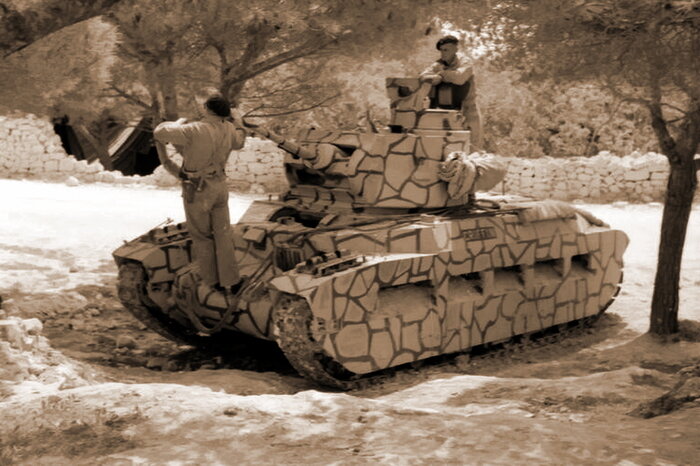
Image
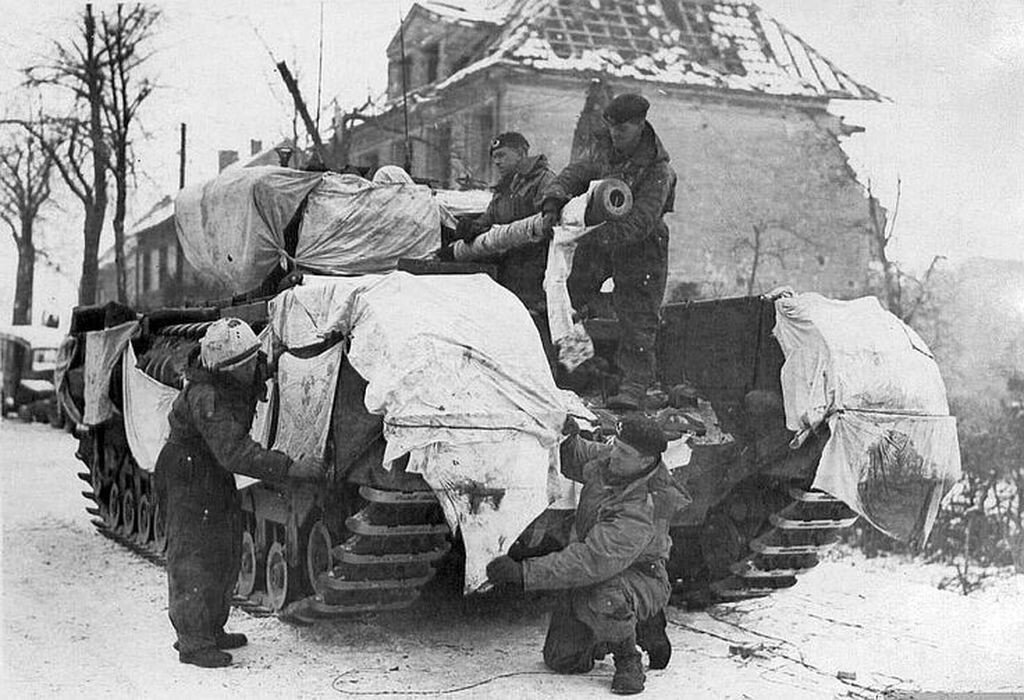
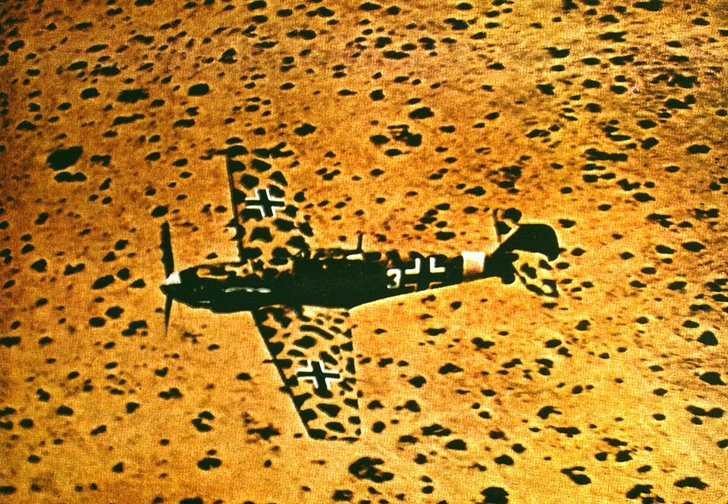
:shock: What a beautiful and useful program! Way to go, Nico—I hope we'll be able to camouflage airplanes in it, too!
Image
https://www.maximonline.ru/longreads/ko ... -id667908/


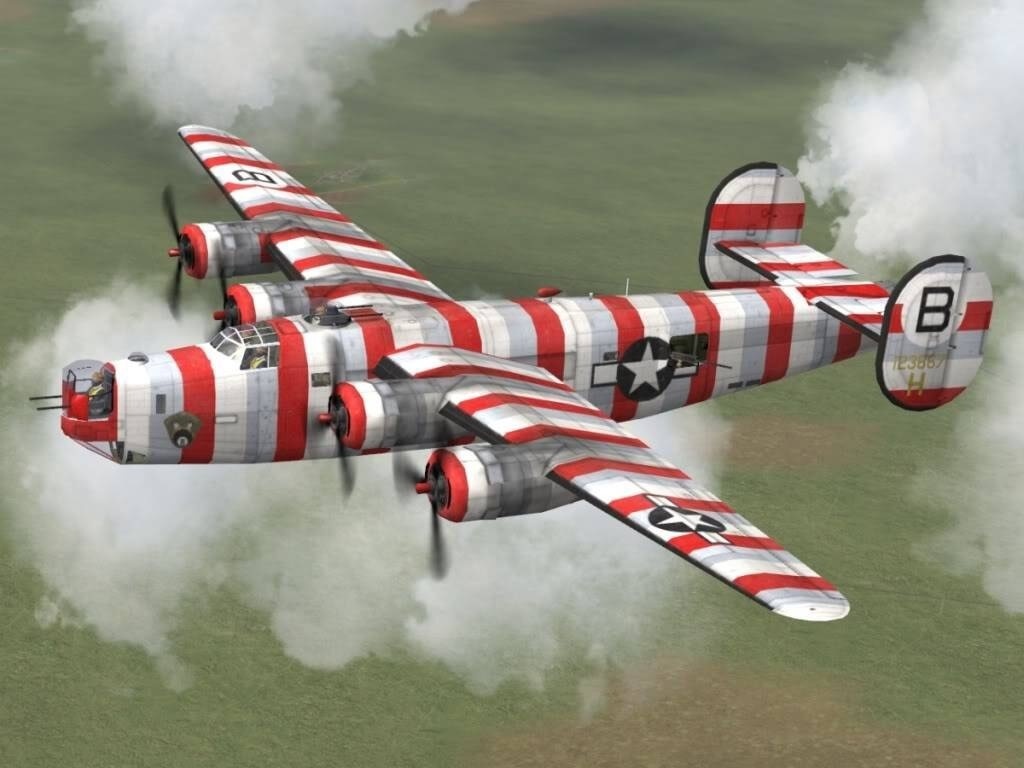
Image
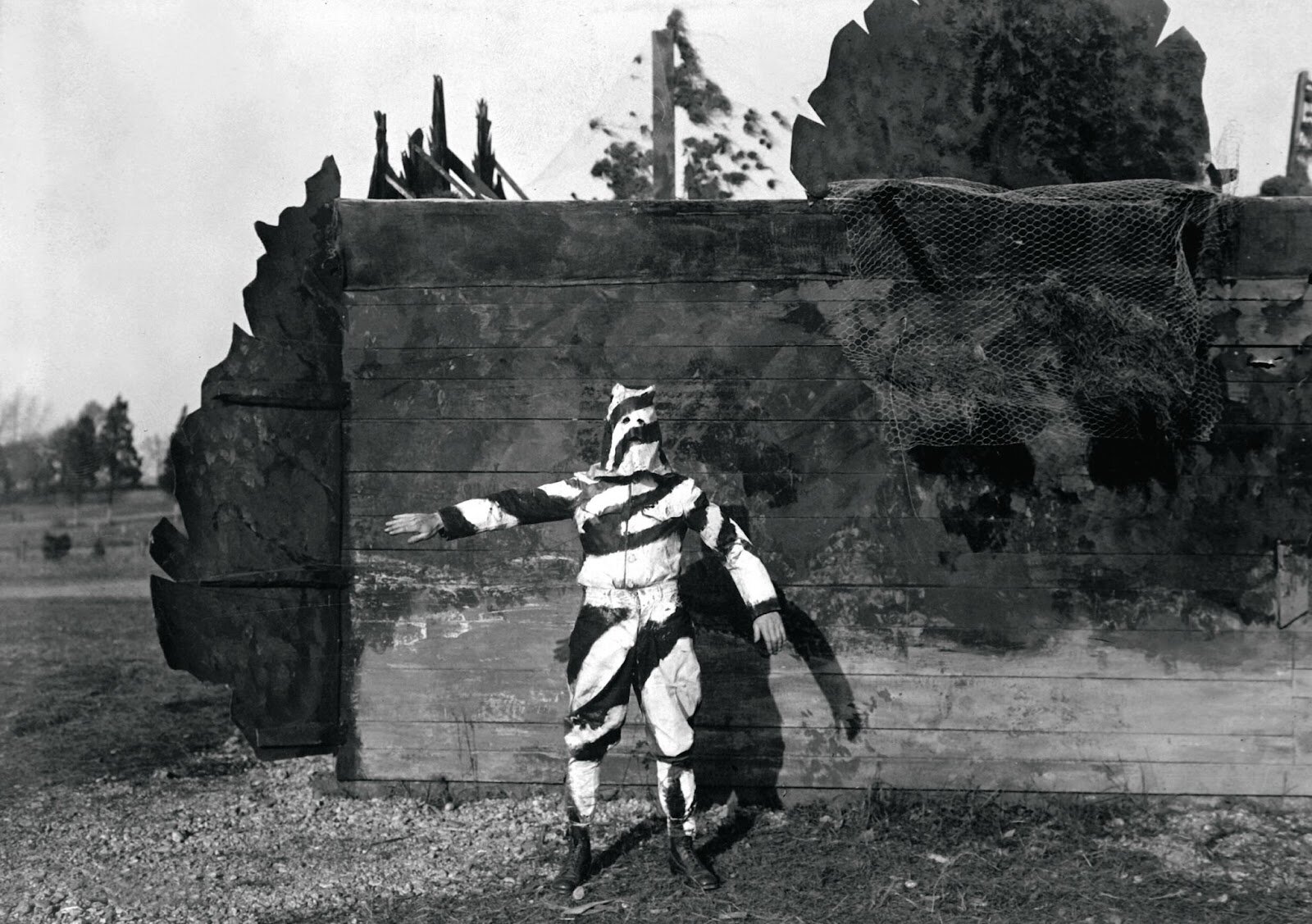
The Americans came up with many experimental camouflage designs. In the photo, for example, is “razzle dazzle”—a dazzling camouflage pattern. In theory, this kind of camouflage is supposed to disorient the enemy, and I think it would have worked wonderfully. You never expect to run into a Ku Klux Klan member on the battlefield.
Last edited by bondjamesbond on Thu Jul 16, 2026 9:51 am, edited 2 times in total.
https://mynickname.com/id73473
Image
nikivdd
Panzer Corps Map Designer
Posts: 5044
Joined: Fri Jun 24, 2011 1:21 pm
Location: Belgium

Re: Panzer Corps Toolkit v1.9.4 (16/07/26)

Post by nikivdd »

bondjamesbond wrote: Thu Jul 16, 2026 9:41 am
:shock: What a beautiful and useful program! Way to go, Nico—I hope we'll be able to camouflage airplanes in it, too!
Image[/img]https://www.maximonline.ru/longreads/ko ... -id667908/
One step at a time ;)
But i can promise that whoever will use the unit paint studio will be in a shock.
And I try to make the Toolkit program (in general) and Unit paint studio (in particular) as user friendly as possible.
bondjamesbond
Lieutenant-General - Do 217E
Posts: 3038
Joined: Mon Jun 27, 2022 10:10 pm

Re: Panzer Corps Toolkit v1.9.4 (16/07/26)

Post by bondjamesbond »

nikivdd wrote: Thu Jul 16, 2026 9:48 am
bondjamesbond wrote: Thu Jul 16, 2026 9:41 am
:shock: What a beautiful and useful program! Way to go, Nico—I hope we'll be able to camouflage airplanes in it, too!
Image[/img]https://www.maximonline.ru/longreads/ko ... -id667908/
One step at a time ;)
But i can promise that whoever will use the unit paint studio will be in a shock.
And I try to make the Toolkit program (in general) and Unit paint studio (in particular) as user friendly as possible.
Image
Great! This is really necessary and important!
https://vsegda-tvoj.livejournal.com/39311388.html

Image


A soldier of the 33rd SS Division “Charlemagne” (1st French Division). April 1945,Berlin.
Attachments
image-gpt-4b7e10-904-[problembo.com].jpg
image-gpt-4b7e10-904-[problembo.com].jpg (342.48 KiB) Viewed 71 times
Last edited by bondjamesbond on Thu Jul 16, 2026 7:06 pm, edited 1 time in total.
https://mynickname.com/id73473
Image
nikivdd
Panzer Corps Map Designer
Posts: 5044
Joined: Fri Jun 24, 2011 1:21 pm
Location: Belgium

Re: Panzer Corps Toolkit v1.9.4 (16/07/26)

Post by nikivdd »

Under development: Unit Paint Studio — What Users Can Do

The Unit Paint Studio lets users repaint Panzer Corps ground-unit icons without needing a separate graphics program for the main workflow.

Users can:

load an existing ground-unit icon and its mask and apply a preset or custom camouflage skin;
compare the original and painted unit side by side;
adjust pattern scale and horizontal or vertical position;
replace the main paint with a solid colour;
apply separate colours to secondary areas such as tracks and tertiary areas such as armament;
adjust brightness, contrast, and sharpness;
preview the result against different backgrounds;
zoom and inspect the icon before saving;
save the finished painted unit as a transparent PNG;
receive a warning when closing an unsaved paint project.

The Studio also includes tools to:

create a complete skin from a photograph or illustration (with assistance wizzard);
select and crop a useful part of the source picture;
choose Tile, Stretch, or Fit and Repeat generation;
preview the pattern and final 296 × 296 skin layout live;
generate a matching browser thumbnail;

create a skin from an existing compatible thumbnail;

create a thumbnail from an existing skin;

manage preset and user-created skin collections.

Preset skins installed with the Toolkit and personal skins stored under Documents are shown together in the same browser.

The current release is intended for ground units. Aircraft support is planned for a later version, and insignia replacement is temporarily disabled.

The current beta version being tested and tweaked is v1.9.7.13. The release candidate is most likely v2.0.0

New army generator

The Upgrade Unit Generator helps players create upgrade proposals for an existing force containing older or outdated equipment.

Users can:

select one or more nations;
enter a request date, defaulting to 01.09.1939;
optionally filter the available equipment list by unit class;
add one or more existing units to the request list;
include older units whose purchase period has already ended;
optionally enter a total upgrade budget;
request replacement proposals for the complete list.

Each proposed replacement:

remains in the same unit class as the original equipment;
belongs to the selected nation;
must be available on the request date;
may be a newer version of the unit or another recently available unit of the same class.

The generator uses three possible outcomes for each unit:

70% chance to attempt a valid replacement;
15% chance that no upgrade is available at this time;
15% chance that the replacement is denied at this time.

When a budget is entered, the combined cost of all approved replacement equipment cannot exceed that budget. Without a budget, upgrade spending is unlimited.

Each request is final. After selecting Request Upgrades, the list and results are locked and cannot be regenerated. To make another request, the user must select Reset and enter the equipment list again.

Completed results can be:

saved as a text file;
printed;
reviewed with the original equipment, proposed replacement, class, cost, request date, budget, and denial or unavailable messages.
nikivdd
Panzer Corps Map Designer
Posts: 5044
Joined: Fri Jun 24, 2011 1:21 pm
Location: Belgium

Re: Panzer Corps Toolkit v1.9.4 (16/07/26)

Post by nikivdd »

t1.png
t1.png (113.82 KiB) Viewed 36 times
.
t2.png
t2.png (145.76 KiB) Viewed 36 times
.
For an original icon that is not already grey or near-neutral, Paint Unit should first remove most of the original hue from the paintable areas before applying the new skin or colours.

The intended procedure is:

Load the original icon and its matching mask.
For every paintable mask region, read the original pixel’s brightness and shading.
Convert that original pixel to a neutral luminance value rather than keeping its original colour.
Apply the selected skin or solid colour over that neutral base.
Reintroduce the original highlights, shadows, panel lines, rivets, wear, and depth through luminance blending.
Leave black or ignored mask regions unchanged.
Process secondary and tertiary regions with their own selected colours or settings..
.
In the posted screenshots the original icon is strongly Soviet green, but Paint Unit has:

removed the green hue from the masked bodywork;
preserved the original highlights, shadows, rivets, and panel detail;
applied the selected German stock-grey skin over the neutralised surface;
left the tracks and other ignored mechanical areas largely unchanged;
preserved the red stars because they are outside the active repaint region.

Most importantly, there is no obvious green contamination in the grey hull or turret. The repaint is using the original icon mainly for shading and surface detail, not carrying the original colour into the new skin.

The program runs this process automatically.
Post Reply

Return to “Panzer Corps : Scenario Design”